 Analysis byWeUseApps
Instagram is most compelling when I treat it as a place to keep up with people and visual interests, rather than as a simple photo album. Its mix of posts, short-form video, stories, and messaging makes it easy to move from a friend’s update to a creator’s cooking idea in one session. That breadth is also the central trade-off: there is plenty to discover, but the experience can feel busy and make it harder to use the app with a single purpose.
What the app is good at
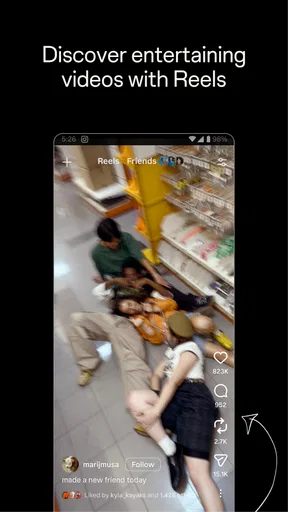
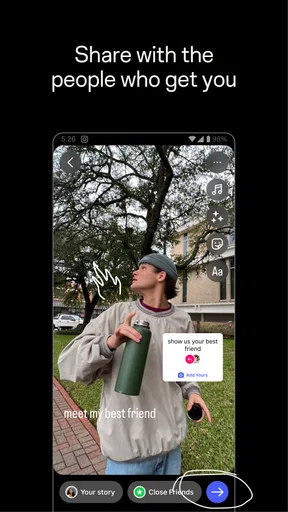
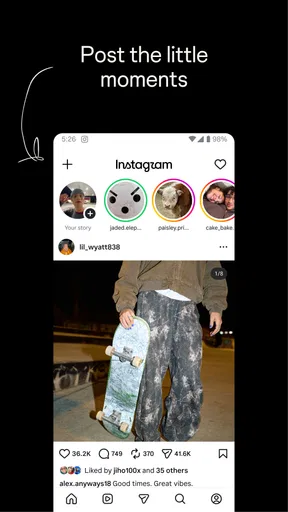
As a social app developed by Instagram, it gives everyday sharing several formats instead of asking every update to look the same. A polished photo can sit beside a quick, temporary story or a reel intended for casual viewing. In practice, that variety suits different moods: I might post a considered moment, share something less formal with people who follow me, or watch a stream of short clips when I have a few spare minutes.
The strongest part is how those formats support different levels of effort. A feed post can serve as a lasting snapshot, while a story is better for a passing moment that does not need to become part of a carefully arranged profile. Reels work well when I want to browse rather than catch up with a particular person. That distinction is useful, though it also means the app rewards knowing what I want to do before opening it.
For keeping up with friends, the mix can feel more natural than a feed built only around text updates. A photo gives context at a glance, and a brief story can communicate the small details that might feel excessive as a permanent post. If I want to share a scene from a walk without making a larger announcement, a story is a comfortable middle ground. If I want the image to remain easy to revisit, a feed post makes more sense.
Instagram is free to download, and its broad reach helps it work as a shared social space: the app has over five billion installs. Its average rating is four out of five, based on around 170 million ratings. Those figures speak to its scale, but they do not tell me whether my own circle uses it or whether I will enjoy its pace. The practical value depends heavily on the people and interests I choose to follow.
Small choices that improve the experience
One useful habit is to treat following as an ongoing edit rather than a one-time setup. If my feed becomes a jumble of friends, hobbies, and recommendations, I can reconsider which accounts actually make me glad I opened the app. Keeping the list intentional helps preserve the personal side of the experience, especially when discovery content starts competing with updates from people I know.
I also find it helps to separate browsing from sharing. When I open the app to post a particular photo or check a friend’s update, it is easy to get pulled into reels and keep scrolling. Deciding on a small task first—reply to a message, share a story, or catch up with a few accounts—gives the session a natural stopping point. That is not a special setting; it is a simple way to stay in control of an app designed to offer more to watch.
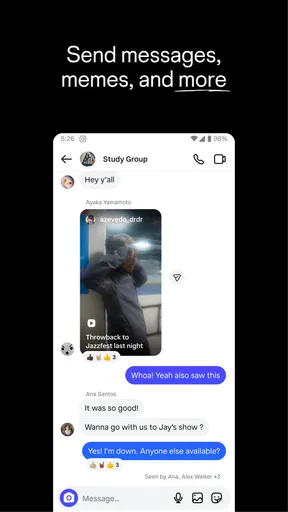
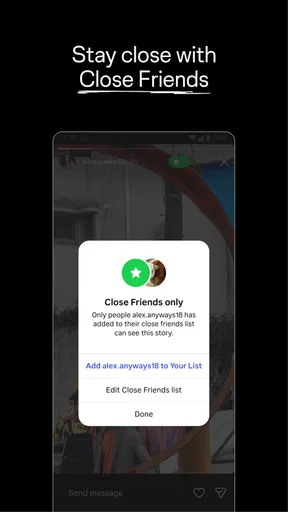
Stories are especially useful for low-stakes updates, but I would not use them as a substitute for a conversation. A quick reaction can acknowledge a moment, yet it may not answer the person’s actual question or carry the nuance of a direct exchange. When I want to make plans or discuss something personal, I switch to messaging rather than hoping a public-facing post communicates enough.
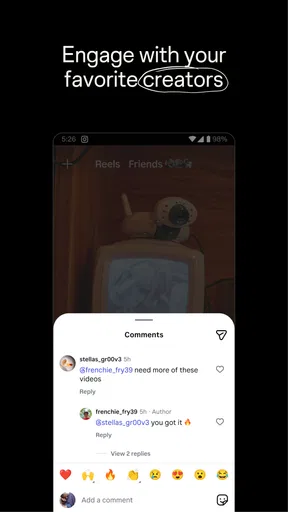
Another practical distinction is between sharing for friends and sharing for discovery. A personal post can be meaningful even if it attracts little attention; a reel may be more suited to reaching people beyond a familiar circle. I would not judge the usefulness of the app by how much response a post receives. Social platforms make visibility easy to notice, but that does not make it a good measure of whether sharing was worthwhile.
Where the convenience comes with friction
The main weakness is the competition for attention. Posts from people I care about, short videos, and suggested material all sit within the same broad experience, so a quick check can turn into a longer browse. The app is less satisfying if I want a quiet, chronological catch-up with no temptation to continue watching. It can also feel like several social habits—sharing, discovering, and chatting—are competing for the same screen time.
That variety creates a second limitation: Instagram can be a poor fit for someone who wants one clear, bounded tool. If I only need private conversations, a messaging-focused app is usually simpler. If I want a text-led discussion, a community forum may make it easier to follow a sustained conversation. And if I want to save and organize photos primarily for myself, a dedicated photo library is a better match than a social profile built around sharing and responses.
There is a learning curve in deciding what belongs where. A fleeting update and a carefully chosen post may both use a photo, but they serve different purposes and reach people in different contexts. New users may need time to understand which format feels comfortable and how much of their life they want to share. I recommend starting with a small circle and a modest posting routine instead of feeling obliged to use every format immediately.
It is also worth being deliberate about attention and boundaries. Because the app makes it easy to keep watching, I avoid opening it automatically whenever I have a spare moment. People who are sensitive to social comparison may find a stream of polished images tiring, even when they enjoy the creative side. Curating who appears in the feed and taking breaks can help, but a user who wants minimal social pressure may simply prefer another kind of app.
Who will get the most from it
I would recommend Instagram to people whose friends, family, or creative interests already have a presence there. It is particularly useful for someone who enjoys visual updates and likes switching between casual sharing and browsing. Artists, food enthusiasts, local explorers, and hobbyists may find it convenient to follow a range of accounts in one place, while still using the app to keep up with people they know.
A realistic everyday use might be checking a friend’s story over breakfast, replying to a message about weekend plans, then saving a restaurant idea from a reel to revisit later. That is a natural chain of tasks for the app, and it shows why the format mix can be handy. The downside is that the reel can lead to more browsing than intended, so I would open it with a purpose if I had only a few minutes.
For a teenager, the content rating is Teen, but that label is not a substitute for personal judgment about social media. I would encourage younger users and families to talk about what they share, who can see it, and how to handle unwanted attention. The app is best approached as a social space that calls for thoughtful choices, not as a neutral camera or private diary.
People who prefer reading long discussions, want a strictly private photo archive, or find algorithmic discovery distracting may be happier elsewhere. Instagram can support genuine connections, but it cannot make a quiet feed or a close community appear automatically. Its value improves when the accounts I follow reflect my actual interests and relationships rather than simply filling the screen.
Cost, maturity, and everyday expectations
The app is free, but it includes in-app purchases ranging from nineteen cents to ten thousand dollars per item. I would not assume that every user needs to spend money to take part in the basic social experience, but it is sensible to review any purchase before confirming it, especially on a device used by a younger person. The broad range makes checking the specific item and its cost more useful than assuming all optional purchases are alike.
Instagram has been available since April 3, 2012, and its scale is reflected in roughly 4.5 million written reviews as well as its large rating base. Longevity can make it easier to find friends and established creators, but it also means the app is not a small, focused network. I see that as a strength for reach and a drawback for anyone hoping for a quieter or more tightly defined community.
Compared with messaging apps, Instagram is more visual and discovery-oriented, but less focused on direct conversation. Compared with photo-sharing services centered on albums, it places more emphasis on people, reactions, and an active feed. That is why I would choose it to follow a community and share moments, not as my only place to store important pictures or maintain private conversations.
My verdict
Instagram is worth trying if visual social connection is what you want and the people you care about are already there. Its strongest quality is the way posts, stories, reels, and messages cover different kinds of everyday sharing without requiring a separate app for each habit. I especially like the flexibility to make a moment temporary, lasting, or simply something to watch and move on from.
I would not recommend it as an automatic choice for everyone. The crowded mix can distract, the browsing can stretch longer than planned, and a user who wants private storage or focused conversation will find better-suited alternatives. Start by following people and interests you genuinely value, use the formats that feel natural, and give yourself a reason to close the app. With those expectations, Instagram is a useful social companion; without them, its abundance can become its biggest annoyance.
What we like
- Stories make it easy to share casual moments that disappear after 24 hours.
- Reels offer a steady stream of short videos tailored to your interests.
- Direct messages support private chats and group conversations.
- Built-in editing tools help polish photos before you share them.
- Creator tools provide insights into reach and audience engagement.
What could be better
- The feed can encourage excessive scrolling and frequent app checks.
- Frequent ads may interrupt browsing and viewing content.
- Some features are limited to public accounts or professional profiles.
- Image compression can reduce the quality of uploaded photos and videos.
- Privacy settings can be difficult to understand and manage.