
 Analysis byWeUseApps
The appeal of TikTok Lite is a focused one: it aims to make the familiar short-video experience feel less demanding on your phone. That matters most when you want to dip into clips during a spare minute, rather than turn your device into a home for every social feature you might use. I see it as a practical option for people who mainly watch and discover videos and would rather keep their app experience lean.
A lighter way to browse short videos
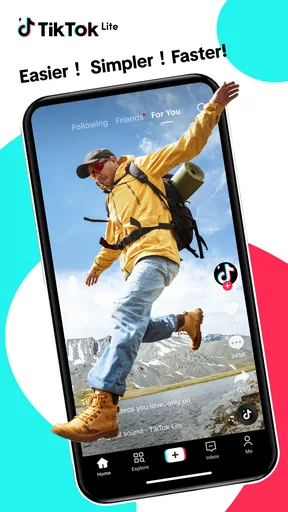
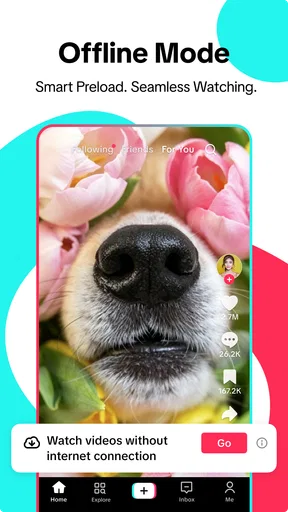
TikTok Lite is a free social app from TikTok Pte. Ltd., built around the idea of getting to TikTok videos with less weight than the fuller experience. The useful distinction is not that it changes what short-form video is; it is that a lighter client can be a better fit when storage, device capacity, or a quick loading experience matters to you. The app’s store summary emphasizes speed and a lighter feel, so that is the most sensible lens through which to judge it.
In practice, the core attraction is an easy viewing habit: open the app, browse a stream of short clips, and move on when something catches your attention. That format works well for recipes, quick explanations, comedy, music clips, and other ideas that are easier to sample visually than to search for in a long article or video. The format also makes it easy to lose track of time, so I would treat the feed as a source of discovery, not as a promise that every session will be brief.
The app is listed in the social category, has a 4.3 average from around 54 thousand ratings, and has received about 12 thousand written reviews. Those figures suggest that many people have tried it, but they do not tell me whether it will suit your phone or habits. I would judge it by the main question: do you want a straightforward route to short videos, or do you need the broader set of tools and routines you associate with the full TikTok experience?
What “lighter” changes in a real session
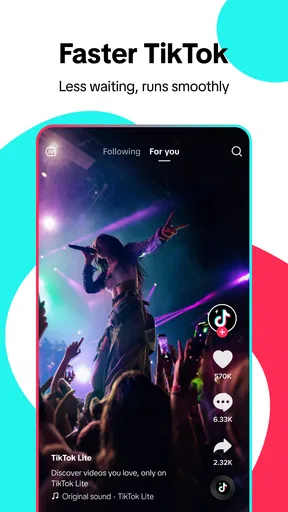
A lighter app is most valuable when it reduces friction before you even start watching. If your phone is older, has limited free space, or already feels crowded with apps, a smaller-footprint alternative can be more appealing than installing a feature-rich client you may barely use. The practical benefit is not a guarantee that every video will load instantly; connection quality, device performance, and the clip itself still affect what you see. It is a reason to try this version when the standard app feels like more than you need.
One useful way to approach the feed is to make each visit intentional. For example, if you have a few minutes while waiting for a bus, decide that you are checking a particular topic or simply taking a short break. When a clip is useful, note the creator or idea in a way that will help you find it again, rather than assuming you will remember it after a long scroll. A fast-moving video feed is excellent for discovery but less reliable as a personal reference library.
I would also pay attention to how your recommendations respond to your choices. If the feed starts filling with material that does not interest you, spend more time on clips you genuinely want and less time lingering on ones you would rather avoid. That is a practical habit for shaping a recommendation-driven experience without expecting the app to read your mind. It also helps keep a casual break from turning into an endless stream of unrelated videos.
A good fit for small pockets of free time
The best everyday scenario is a person who wants video discovery on a phone that benefits from a lighter app. Imagine waiting for a meal to heat up: you open the feed, watch a few short clips, find a simple cooking idea, and close the app when the timer goes off. The same pattern can work during a commute break or while waiting for an appointment. In each case, the format offers variety quickly, and the lighter positioning makes the app more attractive if you do not want a heavier installation just for occasional viewing.
It can also be a useful choice if you are trying TikTok-style videos for the first time and want to begin with a pared-back option. You can find out whether this quick, vertical-video rhythm suits you before deciding whether you want a more involved social app. The important caveat is that “lighter” should not be confused with “less engaging.” A feed of clips can still invite repeated swipes, and the ease of opening it may make casual checks more frequent than you intended.
For a creator, the decision is different. If your main purpose is to make, edit, manage, or publish videos, you should check whether the tools you rely on are available in the version you plan to use before treating Lite as your only app. I would not choose a reduced client on the assumption that it includes every creation or account-management option found elsewhere. If your routine depends on more than watching and discovering, the regular TikTok app or another dedicated editing tool may be a better starting point.
Where it sits beside the usual alternatives
Compared with the full TikTok app, Lite’s clearest case is restraint: it is aimed at people who want access to the short-video experience without needing the broadest possible package. The full app is the more natural choice if you already depend on a wider set of TikTok tools or want the main version as your daily social hub. Lite makes more sense when viewing is the priority and a leaner install is a meaningful advantage.
Compared with other short-video and social feeds, the trade-off is familiar. These services make discovery effortless, but a stream selected around your viewing behavior can narrow your attention or keep you scrolling longer than planned. If you prefer to follow a small number of sources, read posts at your own pace, or search for information in a structured way, a conventional social network, news app, or web search may be more useful. For a specific how-to task, a carefully chosen tutorial can be more efficient than browsing clips in the hope that the right one appears.
There is also a difference between convenience and control. A feed is good at putting something new in front of you; it is not automatically the best place to organize what you have learned. If you use a clip as a reminder—say, a stretch, a recipe step, or a travel tip—save the useful information somewhere you already trust for notes or bookmarks. That small workflow avoids relying on memory after the next handful of videos has displaced the original one.
Trade-offs worth considering before installing
The main limitation of a lighter alternative is that the reason it feels simpler may also mean it is not the best fit for every task. If you expect parity with the full app in every area, you may end up frustrated. I would install it with a clear purpose—primarily watching and exploring—and compare the experience with your needs rather than assuming the name alone guarantees a particular feature set.
Video feeds also depend on a reliable connection and can consume attention even when an app is efficient to open. If you often have weak connectivity, the experience may not match the smooth, quick browsing you want. And if you are trying to reduce screen time, a faster path into a stream can be counterproductive unless you set a stopping point. One sensible routine is to use the app only during a defined break, then close it instead of leaving the next clip to make the decision for you.
For younger users and families, the content rating is Teen. I would treat that as a starting point for deciding whether the app is appropriate, not as a substitute for a family conversation about social video, attention, and the kinds of content someone wants to encounter. Anyone choosing a social feed should consider their own comfort with recommendations and decide how much time they want to give it.
Who is likely to get the most from it
The strongest reason to choose TikTok Lite is a preference for quick video browsing paired with a desire for a lighter app. It is particularly appealing if your phone is modest, your storage is tight, or you use TikTok-style clips only now and then. The app is free, has passed over ten million installs, and is listed for devices running Android 5.0 or later. It was released on December 6, 2024, and its current version is 47.4.51.
I would be more cautious if you want a polished workspace for creating and managing content, a dependable archive of useful information, or a social app that naturally encourages slower, more deliberate use. In those cases, the fuller TikTok experience, a dedicated video editor, or a more structured source of information may fit better. The right choice depends less on which app sounds more complete and more on whether you spend most of your time watching or doing something with the videos.
My recommendation is to try Lite when reducing app weight and getting straight to short-video discovery are the priorities. Keep your expectations centered on that job, and pay attention to whether the feed feels useful or simply makes it easy to keep scrolling. If it gives you a convenient way to fill small breaks without crowding your phone, it earns its place; if you need deeper tools or more control over how you find and keep information, you will be better served by another option.
What we like
- Uses less storage than the standard TikTok app
- Designed to work smoothly on slower connections
- Offers a familiar short-video browsing experience
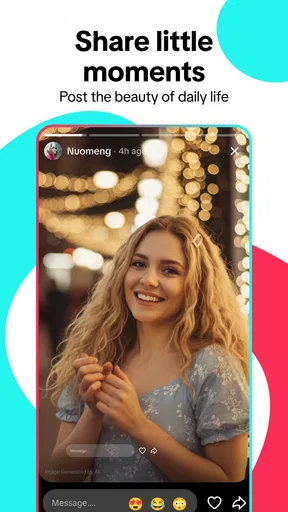
- Lets you discover clips from a wide range of creators
- Provides basic tools for liking and sharing videos
What could be better
- Some features from the full TikTok app may be missing
- Video quality can be reduced to save data
- Feed recommendations may take time to match your interests
- Frequent clips can make it easy to spend more time than planned
- Availability and features can vary by region




