

 Analysis byWeUseApps
I see Snapchat as a communication app built around sharing what is happening now, rather than maintaining a polished archive of everything I do. Its camera-first approach makes a quick photo or short video feel like the start of a conversation, not just another post. That gives it a distinct place alongside messaging apps that put text chats first and social networks organized around a lasting profile.
What using Snapchat feels like today
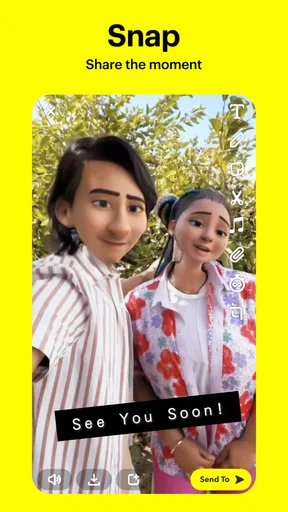
At its best, Snapchat makes small, informal exchanges feel easy. I can capture a moment, add a playful visual treatment, and send it to a friend without turning the interaction into a carefully edited update. The emphasis is on immediacy: a funny face, a view from the bus, or a quick check-in can be enough to keep a conversation moving.
That camera-led design is also the app’s main adjustment for newcomers. If you expect to open a communication app and land on a familiar list of text conversations, Snapchat can initially feel like it is asking you to do something before you have decided what to say. Once I treat the camera as a fast way to start a conversation, rather than as an obstacle, the layout makes more sense.
Snap Inc’s app sits in the communication category, though in practice it overlaps with social networking and creative tools. It is free to install, carries a Teen age rating, and has an average rating of 4.2 from around 40 million ratings. Its scale is substantial, with more than a billion installs, but popularity does not make it the right fit for every kind of conversation.
Where it fits among messaging apps
Compared with a conventional messenger, Snapchat puts more weight on visual expression and less on keeping every exchange as a permanent, neatly searchable record. Compared with a feed-based social app, it can feel more directed: sharing with a particular friend or group is often the point, rather than publishing something for a broad audience. That combination suits people who like casual visual contact but do not want every moment treated as a public post.
It is less compelling if your everyday communication is mostly practical: coordinating appointments, sending long instructions, or finding a detail from a conversation months later. A text-first messenger is usually more comfortable for that work. I would think of Snapchat as a lively complement to those tools, not an automatic replacement for them.
Small workflows that make a difference
One useful habit is to decide who a moment is for before taking time to decorate it. When I am sending something to one friend, a quick capture and direct share keeps the exchange personal. If I am making something for a wider audience, I pause and check the destination before sending. That small distinction helps avoid the common frustration of creating a playful moment and then having to reconsider who should see it.
Another practical approach is to use visual messages for things that benefit from being seen. A photo of a confusing sign, a quick clip of a pet doing something ridiculous, or a view that explains where I am can communicate more naturally than a paragraph. For details that matter later—an address, a plan, or a task—I would still send clear text in a channel where I can reliably find it again. The trade-off is simple: visual spontaneity is the strength, while durable reference is not the reason I would choose the app.
It also helps to keep the audience intentionally small. The app’s casual tone can make sharing feel effortless, but ease should not be mistaken for privacy or permanence. Before sending anything personal, I consider who is receiving it and whether I would be comfortable if it were saved or shown beyond the original exchange. That is sensible practice for any social messaging service, and especially for one designed to make quick sharing feel natural.
What the version tells existing users
The current Android version is 14.29.0.50, and the app’s history reaches back to its release on October 29, 2012. Those facts show that Snapchat is a mature product with a long life, not a new messaging experiment. They do not, by themselves, tell me which screens or tools changed in a particular update, so I would not treat a version number as proof of a specific new feature.
For an existing user, a current version mainly matters as the version to check when something feels different or stops behaving as expected. Updating can keep the experience aligned with the app’s ongoing development, but I would still make a habit of reviewing the recipient and sharing destination before sending, rather than assuming that familiarity removes the chance of a mistake. Snapchat’s core appeal remains its quick, visual style; a version label is less useful than noticing whether the current interface still fits the way you communicate.
On Android, the stated minimum operating system is version 6.0. The app is available without an upfront price, while in-app purchases range from $0.49 to $399.99 per item. I would not assume that a paid option is necessary for ordinary conversations, but anyone considering purchases should check the item and its cost in the app before confirming. The wide range makes it particularly sensible to review a purchase carefully rather than treating every optional item as a small add-on.
Everyday situations where it works well
Imagine I am walking home and spot a dog wearing an enormous raincoat. A quick picture sent to a friend is more fun and immediate than writing a description, and it can prompt a back-and-forth without the formality of a planned call. That is the kind of small moment Snapchat handles naturally: it gives a conversation something visual to react to, while asking very little effort from either person.
It can also suit friends who live far apart but enjoy frequent, low-pressure contact. A small glimpse of a meal, a new haircut, or a place someone is visiting can make an ordinary day feel shared. People who do not enjoy taking photos, prefer uninterrupted text conversations, or want an orderly record of important messages may find this style less satisfying. The app works best when both sides enjoy its informal rhythm.
For families, clubs, or groups arranging something practical, I would use a more structured chat tool if the conversation needs to preserve decisions. Snapchat can help people share the atmosphere of an event, but I would not rely on a stream of casual visual messages as the sole record of meeting times or responsibilities. Separating the “look at this” conversation from the “remember this” conversation prevents an entertaining exchange from becoming an unreliable planning system.
What still takes care and attention
The most noticeable friction is that a camera-first app can make a simple message feel like a performance. If I only want to ask a straightforward question, opening into a visual environment may be more ceremony than I need. New users may also need time to understand where a particular action leads, since the app’s appeal depends on moving between capturing, composing, and sharing rather than staying in one text inbox.
There is also a balance to strike between spontaneity and judgment. A disappearing or temporary-feeling exchange can encourage people to send things more casually than they otherwise would. I do not treat that feeling as a guarantee that a recipient cannot preserve or redistribute what I share. For sensitive information, I would choose a more deliberate channel and avoid sending anything that would cause trouble if it left the intended conversation.
Notifications and frequent exchanges can be another drawback for someone who wants social apps to stay in the background. The app’s quick-response style is engaging partly because it makes participation easy, but that can create a sense of pressure to keep up. I would use its notification controls and sharing habits to set a pace that feels comfortable, rather than letting the app decide how often I check in.
Who should choose it—and who may prefer something else
I recommend Snapchat to people who communicate through pictures and short videos, enjoy playful exchanges with friends, and value a casual atmosphere more than a permanent archive. It is particularly useful when a visual detail is the message: a place, a reaction, or a fleeting joke that would lose something in plain text. Its large user base can also make it practical when the people you want to reach already use it.
I would steer someone toward a text-first messenger if they need reliable search, long-form discussion, or a straightforward conversation list. Someone hoping to publish polished work to a broad audience may be happier with a platform designed around public profiles and a more persistent feed. And if you dislike camera-led interfaces or prefer to share very little, there is no need to force Snapchat into your routine just because many people have installed it.
The app’s average rating and enormous reach suggest that it has broad appeal, but they do not settle the personal question: do your friends use it, and do you enjoy communicating this way? Those are more useful tests than popularity alone. Because it is free to start, trying it can be a low-commitment way to see whether its visual rhythm suits you; I would still keep purchases deliberate and share thoughtfully from the beginning.
What I would keep an eye on
Snapchat has been around since 2012 and is now at version 14.29.0.50 on Android, so I would expect an established app to keep evolving. That is an expectation, not a claim about a particular upcoming change. When I update, I pay attention to whether the app’s sharing flow remains clear, whether the camera still helps me communicate rather than slowing me down, and whether the ways I use it continue to match my privacy comfort level.
My overall view is positive, with a clear caveat: Snapchat is strongest as a place for quick, visual contact, not as an all-purpose organizer for important conversations. I like how easily it can turn an ordinary moment into something a friend can react to. If that sounds like the kind of connection you want, it is worth trying; if clarity, permanence, and easy retrieval matter more, a conventional messenger is likely the better everyday choice.
Snapchat is at its best when I use it deliberately: share the moment that benefits from being seen, keep important details somewhere dependable, and choose the audience with care. That makes its playful, camera-first approach feel useful rather than distracting—and gives me a realistic sense of both what it does well and where another app would serve me better.
What we like
- Ephemeral messages can make casual sharing feel more relaxed.
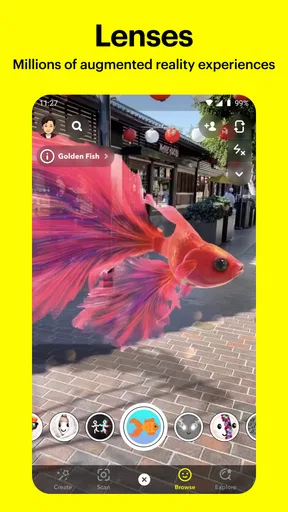
- Creative lenses and filters offer playful ways to personalize snaps.
- Snap Map lets users share their location with selected friends.
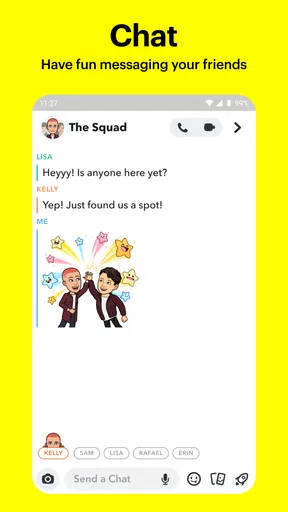
- Group chats make it easy to keep up with several friends at once.
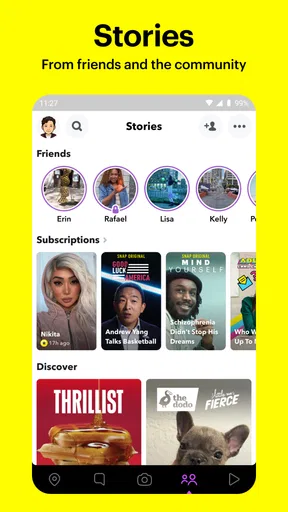
- Stories provide a quick way to see friends’ recent updates.
What could be better
- Many messages disappear before you can revisit them.
- Location sharing can expose where you are if settings are not checked.
- Frequent notifications may become distracting.
- Some lenses and features require newer devices.
- Public content can expose younger users to unwanted interactions.




