
 Analysis byWeUseApps
I’d use CarGurus when I’m beginning a car search and want a clearer way to compare listings before contacting sellers. It’s an auto-shopping app from CarGurus, Inc, built around browsing vehicles and taking steps toward buying, financing, or selling. The first useful result isn’t choosing a car on the spot; it’s narrowing a crowded search into a few candidates worth checking carefully.
CarGurus: Used & New Cars is free, and its broad audience is reflected in its Everyone age rating. It has a 4.8 average from around 247,000 ratings, with over 10 million installs. Those figures suggest it’s a well-established choice, but they don’t tell you whether a particular listing is right for you. I’d still treat each vehicle as a lead to investigate, not a decision the app can make on your behalf.
What the car-shopping experience is like
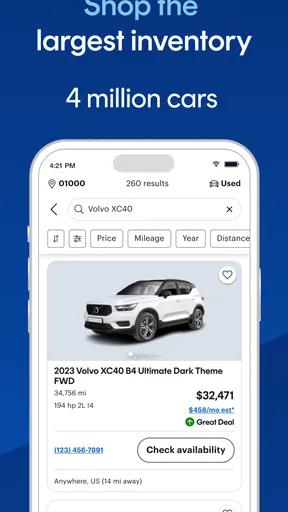
The app is most useful early in the process, when you’re weighing several makes, models, or price ranges and need a practical way to explore what’s available. Instead of relying on one seller’s description, you can use a vehicle-shopping app to make a shortlist and compare options before deciding which ones deserve your time. That’s a better starting point than browsing listings without a clear idea of what you’re looking for.
My advice is to begin with a few non-negotiables rather than trying to find the perfect car immediately. Think about the kind of vehicle you need, the amount you’re comfortable spending, and which compromises you’d accept. A roomy car with more mileage might suit your daily life better than a newer, smaller option; the right choice depends on how you’ll actually use it.
Compared with general classified-ad apps, CarGurus is focused specifically on vehicles and also puts financing and selling within the same shopping experience. A dealership’s own inventory can be useful when you already know where you want to shop, while local classifieds may suit someone who prefers arranging a private sale directly. I’d choose CarGurus to get oriented across car options, then widen the search if local coverage or a particular seller matters more.
The key trade-off is that browsing can create a false sense of certainty. A listing may look promising on a screen, but photos and descriptions can’t replace checking the car in person, asking about its condition, and understanding the seller’s terms. I treat the app as a research and discovery tool, not as a substitute for inspection or careful questions.
Set up a search around your real needs
For a first search, I’d avoid stacking on too many preferences at once. Start with the vehicle type and a sensible budget, then add requirements that genuinely affect your day: space for passengers, room for equipment, or a size that feels manageable where you park. If the results are too narrow, loosen one preference at a time. That way you can see which requirement is limiting your choices instead of repeatedly changing everything.
It also helps to separate essentials from nice-to-haves before you browse. For instance, if you need a car for a regular commute, reliability and running costs may matter more than a particular trim. If you often carry family or bulky items, seating and cargo space may be worth prioritizing over cosmetic details. This small bit of preparation makes comparisons less emotional and reduces the temptation to chase a listing just because it looks attractive.
CarGurus is at version 5.63, and it has been available since February 11, 2014. It supports operating systems from version 7.0 onward. Those details can help you check whether the app is a fit for your device, but I’d still make sure the app store offers a compatible current install for your particular phone before planning a search around it.
Turn browsing into a useful shortlist
A meaningful first success is not merely opening a listing; it’s finding a small group of vehicles that meet your needs and are worth comparing. When you find a candidate, pause before moving on and ask the same questions of every option: Does it fit the budget? Does the body style suit my routine? What information would I need from the seller before making a trip? Applying one consistent checklist makes it easier to compare unlike listings fairly.
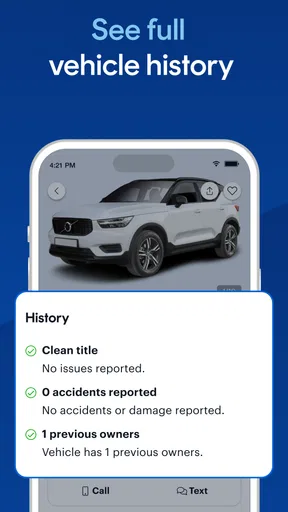
A realistic example: suppose you’re replacing a car that has become inconvenient for weekend errands. You could use the app to explore practical alternatives, then keep a few candidates that fit your space and spending limits. Before arranging a visit, write down what you want to confirm, such as the vehicle’s condition, ownership details, and whether the stated equipment is present. The app helps you get to that focused conversation; it doesn’t answer those questions for the seller.
One useful habit is to compare the total decision, not just the most appealing headline detail. A lower asking price may come with a compromise you can’t live with, while a better-equipped vehicle may be outside the amount you’re comfortable paying. If the app brings financing into the process, I’d treat it as a prompt to examine affordability, not a reason to stretch a budget. Work out what you can manage before you’re emotionally invested in a particular car.
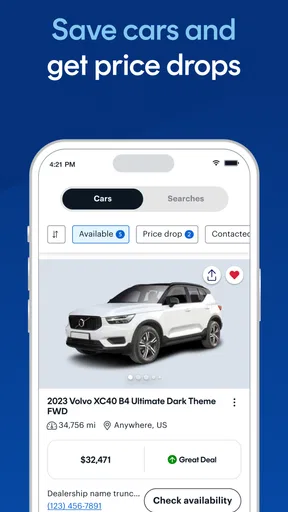
Another practical tip is to keep a note of why each candidate made your shortlist. “Good space, but I need to check the service history” is more useful than remembering only that a listing looked nice. When several cars start to blur together, recording one strength and one question for each keeps the next step concrete and helps you avoid revisiting the same options without learning anything new.
Where first-time users can get confused
The biggest potential misunderstanding is assuming that a listing represents a completed transaction or a guarantee of quality. It is an invitation to investigate. Availability, condition, and seller details are matters to confirm directly, and a polished listing is not proof that a car will suit you once you see it. I’d avoid making travel plans or financial decisions until the seller has confirmed the information that matters to you.
It’s also easy to confuse a vehicle’s listed price with the full cost of owning it. Your budget may need to account for financing terms and the practical costs that follow a purchase. The app can help you explore buying and financing, but I would read any offer carefully and compare the obligations rather than focusing on a monthly figure alone. If you’re uncertain about the terms, take time to understand them before proceeding.
Search results can feel disappointing if your first set of filters leaves very few suitable cars. That doesn’t necessarily mean there are no workable choices. Try widening one constraint—perhaps the body style or a preference that is not essential—while keeping your true limits intact. If you loosen everything at once, the results may become broader but less useful, and you’ll have to repeat the comparison work.
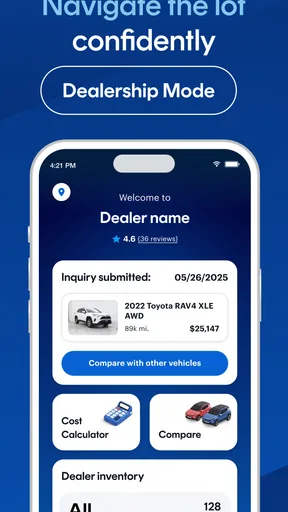
Finally, remember that an app designed for shopping across vehicles won’t be the best tool for every stage. If you already know the exact dealership or seller you want, that seller’s own information may be more direct. If your priority is a private local transaction, a general classifieds service may give you a different kind of reach. CarGurus makes most sense when you want a car-focused starting point rather than a single seller’s perspective.
Choose the next step before you close the app
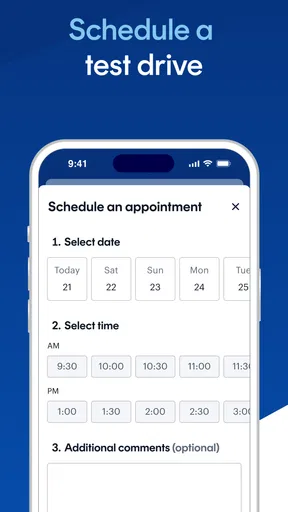
Once you have a shortlist, move from browsing to verification. Contact the seller with specific questions instead of sending a vague message: ask about the points that could change your decision, and request clarification where the listing leaves you unsure. If the answers are satisfactory, arrange a viewing and inspect the vehicle in person. If they are not, move on without feeling that time spent comparing was wasted; you’ve ruled out a poor fit.
If you’re considering financing, decide what payment and overall commitment feel comfortable before discussing a particular vehicle. A car can be appealing while still being the wrong financial choice. I’d compare the terms carefully and keep the purchase decision separate from the excitement of finding a promising listing. That approach is especially helpful for first-time buyers, who may not yet know how quickly small trade-offs add up.
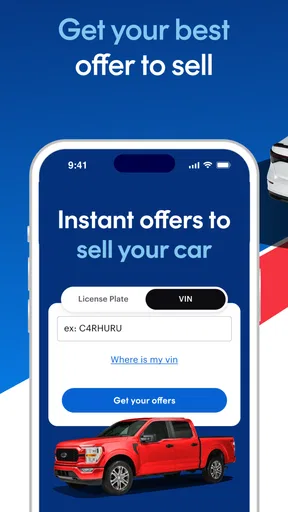
Selling is another reason someone might open the app, since the experience is not limited to shopping for a replacement. Even so, a seller should prepare accurate vehicle details and be ready to answer questions from interested buyers. I wouldn’t assume that listing a car automatically settles its value or guarantees a quick sale; the outcome still depends on the vehicle, the information presented, and the people who respond.
CarGurus is a good fit if you want a dedicated place to explore cars, compare candidates, and move toward a buying, financing, or selling conversation. I would skip it as my only source if I needed a guaranteed assessment of a vehicle, an independent inspection, or a decision made on my behalf. Its 12,000 reviews add another sign that people use the app actively, but my practical recommendation remains simple: use it to create a focused shortlist, verify the details outside the screen, and only proceed when the car and the terms make sense for your life.
For a first-time user, that’s a reassuring path: define what you need, browse with a few clear limits, keep notes on the strongest options, and confirm important details before committing. The app is most valuable when it helps you ask better questions and spend less time on cars that were never a real match. My recommendation is to use CarGurus as a starting point for a careful search, not as the final word on a purchase.
What we like
- Compare asking prices with estimated market values.
- Save favorite cars to review later.
- Filter listings by price mileage and other details.
- Browse both new and used car listings.
- Seller details help you plan your next step.
What could be better
- Listings may be outdated or already sold.
- Availability and features can vary by location.
- Some listings may include incomplete vehicle details.
- Contacting sellers can take time to get a response.
- Market value estimates may not reflect every car's condition.




