



 Analysis byWeUseApps
I think Facebook is easiest to judge by following one ordinary need: you have something to share, a few people you want to reach, and no single messaging app or community that includes everyone. In that situation, Facebook can act as a familiar meeting point. I’d use it to keep up with relatives, follow local conversations, and pass along a photo or event update without asking every person to move to a different service. The trade-off is that one app tries to serve many purposes, so finding the part you came for can take attention.
From a small reason to open the app
Facebook is a free social app from Meta Platforms, Inc., with a Teen content rating. Its scale is hard to miss: it has more than ten billion installs and an average rating of 4.6 from around 187 million ratings. Those figures suggest broad familiarity, but they don’t tell you whether its busy, mixed feed will suit your habits. My advice is to begin with a specific reason to use it, rather than treating it as something you need to check constantly.
A practical starting point might be a family group, a neighborhood discussion, or an event page shared by a friend. I would first decide what I want from the app: a quick update, a useful local answer, or a way to stay in touch with people who are not all on the same platform. That small decision helps make the experience feel more purposeful. Otherwise, the feed can turn a two-minute check into an open-ended scroll.
The broad audience is one of Facebook’s real strengths. People who rarely agree on a newer social app may still have an account here, which makes it useful for keeping loose connections alive. If your relatives post occasionally, or an organization shares notices through a community page, you can follow along without needing to persuade everyone to adopt a new service.
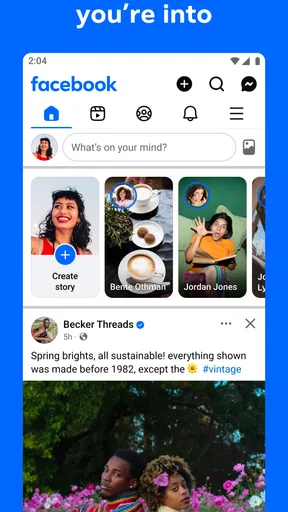
That reach also comes with a cost. Posts from friends, groups, pages, and other parts of the service compete for your attention. I find that Facebook works better as a place I visit with a purpose than as a dependable, quiet stream of only close friends. If you want a minimal feed centered on a small circle, a messaging app or a more focused social network may feel calmer.
Set up a useful route through the feed
Once I have a reason to open Facebook, I try to shape the people and communities I see around that reason. Following a local group for practical information is different from adding every suggested page or joining every discussion. A smaller, deliberate set of connections makes it easier to notice the posts that matter, and it reduces the feeling that the app is asking me to keep up with everything.
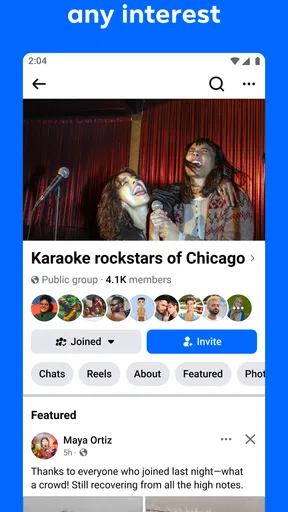
One useful habit is to treat groups as separate rooms rather than as a single source of truth. A neighborhood group can surface a road closure, a lost pet, or a recommendation from someone nearby. For anything consequential, I would still check the details with the relevant person or organization; a popular post is not automatically accurate. The group is valuable for discovery and conversation, not a substitute for verifying important information.
When I share something, I think about the audience before writing. A photo meant for close friends may not belong in the same place as a question for a local community. Taking a moment to choose the right destination and phrase the post for that audience can prevent an awkward cleanup later. This is a particularly useful step for people who use one account to keep in touch with family, coworkers, and public-interest groups.
Facebook’s social value is not limited to publishing. Reading quietly can be enough: checking a group’s discussion, seeing an event announcement, or catching up on a friend’s update. You do not need to contribute to every conversation to benefit from being there. In my view, that makes the app useful for people who want awareness and connection but don’t want to create content every day.
Moving from a post to a conversation
A social app becomes more useful when a public update can lead to a direct exchange. On Facebook, a post can prompt comments, and a shared interest or group can give people a reason to contact one another. That handoff is convenient when several people need to see the same context before they respond. It can also make a simple question more visible than a message sent to one person who may be busy.
There is a social judgment involved, though. A public comment is not always the right place for personal details, and a group conversation can include people beyond the intended audience. I try to keep sensitive information out of broad posts and move a private matter to a more appropriate channel. If your main goal is private, dependable one-to-one communication, a dedicated messenger is often the cleaner choice.
Events provide another practical handoff. Someone can share a gathering, friends can respond, and the discussion can continue in the same social setting. For a casual get-together, that can reduce the back-and-forth of separate messages. I would still confirm the time and arrangements directly if plans are important; an online response is useful coordination, but it is not a guarantee that everyone has seen the latest detail.
Groups can be especially helpful when the people who know an answer are not already in your contacts. A question about a local service may reach residents with firsthand experience, while a hobby group can connect you with people who share a particular interest. The exchange works best when the question is specific, relevant to the group, and easy to answer. Broad or repeated requests tend to add noise rather than useful replies.
What the workflow delivers—and what it costs
At its best, Facebook gets a small task from intention to outcome in one place: I notice an update, ask a question, hear from someone who knows, and decide what to do next. The result may simply be knowing what is happening in a community or having a reason to reconnect with an old friend. That is modest, but it can be genuinely useful when the right people are already there.
The app is free to use, while it also offers in-app purchases ranging from five cents to ten thousand dollars per item. I would not assume that every user needs to spend money to get value from basic social browsing and interaction. If a purchase prompt appears, I’d pause and check exactly what it buys before proceeding, especially if the app is being used by a teenager or on a shared device.
There is plenty of social activity to explore, but volume should not be confused with relevance. Facebook has around 4.2 million written reviews, which reflects how many people have strong experiences with it, positive and negative alike. The more useful question for a new user is whether their friends, family, and communities actually use it in a way that serves them. A large audience only helps when it includes the people and information you care about.
Compared with a messaging app, Facebook is better suited to mixed audiences, group discovery, and updates that can be seen by more than one person; a messenger is usually better for focused, private coordination. Compared with a photo-first social network, Facebook can feel less visually consistent but more practical for community discussion and keeping up with a varied set of contacts. If you mainly want short, fast conversations or a carefully curated feed, another service may fit your daily routine better.
Where the flow becomes frustrating
The most common friction is attention. A quick visit for one group can lead into unrelated posts, and the number of possible destinations makes the app feel crowded. I recommend deciding what you came to do before opening the feed, completing that task, and leaving when you are done. It is a simple boundary, but it makes a sprawling social app easier to use intentionally.
Another limitation is that a large community can be uneven. Some groups are active and helpful; others may have stale posts, repeated questions, or disagreements that bury useful information. Before relying on a group, I would read a few recent discussions and see whether people answer one another constructively. That quick check tells you more about its practical value than its name or membership alone.
Facebook is also not the right tool for every relationship. If someone rarely checks it, an urgent message may go unnoticed. If you need a quiet place for personal conversation, a dedicated messaging service is more direct. And if social feeds make it hard for you to stop scrolling, the app’s breadth may be a disadvantage rather than a benefit. You can still use it selectively, but it is worth being honest about whether the format supports the habits you want.
I would recommend Facebook to someone whose friends, family, or local communities already use it and who wants one place to follow those connections. I would approach it as a set of useful social spaces, not as an obligation to read every post or join every trend. Pick a few groups and people, keep public sharing intentional, and use another channel when a conversation needs privacy or urgency. With that approach, its reach can make everyday coordination and staying in touch easier; without it, the same abundance can become the reason to close the app.
What we like
- Connects you with friends and family across the world.
- Groups make it easy to find people with shared interests.
- Marketplace helps you browse local listings and offers.
- Events tools simplify planning and discovering activities.
- Pages let you follow brands creators and public figures.
What could be better
- Frequent notifications can become distracting.
- The feed may prioritize content you do not care about.
- Privacy settings can take time to understand.
- Marketplace listings may include scams or misleading offers.
- The app can use substantial storage and mobile data.




