
 Analysis byWeUseApps
When a home task starts to feel too specific for a quick search—say, a loose stair rail, a stubborn drain, or a room that needs cleaning before guests arrive—I like having one place to start looking for local help. Thumbtack is a House & Home app from Thumbtack that helps people find professionals for jobs such as handyman work, plumbing, cleaning, and repairs. It is free to download, but the service itself is about hiring professionals, so I treat it as a way to explore options and make contact rather than as a promise that every job will be free or instantly solved.
Building a reliable first search
The useful part of a service marketplace is not simply finding names; it is turning a vague household problem into a request a professional can understand. I get better results when I describe the task in practical terms: what is wrong, where it is happening, and what outcome I need. “The kitchen faucet drips when turned off” gives a clearer starting point than “plumbing help.” If there is a relevant constraint, such as a narrow time window or a task that involves more than one room, I include that early rather than waiting until a conversation is underway.
That habit matters because home-service searches can blur together. A person looking for a “repair” might mean a quick adjustment, a replacement, or a larger renovation. Being precise helps me judge whether a professional’s response matches the actual job. I would still confirm the scope directly before agreeing to anything: a short app description is a starting point, not a substitute for discussing materials, access, timing, and what counts as a completed job.
For an everyday example, imagine discovering a leak beneath a sink on a weekday evening. I would first note whether it is an active leak or a slow drip, clear the cabinet so the area can be inspected, and then search for plumbing help with those details ready. That makes the initial exchange more useful and reduces the chance of spending several messages establishing basic facts. If water is causing immediate damage, I would also take sensible steps to limit it rather than waiting for an app search to handle an emergency.
The same approach works for cleaning, but the request should be just as concrete. A move-out clean, a regular tidy-up, and a one-time deep clean are different jobs even if they all sound like “house cleaning.” I would list the rooms and the main priorities, then ask what is included before choosing. This kind of preparation is a small effort with a practical payoff: it makes it easier to compare replies on the same basis.
Use the first exchange to clarify the job
I would not choose solely because a response arrives quickly or sounds confident. The more useful questions are whether the professional understands the task, whether the proposed next step fits the problem, and whether the scope is clear. For repair work, I would ask whether an inspection is needed before a firm estimate. For cleaning, I would clarify the expected level of service and any areas that need special attention. Those questions are not a sign of distrust; they prevent two people from assuming different things about the same request.
A practical habit is to keep the job description and any follow-up details consistent. If the problem changes—for example, a small leak turns out to involve a damaged pipe—I would update the professional rather than rely on the original description. This avoids basing a decision on an outdated picture of the work. It also helps me compare options fairly, because each professional is responding to substantially the same request.
Check the details that affect your decision
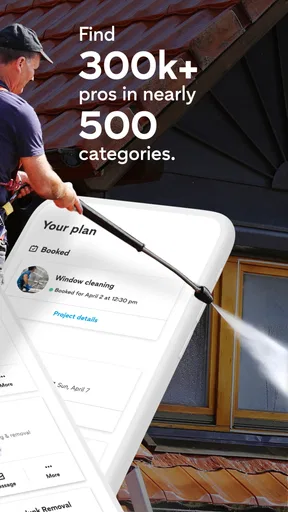
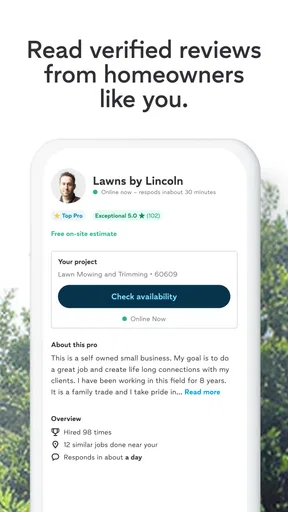
Thumbtack’s reach makes it worth considering when I need to discover available local help, but a marketplace result is not the same thing as a personal recommendation from someone who knows my home. I would read each professional’s information carefully and use the conversation to resolve anything that matters to my decision. In particular, I would confirm the exact task, timing, and expectations before committing. The app can help begin that process; the homeowner still needs to make a sensible choice.
There is also a difference between finding someone for a defined task and shopping for a complicated project. A simple repair is relatively easy to explain and compare. A bathroom renovation, a series of repairs, or work involving several trades may require a more detailed assessment than an initial app request can provide. For a larger project, I would use the app to identify possible professionals, then invest more time in discussing the plan and checking that everyone agrees on the full scope.
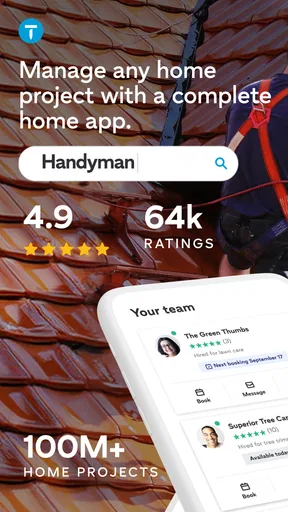
The app is free, and Thumbtack has an average rating of 4.9 from around 66,000 ratings, with roughly 15,000 written reviews. It has been installed more than five million times. I see those figures as signs that many people use and rate it positively, not as a guarantee that a particular professional will suit my job. My own decision would still depend on the relevance of the responses and how clearly the details are handled.
Make repeat searches less tedious
For people who use local services often, the main efficiency gain comes from keeping a repeatable routine, not from assuming the app has a shortcut for every situation. I would save a short personal checklist outside the search: the task, the location in the home, preferred timing, access notes, and questions to ask. Then I can adapt it for each request instead of composing everything from scratch. This is especially helpful for recurring needs such as seasonal maintenance or periodic cleaning, where the basic requirements stay similar but the dates and priorities change.
I would also separate urgent jobs from jobs that can wait. A dripping tap, a cosmetic touch-up, and a planned cleaning appointment do not need the same decision pace. For a non-urgent task, I can take time to compare replies and clarify details. For a time-sensitive problem, I should be explicit about the timing and the consequences of delay, while recognizing that local availability may limit my choices. The app is most useful when the request reflects the actual urgency rather than leaving professionals to guess.
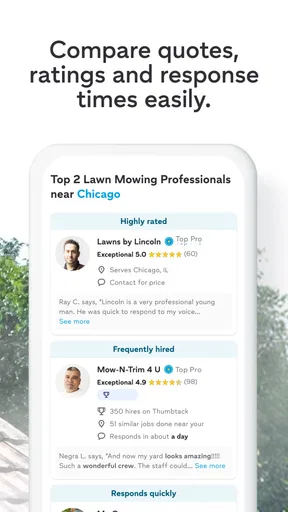
Another useful pattern is to compare proposals by scope, not just by the first number or the quickest response. If two professionals interpret the request differently, their offers may not describe the same work. I would ask them to explain what is included and flag any assumptions. A slightly longer exchange can be worthwhile if it reveals that one option covers the real issue while another addresses only the visible symptom. That distinction is particularly important with repairs, where the cause may not be obvious from a short description.
Where the marketplace approach has limits
Thumbtack is not the best fit for every household situation. If I already have a trusted plumber or cleaner who knows my home, contacting that person directly may be simpler than starting another search. If a job requires specialist knowledge, careful coordination, or a detailed design process, I may need more than a quick marketplace comparison. And if I cannot describe the problem at all, I should expect some back-and-forth before I can tell whether a professional is a match.
There is also a human judgment step that no search result can remove. A professional can appear relevant to a category while still not being the right choice for a specific job. I would avoid treating a broad match—such as “handyman”—as proof that someone handles the exact repair I need. Ask directly, explain the situation, and make sure the answer addresses the task rather than just the general category.
Compared with searching the web for individual businesses, an app-based marketplace can make discovery feel more organized because the search begins around a service need. Compared with asking friends and neighbors, it may expose me to options outside my immediate circle, but it does not carry the same personal context as a recommendation from someone whose judgment I know. I would use both approaches when the job is important: gather candidates through the app, then evaluate them with the same care I would use for any home-service professional.
Version 446.0 is the current version, and the app supports devices running Android 9 or later. It is rated for Everyone, which makes the app broadly accessible, though the actual hiring decision is naturally an adult responsibility involving the home and the service being arranged. Those details matter most when checking whether the app is suitable for a device; they do not change the practical need to discuss the job clearly.
Who will get the most from it
I would recommend Thumbtack to someone who needs a convenient way to look for local help and is willing to take an active role in describing and comparing the job. It is especially useful when the task is familiar enough to explain but I do not already have a preferred professional—for example, finding a cleaner for a one-off visit or locating someone to assess a small household repair. The app can also be a reasonable first step when I have recently moved and have not built a list of dependable local contacts.
It is less compelling for someone who expects an app to make the whole decision automatically, or who wants a guaranteed outcome without discussing the work. It is also not my first choice when the need is a true emergency or when a project is so complex that it calls for a detailed consultation from the outset. In those cases, direct contact with a known provider or a specialist may be a better starting point.
Thumbtack is a practical tool, not a replacement for good hiring judgment. Its strengths are the convenience of beginning a local search and the range of home tasks it can help bring into focus. Its limits become clearer when a job is urgent, highly specialized, or difficult to describe. I would install it as an option for finding help, then use a consistent routine: explain the task, ask what is included, compare like with like, and confirm the plan before moving ahead. With that approach, it can make the search less daunting without asking me to hand over the decision.
My overall view is that Thumbtack works best as a thoughtful starting point: useful for finding candidates, most effective when I prepare a clear request, and not a substitute for checking that a professional and the proposed work are right for my home.
What we like
- Compare profiles and reviews before choosing a professional
- Request quotes from multiple providers in one place
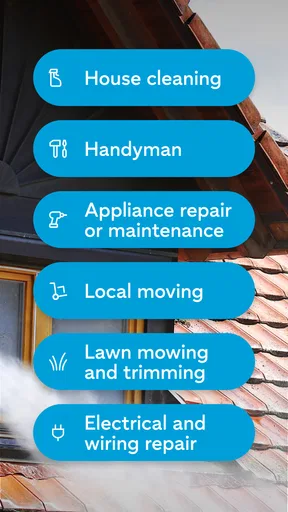
- Find help for a wide range of local projects
- Message professionals to discuss project details
- Save time searching for service providers online
What could be better
- Availability varies by location and service category
- Some professionals may take time to respond
- Quotes can differ widely between providers
- You may need to share project details to receive estimates
- Booking and payment terms depend on each professional




