
 Analysis byWeUseApps
The first time I opened Zedge™ Wallpapers & Ringtones, I understood the appeal immediately: changing a phone’s look or sound is a small decision that can make a familiar device feel personal again. Zedge is a free personalization app from Zedge, built around finding wallpapers and ringtones, with an option to create material using AI. Its huge range is the main attraction, but the more useful question is whether it stays interesting after the initial browsing rush. In my view, it can earn a place on your phone if you enjoy occasional customization, though it is less compelling if you want a set-and-forget utility.
The first-week appeal: easy ways to make a phone feel yours
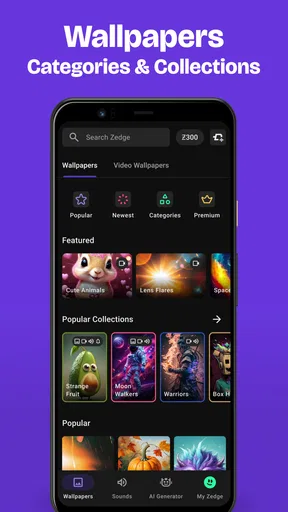
During the first few sessions, the variety is what keeps me looking. A wallpaper changes what I see whenever I unlock my phone, while a ringtone or notification sound can give a familiar alert a different feel. Those are simple changes, but they are more tangible than endlessly adjusting settings that most people rarely notice. The app’s focus is clear: help you discover visual and audio choices without requiring you to make everything from scratch.
I would start with one small change rather than trying to redesign the whole phone at once. Pick a background that works with the icons and widgets you already use, then listen to a few sound options before changing alerts. That approach makes it easier to tell whether a choice is pleasant in daily use or merely attention-grabbing while browsing. A dramatic image can look good in a preview yet compete with text on the home screen; a loud or unusual tone can be fun once and irritating when it repeats.
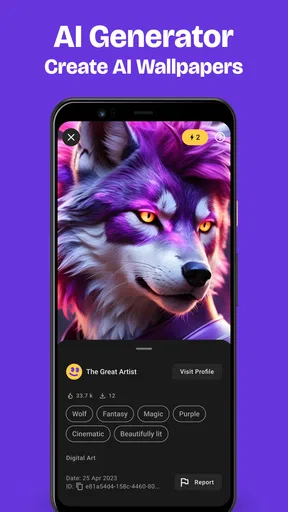
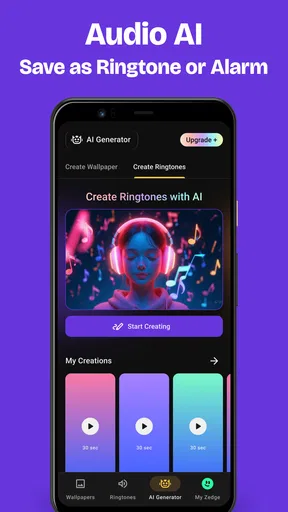
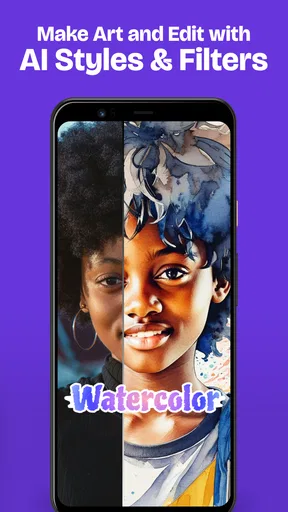
The AI creation option gives the discovery process another angle. It may appeal if you have a visual idea in mind but do not want to search through an endless collection hoping someone has already made it. I see that as a useful creative route, not a reason to assume every result will suit your device or taste. It still makes sense to judge a generated image at the size and layout where you plan to use it, and to keep the home screen’s readability in mind.
There is also a practical difference between browsing for a special occasion and choosing something you will see every day. For example, if I wanted a seasonal background for a weekend, I could treat the search as a bit of fun and accept a bolder design. For an everyday lock screen, I would be more selective: a calmer image is less likely to feel dated quickly, and it leaves room for the clock and notifications. This distinction helps turn a large library into a useful choice rather than a long session of scrolling.
Month-to-month value: useful when you have a reason to return
The long-term case is not that a phone needs a new wallpaper every week. It is that people’s preferences change, and a large collection makes it easier to find something different when the old choice stops feeling right. Zedge has attracted over 500 million installs and an average rating of 4.7, with around 18 million ratings and close to a million written reviews. Those figures suggest broad interest, but they do not tell me whether a particular image or sound will match your personal style. The real test is whether the selection gives you a good reason to come back.
I find the app most valuable when I use it in response to a specific need. Maybe my current background is too busy, or I want a distinct sound for calls instead of the default tone. Searching with that goal in mind is more satisfying than opening the app without a plan and expecting the perfect option to appear. The same habit applies to AI creation: begin with a clear idea, then decide whether the result is actually practical as a wallpaper rather than judging it only as an image.
There is a trade-off between novelty and comfort. A new ringtone can help distinguish your phone from the many devices using familiar defaults, but a sound that stands out in a quiet room may be awkward in a meeting or public space. I would test any new tone in the situations where it is likely to play, and choose something recognizable without being startling. For a background, I would consider whether I can still read the time and spot important alerts at a glance. These little checks matter more than finding the most eye-catching option.
Compared with using a built-in wallpaper picker, Zedge’s advantage is breadth and its combination of visual and audio personalization in one app. The built-in option is often the better choice if you want a quick change with minimal browsing, or if the images already on your phone are enough. Separate ringtone tools may suit someone who only wants to manage sounds and has no interest in wallpapers. Zedge makes more sense when you enjoy exploring both kinds of customization and appreciate having a larger pool of ideas to browse.
Keeping it manageable: a light habit beats constant tweaking
Maintenance is not demanding in the sense of having to keep tuning the app to make it useful. The more noticeable burden is attention: a broad selection can encourage more browsing than the eventual change deserves. I recommend treating it like a source of occasional inspiration, not a daily task. When something works, leave it in place. Replacing a good background just because another one looks interesting in a preview can create churn without making the phone better to use.
A simple personal routine can keep the experience focused. When I am considering a wallpaper, I would first think about whether it belongs on the lock screen or the home screen, since those spaces have different jobs. A detailed image may be enjoyable on a lock screen while making app labels harder to scan on the home screen. If I am picking a sound, I would listen for whether it is distinct enough to recognize but not so attention-seeking that I will resent hearing it repeatedly. These are small decisions, but they prevent a customization choice from becoming a daily annoyance.
It is also worth deciding what you want to change before searching. If you are only after a new background, stay focused on that instead of comparing every possible sound as well. If the goal is to make one contact or type of alert easier to notice, think about the sound’s role before choosing it. This kind of boundary is especially helpful in an app centered on discovery: browsing is part of the pleasure, but it can consume time without improving the result.
The app is free to download, which makes trying it relatively straightforward. It also offers in-app purchases, with listed item prices ranging from $0.49 to $399.99. That is a wide span, so I would check the individual purchase details carefully before confirming anything and decide whether a paid option solves a real need for me. You do not have to treat every attractive item or creation possibility as something worth paying for. If your main goal is simply to personalize a phone now and then, begin with the free experience and see whether it is enough.
Where the novelty can wear off
The first source of fatigue is choice overload. Having millions of backgrounds and ringtones available sounds generous, but a large catalogue can make it harder to settle on one. If I keep scrolling without a theme or purpose, I am likely to compare options that are difficult to judge side by side and lose sight of what I wanted in the first place. Setting a quick criterion—such as a calm color palette, a particular mood, or a sound that is easy to recognize—makes browsing more deliberate.
The second is the difference between a striking preview and a comfortable daily choice. A wallpaper is not an image I look at once; it becomes part of a screen I use repeatedly. Likewise, a ringtone is not just a sound sample: it will play in real surroundings, potentially at inconvenient moments. I would avoid selecting either solely because it is unusual. The best choice is often the one that remains pleasant after the surprise has passed.
Personal taste can also be a limit. If you prefer a highly consistent interface, use a small set of carefully chosen images, or rarely change alert sounds, the app’s breadth may not translate into lasting value. A default wallpaper that already works can be better than searching for a replacement, and the phone’s own settings may be quicker for someone who wants only a modest adjustment. Zedge is for people who enjoy having more options, not a necessary stop for every phone owner.
There is a learning curve in deciding how to use AI creation well, too. A vague prompt or an unclear visual goal can leave you with something that is technically new but not useful for your screen. I would think through the composition I want before experimenting: whether the image should feel quiet or vivid, and whether it needs open space where the clock or icons appear. That planning does not guarantee a perfect result, but it makes the creative process more purposeful than generating images at random.
Who should install it—and who can skip it
I would recommend trying Zedge if you like refreshing your phone’s appearance, want both wallpaper and ringtone ideas in the same place, or enjoy turning a visual concept into a personal background with AI. It is especially suited to someone who sees customization as an occasional hobby rather than a project that needs constant attention. The app is rated Teen, so that age guidance is worth considering when deciding whether it is appropriate for a younger user.
On the technical side, the current version is 9.40.1, and the minimum OS requirement is 9. Before installing, I would check that your device meets that requirement and that you are comfortable exploring a catalogue designed around personal choices. If you use an older device or simply prefer the simplest possible setup, the built-in wallpaper and sound options may be a more direct fit.
I would skip it if you dislike browsing, do not want to consider optional purchases, or already have a dependable way to find the small number of backgrounds and sounds you need. Someone who changes a wallpaper once and then leaves it untouched may get more value from a built-in picker. Someone who likes experimenting, by contrast, can make the larger selection part of a relaxed routine without needing to change anything constantly.
Does it earn a lasting place on your phone?
For me, Zedge™ Wallpapers & Ringtones earns its space when I use it as a library to dip into rather than a reason to keep redesigning my phone. Its strongest lasting quality is the choice it brings together: wallpapers, ringtones, and AI-assisted creation give different kinds of customization a shared home. That variety is meaningful if you enjoy comparing styles and occasionally changing how your device looks or sounds.
It is not automatically a better experience than the built-in alternatives. A default picker wins on speed and simplicity; Zedge wins when you want more discovery. The app’s size and popularity make it easy to see why people try it, but personal fit matters more than its reach. I would judge it by whether the choices you find remain comfortable after the first day, whether browsing feels enjoyable rather than endless, and whether the free experience meets your needs before you consider spending.
My recommendation is to install it with one small goal, make a change that improves your everyday phone use, and then give that choice time. If you come back later because you have a real reason to refresh your screen or sound, it has demonstrated recurring value. If you mostly browse and rarely find something you want to keep, uninstalling it is a reasonable decision. It is a useful personalization app for curious users, but its lasting appeal depends on choosing thoughtfully and knowing when to stop looking.
What we like
- Preview wallpapers before setting them on your device.
- Save favorite wallpapers for quick access later.
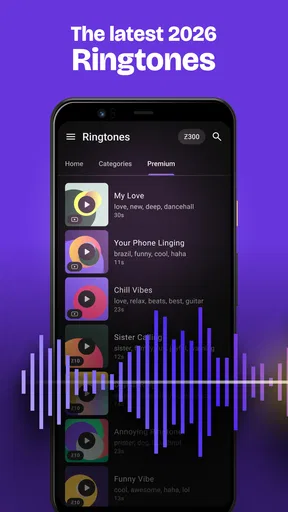
- Browse ringtone options by category.
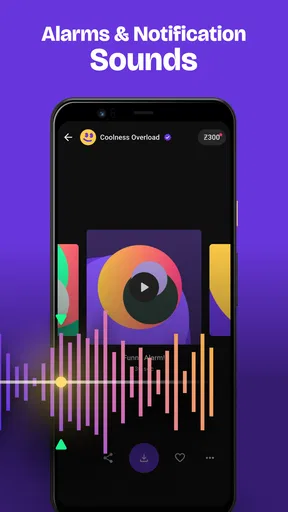
- Set sounds for calls and notifications from the app.
- Regular content updates add fresh choices.
What could be better
- Some content requires a premium subscription.
- Ads may interrupt browsing in the free version.
- Wallpaper quality can vary across listings.
- Some downloads may use substantial mobile data.
- Availability of certain features can vary by device.




