
 Analysis byWeUseApps
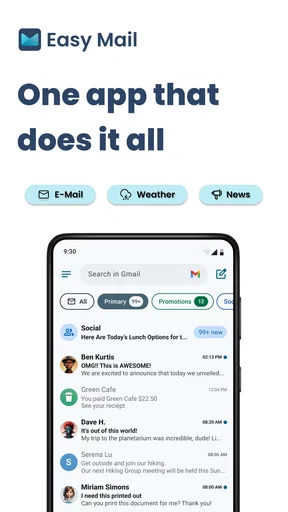
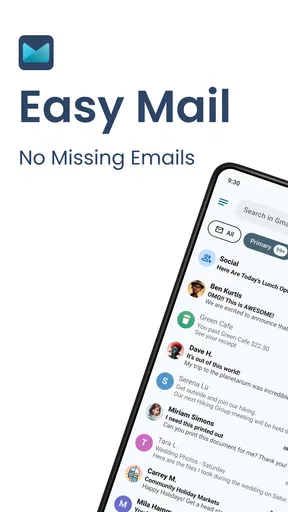
For someone who checks email in small bursts throughout the day, Easy Mail - Email Launcher makes a practical case for treating the inbox as part of the home screen rather than a place you have to remember to visit. Its appeal is less about replacing a full-featured email service and more about making routine actions—opening the inbox and replying—feel closer at hand. I see it as a focused personalization app for people who want less friction in an email habit they already have.
A quicker route into everyday email
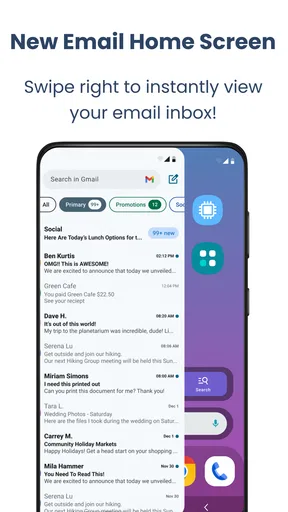
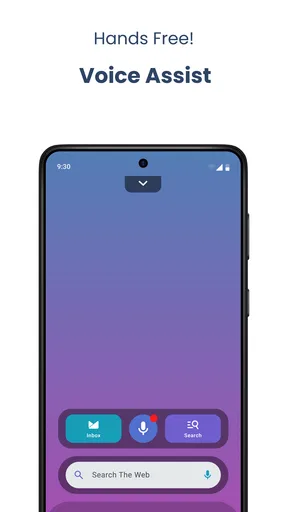
The idea is simple: put email access within easier reach through swipe-based inbox access, a home screen widget, and quick replies. Those conveniences matter most when email is something you dip into between other tasks, not a project that deserves a dedicated session. Instead of opening an app, finding the right place, and composing a long response, you can use a shortcut-oriented workflow for the messages that only need a brief answer.
That distinction is important. A widget can reduce the effort of checking in, but it does not automatically make email better organized or less demanding. I would judge Easy Mail by whether its access points fit naturally into how I use my phone. If I regularly need to confirm a meeting, answer a simple question, or clear a notification before moving on, fast access has real value. If I only check email once or twice a day, the extra launcher layer may not change much.
The swipe approach is especially suited to people who already navigate their phone with gestures. It can make reaching the inbox feel more immediate than searching through an app grid. The trade-off is that a gesture can become another thing to remember, and any launcher-style interaction needs to feel intuitive rather than interruptive. I would give it a short trial in my normal routine before deciding whether the shortcut is genuinely saving effort.
Where the shortcuts earn their place
The home screen widget is useful when email needs to stay visible without taking over the whole day. For example, I might keep it on a work-focused home screen during the morning, when I am expecting a reply, then move to a less email-heavy setup later. That is a more deliberate use than leaving a permanent inbox panel in view and letting every new message compete for attention.
Quick replies also suit a specific kind of communication: short, low-stakes messages that do not need careful wording. A quick confirmation or a brief “I’ll get back to you” can be handled more conveniently than a detailed response. My advice is to treat that speed as a convenience, not a reason to answer everything immediately. Messages involving sensitive details, complicated plans, or a thoughtful response are better handled in a regular email workflow where it is easier to pause and review what you are sending.
One useful habit is to pair the widget with a simple checking rule. I could glance at the inbox after finishing a task rather than reacting to every new message as it arrives. That keeps the launcher’s convenience while preserving some control over attention. In other words, easier access is most helpful when I decide when to use it; it is less helpful if it turns the home screen into a constant invitation to check.
What it does not replace
Easy Mail is best understood as an access-focused tool, not a reason to abandon a familiar email app that already handles demanding work well. People who rely on elaborate filing, careful search, long-form composition, or a highly customized inbox should compare their existing workflow before switching. The value here is in reaching email and answering simple messages quickly, not in assuming that every part of email management will become easier.
That creates a real limitation: shortcuts are only as useful as the underlying routine they serve. If an inbox is already overloaded, making it easier to open can expose the same clutter more often without solving it. I would first decide which messages deserve an immediate response and which can wait. A launcher can reduce taps, but it cannot make an unclear priority system for you.
There is also a small setup trade-off inherent in personalization tools. A new widget or gesture needs a place in your phone layout and a little time to become familiar. If you prefer a clean home screen, avoid gestures, or are happy opening your existing email app directly, this may feel like an extra layer rather than a shortcut. I would not install it merely because email is important; I would install it if the current route to the inbox is a repeated annoyance.
Who is likely to get the most from it
I would recommend it first to people who check email frequently but usually need to do something small. That includes someone coordinating everyday plans, a student keeping an eye on messages between classes, or a person who wants a quick way to respond while moving between tasks. The common thread is not a particular job or inbox provider; it is a preference for brief, accessible interactions over a deep email session.
It is a less convincing fit for people who want a comprehensive productivity system or who spend a large part of the day writing detailed email. They may be better served by staying with the email app that already supports their preferred organization and composition habits. Likewise, anyone who is trying to reduce phone checking may prefer not to put email more prominently on the home screen. Convenience and distraction can come from the same design choice.
For a realistic example, imagine getting a message while preparing to leave home: a friend asks whether the plan is still on, or a colleague needs a quick confirmation. A widget or fast inbox route can help you check and send a concise answer without turning the moment into a full sorting session. But if the message contains several questions or requires a careful decision, I would leave the shortcut and handle it later in a more focused setting. Knowing when not to use the fast path is part of making it useful.
Cost, maturity, and expectations
The app is free to install, with in-app purchases listed from $9.99 to $59.94 per item. That makes it sensible to try the basic experience before paying for anything: first see whether the swipe access, widget, and reply flow fit your routine. I would evaluate a purchase by the convenience it adds to my own daily use rather than assuming that more access automatically means better email management.
App Lab Studios released it on November 22, 2023, and the current version is 1.03.06. It has a 4.2 average from around 33,000 ratings, with about 8,500 written reviews and over 1 million installs. Those figures suggest that it has attracted a substantial audience, but they are not a substitute for checking whether its particular shortcut-based approach suits your phone habits. It is rated Everyone, and it requires Android 10 or later.
As a personalization app, its appeal depends partly on how much you value shaping your phone around a frequent task. I would not expect a launcher-style email tool to transform the quality of messages or remove the need for a good inbox routine. The more realistic promise is smaller: make access feel closer, then use that convenience for the right kinds of messages. That is a worthwhile improvement if email interrupts your day mostly through repeated, simple checks.
My recommendation
Easy Mail - Email Launcher has a clear, useful niche: it brings common email actions closer to the home screen and makes brief replies easier to reach. I like the focus because it addresses a recognizable annoyance without pretending that every email problem is a shortcut problem. The widget and swipe access are most compelling when they support a routine you already have, rather than asking you to rebuild how you handle messages.
I would try it if you often open email just to check one thing or send a short response, and I would keep it only if those actions genuinely feel smoother after the adjustment period. I would skip it if your priority is advanced inbox organization, extended writing, or fewer reminders to check messages. For the right person, it is a convenient home-screen companion; for everyone else, the regular email app may remain the simpler choice.
What we like
- Provides quick access to email from a simple launcher interface.
- Can help reduce the steps needed to open your inbox.
- A focused design may be easier to navigate than a full email client.
- Useful for people who check email frequently throughout the day.
- Offers a lightweight alternative to feature-heavy mail apps.
What could be better
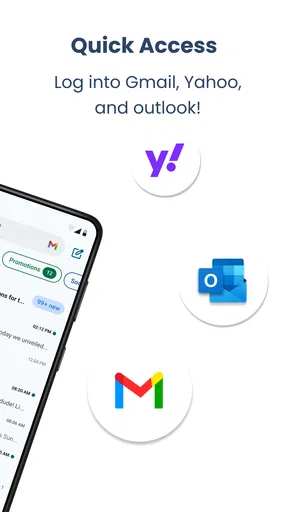
- Requires a compatible email app or account to access messages.
- May offer fewer tools than a full-featured email client.
- Launcher shortcuts may vary depending on your device and settings.
- Frequent email alerts can still be distracting.
- Compatibility may differ across Android versions and devices.




