
 Analysis byWeUseApps
Easy Homescreen is built around a simple idea: make your phone’s home screen feel more personal without turning customization into a project. It focuses on fonts, shortcuts, and app icons, giving you a few practical ways to reshape the screen you see every day. I like that straightforward approach. Rather than promising an entirely new phone experience, it aims to make familiar parts of Android look and work more like your own.
A focused approach to home screen personalization
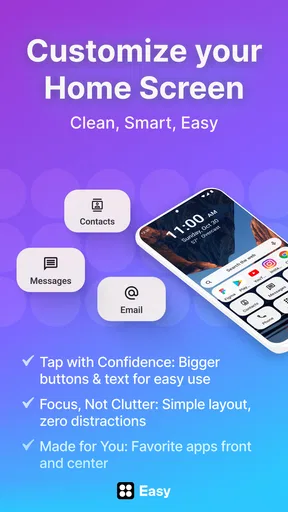
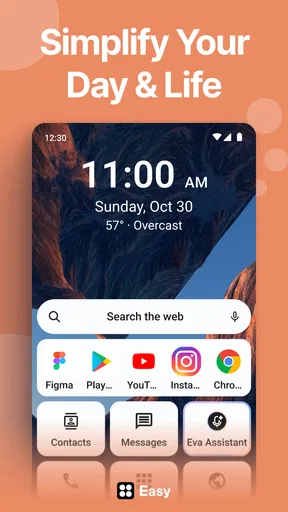
The app’s appeal is easy to understand if you have ever wanted a tidier home screen or a little more character in its appearance. Easy Homescreen brings home screen customization and simplification together, so the goal is not only to decorate but also to make everyday access feel more deliberate. Its focus on personalized fonts, shortcuts, and icons gives the experience a clear direction instead of scattering attention across unrelated tools.
That focus matters because personalization apps can quickly become overwhelming. A crowded menu of themes and settings may sound generous, but it can make a simple change feel like homework. Easy Homescreen presents itself as an accessible option for people who want to adjust familiar elements without needing to become experts in interface design. I find that concept especially appealing for anyone who values a clean, usable screen as much as a distinctive one.
The app is free to install, with optional in-app purchases ranging from $0.99 to $29.99 per item. That gives newcomers a way to try the basic experience before deciding whether they want to spend money on additional offerings. As with any customization tool, the best value depends on what you want to change and whether the available choices suit your taste. The important thing is that the central idea is easy to grasp: personalize the home screen through a small set of familiar visual and access-related elements.
What the experience is aiming for
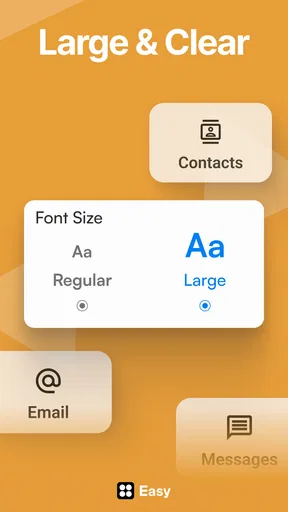
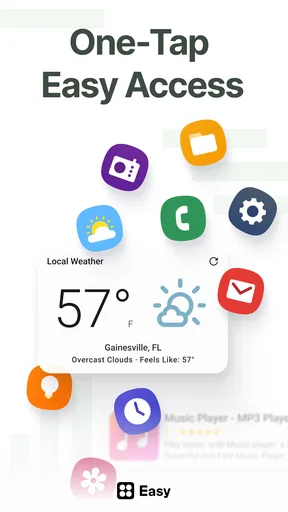
Fonts, shortcuts, and icons each affect a different part of the phone’s daily feel. Fonts influence how text appears, icons shape the visual rhythm of app access, and shortcuts can help make frequently used actions easier to reach. Bringing those ideas under one roof gives Easy Homescreen a practical identity. It is not just about making a screen look different; it is also about making the arrangement feel more convenient for the way you use your device.
I see the strongest appeal in that balance. A home screen should still be readable and predictable, especially when you are opening apps quickly. Personalization is most satisfying when it adds character without making ordinary tasks harder. Easy Homescreen’s emphasis on simplifying the screen suggests a useful guiding principle: make changes that look good while keeping the phone comfortable to use.
The app is listed in the personalization category, and its short description, “Easy Homescreen,” neatly captures the intended tone. It is meant to feel approachable, not like a specialist tool for people who spend hours adjusting every detail. That makes it a natural candidate for someone starting to explore Android customization, as well as for a longtime user who simply wants a few focused ways to refresh a familiar layout.
Where it sits today
Easy Homescreen has a 4.0 average from around 305,000 ratings, alongside roughly 27,000 written reviews. It has passed 10 million installs, so this is an established option rather than an obscure experiment. Those figures show that many Android users have tried it, though they do not tell you whether its style or feature mix will match your personal preferences. I would treat them as helpful context, then decide based on what you want from a home screen tool.
The app is free, rated for Everyone, and currently at version 1.10.29. Its listed minimum operating system is Android 9, which gives users a clear compatibility point to check before installing. The developer is Homescreen Apps. Together, these details place the app as a broadly accessible personalization option with a defined focus and an ongoing version history.
For searchers looking for an Android home screen customization app, the central question is less about whether an app offers endless controls and more about whether it makes useful changes feel easy. Easy Homescreen’s stated focus gives it a clear answer to that question: it concentrates on fonts, shortcuts, and icons. If those are the areas you want to adjust, the app’s straightforward positioning is a good reason to give it a closer look.
What its version history tells existing users
The release date is January 26, 2023, and the current version is 1.10.29. That establishes a product timeline and shows that the app has moved beyond its initial release through multiple version steps. It is reasonable to regard a current version number as evidence of continued iteration, but the number alone does not reveal exactly what changed in each update. I would not assume that a particular feature or improvement arrived without a specific change record to support it.
For existing users, the practical takeaway is measured rather than dramatic. The app has a newer version available than its original release, so it has continued through updates over time. That can be reassuring when you are considering whether to keep an app installed, but the value of any update depends on how it affects your own setup. If you already like the way your screen looks and behaves, a version change does not automatically mean you need to rebuild everything.
For new users, the version history provides useful context too. You are approaching an app that has had time to develop since launch, rather than a tool appearing for the first time. Still, the most meaningful evidence is your own experience: whether the available personalization feels intuitive, whether the result suits your taste, and whether the screen remains easy to navigate after you make changes.
How it may fit into a daily routine
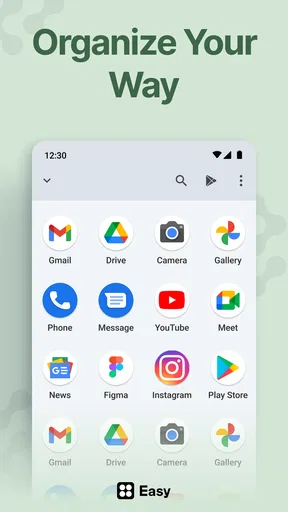
A home screen is one of the most frequently encountered parts of a phone, so even small adjustments can have a noticeable effect on how the device feels. A more coherent set of icons can make the screen look less cluttered. A suitable font can give it a different personality. Shortcuts can help place useful actions closer to hand. These are modest changes, but they touch everyday use rather than sitting in a menu you rarely open.
That is why I would approach Easy Homescreen with a particular goal in mind. Think about what currently bothers you: perhaps the screen feels visually plain, perhaps you want a more consistent look, or perhaps you would like access to certain tasks to feel simpler. Having that goal helps you judge the app on practical results instead of endlessly changing settings just because they are available.
The app’s emphasis on ease also makes it relevant to people who are new to customization. You do not need to begin with a complete makeover. A small adjustment can be enough to make a phone feel more personal, and it is usually easier to tell whether a change works when you alter one part of the experience at a time. That gradual approach is my preferred way to customize: keep what improves the screen and undo what makes it less comfortable.
For users who already rely on a heavily customized setup, the appeal may be more specific. You may be looking for a convenient way to work with the kinds of elements Easy Homescreen emphasizes, rather than replacing every tool you already use. In that case, it is worth considering whether its approach complements your existing habits. The app’s focused purpose is a strength when it matches your needs, though it may feel limited if you expect a single product to handle every aspect of phone appearance.
Where expectations should stay realistic
Easy Homescreen’s promise is deliberately centered on fonts, shortcuts, and icons. That is a useful scope, but it also sets a boundary around what a prospective user should expect. If you are searching for a broad redesign of every part of Android, this may not be the kind of app you have in mind. Its appeal lies in making a handful of familiar home screen elements more personal and manageable, not in claiming to transform the entire operating system.
There is also a personal element to icon and font choices. A selection that looks polished to one person may feel too decorative to another, while a layout that feels minimal to one user may not provide enough visual character for someone else. Personalization is inherently subjective, so I would judge the result by how it works on your own phone rather than by a promise of a universally perfect look.
The optional purchase range is another factor to keep in mind. Since individual items can cost from $0.99 to $29.99, it makes sense to explore the free experience first and consider paid items only when they offer something you genuinely want. That keeps the decision grounded in your own priorities instead of treating customization as an obligation to buy more. A good home screen is one you enjoy using, not necessarily one built from every available option.
What to watch as the app continues
With a current version of 1.10.29 and a release history beginning in 2023, the next useful question for users is how future versions continue to serve the app’s central promise. I would watch for changes that make fonts, shortcuts, and icons easier to work with while preserving a simple experience. A personalization app can become less approachable if each new layer adds complexity without making the result more useful.
Existing users should also pay attention to whether updates suit their current setup before changing a familiar arrangement. If you depend on a particular look or shortcut habit, it is sensible to review an update’s details in the app store and decide whether the change matters to you. That is not a reason to avoid updates; it is simply a good habit for any tool connected to a daily phone routine.
For anyone considering a download, I would keep expectations tied to the app’s clear focus. It is designed to help customize and simplify a home screen through personalized fonts, shortcuts, and icons. If that matches what you want, Easy Homescreen offers a direct place to start. If your goal is a much wider transformation, you may want to think carefully about whether this focused approach is enough for you.
My overall take
Easy Homescreen has a practical, approachable identity. It concentrates on a few home screen elements that can make a phone feel more personal without turning customization into a complicated undertaking. Its free starting point, broad install base, and clear focus make it worth considering for Android users who want to refresh their everyday screen. The optional purchases mean it is sensible to explore first and spend only when a particular item feels worthwhile.
What I appreciate most is the emphasis on both personalization and simplicity. The two goals can easily pull in opposite directions, but a small number of well-chosen changes can help a phone feel more like yours while keeping it comfortable to use. The app’s evolution from its initial release to version 1.10.29 shows that it has continued through updates, while the details of future improvements are something users can evaluate as they appear.
If you want an easy way to explore personalized fonts, shortcuts, and icons on Android, Easy Homescreen is a sensible option to try. I would start with one change, live with it for a while, and see whether it makes your screen clearer or more enjoyable. That simple, hands-on approach is the best way to find out whether this focused personalization app belongs on your phone.
What we like
- Large icons make apps easier to find at a glance.
- A simple layout can help reduce navigation confusion.
- Useful for users who prefer fewer choices on screen.
- Customizable shortcuts can keep favorite apps close at hand.
- A lightweight interface may suit older or less powerful phones.
What could be better
- The simplified design may feel too basic for advanced users.
- Extra permissions may be needed for some features.
- Compatibility can vary across Android versions and devices.
- Customization options may be limited compared with full launchers.
- Some features may require time to set up for individual needs.




