

 Analysis byWeUseApps
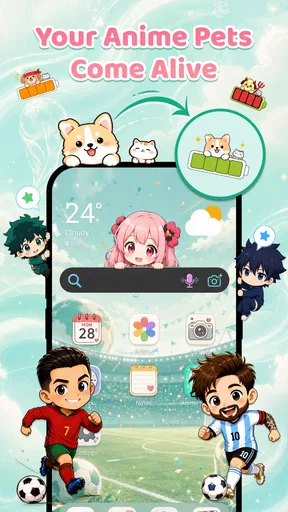
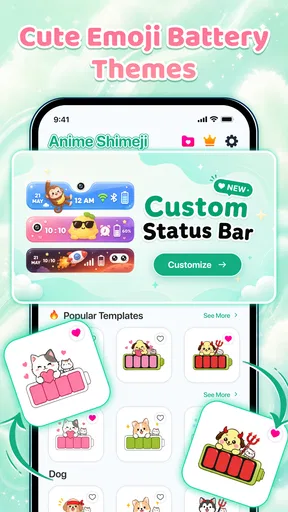
I like personalization apps most when they make a phone feel a little more like its owner without turning everyday use into a project. Emoji Battery & Shimeji Pet aims for exactly that kind of playful touch: its store summary pairs a Shimeji screen pet with a custom emoji battery icon, while its short description puts the battery idea front and center. The result is a lighthearted Android customization app for anyone who wants to add a bit of character to the screen they check all day.
A playful starting point for personalizing your phone
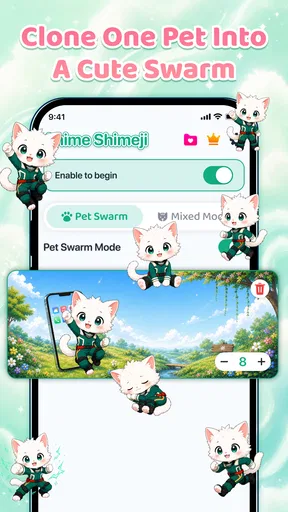
Emoji Battery & Shimeji Pet brings together two appealing personalization ideas: a screen pet and an emoji-style battery icon. Rather than presenting itself as a serious utility, it leans into charm. That makes it easy to understand the appeal even before you start exploring: the battery indicator can become more expressive, and the Shimeji pet adds a companion-like visual detail to the phone experience.
I’d approach it as a small finishing touch, not as a complete home-screen makeover. The core attraction is the contrast between a practical detail you glance at regularly and the fun of giving that detail a more personal look. A custom battery icon can make a familiar part of the interface feel less generic, while a screen pet gives the overall idea a little extra personality.
The app is free to install and is rated for Everyone. It has an average rating of 4.2 from around 67,000 ratings, which suggests that plenty of users have tried it and that the concept has broad appeal. There are also optional in-app purchases, with listed prices ranging from $2.99 to $19.99 per item, so it is worth keeping the distinction between installing the app and choosing any paid extras in mind.
Begin with one change at a time
When I try a personalization app, I prefer to start with the feature that matters most to me. Here, that might be the emoji battery icon if I want a quick visual refresh, or the Shimeji screen pet if I’m more interested in a playful on-screen presence. Making one choice first helps keep the experience focused and gives me a clearer sense of what the app adds to my phone.
That simple baseline also makes it easier to decide whether I want both elements working together. The app’s central pitch is the combination, but there’s no need to treat every option as something that must be changed immediately. A good personalization setup should feel natural during ordinary use. If the new look makes the phone more enjoyable without distracting from the things I open it for, it is doing its job.
I’d also take a moment to see how the chosen visual fits with the rest of the screen. A playful icon or pet can stand out nicely against a simple layout; on a busier screen, a more restrained choice may feel easier to live with. That is a matter of personal taste rather than a complicated setup rule, and it’s one reason a small experiment can be more useful than trying to perfect everything at once.
Settings that are worth a deliberate look
With a customization app, the best settings are the ones that help the result feel intentional. I’d focus on the appearance and behavior choices the app actually presents, then settle on an arrangement that suits my usual phone habits. The goal is not to spend ages adjusting tiny details; it is to find a look I enjoy seeing repeatedly.
For the battery element, I’d think about readability as well as style. A custom emoji icon should still make sense as a battery indicator at a glance. If I find myself pausing to interpret it, the playful design may be getting in the way of its practical role. A useful setup balances the visual joke or character with the simple information I want the indicator to convey.
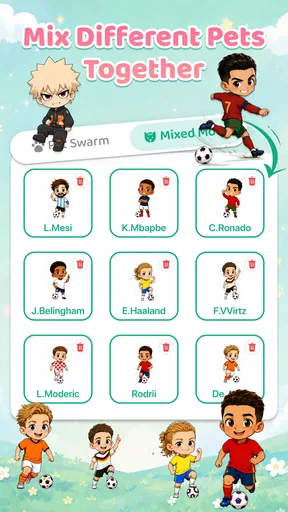
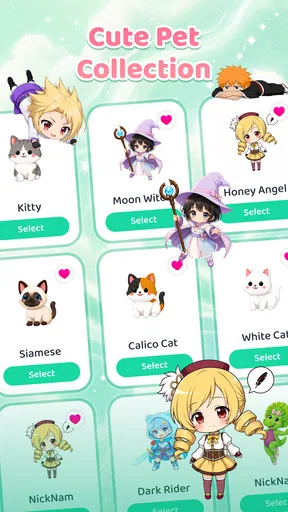
The Shimeji pet deserves a similar check. A screen pet is most appealing when it adds character without making the phone feel cluttered. I would try the available options, observe how the result fits into my routine, and adjust only if something feels out of place. Personalization is at its best when it supports the overall feel of a device rather than demanding constant attention.
Compatibility is another sensible first step. The app’s stated minimum operating system is Android 8.0, so checking the phone’s software version before getting started can save time. The current version is 1.0.7, and the app was released on June 17, 2026. These details are useful context when deciding whether it fits your device and whether you’re looking at the same app experience described in the store.
Build a faster, repeatable routine
Experienced users often get more out of customization by settling on a repeatable routine instead of revisiting every choice whenever they unlock the phone. For this app, I’d keep the process straightforward: choose the battery style, decide whether the Shimeji pet belongs in the setup, and then use the phone normally for a while. That gives the changes a fair trial without turning personalization into a daily chore.
Shortcuts and habits can help, but they should be based on options the app and phone actually provide. I wouldn’t assume there are special automation tools or hidden controls. Instead, I’d keep a simple mental checklist: does the battery icon remain easy to recognize, does the pet still feel fun, and does the overall screen remain comfortable to use? If the answers stay positive, there may be no reason to keep tinkering.
It can also help to make changes in a consistent order. Start with the element you notice most, then add the second part only if it improves the overall look. If you later want a refresh, change one aspect at a time rather than replacing everything at once. That approach makes it easier to tell which adjustment made the phone feel better and which one was simply novelty.
For people who enjoy coordinating their devices, the app works best as one piece of a broader personal style. You might prefer a cheerful, emoji-forward look, or you might use the screen pet as the main accent and keep other choices simple. Either way, the strongest result is usually the one that feels consistent with how you already use your phone, not a setup copied from someone else.
Where the idea has limits
The concept is intentionally focused. This is an app for visual personalization, not a broad device-management suite. If you’re looking for a deep collection of unrelated utilities, this may not be the right match. Its appeal rests on making a battery indicator more expressive and adding a Shimeji pet to the screen, so expectations are best kept close to that promise.
There is also a practical balance to consider with any decorative feature. Some people enjoy having extra personality on screen; others prefer a clean, minimal interface. A screen pet and a custom emoji battery icon will naturally suit the first group more than the second. That does not make the app better or worse on its own; it simply means your preferred phone style matters a lot when deciding whether the idea will stay enjoyable.
The free starting point makes it easy to explore the concept, while the in-app purchase range means some items may involve spending. I’d take time to review any purchase prompt before confirming it and decide whether an optional item is genuinely worth it to me. That’s a sensible habit for any app with paid extras, especially when the main reason for installing it is a bit of visual fun.
Its audience reach is substantial, with more than one million installs, and the app has 316 written reviews. Those figures give a sense of how widely it has circulated, though the right test is still personal: try the basic idea, see whether the look suits your device, and make a choice based on your own routine rather than popularity alone.
Who is likely to enjoy it?
I can see Emoji Battery & Shimeji Pet appealing to people who like small, cheerful tweaks more than elaborate customization projects. If you enjoy seeing a familiar interface with a little extra personality, the combination of an emoji battery and a screen pet has a clear, easy-to-grasp charm. It may also suit anyone looking for a friendly gift idea or a simple way to make a phone feel less plain, provided the recipient enjoys playful visual details.
It is less compelling for someone who wants a highly technical tool or a large set of unrelated personalization features. The app’s strength is its focused theme, and that focus is part of its identity. I would choose it for the mood it creates, not because I expect it to transform every aspect of the phone.
The best way to use it is to keep the setup simple, check that the battery remains recognizable, and let the Shimeji pet add character only if it genuinely makes the screen more enjoyable. That small, repeatable approach helps the novelty become part of a comfortable daily setup rather than another thing to manage.
My verdict on the everyday experience
Overall, Emoji Battery & Shimeji Pet is a cheerful option in the Android personalization space. Its appeal comes from a clear pairing: a custom emoji battery icon for a practical screen detail and a Shimeji screen pet for extra charm. I like that the idea is easy to understand and that users can treat it as a modest visual upgrade instead of committing to a complete redesign.
There are sensible reasons to be selective: keep the display comfortable, don’t let decoration obscure useful information, and think carefully before choosing any paid extras. But if playful phone styling is your thing, the app offers a straightforward place to start. I’d recommend giving it a try if you want your battery indicator and screen to feel a little more personal, then keeping only the elements that remain fun after the first impression wears off.
For me, that is the measure of a good personalization app: it should make an everyday device feel more like yours without asking for too much attention in return. This one has a charming, specific idea and a friendly tone. If that matches your taste, a simple setup and a few repeatable habits are likely to be more satisfying than endlessly adjusting the look.
What we like
- Cute animated pets add personality to the charging screen.
- Battery status is easy to check at a glance.
- Emoji designs offer a playful alternative to standard battery icons.
- Shimeji characters can make idle screens feel more lively.
- The pet theme suits users who enjoy customizing their phone.
What could be better
- Animated pets may distract users from other screen content.
- Some designs or features may require in-app purchases.
- Frequent animations can use additional battery power.
- The customization may feel limited to users seeking deep control.
- Compatibility may vary across phone models and Android versions.




