 Analysis byWeUseApps
Toca Boca Jr: Fun Kids Games is best understood as a playful digital space for young children, not as a lesson plan dressed up as a game. I like that its emphasis is on letting kids explore and make choices at their own pace. That makes it a useful option for a short stretch of supervised play, especially when a child wants to tap around and invent a little instead of following a fixed set of instructions. The trade-off is that families looking for clear academic goals or a predictable sequence of activities may want something more structured.
Play that leaves room for a child’s ideas
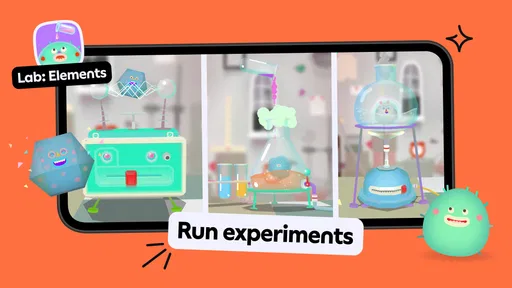
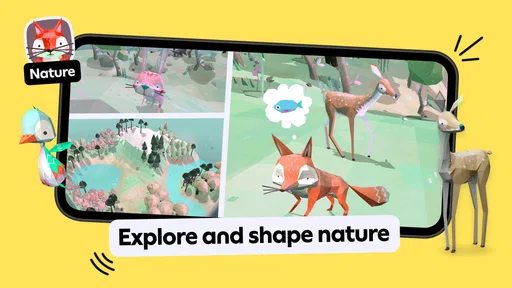
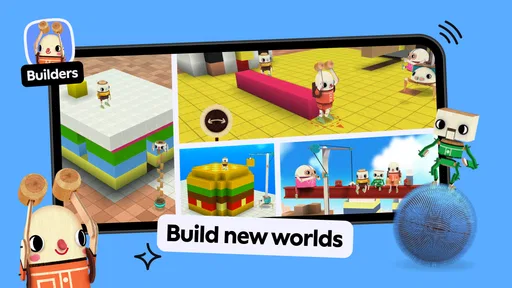
Made by Play Piknik, this educational game is aimed at children from ages two to eight. Its appeal is the open-ended feel: rather than treating every moment as a quiz with a right answer, it gives children room to explore and play in their own way. For a parent, that can be a welcome change from apps that repeatedly test recognition, counting, or spelling. Here, the value is more about curiosity, pretend play, and making small decisions.
That distinction matters in everyday use. A toddler may be content to discover what happens after a tap, while an older child may turn the same kind of playful exploration into a little story. I would not expect every child to stay absorbed for the same length of time, or to use the game in the same way. The flexible premise is a strength, but it also means adults should set expectations: this is not a guided course with a visible learning path.
The game is free to download, which lowers the barrier to trying it, but it also includes in-app purchases priced from $7.99 to $79.99 per item. I would check the purchase options with a grown-up before handing a device to a child, and use the device’s purchase controls as appropriate. For families who prefer to know exactly what an app will cost before a child gets attached to it, that is an important practical consideration.
The overall reception is mixed rather than unanimous: it has an average rating of 3.3 from around 1.7 million ratings, with about 64,000 written reviews. Those figures do not tell me why any particular family liked or disliked it, but they are a useful reminder to approach it as a personal fit, not an automatic hit for every child. Its broad reach—over 100 million installs—shows that many families have tried it, not that every household will find the same value in it.
Why open-ended play can work well
With young children, the simplest interaction can become a conversation starter. I would sit nearby and ask what the child is trying, what they think might happen next, or what kind of story they are making. That turns a few minutes of screen time into a shared activity without requiring the adult to take over. It also gives a parent a better sense of whether the child is exploring thoughtfully or simply tapping rapidly to see what changes.
A useful approach is to let the child lead for a while, then invite them to explain one choice. That small prompt can encourage language and imagination without turning play into a test. It is especially handy when a child is waiting at home for a meal or needs a calm activity during a brief pause in the day. I would keep the session short and treat the game as one option among toys, books, and conversation, rather than as a substitute for them.
There is also a practical difference between open-ended play and a conventional educational app. Many learning games make progress easy to measure through levels, correct answers, or repeated practice. That structure can be better when a parent wants a child to work on a specific skill. Toca Boca Jr is more appealing when the goal is free exploration and playful engagement. If your child gets frustrated without instructions or rewards, a more guided alternative may be the better choice.
What parents should plan around
The biggest limitation is the same quality that makes the game distinctive: without a clear task, a child may not know what to do next. Some children love that freedom; others want an adult to demonstrate a starting point. I would introduce it together the first time, show that there is room to explore, and then step back. If the child keeps asking what the “right” answer is, that may be a sign that a structured puzzle or learning app suits them better.
Another point to consider is the age range. A game designed for children from two to eight spans a large difference in attention, dexterity, and interests. A younger toddler will likely need a nearby adult to help them navigate and make sense of the play, while an older child may quickly want more challenge or a specific objective. The age label is a useful starting point, but I would judge fit by the individual child rather than assuming one experience works equally well across those years.
Because the game includes paid items, it is worth deciding in advance whether you are comfortable with any in-app spending. I would not leave that decision to a child in the middle of play. A free download can be convenient for testing whether the style clicks, but the purchase range means “free” does not necessarily describe every possible way to use it. Families who want a completely fixed, upfront cost may prefer an app with a simpler pricing model.
It is also not the choice I would make when I need a child to practise a defined school skill. If the priority is early reading, number recognition, or a step-by-step activity with clear feedback, a focused educational app is easier to evaluate. The strength here is less about measuring progress and more about giving a child space to explore. That can be worthwhile, but parents should not mistake imaginative play for a structured curriculum.
Who is most likely to enjoy it
I would recommend giving it a try if your child likes experimenting, making up stories, and choosing what to do without being told each step. It may suit a family that wants a gentle digital activity to share, especially if an adult can join in at first and help the child get comfortable. The broad age range also makes it possible for siblings at different stages to be curious about the same app, though they may need different levels of support.
For a realistic everyday example, imagine a child has a short wait before dinner and asks for a game. I would offer this when I am available to sit nearby, let them explore, and turn their choices into conversation. I would not rely on it as a guaranteed way to occupy a child for a long stretch, or as a tool for teaching a particular lesson. For travel or a busy appointment, a familiar offline activity may be more dependable if you need something with a clear beginning and end.
The app is rated for Everyone and was released on May 25, 2015. Its current version is 4.6.0, and it requires operating system version 9 or later. Those details are useful when checking whether it can run on a family device, but I would still have the adult test the experience before giving the phone or tablet to a young child. A quick trial helps reveal whether the child understands how to begin and whether the play style holds their interest.
At the category level, it sits closer to imaginative play than to the workbook-like side of educational games. Compared with apps built around drills, it gives up some measurable progression in exchange for freedom. Compared with a physical toy, it offers a screen-based space for discovery, but it cannot replace the tactile play and face-to-face interaction that a toy or shared activity provides. I see it as an occasional complement, not a complete answer to a family’s playtime needs.
A balanced recommendation
My main advice is to try it with a child rather than judging it only by the age range or educational label. Watch how they respond: do they explore and invent, or do they seem stuck without instructions? That observation is more useful than expecting a particular learning outcome. If they enjoy the freedom, you can join in with questions and storytelling; if they need more direction, there is no reason to force the fit.
The best reason to choose this game is its invitation to explore without turning every interaction into a test. The main cautions are its open-ended nature, the range of paid in-app items, and the fact that it is not designed around a clearly measurable lesson. I would skip it for a child who needs tightly guided activities or for a parent who wants a fixed price and a specific academic target.
Overall, I see Toca Boca Jr: Fun Kids Games as a worthwhile option for curious young children when an adult can help set the context and keep play in balance. Its popularity is substantial, but its average rating suggests it is not a universal match. Try it when imagination and low-pressure exploration are the goal; choose a structured learning game, a book, or a physical toy when the child needs a clearer task or a different kind of engagement.
What we like
- Offers age-appropriate play for young children.
- Simple controls make activities easy to explore.
- Encourages imaginative play through open-ended activities.
- Includes games suited to different interests.
- Provides a child-friendly interface with minimal reading.
What could be better
- Many activities require a paid subscription.
- Some content may be unavailable in certain regions.
- The app can take up considerable storage space.
- Young children may need help choosing activities.
- Subscription renewal terms may be easy to overlook.