 Analysis byWeUseApps
I’d treat Baby Games: Piano & Baby Phone as a small, hands-on play activity rather than a full early-learning course. Its appeal is easy to understand: a young child can tap, listen, and explore musical play without needing to read instructions. For a first-time user, the best way to begin is to sit beside the child, try one activity together, and see whether the sounds and simple interactions hold their attention.
What the game is like
This is a free educational game from RV AppStudios, made for children and rated Everyone. It has an average rating of 4.4, and its reach is reflected in over 50 million installs. Those figures suggest it has found a broad audience, though they don’t tell me whether a particular child will enjoy its style. I’d judge that by trying a short, supervised session rather than expecting every child to respond the same way.
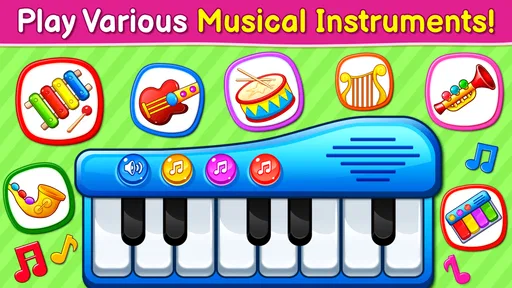
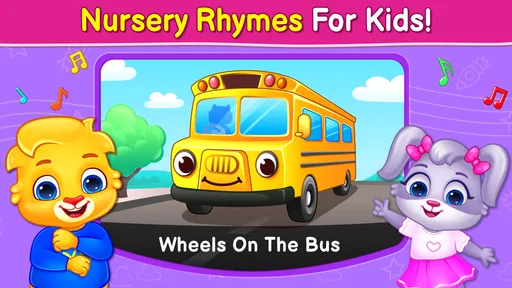
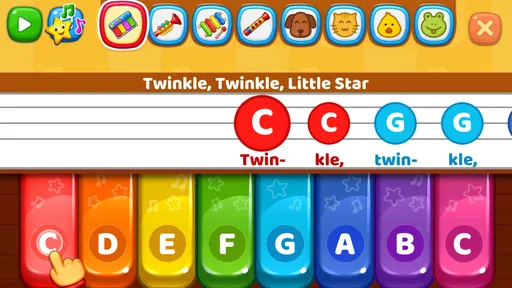
The musical focus gives the game a clearer purpose than a general collection of toddler distractions. Piano play, musical instruments, and nursery-rhyme-oriented activities are the central idea. A child who likes pressing buttons to hear a sound has an immediate reason to explore; a child who prefers stories, puzzles, or physical toys may not find the same pull.
What I like about this kind of activity is that it can turn a brief wait into an opportunity for playful listening. A child can make a sound, notice the result, and try another tap. That is modest, but it is a more active experience than simply watching a video. It is still screen entertainment, not a substitute for singing together, handling real instruments, or playing with an adult.
Set expectations before handing over the device
I’d expect short bursts of exploration, not a structured lesson with a clear curriculum. The game can invite a child to notice sounds and experiment with tapping, but parents should avoid treating it as a way to guarantee musical skills or developmental progress. The useful outcome is simpler: a child gets to engage with music-themed play, and an adult can join in by naming sounds or singing along.
The app’s broad, child-friendly positioning also means it may be most satisfying for families who want an easy activity to share. If you’re looking for deep piano instruction, carefully sequenced exercises, or a serious practice tool, this is not the role I’d assign it. A dedicated instrument-learning app or, better still, a real keyboard with a patient adult would be a better fit for that goal.
Start with a calm first session
After installing it, I’d open the game with the device already in a comfortable position and the child nearby. There’s no need to explain every possible activity at once. Let the child look around, then choose one musical area together. Keeping the first visit short makes it easier to tell whether the sounds are engaging or overwhelming, and it avoids turning a new app into a long, unfocused screen session.
My practical tip is to make the device part of the interaction rather than handing it over as a silent babysitter. Sit close enough to see what the child is touching. If the child taps the piano, echo the rhythm on a table or hum a tune. If an instrument sound gets a reaction, pause and invite another tap. This small back-and-forth gives the activity more meaning than rapid tapping alone.
Another useful approach is to treat each session as one simple experiment. For example, try the piano first and notice whether the child is interested in matching sounds, repeating a pattern, or simply exploring. On another occasion, offer a different musical activity. This helps a parent see what the child actually enjoys instead of assuming that every part of a children’s game will be equally appealing.
The first small success
A good first success is not finishing a level or mastering a song. It is seeing the child deliberately tap, listen, and repeat because the sound caught their attention. Once that happens, add a tiny challenge: copy the child’s rhythm, make a short pattern, and see whether they respond with another one. That keeps the activity playful and gives the adult a natural way to participate.
For a realistic everyday use, imagine waiting for a meal to cool or sitting through a short pause at home while a caregiver finishes a task nearby. A brief music-themed session can fill that gap without requiring a complicated setup. I would still keep the child in sight and set a clear stopping point. The game works best as one option in a day that also includes movement, conversation, books, and off-screen play.
There is a useful trade-off here: a phone or tablet is convenient, but it makes sound and touch feel less tangible than a real instrument. If the child becomes curious about the piano sounds, use that interest as a bridge. Sing a familiar tune, tap a rhythm together, or let the child explore a toy instrument. The screen can prompt the play, while the shared activity carries it beyond the device.
Where first-time users may hesitate
Young children often tap unpredictably, so an adult may need to guide the first few moments. If the child keeps switching activities, that does not automatically mean the game is confusing; it may simply be how they explore. Try pointing to one choice, demonstrating a tap, and waiting long enough for the child to respond. If attention wanders, stop and try again another time rather than pushing through.
It’s also worth remembering that a nursery-rhyme or instrument theme won’t appeal equally to every child. Some may enjoy the sounds, while others may be more interested in turning pages in a book or moving around the room. I wouldn’t use the app to settle every restless moment. When a child needs physical activity, a screen-based music game is a poor replacement for dancing, clapping, or playing with objects they can handle.
Parents should also decide in advance how they want device use to fit into the household routine. A free game can still compete for attention, and a child may ask to keep playing after the adult is ready to stop. A simple boundary—one short turn, then a song together or another activity—makes the game easier to use without letting it take over the moment.
Choosing it over other children’s activities
Compared with a video, this game’s main advantage is the invitation to touch and hear a response. Compared with a traditional children’s music app, its appeal is the combination of playful instrument exploration and a child-oriented presentation. Neither comparison makes it universally better: a video may suit a child who wants to listen passively, while a real instrument offers tactile feedback and richer interaction that a screen cannot reproduce.
I’d choose this game for a caregiver who wants a simple musical diversion and is willing to stay involved. I’d skip it if the goal is formal music teaching, extended independent play, or an activity that keeps a child away from screens altogether. It may also be the wrong choice when a child is sensitive to electronic sounds; in that situation, try a quieter offline activity and let the child lead.
Making the next session more useful
Once the child has found an activity they enjoy, build on it rather than trying to explore everything in one sitting. Repeat the same simple pattern, leave a pause for the child to answer, and use words such as “soft,” “loud,” or “again” to connect sound with conversation. These are small ways to make the experience more interactive without pretending that the app itself is a complete teaching plan.
If the child loses interest, there’s no need to keep persuading them. Put the device away and return to the activity another day, or switch to singing without a screen. If they remain engaged, end while the experience is still pleasant rather than waiting for frustration. That makes it easier to keep the game as an occasional shared activity instead of a source of conflict.
Overall, I see Baby Games: Piano & Baby Phone as a convenient starting point for playful musical exploration, especially for families who want a child-friendly activity they can join in with. Its strongest use is a short, supervised session that leads naturally to singing, clapping, or trying real sounds around the home. The important limitation is that screen tapping can only do so much: for deeper learning, more physical play, or a child who isn’t drawn to digital sounds, another activity will serve them better.
What we like
- Simple controls are easy for toddlers to use.
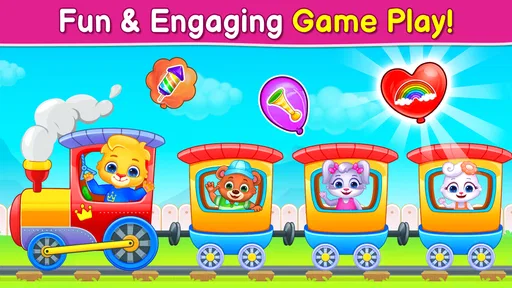
- Bright visuals help keep young children engaged.
- Mini-games offer variety beyond piano play.
- Sound effects encourage cause-and-effect exploration.
- Offline play is useful during travel.
What could be better
- Some activities may feel repetitive after a while.
- Ads may interrupt play in the free version.
- Sound effects can be loud without volume adjustment.
- The content is aimed at a narrow age range.
- Some features may require an in-app purchase.