 Analysis byWeUseApps
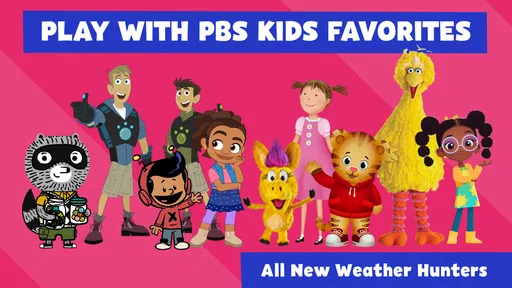
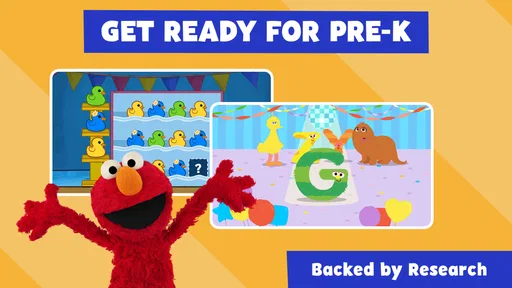
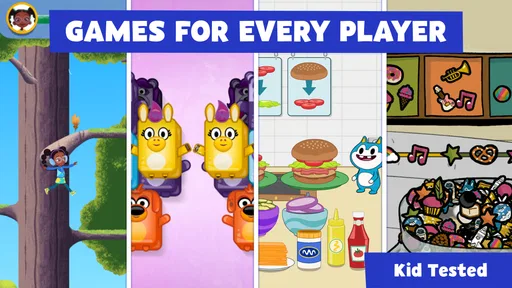
When a child has a few minutes to fill and I want that time to feel a little more purposeful than another round of random tapping, PBS KIDS Games is an easy app to consider. It brings together games connected with familiar PBS KIDS characters, including Daniel Tiger and the Wild Kratts, and frames play as a chance to learn along the way. In my view, its strongest appeal is not one elaborate game but the simple rhythm of choosing an activity, trying it, seeing what happens, and moving on when interest shifts.
This is a free educational game from PBS KIDS, rated Everyone. Its broad mix makes it better suited to casual, shared play than to children who want a single deep game with a long progression. I would recommend it to families looking for character-based activities that can fit into a short break, while keeping expectations realistic: the experience is a collection of games, not a structured course or a substitute for playing and learning with an adult.
Getting from character choice to the first action
The app’s starting point is its recognizable cast. A child who already enjoys Daniel Tiger or the Wild Kratts has a reason to explore, and the character connection can make the first choice feel inviting rather than like opening a worksheet. The useful practical move is to let the child pick an activity based on a character or theme they already like, then stay nearby long enough to see whether the instructions and play style make sense to them.
That first interaction matters because a collection of games can offer variety but also ask a young player to make decisions before they know what each activity involves. I would not expect every child to settle on the same game or understand every task immediately. If a child hesitates, a parent can help by reading the prompt aloud or asking what they think the game wants them to do, rather than taking over the controls. That keeps the activity playful and gives the child a chance to work out the next move.
In an everyday situation, I can see this working well while waiting for an appointment or during a quiet moment at home: the child chooses a familiar character, tries one activity, and gets a small change of pace without needing a long setup. It is less suitable when the goal is to keep a child occupied for a fixed, extended stretch. A varied menu can encourage browsing, and browsing may become the activity instead of playing.
As a parent, I would treat the first few minutes as a chance to find a good fit, not as a test of whether the entire collection works for one child. Children differ in how much guidance they want, and educational games can vary in pace and task style. If one activity does not click, choosing another is a reasonable response; it does not mean the app itself has failed.
How the feedback keeps play moving
The satisfying part of a children’s game is often the response to an action: a choice produces an outcome, and the child can decide what to do next. Here, the overall promise is playful learning through character-led activities. I like that framing for short play sessions because it gives an adult a natural way to talk about what the child is doing without turning every moment into a lesson. A simple question such as “What do you think will happen if you try that?” can make the child’s decision the focus.
There is a trade-off between variety and consistency. A collection can offer different kinds of play, but a child may need to adjust when moving from one activity to another. That makes it a better option for a child who enjoys trying new things than for someone who wants the same controls and objective every time. If your child becomes frustrated by changing rules or unfamiliar instructions, sitting together at the start of a new game can help; if they prefer one predictable loop, a single-purpose game may be the calmer choice.
I would also keep adult expectations grounded. The educational label does not mean every session will teach a clearly measurable skill, or that a child will absorb a lesson simply by tapping through a game. The value is more credible when an adult connects the play to conversation: notice a choice, ask the child to explain it, or let them describe what they tried. That is a practical way to extend the activity without pretending that screen time alone does all the teaching.
One useful approach is to let the child finish a small stretch of play before asking whether they want to continue or switch. This gives them room to engage with the game’s feedback rather than interrupting after every move. It also helps a parent spot whether the child is genuinely following the activity or just tapping quickly to see what changes. That distinction is more informative than judging the app by how long it holds attention.
What counts as a reward here
For this kind of app, the reward is best understood as the response and sense of completion within play, not as a promise of a particular prize system. I would avoid choosing it solely because a child expects unlocks, collectibles, or a long-term achievement path. The confirmed appeal is the chance to play with PBS KIDS characters in educational games; families looking for a specific reward mechanic should choose an option whose play structure clearly matches that expectation.
The character connection can itself help a child stay interested. A familiar face gives context to an activity, and that context may make it easier for a parent to bring the game into conversation afterward. For instance, a child can tell you which character they chose or what they tried. That does not require the adult to quiz them; it simply gives play a natural endpoint and a way to share the experience.
As a rule, I would praise persistence and curiosity rather than speed. If a child tries something, sees the result, and changes their approach, that is a more useful moment than rushing to the next screen. The app is a tool for playful engagement, and the adult can help make the learning part visible by paying attention to the child’s reasoning. This works especially well when the child wants company, but it should not be treated as a requirement for every session.
Its broad family appeal is reflected in its reach: it has more than 10 million installs and an average rating of 4.3 from around 55,000 ratings. Those figures suggest that many families have tried it, but they do not tell me whether a particular child will enjoy a specific activity. I would use them as context, not as a guarantee of fit.
Ending a session without turning it into a chore
A useful session reset is simply deciding whether to repeat an activity, choose another, or stop. I appreciate that this kind of collection can accommodate a child whose interest changes quickly, but it also means adults may need to help set a stopping point. Before opening the app, I would tell a child that there is time for a short play break, then give a gentle warning before it ends. That is more dependable than waiting for the child to lose interest on their own.
When the child wants another round, I would ask what they want to try next rather than automatically handing over the device again. If they can name a character or activity, the next session has a clear purpose. If they are only switching rapidly because nothing is holding their attention, it may be time to put the device away or choose a different kind of break. The collection’s variety is a strength, but it can also make it easy to keep searching for the next thing.
For a parent wondering whether this is a good choice for independent play, I would answer: it can be, depending on the child and the activity, but I would check how comfortably they handle the instructions and transitions first. Younger or less confident players may benefit from a nearby adult at the beginning. A child who already knows the characters and enjoys trying games may be more willing to explore on their own, though that is not the same as every activity being equally self-explanatory.
The app is free, which makes it an accessible option to try, and its Everyone age rating suits a broad family audience. PBS KIDS is the developer, and the game’s current version is 6.14.0; it requires Android 7.0 or later. That Android requirement is worth checking before installing on an older device. I would also make the usual family decision about where and when a child can use a device, rather than treating an age rating as a recommendation for unlimited screen time.
Who I would recommend it to
I would start with families whose children already respond to PBS KIDS characters and who want a low-pressure way to make a short screen break more engaging. The mix is especially appealing if your child likes choosing between activities and does not mind learning a new pattern as they go. It can also work as a shared activity: a parent can sit alongside, help interpret a prompt, and use the child’s choices as a starting point for conversation.
I would look elsewhere if your priority is a carefully sequenced curriculum, a single game with deep progression, or a tightly predictable routine. A dedicated learning app may be a better fit when you need a specific subject or a more structured path. A single-purpose game may suit a child who gets overwhelmed by a menu of choices. And if you are looking for a screen-free way to fill waiting time, this app is not a replacement for books, drawing, conversation, or simply taking a break from devices.
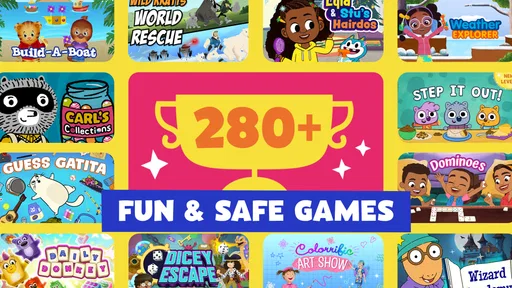
Compared with the usual alternatives in educational games, the distinctive practical advantage here is the recognizable PBS KIDS cast and the collection format. That gives families more than one possible point of entry, instead of asking every child to enjoy one central mechanic. The corresponding compromise is that a collection may feel less focused than a game built around one skill or one consistent loop. I would choose based on the child’s temperament: variety for a curious browser, a narrower experience for someone who prefers routine.
The loop verdict
The basic loop is easy to understand: choose a character-linked activity, try an action, see the response, and decide whether to continue, switch, or stop. The reason to begin another session is not a promise of a particular reward; it is the chance to return to a familiar character or try a different activity when the child is in the mood. That makes the app feel best in short, flexible bursts rather than as a daily program with a defined learning target.
Overall, I see PBS KIDS Games as a useful, approachable option for families who want educational play with familiar characters and room for a child to choose. Its main limitation is also part of its design: a broad collection cannot guarantee that every activity will suit every child, and parents may need to guide choices and endings. If you want a casual game to explore together or offer during a brief pause, I think it is worth trying. If you need a consistent lesson plan, a deep progression system, or a completely hands-off activity, another option will likely serve you better.
What we like
- Free to download with no in-app purchases required.
- Includes games based on familiar PBS KIDS characters.
- Offers activities for a broad range of early learning skills.
- Most games can be played without creating an account.
- Child-friendly design makes games easy for young players to navigate.
What could be better
- Some games may require an internet connection to load.
- The app can take up significant storage space.
- Game selection may vary by region or availability.
- Younger children may need adult help with some activities.
- Updates can change which games are available in the app.