
 Analysis byWeUseApps
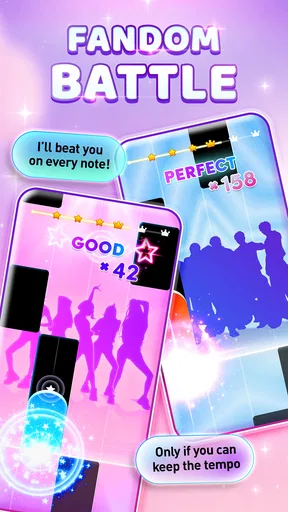
Kpop Piano Beats is best understood as a quick rhythm game with a K-pop theme, rather than a piano lesson or a deep music simulator. I like it most as a short, focused distraction: follow the falling tiles, keep time, and try to improve your score. That simple loop makes it easy to pick up, but it also sets a clear limit. If you want to learn songs on a real keyboard, explore detailed musical arrangements, or play a rhythm game built around complex controls, this is not the one I would choose.
What the rhythm loop does well
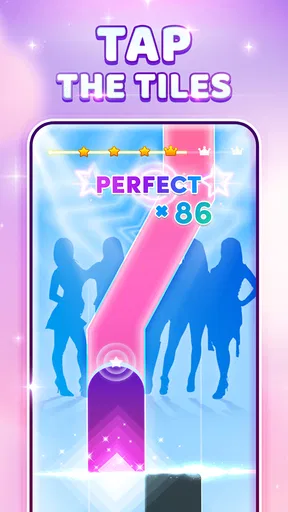
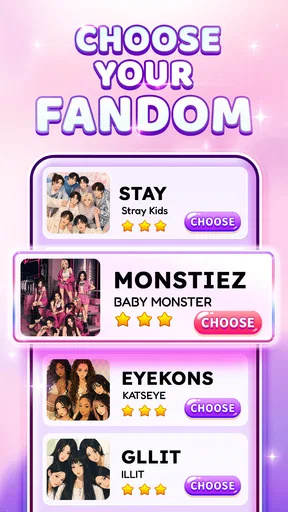
Made by Sonata Studio: Piano Rhythm, this free music game turns familiar piano-tile play into a K-pop-oriented challenge. The appeal is immediate: you do not need to understand music theory or configure a complicated setup before starting. The central task is to respond to tiles in time, so the game works well when you have a few minutes and want something that rewards attention rather than planning.
The best part of this format is how quickly it gives you a sense of progress. A run asks for a small, concrete goal—stay on the beat and build a stronger score—and each attempt gives you another chance to improve your timing. I find that more satisfying than a rhythm game whose early stages bury the basic action under menus, equipment choices, or long tutorials. Here, the premise is readable at a glance.
That accessibility should not be confused with musical training. Tapping in time may sharpen your sense of rhythm and hand-eye coordination, but it does not teach finger placement, reading notation, or how to play a piano. The tiles are a game interface, not a substitute for keys. If a child or beginner wants structured lessons, I would pair this with a dedicated learning app or a real instrument instead of expecting this game to provide instruction.
There is also a useful distinction between enjoying a song and mastering a chart. When a run becomes difficult, the challenge is less about knowing the melody and more about noticing each cue early enough to tap accurately. That makes the game approachable to someone who recognizes K-pop but has no formal musical background. It also means that familiarity with a track should not be treated as a shortcut to a high score.
A good fit for short breaks
One realistic use is a commute or a quiet break between tasks, provided you can safely and comfortably look at your screen. A brief session gives you a contained activity: start a run, concentrate on the sequence, and stop when you are ready. I would not recommend playing while walking, crossing a street, or doing anything that needs your attention. Tile timing rewards focus, and a phone game is a poor companion to situations where looking down is risky.
For a low-pressure evening, it can also work as a casual challenge between friends. Taking turns and comparing who can keep a cleaner run gives the basic loop a social angle without requiring a long session. The trade-off is that the fun depends on whether everyone enjoys score chasing. Players who prefer cooperative goals, story progression, or a broad range of activities may find the experience narrow once the novelty of the tapping wears off.
A practical way to enjoy it is to treat each attempt as a small experiment rather than replaying blindly. Pay attention to the section where your timing slips, relax your grip, and try again with a steadier rhythm. That can make a retry feel purposeful even when the game’s basic action remains the same. If repeated attempts start to feel frustrating, taking a break is more useful than tapping faster and hoping for a better result.
Where it sits among music games
Compared with a conventional piano-learning app, this is lighter and more immediately playable, but it offers none of the same educational structure. Compared with music games built around a larger instrument controller or dense note charts, its tile-based approach is simpler to understand and better suited to casual mobile play. That simplicity is a strength for a newcomer, yet a limitation for an experienced rhythm-game player seeking precise control schemes or a more involved performance challenge.
It is also a different proposition from a general music streaming app. You are actively responding to a game, not simply choosing a playlist and listening. If your main goal is to discover artists or enjoy songs in the background, a streaming service makes more sense. If you want your hands and attention involved, the game format has a clearer purpose.
My advice is to decide what you want from “piano” before installing it. If you mean a playful tap-to-the-beat activity, the idea fits. If you mean piano practice, this can be an occasional rhythm diversion but should not be your main tool. That distinction is particularly helpful for parents choosing a music-themed game: its Everyone 10+ content rating gives a useful age marker, but it does not turn the game into a children’s lesson plan.
Progress, cost, and practical expectations
The game is free to install, with in-app purchases ranging from $0.99 to $2.99 per item. I would start without buying anything and first decide whether the core tapping loop holds your interest. Paid items are optional in the sense that the listed price is for purchases within the game, but anyone who prefers an entirely purchase-free experience should review the available options in the app store and use device-level purchase controls if needed.
Version 5.10.0 is the current release, and the game requires Android 7.0 or later. Those details matter if you are installing it on an older device: check the operating system before troubleshooting performance or compatibility. I would also make sure the screen is comfortable to tap and the device is held securely. A cramped display or awkward grip can make a timing game feel harder than it needs to be, especially during a longer run.
The game has a 4.7 average from around 494,000 ratings, and it has passed 10 million installs. Those figures suggest broad interest, but they do not answer the personal question that matters most: whether you enjoy repeating a simple rhythm challenge. I would use them as context, not a guarantee. The rating may reassure a curious player that the game has found an audience, while the actual fit still depends on your taste for score-focused repetition.
It was released on August 30, 2023, and the developer is Sonata Studio: Piano Rhythm. The large player base makes it a recognizable option in the mobile music-game space, but I would not choose it solely because it is popular. Its appeal is specific: K-pop framing, piano-tile interaction, and a short-session rhythm loop. Players who want something more like a full rhythm arcade game should compare alternatives before settling in.
Who should try it—and who should pass
I would recommend it to K-pop fans who want an easy mobile game to dip into, casual players who enjoy chasing a better score, and anyone curious about rhythm games but hesitant to start with a complicated one. It is especially suitable when the goal is entertainment rather than instruction. Because the game is free to install, it is easy to test whether that uncomplicated format feels satisfying before spending on any optional items.
I would steer away from it if you dislike repetition, need a strong narrative to stay engaged, or want a musical game that develops skills transferable to a real piano. It may also be a poor choice for someone seeking a deep catalog or sophisticated chart customization; I would not assume those features from the tile-based premise. The honest question is whether repeating short, timing-focused attempts sounds enjoyable. If the answer is no, a different kind of music game will probably suit you better.
A clear verdict for the right player
My overall view is positive but deliberately narrow: Kpop Piano Beats makes a straightforward rhythm challenge accessible, and its K-pop focus gives that familiar style a clear identity. Its strongest quality is how little effort it takes to get into a run. Its biggest weakness is the same simplicity: players looking for depth, variety, or genuine piano practice may reach the limits quickly.
With an average rating of 4.7 and more than 10 million installs, it has clearly attracted a large audience, but those numbers should not replace a quick personal trial. I would try it for short sessions, keep purchases optional, and judge it by whether the tapping stays fun after the first few attempts. For a casual K-pop rhythm break, it is an easy recommendation; for a serious music-learning tool or a complex rhythm-game experience, I would look elsewhere.
What we like
- Offers a simple way to enjoy K-pop-inspired rhythm gameplay.
- Tap-based controls are easy for newcomers to learn.
- Short rounds suit quick play sessions.
- Piano-style notes add a musical twist to tile tapping.
- Can help improve timing through repeated play.
What could be better
- Fast note patterns may be difficult for beginners.
- Gameplay can feel repetitive over time.
- Some tracks or features may require payment.
- Ads may interrupt the experience.
- Enjoyment depends on the available song selection.




