
 Analysis byWeUseApps
When I look for a place to live, I want to narrow the choices before spending time on calls and viewings. Realtor.com Real Estate & Rent is built for that early research: it brings home buying and apartment renting into one app, with searches organized around neighborhoods as well as properties. I find that focus useful, but I would treat the app as a way to explore and compare—not as a substitute for checking a listing carefully or making a decision about a home.
Trust starts with what the app is for
Realtor.com Real Estate & Rent is a free House & Home app from realtor.com®. Its purpose is straightforward: help people look for homes for sale and apartments to rent. The app has been available since November 3, 2010, and its current version is 27.6.0. It has a 4.7 average rating, based on around 569,000 ratings, and has passed 10 million installs. Those figures suggest that many people use it, but popularity alone is not proof that any particular listing is current or right for you.
That distinction matters in property search. A polished listing can make a home feel more certain than it is, while essentials such as availability, terms, condition, and neighborhood fit still need careful checking. I’d use the app to build a shortlist and identify questions, then confirm important details directly before arranging a move or committing money.
The broad audience is a strength: renters can look for apartments, while buyers can browse homes for sale. That makes it handy if your plans are still taking shape—for example, if you are weighing whether to rent for another year or start looking to buy. If you already know you only want one specific type of property, a specialist service or a local agent may offer a more focused route.
What its reputation can—and cannot—tell you
The app’s high average rating and large community of users give me some confidence that it is a familiar, established search tool. They do not tell me whether a listing is accurate today, how quickly a particular contact will respond, or whether a neighborhood will suit my daily routine. I would separate confidence in the app as a place to begin searching from confidence in each property shown within it.
That is a useful mindset for any real-estate app, but especially when listings can prompt quick decisions. I would avoid treating a compelling photo set or a convenient location pin as a complete picture. Use the app to discover possibilities, compare them against your needs, and keep a note of anything that must be verified outside the initial browsing session.
Controls that shape a useful search
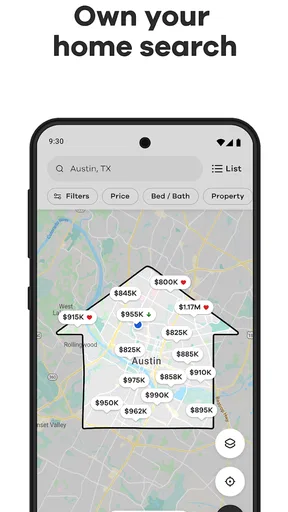
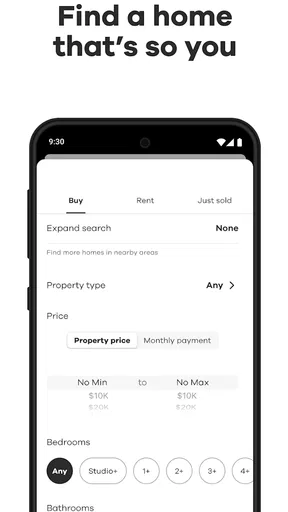
The practical user control here is the ability to search across two common housing paths—buying and renting—and consider location at the neighborhood level. That can help turn a vague goal such as “somewhere closer to work” into a manageable set of areas to investigate. Rather than starting with a single attractive property, I’d first decide what kind of move I’m making and which neighborhoods deserve attention.
A useful workflow is to compare homes within the same area before widening the search. This reduces the temptation to judge a property in isolation: a listing that looks appealing may involve a location that does not fit your commute, errands, or preferred surroundings. Once you have a few candidates, write down what each one still needs to answer, such as availability or the practical details of a viewing. That simple habit makes the app’s browsing more purposeful.
Another helpful approach is to keep buying and renting as separate decisions, even when you are exploring both. A rental search and a purchase search involve different timelines and commitments, so mixing every possibility into one mental shortlist can make comparison harder. I’d use the app to explore both routes if I were undecided, then narrow to one path before spending effort on individual listings.
The store marks the app for Everyone, and it is free to download. Its minimum operating-system requirement is version 8.0. That makes it accessible to a broad range of users, though whether it suits your device depends on its software compatibility and your own preferences.
Where privacy questions deserve attention
Property searches can reveal sensitive interests even when you are only browsing. Looking repeatedly in one area may reflect a move you have not announced, a change in household circumstances, or a search for a different budget. I would be thoughtful about what I enter and where I share listing details, particularly on a device used by other people.
The most useful trust practice is to inspect the choices the app presents at the moment you use it. If it asks for access to device features or requests information, consider whether that request makes sense for the task you are trying to complete. I would not grant access automatically just because an app is familiar; I’d decide based on the explanation shown and whether the feature is necessary for my search.
Likewise, if you create or use an account, take a moment to review the account settings and available controls rather than assuming that every choice is fixed. I can’t responsibly promise a particular permission set or privacy control without seeing it in the app, so the sensible advice is to read the current prompts and settings yourself. That keeps the decision grounded in what is actually presented on your device.
Before contacting anyone about a property, I’d also consider how much personal detail is needed for the first inquiry. A brief question about a viewing or availability can establish whether the listing is worth pursuing without immediately sharing more than the conversation requires. Keep sensitive documents and payment details out of an informal exchange until you have independently confirmed who you are dealing with and why that information is needed.
Making the search work for everyday life
Imagine you are relocating and have only a few evenings to research. I would use the app to identify neighborhoods that might work, then browse homes for sale or apartments for rent within those areas. I’d keep a short list of candidates and add a note beside each one: what looks promising, what remains unclear, and what I need to verify. That turns casual scrolling into a plan for calls and visits.
For a renter, the neighborhood-first approach can be more useful than chasing the cheapest-looking listing. Think about the route to work, groceries, or regular commitments, then assess whether the area makes sense before investing in a particular apartment. For a buyer, the same discipline helps avoid falling for a home before considering the location as part of the long-term decision.
There is also a trade-off in using one app for both types of search. It is convenient when your plans are open, but convenience can blur important differences between renting and buying. I would not compare a rental and a home purchase as if they were interchangeable options: use the app to explore, then evaluate each path according to its own costs, responsibilities, and timing.
When it is time to arrange a viewing, I’d revisit the listing and confirm that the details still match what I was shown. Keep a record of questions rather than relying on memory, especially if you are comparing several properties. This is not busywork: it helps reveal which options have clear answers and which need more caution before you make time for a visit.
How it compares with other ways to search
Compared with browsing a general classified-ad service, a real-estate-focused app gives the search a clearer purpose: homes for sale and rentals are the center of the experience, rather than one category among many unrelated listings. Compared with a local agent, it offers a more self-directed starting point, which is useful when you are still learning what is available in different neighborhoods.
The trade-off is that an app cannot replace local knowledge or a direct conversation about a property. An agent may help explain context that is difficult to judge from a listing, while direct contact is necessary to resolve practical questions. If you already have a trusted local professional and a tightly defined search, working with that person may be more efficient than browsing widely.
I would also choose a different approach if I needed specialized guidance before deciding where or how to move. This app is for finding possibilities, not for settling legal, financial, or relocation questions. It is most useful when you want to explore on your own and arrive at a more focused conversation with the people who can confirm the details.
Who should use it, and who may prefer another route
I’d recommend Realtor.com Real Estate & Rent to renters and buyers who want a convenient place to begin, especially if they are comparing neighborhoods or have not settled on a single housing path. It can also help people who want to browse independently before speaking with an agent or arranging visits. With a 4.7 average from around 569,000 ratings, it has a strong reception, but I would still judge it by whether its search suits your specific move.
It may be less suitable if you expect an app to verify every detail for you, provide personal neighborhood advice, or make the final decision easier than it really is. Anyone uncomfortable entering information or granting access should pause at each prompt and decide what is appropriate. And if you have a narrow, time-sensitive search, a direct local contact may save more time than broad browsing.
A cautious recommendation
My overall view is that Realtor.com Real Estate & Rent is a practical starting point for exploring homes to buy and apartments to rent, particularly when neighborhood choice is still part of the question. Its free access and established user base make it easy to try, while its broad scope suits people who want to investigate options independently.
I would use it with a clear boundary: let it help you discover and compare, but verify the details that matter before acting. Pay attention to prompts and account choices as they appear, share personal information deliberately, and confirm listing particulars directly. For that kind of careful, early-stage search, I think Realtor.com Real Estate & Rent is worth having on your phone; for definitive answers or tailored advice, pair it with direct conversations and independent checks.
What we like
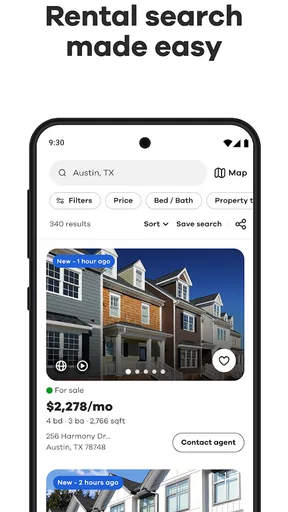
- Map view makes it easy to compare homes by neighborhood.
- Saved searches help you revisit listings that fit your criteria.
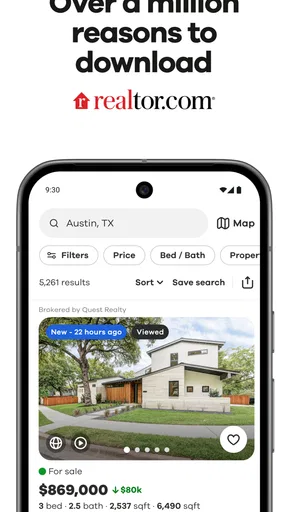
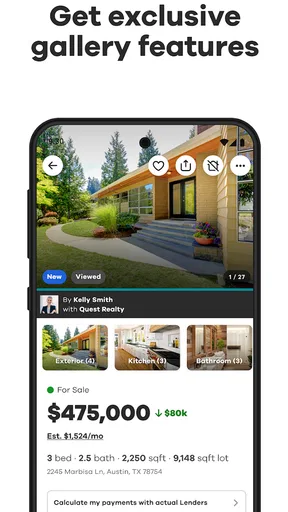
- Listing photos provide a quick look at properties before a visit.
- Mortgage tools can help estimate potential monthly payments.
- Users can contact listing agents directly through the app.
What could be better
- Listing details may not always reflect the latest availability.
- Some properties have limited photos or incomplete descriptions.
- Search results can include homes outside your preferred area.
- Agent responses depend on availability and may take time.
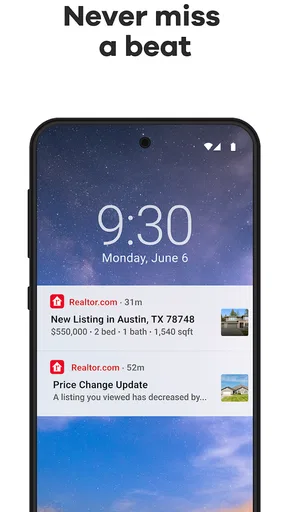
- Frequent notifications can become distracting.




