

 Analysis byWeUseApps
I use Zillow as a starting point when I want to understand what is available in a neighborhood, whether I’m casually looking at homes or trying to narrow down a real move. It brings buying and renting into one place, which is convenient, but a housing app also asks for a different kind of trust than a casual browsing tool: the places I search can reveal where I live, where I hope to move, and what I can afford. My view is that Zillow is useful when I treat it as a research companion rather than a substitute for checking details directly.
Useful reach, with a reason to stay cautious
Built by Zillow Group, this free House & Home app has been around since March 17, 2010. Its scale is hard to miss: it has over 50 million installs, an average rating of 4.8 from around 1.7 million ratings, and roughly 175,000 written reviews. Those figures suggest a well-established product, but popularity alone does not tell me whether a particular listing is current or whether a home suits my needs.
The app is rated for Everyone, and its current version is 2026.80.1.135653, with Android 10 as the minimum operating system. Those details help establish whether it fits a device and audience, but they do not change how I approach sensitive decisions. I still distinguish between what an app helps me discover and what I need to verify before spending time, sharing personal details, or making a housing commitment.
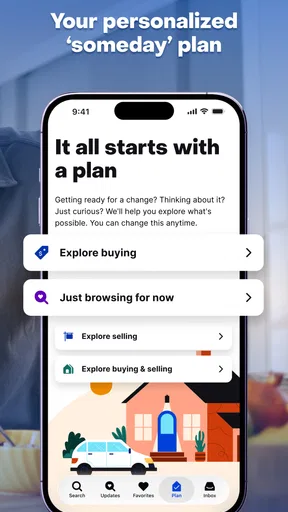
What I appreciate most is the breadth of the search context. Rather than opening a separate tool for rentals and another for homes to buy, I can use one app to explore both kinds of move. That is useful when my plans are unsettled: perhaps I am weighing a short-term rental against buying, or looking at the same area through two different budgets. The best way to use Zillow is as a map of possibilities, not a final authority.
Start with a question, not an endless scroll
Property browsing can easily become an unstructured habit: tap a listing, look at photos, move on, and forget why it caught my eye. I get more value by deciding what I’m trying to learn before I search. For example, I might be comparing the feel of two neighborhoods, checking whether rental options fit my commute, or seeing what kinds of homes appear in a price range I can realistically consider.
This small change matters because a housing search involves trade-offs that photos cannot settle. A home can look appealing while being inconvenient for daily travel; a rental may fit a monthly limit but leave little room for utilities or moving costs. I use search results to identify candidates and questions, then keep a separate note of what needs confirmation, such as availability, fees, viewing arrangements, and the details that matter to my household.
Trust comes from careful handling, not a high rating
When I use any property app, I pay attention to what I choose to share and when. A broad search is different from contacting someone about a specific home: the latter can involve more personal context and a clearer expression of interest. I try to keep those moments deliberate. I don’t put sensitive information into a message unless it is genuinely needed for the next step, and I avoid treating an in-app conversation as proof that a listing or offer has been independently checked.
That is not a claim that Zillow handles information in a particular way; it is a practical boundary I use with housing services generally. Before enabling a device permission or entering account details, I look at the explanation shown on the device or in the app and decide whether it is relevant to the task I’m doing. If a choice is optional, I prefer to make it only when I understand the benefit. A location-based convenience, for instance, should be weighed against whether I can simply search an area manually.
I also make a distinction between an account and a search. If I am only exploring, I want to avoid sharing more than that activity requires. If I decide to save or act on a home, I can then consider what account controls and choices are presented at that point. The useful habit is to review those screens rather than assume that every setting is either necessary or harmless.
Keep control of the search as it becomes personal
In my experience, the point at which a search becomes emotionally charged is also when it is easiest to rush. A listing may appear to solve several problems at once, and I can be tempted to act before checking the practical details. I try to pause and separate three things: what the app shows, what the listing communicates, and what I have confirmed through a direct next step. That separation reduces the chance of confusing a promising result with a verified arrangement.
A useful workflow is to shortlist a small number of plausible options, then compare them against the same questions. For a rental, I would check whether the timing works, what the full recurring cost includes, and how a viewing can be arranged. For a purchase, I would note what needs a closer look in person and what questions I would raise before making any commitment. Zillow helps me find candidates; it cannot make those decisions for me.
I also find it helpful to revisit the purpose of a search before turning on more features or sharing more information. If I am only learning what a neighborhood is like, a broad browse may be enough. If I am ready to coordinate a visit, the next step may justify more direct contact. Keeping that progression intentional is a simple form of user agency, especially when the search involves a home address or a move date.
A realistic search, without mistaking convenience for certainty
Imagine I’m considering a move across town but have not decided whether to rent or buy. I can use Zillow to look at both paths, notice which areas repeatedly surface, and build a short list that reflects my budget and everyday needs. Then I can compare the candidates on a practical basis: travel time, room for the people or belongings involved, and whether the timing is realistic. The app is valuable here because it helps me organize discovery, not because it resolves every uncertainty.
Before arranging a viewing or taking any formal step, I would confirm that the home is still available and clarify the terms with the relevant person. I would also be careful about sending identity or financial details through an unfamiliar channel. A polished listing page and a familiar app interface can make a process feel settled before it is. I prefer to verify the next step independently and share only what is needed for that step.
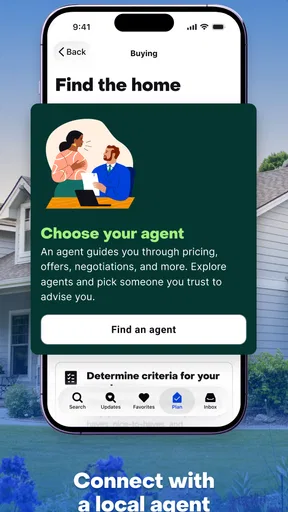
This is also where I would use a second source. A local agent, property manager, official paperwork, or an in-person visit can answer questions that browsing cannot. The right source depends on the situation, but my rule stays the same: use the app to narrow the field, then use the appropriate direct process to confirm the facts that affect a decision.
Where Zillow fits among other housing tools
Compared with a narrow rental-only or buying-only search, Zillow’s combined focus is convenient for people whose plans may change. It can help me look at different kinds of housing without switching mental context, and that is especially handy early in a move when I’m still testing what is feasible. A local specialist or a service focused on one market may be better once I need detailed, neighborhood-specific guidance or help interpreting a particular transaction.
Compared with asking friends or browsing neighborhood groups, a dedicated property app gives me a more direct way to search listings. But social recommendations can provide lived experience—noise, parking, the feel of a block—that a listing cannot fully convey. I would not expect Zillow to replace that local perspective. In practice, I treat it as one layer in a decision, alongside visits, conversations, and careful checks.
There is a trade-off in having so many possibilities in one place: it can encourage prolonged browsing without improving the quality of a decision. If I already know the exact requirements and need a highly guided process, a human professional or a specialized local resource may be the better starting point. If I only want a casual glance at property photos and have no plan to follow up, the app may offer more depth than I need.
Small habits that make the app more useful
I recommend setting a clear stopping point for each session. Instead of browsing indefinitely, I might aim to learn whether a location has plausible options, identify a few candidates, or decide which question to ask next. That turns discovery into progress and makes it easier to notice when I am looking at homes that are attractive but inconsistent with my actual needs.
Another helpful habit is to compare like with like. I would avoid judging a rental and a purchase solely by the visible monthly figure, since their costs and obligations are different. I also avoid assuming that two listings with similar photos offer the same daily experience. A map position, building context, access, and the details of a visit can change how suitable a property feels.
Finally, I keep a short record outside the app of what I have confirmed and what remains an open question. That is especially useful when several homes begin to blur together. I note the reason each one made the shortlist and the next fact I need to check. It is a simple workaround, but it keeps my judgment grounded instead of letting the most recent or most visually appealing listing dominate.
Who should use it, and who may prefer another route
I would recommend Zillow to someone beginning a move, comparing renting with buying, or trying to understand the range of homes in an area. It is particularly useful when the search is exploratory and I want a single place to browse both paths. Its free price makes it easy to try, and the large user base and strong average rating indicate that it is a familiar option for many people—though neither fact guarantees that every listing or interaction will meet an individual need.
I would be more cautious if I were handling a highly sensitive housing situation, relying on a tight deadline, or making a decision that depends on details I have not verified. In those cases, I would pair app research with direct confirmation and professional guidance where appropriate. Someone who wants only local advice, or who finds broad browsing distracting, may be better served by a focused local resource or a qualified housing professional.
My cautious verdict
I find Zillow useful because it gives me a practical place to begin a housing search and compare possible directions. I value its reach across renting and buying, but I do not confuse a convenient search experience with a guarantee about a home, its availability, or the people involved. For me, trust means using the app with clear boundaries: read permission and account choices before accepting them, share information thoughtfully, and confirm important details outside the browsing stage.
If you are moving and want to turn a vague idea into a shortlist, I think it is worth trying. If you need certainty, transaction advice, or deep local knowledge, use it alongside sources that can provide those things directly. That balance—letting Zillow help me discover options while keeping the final checks in my hands—is what makes it a sensible tool rather than a decision-maker.
What we like
- Search listings by price range and property type.
- Save favorite homes for quick access later.
- View photos and property details in one place.
- Explore neighborhoods with map-based browsing.
- Contact agents directly about listed properties.
What could be better
- Some listings may be outdated or already unavailable.
- Rental and sale details can vary in accuracy.
- Certain features may require location access.
- Listings and tools vary by market.
- The app does not replace an in-person property visit.




