
 Analysis byWeUseApps
I enjoy solitaire most when it asks very little of me: no long setup, no complicated rules to relearn, just a few minutes with a familiar card layout. Solitaire - Classic Card Games is aimed squarely at that kind of play. It is a free card game from Guru Puzzle Game, and its straightforward presentation makes it an easy one to consider if you want a classic solitaire session on your phone rather than a sprawling game with a lot to manage.
My impression is that the appeal here is less about reinventing solitaire and more about having the familiar format ready when you have a quiet moment. That can suit a coffee break, a short wait, or a relaxed evening. It is not the right pick if you are looking for a deep campaign, a social card room, or a game that constantly introduces new challenges. Its strength is being a focused, low-commitment option.
Quick sessions are the natural fit
Solitaire is a good match for phone play because a round can be picked up and put down without demanding a large block of time. I would use this game when I have a few minutes to spare and want something more engaging than scrolling, but I do not want to commit to a story or a competitive match. That convenience is the real reason to keep a classic card game around.
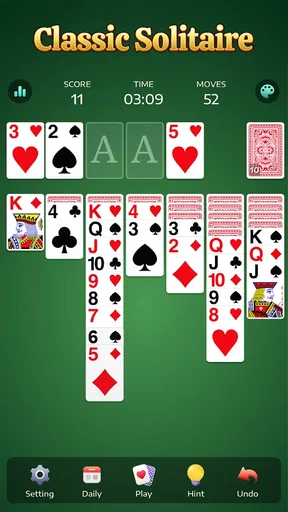
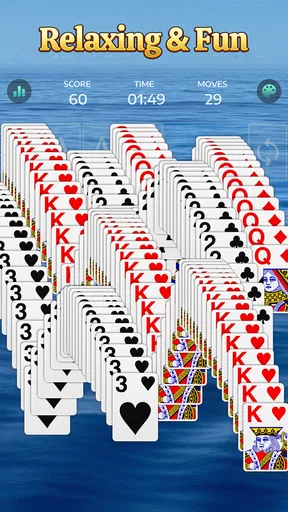
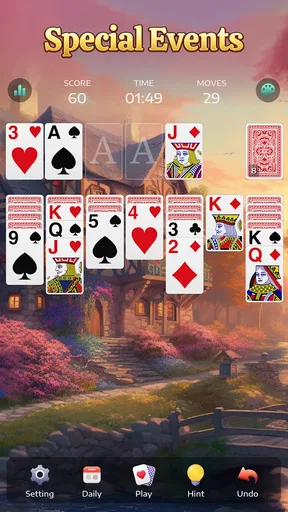
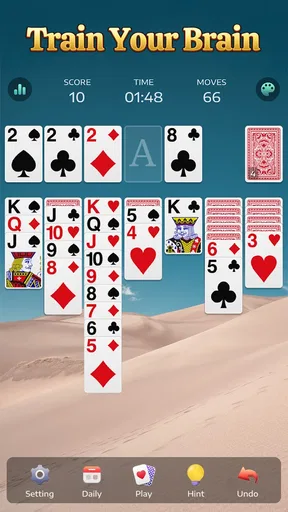
The store’s short description is simply “Solitaire,” and that modest framing is helpful: this is a card game first, not a broader collection of activities. If you already know the familiar solitaire rhythm—look for useful moves, uncover cards, and work toward clearing the layout—you can settle in without a tutorial-heavy learning curve. Beginners can also approach it at their own pace, though anyone who wants guided lessons or a structured path may prefer a more explicitly instructional alternative.
In everyday use, I would treat a round as a small mental reset rather than a serious test of skill. The game can give your attention a simple task during a lull, but solitaire still depends partly on the cards you are dealt. A run of awkward layouts can feel less satisfying than a puzzle with a guaranteed solution, so it is best enjoyed with a relaxed attitude rather than as a dependable way to beat a personal record.
What the familiar format does well
The key advantage of classic solitaire is how little context it needs. You do not have to remember a plot, coordinate with other players, or plan a long session. I can imagine opening it while waiting for a takeaway order, playing until my name is called, and leaving it there without feeling that I have abandoned a larger commitment. That flexibility makes it more practical than many card games designed around multiplayer rounds or extended progression.
There is a trade-off: a familiar format can become repetitive. If you usually play solitaire on a computer or already have another mobile version you like, this one needs to earn a place on your device through a comfortable playing experience. It is not enough for a card game to be recognizable; the controls, visual clarity, and overall rhythm need to feel pleasant over repeated sessions. I would pay particular attention to whether cards are easy to distinguish on your screen and whether moving them feels natural for your hands.
One useful habit is to decide before starting whether you are playing to unwind or trying to solve the layout carefully. In a short break, I would avoid turning every move into a lengthy analysis; that defeats the point of a quick session. When I have more time, slowing down and checking the available moves can make the game feel more deliberate. This simple change in approach helps the same basic game serve two different moods.
Speed, busy moments, and returning to a round
A solitaire game is most satisfying when it gets out of the way and lets you focus on the cards. I would expect this title’s simple scope to suit brief play better than a card app crowded with several modes or layers of menus, but I would not assume that every phone will load it identically. Perceived speed can depend on the device and its current condition. If an older phone is already struggling with everyday apps, a smooth experience in any game is less certain.
Heavy use here is more likely to mean several rounds in a row than a complicated multiplayer event. That makes a practical difference: the main question is whether the game remains comfortable to look at and operate after repeated deals. If you notice yourself making mistakes because you are tapping too quickly, pause between moves instead of trying to race through a layout. Solitaire rewards attention, and a little patience is often more useful than speed.
For a realistic routine, I would open a round during a short commute wait or while taking a break at home, then stop when I need to do something else. Since phone interruptions can happen at any time, it is sensible not to begin a session when you cannot spare even a moment to put the device down. I would also check that the game is still in the state I expect when returning after an interruption, rather than assuming every app handles pauses the same way. That is a practical check, not a special feature I would take for granted.
Reliability matters even in a casual game. A card layout is not high-stakes, but an unexpected interruption can still be annoying if you have been thinking through a tricky sequence. I would judge the experience by how consistently it opens and responds during ordinary use, and by how easy it is to resume after switching away. If a round does not continue as expected on your particular device, shorter sessions are a sensible workaround; this is especially relevant when the phone is low on available resources or running many tasks at once.
How it compares with other card-game choices
Compared with a multiplayer card app, this is the more private, self-paced choice. You do not need to find opponents or match anyone else’s schedule; you can play when the moment suits you. Compared with a broad card collection, its narrower focus may be an advantage if you want solitaire without extra options to browse. But if variety is what keeps you engaged, a collection with several games will probably hold your attention longer.
It also occupies a different niche from logic puzzles. A puzzle app often presents a designed problem with a specific solution, while solitaire mixes decision-making with the uncertainty of a card layout. I would choose solitaire when I want a familiar pattern and an easy stopping point. I would choose a puzzle game when I want each session to feel like a fresh, carefully constructed challenge rather than another deal of cards.
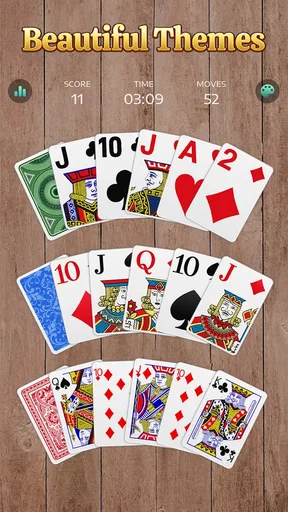
For people who already play solitaire on a desktop, the main comparison is convenience rather than novelty. A phone version can be handy because it is close at hand, but the smaller screen can make card recognition and precise selection more demanding, particularly on compact displays. Before settling in for a long session, try a few moves and see whether the cards remain readable without straining. If they do not, a tablet or a larger-screen alternative may be more comfortable.
Device fit, cost, and expectations
The game is rated for Everyone and supports Android devices running version 6.0 or later. That broad compatibility makes it relevant to many Android users, but the minimum operating system alone does not guarantee identical speed or comfort across every model. On an older or entry-level phone, I would close other demanding apps if the game seems sluggish and keep sessions modest until I know how the device handles it. If your phone already has trouble with basic touch response, a card game will not fix that underlying limitation.
It is free to download, with optional in-app purchases priced from $0.99 to $59.99 per item. That range is worth noticing before you install: free access does not mean every optional purchase is the same size or necessary for ordinary play. I would start by using the game without spending and only consider a purchase if its purpose is clear to you and fits your budget. Anyone who prefers games with no in-app spending at all may be more comfortable choosing a paid alternative instead.
The game has an average rating of 4.9 from around 731,000 ratings, with about 13,000 written reviews, and it has been installed over 50 million times. Those figures suggest broad interest, but they cannot tell me whether the controls will suit your hands or whether the look of the cards will work for your eyesight. A few minutes of actual play will answer those personal questions better than popularity alone.
It was released on April 25, 2021, and the current version is 7.5.1-26092176. I would keep the app updated through the app store when updates are available, particularly if you rely on it as a regular time-filler. An up-to-date installation is a sensible starting point when checking for a smoother experience, though it cannot compensate for a device that is short on resources or an unreliable connection to the app store.
Who I would recommend it to
I would recommend Solitaire - Classic Card Games to someone who wants a familiar solo card game for short, flexible sessions and does not need a lot of variety. It makes the most sense for casual players who value being able to dip in and out, especially those who already enjoy solitaire’s mix of simple rules and small decisions. It is also a reasonable option for a new player who wants to try the format without paying upfront.
I would skip it if you mainly want competition against other people, a strong sense of progression, or a rotating set of different card games. I would also look elsewhere if optional in-app purchases are a deal-breaker, if you need a clearly guided learning experience, or if a small phone display makes card games uncomfortable for you. Those are not flaws that a familiar solitaire layout can solve; they are signs that another type of app may fit your needs better.
My overall view is that this is a straightforward way to keep classic solitaire within reach. Its best use is a calm, self-directed break, not a demanding gaming session or an endlessly varied card collection. If that matches what you want, give it a short trial on your own device and see how readable and responsive it feels. For a quick, familiar card-game pause, it is an easy choice to understand; just keep your expectations modest and your spending optional.
What we like
- Familiar rules make it easy to start playing.
- A good fit for short sessions or longer breaks.
- Single-player gameplay works without needing an opponent.
- Card play offers a relaxing change of pace.
- Classic solitaire suits players of many experience levels.
What could be better
- Random card deals can be unwinnable.
- Repeated play may feel predictable over time.
- Solitaire offers limited social interaction.
- Some players may find the pace too slow.
- It may not appeal to players seeking action or story.




