
 Analysis byWeUseApps
I reach for a simple solitaire game when I have a few quiet minutes and want something more engaging than scrolling. Mouse Games’ Solitaire is built for that familiar, low-pressure kind of play: it is a card game for Android, free to install, and easy to understand if you already know the basic rules. My overall impression is that it suits short sessions better than anyone looking for a deep collection of modes or a demanding challenge.
What to expect from a quick game
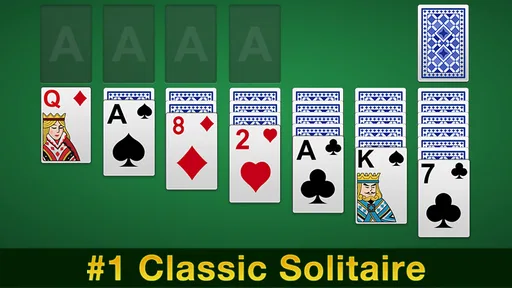
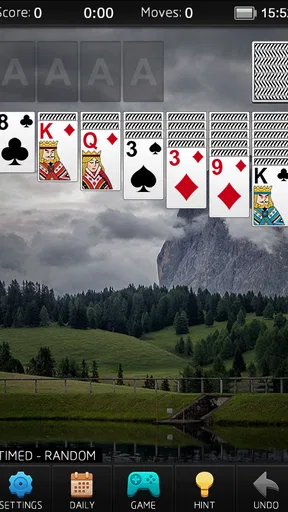
The appeal here is the straightforward one: open a solitaire game, begin arranging cards, and stop whenever you need to. There is little to learn before the first round, which makes it a practical choice for a coffee break, a waiting room, or a few minutes before bed. The store describes it as Solitaire, also known as Patience, and that plain identity is useful: you can tell at a glance whether it matches what you want to play.
Mouse Games presents it as a free game, and its broad reach suggests that many players are looking for exactly this familiar card experience. It has an average rating of 4.5 from around 233,000 ratings, with roughly 44,000 written reviews and more than 10 million installs. Those figures make it a well-established option, though popularity alone does not guarantee that its presentation or play style will suit everyone.
In my view, the important speed expectation is not about a record time or a competitive clock. Solitaire is naturally a stop-and-start game: some deals reveal useful moves quickly, while others ask you to study the tableau and rethink your choices. The value is in having a task you can pick up without a long setup, not in expecting every round to finish at the same pace.
A useful rhythm for short sessions
I would treat each deal as a small puzzle rather than an obligation to reach a perfect result. If I have only a couple of minutes, I can make a few moves and put the game aside mentally; if I have longer, I can follow the consequences of uncovering a card or moving a sequence. That flexibility is a better fit for everyday use than a game built around long missions or a fixed session length.
One practical habit is to pause before moving a card just because the move is available. In solitaire, a legal move is not always the most helpful one: exposing a hidden card can matter more than making a neat-looking stack, and moving a card to a foundation too early can sometimes reduce options. This is not a special feature of the app, but it is a useful way to get more thoughtful play out of the familiar rules.
When a session gets longer
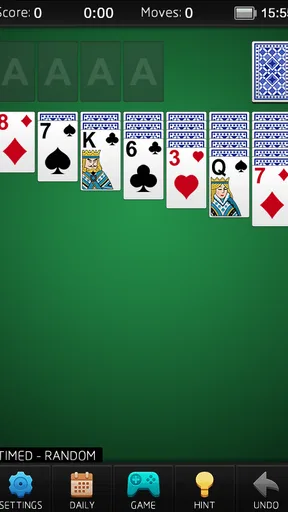
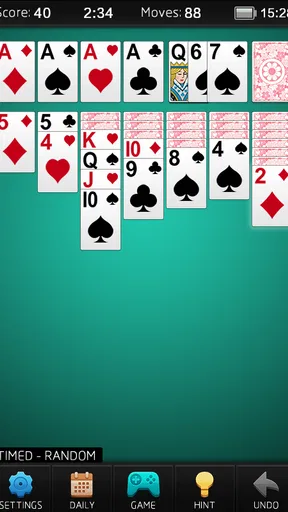
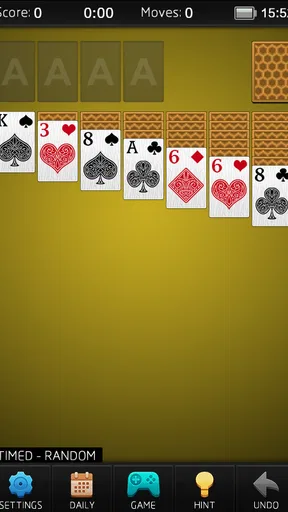
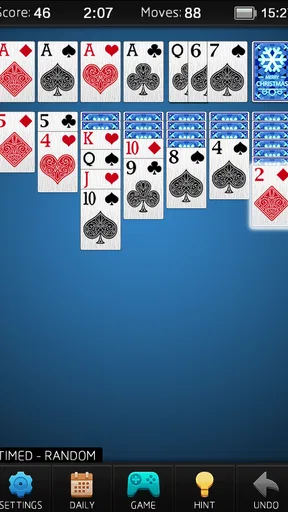
Solitaire can become absorbing when a deal is close to opening up, and that is when small interface choices matter most. I prefer to make deliberate moves rather than tap quickly through a sequence, especially on a phone where the cards occupy a compact area. A rushed touch can interrupt the flow of thinking, so a little care is worthwhile when the layout is busy.
For a longer session, I would also avoid treating every unsolved deal as a personal failure. Card order can leave you with limited choices, and repeatedly revisiting a stuck position is not always productive. When I notice that I am cycling through the same possibilities, stepping away is often the better use of time. The game’s simple premise supports that easy exit; it does not ask me to keep up with a story or a team.
This is also where the game may feel less satisfying to players who want a changing structure. If your idea of a longer session involves new objectives, varied card-game formats, or a strong sense of progression, a broader card collection may be a better match. This title is most compelling when the familiar solitaire puzzle itself is enough.
Reliability and the question of recovery
A card game has a modest job: present the play area clearly and let me focus on the next decision. The app’s long-running presence and large install base make it a familiar choice, but I would not read popularity as proof that every device or session behaves identically. Performance can depend on the phone and its software, so I prefer to keep expectations sensible rather than promise flawless operation everywhere.
For a casual player, the most useful kind of reliability is being able to return to a game without feeling that the app has become another task to manage. If you are interrupted often, make a habit of pausing your play before switching away, rather than assuming every game will resume in precisely the state you expect. That is a sensible precaution for mobile games generally, especially when a round has reached a delicate point.
I also recommend taking a moment to orient yourself after returning to a deal: check which cards are visible and what your next useful move might be instead of tapping from memory. It is a small routine, but it reduces avoidable mistakes when a call or notification has broken your concentration. For solitaire, that kind of recovery is as much about regaining your train of thought as it is about the app.
How it fits different Android devices
The game is listed for Android devices running version 4.0 or later, which gives it a broad compatibility range on paper. That does not mean every older phone will feel equally comfortable. A smaller display can make card selection less forgiving, while an older device may have less room for other apps running at once. If you have a compact screen, slower, more deliberate taps are likely to be more comfortable than trying to play at speed.
Because solitaire is a turn-based card game rather than a visually demanding action title, it is a natural candidate for quick, low-intensity play. Still, I would not claim a particular battery impact or memory footprint without testing it on the device you plan to use. If you are trying to conserve battery, the sensible approach is to keep sessions short and close the game when you are finished, rather than assuming any app is cost-free to leave open.
The age rating is Everyone, so it is suitable for a broad audience in that sense. The simple card format also makes it easy to explain to someone who has never played: the challenge is arranging cards according to the familiar solitaire rules, not learning a complex control scheme. For a younger player, I would still consider whether a quiet, repetitive puzzle is the kind of screen time you actually want to encourage.
Compared with other card-game choices
Compared with a multi-game card app, this Solitaire is the more focused choice. That focus is helpful if you already know what you want and do not want to browse a menu of unrelated games. The trade-off is just as clear: players who like switching between solitaire variants or moving from cards to other casual puzzles may prefer an app with a wider selection.
Compared with a physical deck, the phone version is convenient when there is no table or free space, and it avoids the effort of laying out cards by hand. A real deck, however, gives you tactile handling and makes it easier to share a game across a table. I would choose the app for a solo pause on the go, and physical cards for a social setting or when I want a break from looking at a screen.
Mouse Games is the developer, and version 5.9 is the current release. Those details help identify the app, but the decision should come down to whether its straightforward approach is what you want. If you are searching for a simple game to fill small gaps in the day, its focused format makes sense; if you need extensive variety or a richer sense of advancement, look elsewhere.
Who I would recommend it to
I would recommend this game to someone who already enjoys solitaire, wants a free Android option, and values an uncomplicated way to start a round. It is especially suited to people who play in short bursts: during a commute while seated, between household tasks, or while waiting for an appointment. In those moments, the game gives your attention a small, self-contained puzzle without asking you to coordinate with other players.
I would skip it if you dislike repeating a familiar format, want a social card game, or expect a constant stream of new challenges. It is also not the choice I would make for someone who finds phone card layouts fiddly; a physical deck or a game designed around larger, more accessible controls may be more comfortable. The best match is a player who enjoys the process of considering moves, not someone who needs every round to feel novel.
My performance verdict is modest but positive: Solitaire’s strength is how little ceremony it needs. It is a recognizable card game from Mouse Games, free to play, and widely used, with a 4.5 average rating. I would install it for quick solo sessions and keep expectations centered on the puzzle itself. Its best quality is being easy to pick up; its main limitation is that the same simplicity can feel repetitive.
A sensible final choice
For me, this is an everyday option rather than a game I would plan an evening around. It makes sense when I want a quiet diversion, have a few minutes to spare, and am content to work through one familiar card layout. The light commitment is its advantage: I can start without a learning curve and stop when real life interrupts.
If that sounds like your kind of play, Mouse Games’ Solitaire is a reasonable app to try. If you want variety, a more social experience, or a stronger feeling of progression, choose a different card game instead. Knowing that distinction before installing it is the best way to decide whether this simple solitaire format will earn a place on your phone.
What we like
- Familiar rules make it easy for new players to get started.
- Short rounds fit neatly into spare moments.
- Offline play is useful when an internet connection is unavailable.
- Undo options let players reconsider recent moves.
- The game offers a calm way to exercise concentration.
What could be better
- Random deals can feel repetitive over time.
- Some layouts rely heavily on luck.
- Ads may interrupt the flow of play.
- Small cards can be difficult to see on compact screens.
- Daily challenges may require an internet connection.




