
 Analysis byWeUseApps
The difficult part of using a ticket app usually isn’t finding something to do; it’s deciding whether the listing, timing, and ticket details fit your plans. SeatGeek is built around that decision. I’d use it to browse sports, concerts, theater, festivals, and comedy in one place, then compare options before committing. It is free to download, but the tickets you choose are purchases, so I treat the app as a way to research and manage plans—not a promise that every event will have a bargain or a suitable seat.
Finding the right event without rushing
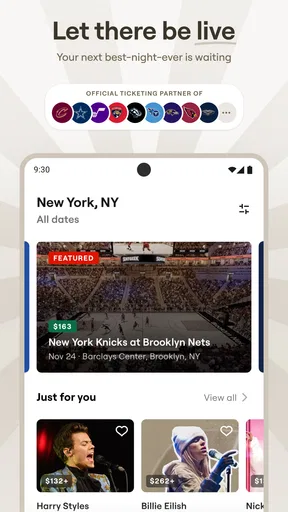
SeatGeek is an events app from SeatGeek, and its broad mix is useful when my plans are flexible. Instead of starting with a venue’s own calendar, I can look across event types and narrow my attention to what sounds appealing. That works especially well when I know the day or performer but haven’t settled on a specific event.
Browsing can still become a chore if I’m trying to make a quick decision. A large choice of events is only helpful when I already know what matters: date, location, budget, or the kind of experience I want. I recommend deciding on those priorities first. Otherwise, it is easy to keep comparing listings without getting closer to a purchase.
For a group outing, I’d check the event and date before sending options to friends. A listing that looks promising to one person may not suit everyone’s schedule or budget. Getting agreement on the basics first makes the app’s search more useful and reduces the chance of buying in haste just because a choice appears attractive.
The app has an average rating of 4.5 from around 46,000 ratings, and it has been installed over five million times. Those figures suggest that it is a well-established choice, but they don’t tell me whether a particular event or ticket will work out. I still read the listing carefully and compare the total cost and details before making a decision.
What I check before buying
My most useful habit is to pause on the exact event date and venue rather than relying on a performer’s name or a broad search result. Similar events can be easy to mix up when someone is touring or playing more than one date. Before buying, I confirm that the selected event matches the plan I have discussed with anyone coming along.
I also think about the difference between choosing an event and choosing a ticket. The first step answers whether I want to go; the second is about whether the available option suits my practical needs. If the listing doesn’t make an important detail clear to me, I would rather take time to check it than assume that a familiar venue or event name guarantees the arrangement I expect.
This is particularly helpful for theater and sports, where the experience can depend heavily on where you sit, and for festivals, where the event’s overall format may matter more than a single performer. I avoid treating a striking listing or an appealing price as enough by itself. A ticket is only a good choice if its details fit the day I’m planning.
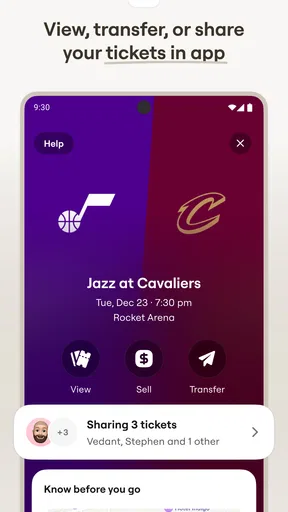
SeatGeek also supports selling tickets, which makes it relevant after plans change as well as when I’m buying. I’d still approach a resale decision carefully: check that I’m working with the correct event and ticket information, and follow the steps shown in the app. Selling is not the same as knowing in advance that another buyer will be available, so I would not rely on it as a guaranteed fallback.
Setup checks that prevent avoidable friction
SeatGeek is free, has an Everyone content rating, and requires Android 10 or later for the version listed as 2026.43.0. If it will not install or update, I’d begin with the simple checks: confirm that the device meets the minimum operating-system requirement, check that the app store is signed in and working, and make sure the device has enough room for an update. These steps are more useful than repeatedly tapping the install button.
Once it opens, I would make sure I can get through the actions I expect to use before an urgent event-day moment. If I plan to buy, I’d avoid leaving the entire process until just before the event. If I plan to sell, I’d familiarize myself with the relevant flow while I have time to read it. This is a general preparation habit, not a claim that the app requires a particular setup sequence.
For a ticket-related app, the practical value depends on being able to return to the right purchase when needed. I’d keep access to the account and the device I used during purchase in mind, and avoid relying on a half-remembered event name to locate details later. If I’m coordinating with a friend, I’d agree in advance who is handling the tickets rather than having both people make separate purchases by mistake.
One less obvious trade-off is that an all-in-one event search can make comparison easier while also encouraging a wide search that isn’t focused enough. I get better results by choosing a small set of criteria before browsing, then comparing only events that satisfy them. That is especially useful when the group has a firm date or spending limit; it prevents an appealing but irrelevant option from taking over the conversation.
Recovering when a search or purchase stalls
If an event does not appear, I would first check the spelling, location, and date range, then try a broader search. A narrow query can miss something I would recognize under a venue name or a different event description. I’d also make sure I’m not mixing up the performance date with the day I plan to travel or meet friends.
If the app seems slow or a screen does not finish loading, I’d check the internet connection and give the action a moment before trying again. Closing and reopening the app can be a reasonable basic troubleshooting step. Before repeating a purchase attempt, though, I’d check whether the first action already completed. Repeatedly submitting a transaction without checking its status can create more confusion than it solves.
When I’m unsure whether I have selected the right ticket, I would return to the event details and review the choice rather than continuing based on assumption. If something looks different from what I expected, I would stop and inspect the information presented on screen. That is safer than treating a loading problem, an unclear choice, or an unexpected result as proof that the purchase failed.
For a sale, I’d use the same calm approach: confirm the event and ticket details, then follow the in-app steps. If a screen or action does not behave as expected, I’d avoid starting over repeatedly until I understand what has already happened. The useful principle is to distinguish a stalled display from an incomplete transaction; the app’s current state matters more than my guess about it.
When the problem may be somewhere else
Not every ticket problem starts with the app. An event can be difficult to find because the search terms are too specific, the date is wrong, or I’m looking for a venue rather than the event name. A ticket may also be unsuitable because I chose an option too quickly. In those cases, revisiting the event details is a better first move than reinstalling the app.
Device and connection issues can also interrupt ordinary app use. If other apps are struggling online, I would not assume SeatGeek alone is at fault. I’d check the connection and retry when it is stable. If the app store itself cannot update apps, that points toward an installation or store problem rather than an event-search issue.
There are situations where I would choose another route. If I already know the exact event and want to check the venue’s own information, going directly to that venue’s ticketing option may be more straightforward. If I care most about a particular seat arrangement or need a detail that I cannot confidently verify in the listing, I would pause rather than buy on the strength of a broad search result.
Likewise, SeatGeek is not the right fit for someone who only wants to browse events without any intention of buying or selling. Its purpose is closely tied to ticket transactions. And while bringing many event types together is convenient, people who prefer to handle every event through a specific venue or organizer may find that direct channel easier to follow for their own plans.
Who will get the most from it
I see the strongest use case as a person who wants one place to explore different kinds of live events and is comfortable comparing listings before deciding. It can be handy for a couple choosing between a concert and a comedy night, a sports fan checking possible games, or a group trying to find a shared plan. The buy-and-sell focus also gives it a role when someone’s ticket plans change.
It is less compelling if my search is already settled and I only need one specific venue’s information, or if I’m not willing to check the ticket details before paying. The convenience of browsing should not replace careful comparison. I would not use the app as a substitute for confirming that an event matches my schedule, nor would I treat resale as a guaranteed way to recover the cost of a change in plans.
SeatGeek has been available since November 13, 2013, and its current version is 2026.43.0. I mention that only as context for an app that has been around for years and continues to be updated; what matters in day-to-day use is whether its event listings and ticket flow make the decision clearer for me.
My practical verdict
SeatGeek is most useful when I want to compare live-event options and keep buying or selling tickets within one app. Its range is a real advantage for flexible plans, and its free download makes it easy to try. The main friction is not complicated setup so much as the responsibility to search carefully, confirm the event, and understand the ticket choice before committing.
I’d recommend SeatGeek to a friend who regularly considers sports, concerts, theater, festivals, or comedy and likes to compare possibilities before settling on one. I’d suggest checking the venue or organizer directly when a specific seat detail or event arrangement is decisive. Used thoughtfully, it is a practical discovery and ticketing option; used in a rush, it can make an unclear choice feel easier than it really is.
What we like
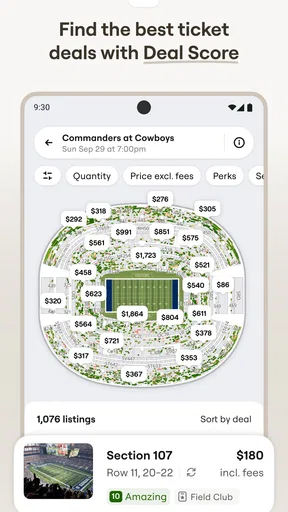
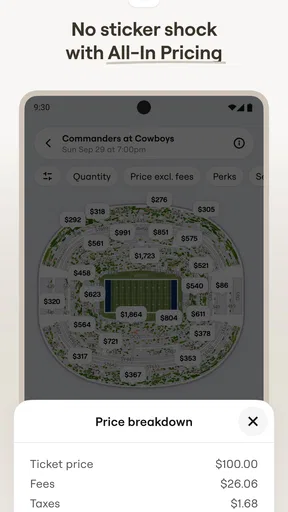
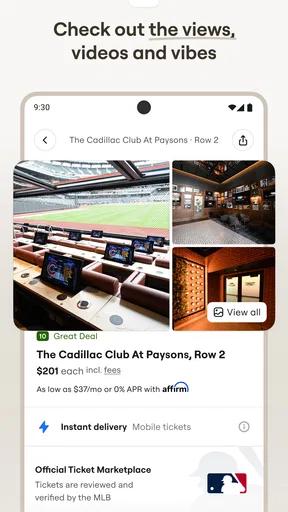
- Interactive seat maps help compare views before buying.
- Price ratings make it easier to spot good-value seats.
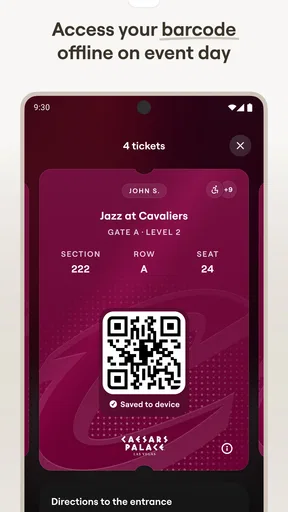
- Mobile tickets are convenient at venue entry.
- Event listings cover sports games concerts and theater.
- Some tickets include a buyer guarantee.
What could be better
- Service fees can noticeably increase the checkout total.
- Ticket availability and prices can change quickly.
- Resale listings may cost more than face value.
- Refunds are generally limited when plans change.
- Some venues may have restrictions on mobile ticket transfers.




