
 Analysis byWeUseApps
When I’m looking for something to do, the hard part is often not finding an event but figuring out which listings are worth my time. Posh – Create & Find Events is an events app built around that discovery-and-organizing loop. I’d consider it most useful if local event browsing is already part of your routine or you help bring people together; it is less compelling if you only need a simple calendar reminder.
Finding an event without turning it into homework
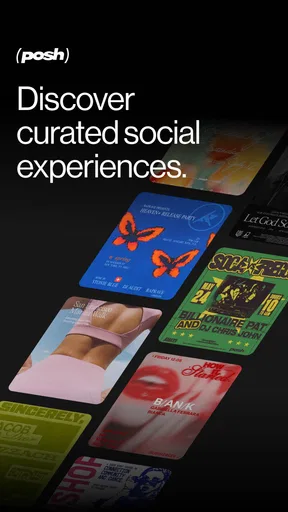
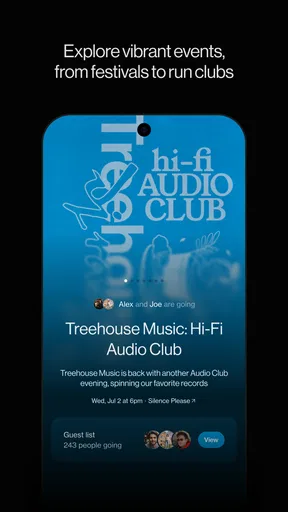
Posh is developed by Posh and sits in the events category, with a stated aim of connecting eventgoers and organizers. That focus gives it a different feel from a general social network: the useful question is what is happening and who is putting it on, rather than what friends have posted today. In practice, I’d open it with a particular outing in mind, then browse more broadly if I had room in my schedule.
The app is free, which makes it easy to try without first deciding whether event discovery deserves a place in your budget. Its audience is broad: the service describes an ecosystem of more than five million eventgoers and organizers. That scale may make it more worthwhile in places where organizers actively use it; an event app is only as helpful as the listings relevant to your location and interests.
Its average rating is 4.8 from around 2,400 ratings, alongside 165 written reviews. Those figures suggest a generally positive reception, but they cannot tell me whether the events near you are current or appealing. I’d judge it by searching for the kinds of outings you actually attend, not by rating alone.
How I would use it for a real plan
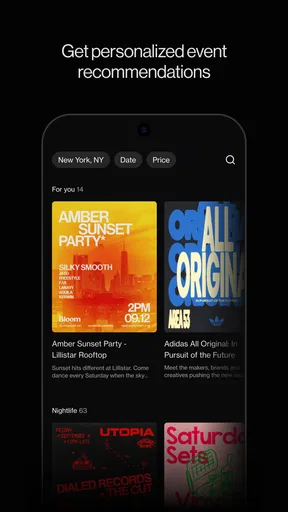
Imagine that a friend asks on Thursday what everyone should do over the weekend. Rather than trading vague suggestions in a group chat, I’d use Posh to look for relevant events, compare the options, and bring a concrete choice back to the group. The practical benefit is not simply having more listings; it is having a shared starting point for a decision that can otherwise stall in conversation.
A useful habit is to search with a plan in mind: decide whether you want something nearby, a particular kind of outing, or an event that suits the group’s timing, then narrow your attention accordingly. This helps keep browsing from becoming an endless scroll. If a listing catches your eye, check the details carefully before inviting people, since the event’s own information—not the fact that it appears in an app—should guide your final decision.
Posh also makes sense from the organizer’s side. If you are already coordinating an event, having a dedicated place for people to discover it can be more relevant than relying only on personal messages or a general social feed. One trade-off is that a platform cannot create local interest by itself: organizers still need to reach the audience they want, and attendees need enough useful listings to make checking the app worthwhile.
Speed: what matters more than a quick launch
For an event app, perceived speed is not only about how quickly the first screen appears. The more important test is whether I can move from opening the app to a useful shortlist without getting lost in repeated browsing. Posh’s focused purpose helps set that expectation, but the quality of the experience depends on what is available for the area and interests I’m checking.
I would treat quick, occasional lookups differently from long discovery sessions. If I’m checking one event while making plans, I want a direct answer and a clear next step. If I’m browsing with no fixed idea, I’m more likely to compare several possibilities and spend longer deciding. In that heavier-use moment, it helps to set a limit—such as choosing a type of outing first—rather than expecting the app to make an open-ended search effortless.
There is also a distinction between app responsiveness and event usefulness. A listing can load promptly and still not solve the problem if it is irrelevant, while a worthwhile event may need a closer read before I commit. My advice is to judge Posh by how efficiently it helps you reach a decision, not simply by how fast you can move through screens.
Busy browsing and organizer workflows
The app’s two-sided purpose creates a specific heavy-use challenge. Attendees may browse several listings before settling on one, while organizers may be focused on getting an event in front of the right people. Those are different jobs, and the same broad event ecosystem can feel valuable to one user but noisy or thin to another, depending on what they came to do.
For attendees, a practical approach is to choose a few criteria before browsing and save the final comparison for the options that genuinely fit. That reduces the chance of treating every listing as equally promising. For organizers, I’d think about Posh as one discovery channel rather than a complete promotion plan: it can help people encounter an event, but a listing alone should not be mistaken for a guarantee that the intended crowd will see it.
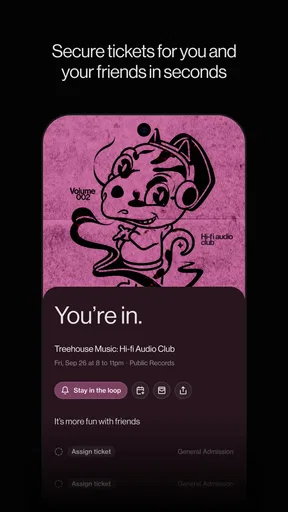
When several friends are involved, I’d share a small number of strong candidates rather than asking everyone to browse independently. This is a non-obvious but useful way to make an event app work socially: use it to prepare a shortlist, then let the group make the final call in the channel they already use. It avoids turning discovery into another round of unstructured opinions.
Reliability and the point where plans become real
Reliability matters most after discovery. If I am considering an event, I need to make sure the listing’s details still match the plan before I rearrange my evening or invite others. I’d verify the practical information on the event itself and check again close to the time if the plan depends on it. That is sensible with any event platform, not a claim that Posh has a particular update or notification system.
It is also worth keeping a backup plan for outings that involve a group or a tight schedule. Discovery apps are useful for finding possibilities, but the people attending still need to agree on the choice and understand the arrangements. I would not rely on the mere presence of a listing as confirmation that every detail is settled.
For an organizer, the same principle applies in reverse: make the event information easy to understand and keep it accurate wherever attendees are likely to find it. A platform can connect people with an event, but unclear details create friction that no amount of browsing can fix. That makes Posh most effective when both sides treat the listing as a practical source of information rather than just a promotional announcement.
Device fit and everyday constraints
Posh is rated for Teen audiences, so it may suit younger users as well as adults looking for events. That does not mean every event is appropriate for every person; I would still check the details and use my judgment about the activity and the people attending. The age label is a starting point for understanding the app’s audience, not a substitute for evaluating an individual event.
The current version is 8.24.0, and the stated minimum operating-system requirement is version 8.0. If your device meets that requirement, the platform is within its stated compatibility range. I would still keep the app and operating system reasonably current where possible, since that is a sensible general step for app use, rather than assuming an older device will feel identical to a newer one.
I would not choose Posh primarily as a lightweight calendar replacement. Its value is in event discovery and organizing, while a calendar is better for keeping track of commitments already made. Using both for their separate jobs can be more practical than expecting an event platform to handle every part of planning.
Where it stands beside familiar alternatives
The usual alternatives are a general social feed, a group chat, or a calendar. A social feed can surface events through people you already follow, but it may mix them with unrelated posts. A group chat is good for deciding who is free, yet weak as a search tool when nobody has a concrete suggestion. A calendar keeps confirmed plans visible but does little to help you find something to attend. Posh’s appeal is that it starts with events rather than asking those tools to do a job they were not designed around.
That specialization is also its main limitation. If your friends and local organizers do not use it, the app may not replace the social channels where plans already happen. If you only attend occasional events and already find them through friends, venues, or other local sources, adding another app may not make your routine better. I’d give it a trial when discovery feels like the missing step, not just because it is available.
My performance verdict
Overall, I see Posh as a focused option for people who want to browse events and for organizers who want their events to be discoverable in an event-centered setting. Its free entry point and broad ecosystem make it easy to explore, while its usefulness still depends on whether the events you care about are represented and current. The rating is encouraging, but your own local search is the better test.
I would recommend it to someone who regularly asks, “What should we do?” or who organizes events and wants another place for people to find them. I would skip it if you want only a calendar, if your preferred plans are already easy to discover elsewhere, or if you expect an app to make a group agree without any conversation. The strongest reason to keep Posh is that it can turn event hunting into a more focused first step; the key is to verify the details and use it alongside, not instead of, the tools that handle your confirmed plans.
What we like
- A polished interface makes browsing and planning events feel approachable.
- Event listings can help users discover activities beyond their usual circles.
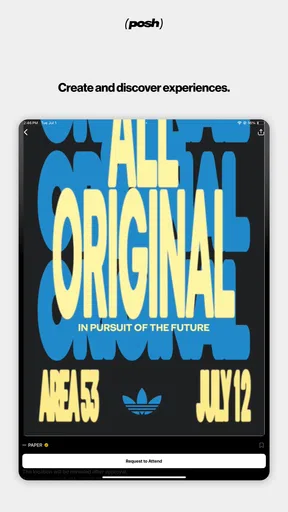
- The platform supports both creating events and finding things to attend.
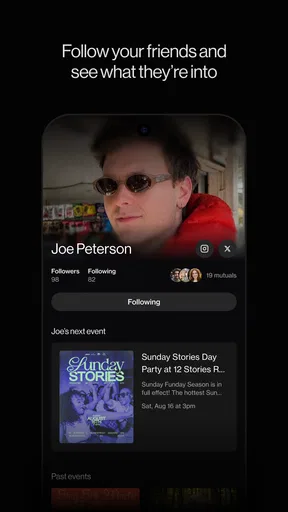
- Social features can make it easier to connect with people who share your interests.
- Having event details in one place can simplify planning an outing.
What could be better
- The value of the app depends on how active its local event community is.
- Some events may have limited details until you contact the organizer.
- Users may need to share personal information to participate in social features.
- Event availability can vary widely by location and date.
- An app account may be required to access some features.




