



 Analysis byWeUseApps
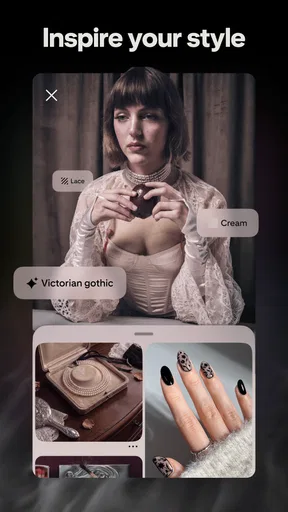
I would choose Pinterest when I want to collect visual ideas and return to them later, rather than simply scroll past them in a social feed. It works best as a personal inspiration library: I can look for a recipe, a room layout, an outfit, or a project idea, then save useful finds into collections instead of relying on memory. That difference sounds small, but it changes how I use the app. I’m not just browsing; I’m building a reference point for something I might actually do.
What matters when choosing a place for ideas
Before installing Pinterest, I’d ask myself whether I want discovery, organization, conversation, or a mix. This is a lifestyle app from Pinterest, and its central strength is visual browsing paired with saving. If I’m planning a home refresh, for instance, I can gather paint palettes, storage ideas, and furniture inspiration in one place. If I mainly want friends to react to my updates or discuss a topic in real time, a conventional social network or a community forum may suit me better.
The app is free to download, with in-app purchases listed from $5.88 to $329.41 per item. That makes it easy to try without paying upfront, but I would treat purchases as optional rather than assuming they are necessary for ordinary inspiration collecting. It is rated for Teen audiences, so it is not designed as a children-only space. Anyone helping a younger user should consider that age guidance and talk through sensible browsing habits.
Its scale is part of the experience: Pinterest has more than 1 billion installs and an average rating of 4.2 from around 12 million ratings. Those figures suggest a widely used product, but they don’t tell me whether it fits my taste. What matters in practice is whether the recommendations become relevant after I search and save a few things, and whether I can keep my collections organized instead of letting them turn into a jumble.
When its visual search-and-save approach works
The most useful habit is to create a board before a browsing session gets out of hand. I might make one for weeknight meals, another for a small balcony, and a separate board for gifts. Saving as I go gives each discovery a destination, and returning to a focused board is much more useful than trying to reconstruct a search from memory. I also find it helpful to name boards by the decision I’m making, such as “entryway storage” rather than just “home,” so the collection stays practical.
A good everyday example is planning dinner after work. I can search for a dish that fits what I have in mind, save a few candidates, and compare them later when I’m ready to choose. That is more useful than bookmarking a long list of pages without context because the images make the options easy to scan. The trade-off is that a striking picture alone does not guarantee a recipe is clear, complete, or suited to my kitchen. I still need to open the source and check the actual instructions before shopping or cooking.
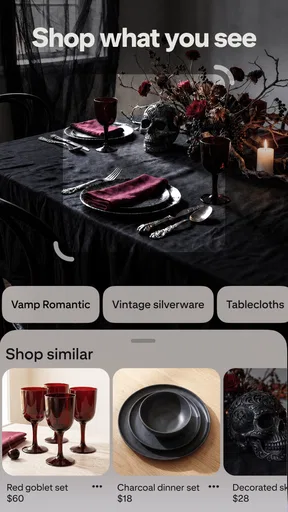
The same distinction matters for shopping and decorating. Pinterest can help me identify a look—warm wood, compact shelving, or a particular color combination—without pretending that every image is a ready-to-buy recommendation. I use it to clarify what I like, then verify availability, dimensions, materials, and price elsewhere. That separation keeps the app useful as a mood board without mistaking inspiration for dependable product research.
Where Pinterest has an edge over familiar alternatives
Compared with a general social feed, Pinterest is better suited to keeping ideas for future use. A social timeline is usually organized around people and recent posts; here, I can organize discoveries around a project or interest. That makes it easier to revisit a collection weeks later, when I’m ready to act. For visual hobbies such as sewing, gardening, cooking, or decorating, having related references together can be more valuable than seeing a constant stream of unrelated updates.
It also occupies a different role from a notes app or a plain bookmarking tool. Notes are better when I need exact measurements, a checklist, or a personal reminder. A bookmark manager is often more direct when I already know which articles I want to keep. Pinterest is strongest earlier in the process, when I’m still exploring possibilities and images help me decide what to investigate. I often pair it with notes: save the visual direction here, then record measurements and tasks somewhere designed for precise text.
One practical tip is to use separate boards for inspiration and decisions. A broad board can hold possibilities, while a smaller one can collect the ideas I’m seriously considering. That prevents a saved image from feeling like a commitment and makes a project easier to narrow down. It is a simple workflow, but it addresses a common weakness of visual collecting: saving is effortless, while choosing can become the hard part.
Where another kind of app may fit better
Pinterest is not my first choice when I need expert answers, verified technical instructions, or a back-and-forth conversation. A specialist forum or a trusted instructional source is usually better for troubleshooting a repair, understanding a health question, or checking whether a technique is safe. Images can make an idea look straightforward while leaving out the steps and caveats that matter. I treat pins as leads to investigate, not as proof that a project will work.
It may also be a poor fit if I want a quiet, finite reading experience. Browsing can lead from one appealing image to another, and a planned five-minute search can stretch longer than intended. I get more from it when I open the app with a question—such as “What layout could work in this corner?”—and stop once I have a few useful directions. If I want chronological updates from a small group of friends, a messaging or social app is more direct and less oriented around discovery.
Another limitation is that a saved collection can become outdated or hard to act on. An image may link to a page that has changed, or it may not include enough detail to recreate what I see. For that reason, I save with a note to myself when context matters: why I liked the idea, what feature I want to borrow, or what I still need to verify. Even a short reminder can turn a pretty collection into a workable plan.
What switching in and out really costs
Trying Pinterest is low-friction because the app is free, but building useful boards takes attention. The real cost is not a subscription; it is the time spent teaching the recommendations what I want and sorting the results into a system I can revisit. If I already keep years of project links in another service, moving everything may not be worthwhile. I would start with one active project and see whether the visual format makes decisions easier before attempting to reorganize an entire archive.
Switching away has a similar trade-off. If I have used boards as a record of ideas, I may need to save important details elsewhere before abandoning that workflow. A notes app can preserve instructions and decisions more clearly, while a photo collection may be enough for references I only need occasionally. I would not use Pinterest as the sole home for essential plans, measurements, or instructions; a visual board is convenient, but it is not a substitute for a carefully maintained project document.
For someone comparing alternatives, I’d sort the choice by the job at hand. Choose a visual discovery service when you are still shaping a taste or gathering examples. Choose a bookmarking or reading tool when the source text matters most. Choose a forum when you need discussion and specific advice. Those categories can overlap, but they solve different problems, and Pinterest does not need to replace all of them to be worthwhile.
My recommendation for the right kind of user
Released on August 14, 2012, Pinterest has had plenty of time to become a familiar destination for collecting visual references. I recommend it to people who enjoy exploring ideas and want a more organized alternative to screenshotting everything or losing inspiration in a general feed. It is especially useful for ongoing projects, where a board can gather options before a decision is made. The best results come when I search with a purpose, save selectively, and revisit boards as working collections rather than endless wish lists.
I would skip it, or use it only occasionally, if I dislike image-led browsing, need authoritative answers, or want a tightly controlled list of tasks and facts. It can inspire a project, but it cannot do the research and judgment for me. My strongest recommendation is to begin with one specific question, create a board around it, and see whether the saved ideas help you take a next step. If they do, Pinterest earns a place in your routine; if you only accumulate images without using them, a simpler notes or bookmarking option may serve you better.
Overall, I see Pinterest as a strong companion for the exploratory stage of everyday plans: the moment when I know what I want to improve but have not yet decided how. Its value is not that every image is actionable; it is that visual browsing can reveal directions I might not have thought to search for. Used with a little organization and healthy skepticism about source details, it turns scattered inspiration into something I can compare, refine, and eventually put to use.
What we like
- Visual search helps users discover similar ideas from images.
- Boards make it easy to organize inspiration by topic.
- Pins can link directly to useful articles and product pages.
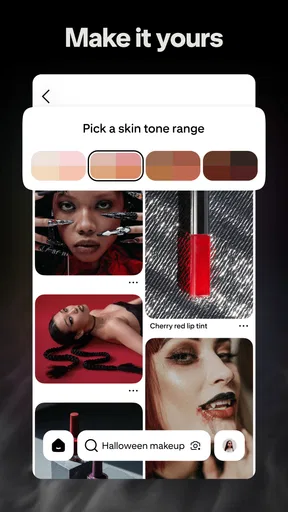
- A personalized feed surfaces content based on user interests.
- Secret boards let users save ideas without sharing them publicly.
What could be better
- The feed can become repetitive after frequent use.
- Some pins lead to outdated or unavailable pages.
- Sponsored posts can blend in with regular recommendations.
- Creating an account is generally needed to save pins.
- Image-heavy browsing can consume substantial mobile data.




