



 Analysis byWeUseApps
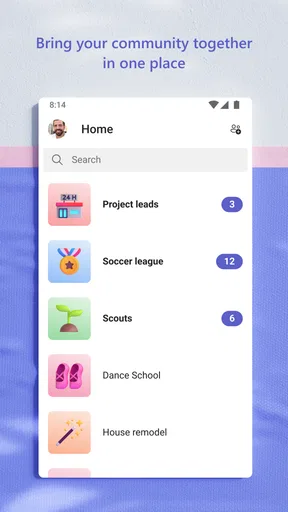
I think the clearest way to judge Microsoft Teams is to focus on one job it handles well: keeping a conversation connected to the work it concerns. Rather than scattering a discussion across email, meeting notes, and separate chat threads, Teams brings those conversations together in a shared workspace. That can make a busy project easier to follow, though it also means the app works best when the people around you are willing to use it consistently.
Teams is a free business app from Microsoft Corporation, with optional in-app purchases listed from $9.99 to $129.99 per item. It has an average rating of 4.6 from around 8.8 million ratings and more than 500 million installs. Those numbers suggest it is a familiar choice, but they do not tell you whether it suits your particular group. My view is that it is most useful when your team already relies on Microsoft’s work tools or needs a single place for ongoing collaboration.
Why keeping work conversations together matters
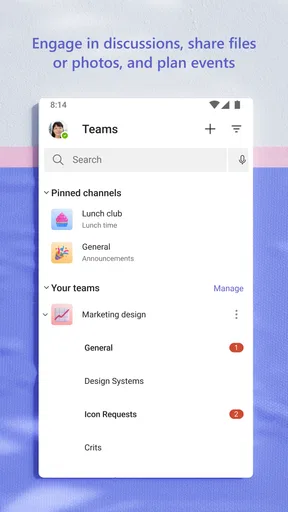
The app’s main strength is not simply that it supports chat and meetings; it is the way those activities can sit alongside shared team conversations. A quick question can become part of a project discussion instead of disappearing into someone’s private messages. When a colleague joins later, the surrounding thread gives them a better chance of understanding what has already been decided.
That structure is especially helpful for work that unfolds over days rather than in one meeting. A team planning a launch, coordinating a shift, or reviewing a recurring task can return to the relevant conversation instead of reconstructing it from scattered email replies. The practical benefit is continuity: the discussion can stay attached to the group and task, not just to the people who happened to be online at the same time.
This is a different emphasis from a basic messaging app. A personal chat tool is often faster and more relaxed for a small group, while email is useful when you need a formal message that reaches people outside your immediate team. Teams sits between those habits: it can support quick exchanges, but it is designed around work groups and shared collaboration rather than informal conversation alone.
How the shared workspace changes the flow
In everyday use, I would treat a team conversation as the home for updates that other members may need later, and use a direct message for a brief exchange that concerns only one person. That distinction sounds small, but it prevents a common problem: important context being trapped in a private chat that the rest of the group cannot see.
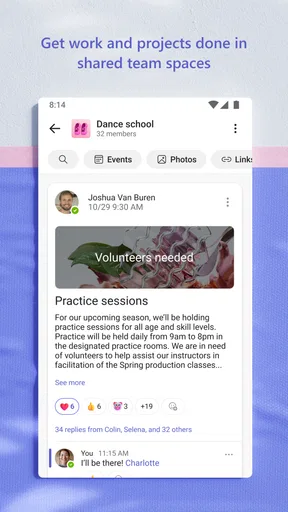
For example, imagine I am coordinating a small event with colleagues. I can keep planning questions in the group space, post an update when a decision is made, and use a meeting when a topic needs a real-time discussion. Someone who was away can then catch up on the shared conversation rather than asking several people to repeat the same information. This is a realistic advantage when schedules do not line up neatly.
A useful habit is to make each message understandable on its own. Instead of writing “we’ll do that,” I would name the task or decision, especially when replying in a busy thread. This is not a special feature; it is a practical way to make the shared record easier to revisit. A concise summary after a meeting can also help people distinguish a final decision from the discussion that led to it.
Teams is at its best when a group agrees on where information belongs. If some people post decisions in the shared space while others keep them in private messages or email, the app cannot solve the resulting confusion by itself. I would establish a simple team rule early: use the group conversation for updates others may need, and reserve direct messages for genuinely one-to-one matters.
A realistic day with Teams
Picture a colleague who starts work before the rest of the project group. They can review the latest shared discussion, see what has changed, and leave a question for the team without expecting everyone to stop what they are doing. Later, the group can discuss a complicated point in a meeting, then return to the conversation to keep the outcome visible. The value is not that every exchange becomes effortless; it is that people have a shared place to resume work.
This pattern suits hybrid or distributed teams particularly well, because it reduces dependence on being present for every conversation. It can also help a small office team that has several parallel tasks. However, if the work involves only occasional messages and no continuing group activity, setting up a structured collaboration app may feel like extra administration rather than a benefit.
Where it compares with familiar alternatives
Compared with email, Teams is more convenient for ongoing back-and-forth among a defined group. Email still makes more sense when the recipient list crosses organizations, when people need a formal record in their inbox, or when a message is not part of a continuing team discussion. I would not try to move every work exchange into Teams simply because the app is available.
Compared with a lightweight chat app, Teams can feel more deliberate and work-oriented. That structure is useful for project conversations, but it can also make the experience feel busy if your group creates too many spaces or sends constant updates. A small team that mostly needs quick informal messages may prefer a simpler messenger. The better option depends less on a feature checklist than on how much shared context your work actually needs.
Teams is also not a substitute for clear decisions. A long thread can contain useful context while still leaving the final choice hard to spot. I would close an important discussion with a short, explicit note saying what was agreed and who is taking the next step. That small practice makes the shared workspace more useful than simply adding more messages.
Tradeoffs I would consider before relying on it
The main friction is attention. When work conversations, updates, and meetings share one app, it can become another place that asks you to check in. If a group has no norms for urgent messages or expected response times, members may feel pressure to monitor every new post. I would agree on what genuinely needs a quick reply and what can wait, rather than treating every notification as an interruption that must be handled immediately.
There is also a learning curve around choosing the right place for a conversation. New users may not know whether to post to the group or message a person directly, and that choice affects who can follow the discussion later. A short onboarding explanation from a team lead can prevent duplicate conversations and help everyone understand which messages should remain visible to the wider group.
Teams may be overkill for a very small, informal group. If you only need occasional one-to-one chat, a simpler tool can be quicker to understand and less demanding to maintain. It is also a poor fit when your collaborators will not use it: a shared workspace cannot become the reliable source of project context if half the team continues to work elsewhere.
People should also distinguish the free app from the broader arrangements their organization may use. Teams is free to download, but in-app purchases are listed, and work access can depend on the setup chosen by an organization. I would check that the people I need to collaborate with can actually join the same work environment before moving an established process into the app.
Who gets the most from it
I would recommend Teams to people who work with the same group repeatedly, need conversations to remain useful after a meeting ends, or often hand work between colleagues on different schedules. It is a particularly sensible option when an employer or project group already uses Microsoft’s work environment, because the app then has a clear role instead of becoming one more channel everyone must maintain.
It is less compelling for someone who wants a casual messenger, a simple personal to-do list, or a tool used only for occasional calls. In those situations, a lighter alternative may involve less setup. I would also hesitate if I were working with collaborators who strongly prefer email or another platform; consistency across the group matters more than choosing the app with the broadest reputation.
The app is rated for Everyone and was released on November 2, 2016. Its current version is 1416/1.0.0.2026183002. Those details provide a snapshot of the product, but my practical advice is to judge it by whether your team can agree on a shared way of working. The high average rating and large audience are reassuring signs of broad adoption, not a guarantee that every workflow will feel natural.
My verdict on making it part of a team routine
For me, the strongest reason to use Teams is that a group can keep its working conversation in view as a project develops. The app is not automatically organized just because the messages live in one place; people still need to choose useful places for discussion, write clear updates, and summarize decisions. When they do, the shared context can save repeated explanations and make it easier to pick up work after an absence.
I would start with one active project rather than move every conversation at once. Agree where shared updates belong, keep private messages for one-to-one exchanges, and end important discussions with a clear summary. If that routine makes work easier, Teams is earning its place. If the group keeps duplicating conversations across several apps or rarely needs a shared history, I would choose a simpler option instead. That is the honest dividing line: Teams is valuable when collaboration is continuous, and unnecessarily heavy when it is not.
Microsoft’s app has broad reach, a free entry point, and a clear business focus, but its real success depends on habits more than novelty. I see it as a practical home for team conversations that need to outlast the moment they are sent. Used with a little discipline, it can make coordination calmer and more traceable. Used without shared expectations, it can become another crowded inbox.
What we like
- Works across Android‚ iOS‚ desktop and web.
- Supports chat with individuals and groups.
- Lets users share files within conversations.
- Offers captions during supported meetings.
- Integrates with Microsoft 365 services.
What could be better
- Some features require a Microsoft 365 subscription.
- Notifications may be delayed or inconsistent.
- The interface can feel crowded on small screens.
- Calls can use substantial mobile data.
- Background activity may drain battery life.




