
 Analysis byWeUseApps
When I’m looking for work, the hardest part is often not finding a vacancy; it’s keeping a clear head while comparing roles, checking requirements, and deciding what deserves an application. Indeed Job Search works best for me as a practical search desk: a place to explore opportunities and keep the process moving, rather than a promise that a job will appear simply because I installed an app. That distinction matters. A productive search still needs a sensible routine and careful choices, but having a broad job-search tool on my phone can make it easier to act when I have a spare moment.
Build a search routine before opening the app
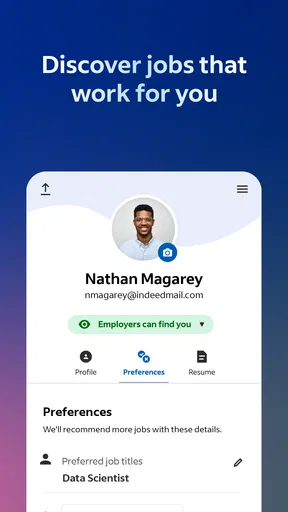
I get more value from Indeed when I decide what I’m looking for before browsing. A job title, acceptable commute or location, work arrangement, and a couple of deal-breakers give each search a purpose. Without that small bit of preparation, it’s easy to scroll through unrelated listings and mistake activity for progress.
Indeed is a business app from Indeed Jobs, focused on job searching. It is free to use, which makes it easy to try alongside other ways of finding work. I see it as a useful starting point for checking what is available, especially when I want to explore several kinds of roles, but not as a replacement for a focused application plan or direct research into an employer.
A realistic routine might be to look for relevant openings during a lunch break, shortlist the ones that genuinely fit, and set aside a quieter stretch of time later to prepare applications. That split is more sustainable than trying to make every decision while quickly scanning on a phone. It also reduces the temptation to apply to a role just because it appeared at the top of a search.
Decide what counts as a good match
Before searching, I write down the requirements I can’t compromise on and the preferences I can. For example, someone changing careers might treat a particular job title as flexible while keeping location and schedule firm. A person looking for a specialist role may do the opposite. This simple distinction helps me judge listings by fit rather than by how appealing a title sounds.
I also recommend keeping a short record outside the browsing session of roles worth revisiting: the position, employer, why it looks relevant, and what needs checking. That habit is useful whether you use Indeed alone or alongside referrals, employer career pages, and other job boards. It prevents a promising listing from becoming an indistinct memory among dozens of similar searches.
Turn browsing into an organized search
The main strength of a dedicated job-search app is convenience: I can explore openings when I’m away from a computer, then return to the search with a clearer idea of what I want. Indeed has a large presence, with over 100 million installs, and its scale makes it a familiar place to begin a search across many kinds of work. The practical benefit is reach; the trade-off is that a broad pool of listings still needs careful filtering by the person using it.
When I review a listing, I try to separate the headline from the actual requirements. I look for the duties, experience expectations, location details, and any conditions that affect whether the role is workable. A polished title can conceal a poor fit, while a less familiar title may describe work I’m qualified to do. Reading the full posting before deciding is a small step that can save time later.
One useful workflow is to treat each listing as a decision, not just a result. I ask: do I understand what the work involves, can I meet the important requirements, and is there enough information to justify preparing an application? If one answer is unclear, I note the question rather than filling the gap with assumptions. That keeps the search grounded and makes later research more targeted.
Keep useful context attached to each opportunity
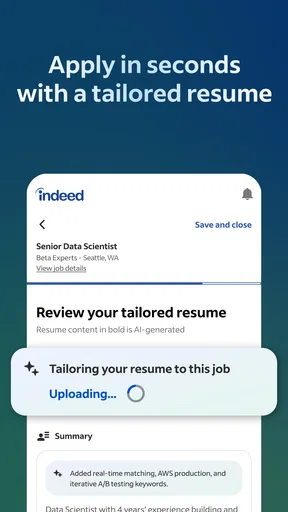
Job searches often become difficult when several employers and roles start to blur together. I find it helpful to keep a brief application log in a notes app or a simple document: the role, the date I reviewed it, the next action, and any detail I want to mention in a tailored résumé or cover letter. This is not a special Indeed feature; it is a companion habit that makes any job-search app more useful.
For instance, if I find a customer-support role that emphasizes written communication and another that focuses on resolving technical issues, I would not treat them as interchangeable. I’d note which examples from my experience suit each one. That preparation makes it easier to customize an application later, instead of sending the same materials everywhere and hoping they fit.
Indeed has an average rating of 4.7 from around 14 million ratings, with roughly 296,000 written reviews. Those figures suggest that many people use and rate it, but popularity should not be confused with a guarantee that every listing will suit every applicant. I still judge each opportunity on its own details and check anything important before committing time to an application.
Make the routine repeatable, not exhausting
I prefer a short, regular search session to constant checking throughout the day. A routine can be as simple as reviewing relevant results, saving or noting the strongest possibilities, and choosing one concrete next step. That next step might be researching an employer, adapting a résumé, or deciding that a listing is not worth pursuing. Ending with a decision helps prevent endless browsing.
A second pass is valuable. On the first pass, I look for basic fit; on the next, I examine the responsibilities and requirements more carefully. This two-stage approach is especially helpful when I’m searching from a phone, where quick scanning can make it easy to miss an important detail. It also protects energy: I don’t spend the same amount of attention on every result.
If I’m applying while employed, studying, or managing family responsibilities, I’d keep the routine modest enough to maintain. A large burst of applications followed by a week of avoidance is usually less useful than a steady process I can sustain. The app can make opportunities easier to reach, but it cannot decide how much time I have or how much effort a particular application deserves.
Where the process can go wrong
The biggest limitation is not a missing button; it is the risk of treating a large set of search results as a vetted shortlist. A listing still needs to make sense for my experience and circumstances. I read the description carefully, check whether the stated duties align with the title, and look for details I would need before sharing personal information or investing time in an application.
Another source of friction is search drift. If I keep changing what I’m looking for without recording why, I can end up comparing unrelated roles and lose sight of my priorities. I avoid that by using a small number of clear search themes—for example, one for my current occupation and another for a realistic career change—rather than combining every possibility in one browsing session.
There is also a human limit to mobile searching: reading a long posting and preparing thoughtful application materials can be uncomfortable on a small screen. I use the app for discovery and quick review, then move to a more comfortable setup when I need to edit documents or compare details closely. If you mainly want a polished, distraction-free workspace for preparing applications, a computer and a separate document editor may be better for that part of the process.
Indeed is not the right choice as your only route if your field depends heavily on personal referrals, professional communities, or direct contact with a small group of employers. In that situation, I’d use it to broaden discovery while giving equal or greater attention to the channels where those roles are actually discussed. For highly specialized work, a niche job board or an employer’s own hiring page may provide more focused context than a broad search.
Who will get the most from it
I’d recommend Indeed to people who want a familiar place to explore a range of job openings, including those beginning a search, returning to work, or considering a change. Its free price lowers the barrier to trying it, and its Everyone age rating makes its intended audience broad. The current version is 300.0.0, and the stated minimum operating-system requirement is version 8.0; people should still check their device’s compatibility in the app store before installing.
It is especially useful for someone who can make time for a consistent search but wants to browse in small windows throughout the day. A person on a commute, between classes, or taking a break can use that time to identify roles for later review. The key is to reserve decisions and application writing for a moment when there is enough attention to assess the details properly.
I would be more cautious about recommending it to someone who expects an app to select the right career, verify every opportunity on their behalf, or replace tailored applications. It can support a search, but the applicant still has to evaluate fit, prepare materials, and choose where to spend effort. If you already have a strong set of referrals and only want a tightly curated set of vacancies in one narrow specialty, a more focused source may be a better primary tool.
Compared with relying only on employer career pages, Indeed can offer a broader place to discover roles before choosing which employers to investigate. Compared with a personal referral network, it is less personal by nature and cannot reproduce the context a trusted contact may provide. I find the most balanced approach is to use it for discovery, then verify the opportunity and pursue the application through the route that makes the most sense.
My take after considering the whole workflow
What I like most is the way a job-search app can reduce the effort required to begin looking. Indeed is widely used, free, and centered on a clear purpose, with a 4.7 average rating that reflects broad user engagement. But its real value depends on what happens around the app: clear criteria before searching, notes that preserve context, and a repeatable routine that ends in a useful next action.
My advice is to start with a narrow search, keep a simple record of promising roles, and review each posting before deciding whether to apply. Use other channels when they are better suited to your field, and switch to a larger screen for work that needs careful editing. Indeed is most helpful as one dependable part of a job-search system, not the whole system. If that is the role you want it to play, I think it is a sensible app to keep on hand.
What we like
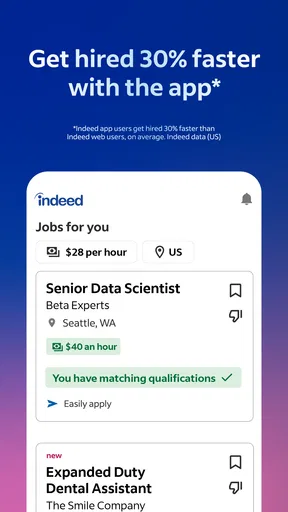
- Search listings by job title location or company.
- Save interesting jobs to review later.
- Create alerts for new matching opportunities.
- Apply to many roles directly from the app.
- Company reviews can help inform your search.
What could be better
- Some application steps redirect to employer websites.
- Job listings may occasionally be outdated.
- Results can vary in quality across locations.
- Some employers require a separate account to apply.
- Frequent alerts may feel overwhelming.




