
 Analysis byWeUseApps
I enjoy sandbox games most when they let me turn a spare few minutes into a small experiment rather than asking me to follow a long mission. Melon Sandbox is built around that kind of open-ended play: its appeal is the freedom to set up a scene, try an idea, and see how the pieces interact. The Halloween collaboration with Poppy Playtime adds a themed reason to return, but the larger draw is the game’s sandbox approach, not a conventional story to complete.
Making a scene is the main event
As a simulation game from playducky.com, Melon Sandbox gives you a space to play with objects and characters instead of steering you through a fixed sequence of objectives. That distinction shapes the whole experience. I found it most satisfying when I arrived with a simple question—what happens if I arrange these things this way?—rather than expecting the game to supply a carefully paced campaign.
The useful capability here is the ability to build little situations and explore them at your own pace. You can treat a session as a quick visual experiment, a playful setup, or a scene you want to adjust until it feels right. The reward is less about being told you have won and more about seeing your own idea take shape. That creative control is the game’s strongest reason to play.
This is also why the game feels different from many familiar simulation titles. A management sim usually asks you to keep a system running, while a life sim often gives you routines and relationships to develop. Melon Sandbox is better approached as a flexible play space. If you prefer clear goals, regular unlocks, or a guided plot, the freedom can feel like a lack of direction; if you like improvising, it is the point.
Why the open-ended format works
In a sandbox, the player supplies some of the structure. I get more out of it by choosing a small premise before I start: stage a comic encounter, test a visual arrangement, or make a scene that tells a story without dialogue. A modest prompt prevents aimless tapping and gives each session a satisfying endpoint, even when the game itself is not pushing me toward one.
That approach also makes experimentation feel low-pressure. If an arrangement is dull, I can change it rather than treating the result as a failed mission. It is a good fit for players who enjoy tinkering and visual play, including those who like sharing ideas with friends in person. It is less compelling for someone who wants a detailed tutorial to explain what to do at every turn.
Putting an idea into practice
For an everyday example, imagine having a short break and wanting a game that does not demand a long commitment. I would open the sandbox, decide on one scene, arrange the elements around that idea, and make a few changes to see which version is more entertaining. The session can end once the setup has produced a result I like. That is more practical than beginning a long progression game when I only have a little time.
A helpful habit is to change one part of a setup at a time. If I alter several things together, it becomes harder to tell which change made the scene more interesting. Keeping a simple starting idea and adjusting it in small steps gives the play session a sense of discovery without imposing a complicated plan. This is a player-made workflow, not a formal challenge system, and it suits the game’s open-ended character.
The same method helps when returning after a gap. Rather than trying to remember a long chain of objectives, I can start with a fresh scenario and build from there. That makes the game approachable in short bursts. The tradeoff is that players who value persistent progress or a strong sense of campaign momentum may find these self-directed sessions less absorbing.
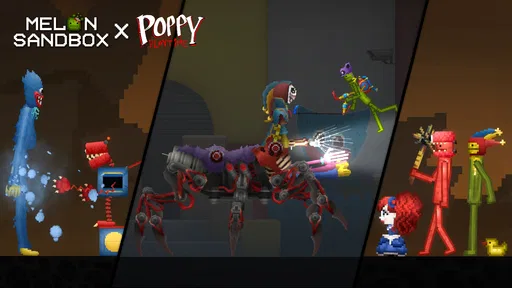
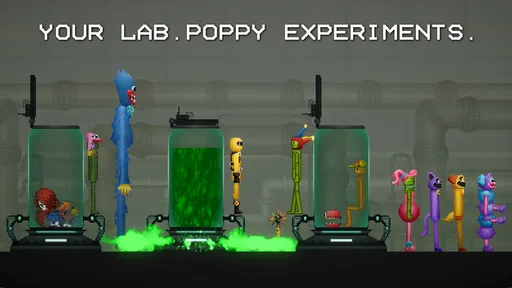
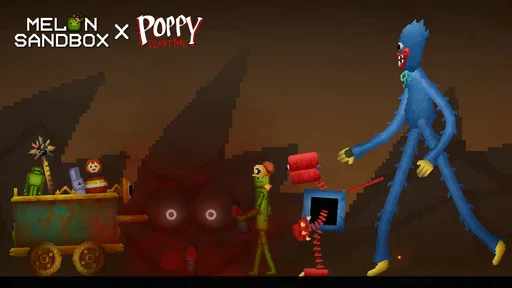
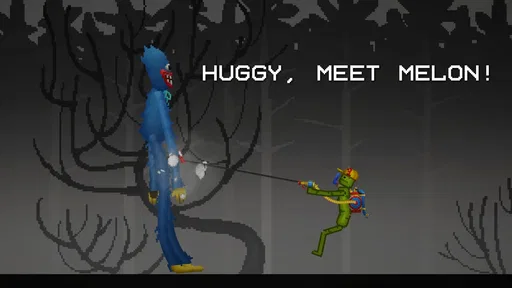
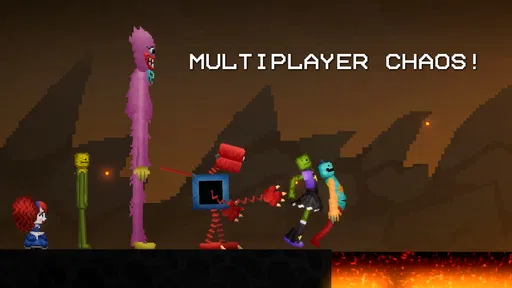
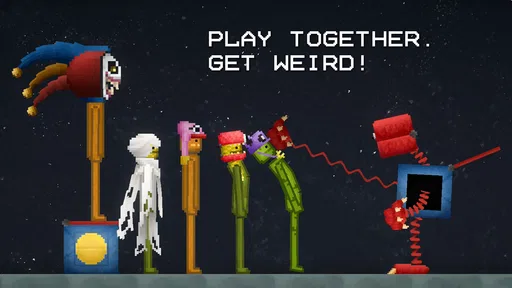
The Halloween collaboration with Poppy Playtime gives the game a recognizable themed hook. I would treat it as a change of flavor and a source of inspiration for scene-making, rather than assuming it turns the experience into a separate story-driven game. If the crossover is what catches your eye, it may be a fun entry point; if you are not interested in the theme, the underlying sandbox style is the more important question.
When freedom becomes friction
Open-ended play can be relaxing, but it can also leave a player wondering what to do next. There is no universal best scene to create, and that means the quality of a session depends heavily on your willingness to invent a purpose. I recommend it to people who enjoy setting their own small goals. I would steer a player who needs clear instructions or a steady sequence of rewards toward a more structured simulation game instead.
Another tradeoff is that experimentation can take patience. A scene may need a few adjustments before it looks or behaves the way you imagined. That is part of the appeal for a curious player, but it can become fiddly if you only want immediate, polished action. Starting with one simple idea and avoiding an elaborate setup is the easiest way to keep the play enjoyable rather than turning it into a project.
It is worth being realistic about the purchase model, too. The game is free to download, with in-app purchases ranging from $0.49 to $259.99 per item. That is a broad span, so I would check each offer carefully and decide in advance whether I am comfortable spending anything. The basic attraction is the sandbox itself; there is no need to treat optional spending as a requirement for deciding whether this style of play suits you.
The game is rated Teen, so it is sensible for families to check whether that age guidance fits the person who will be playing. It has an average rating of 4.7 from around 1.4 million ratings, alongside roughly 55,000 written reviews and more than 100 million installs. Those figures show that the game has reached a large audience, but they do not guarantee that its freeform style will click for every player.
Who will get the most from it
I would recommend Melon Sandbox to players who like to make their own entertainment: people who enjoy testing arrangements, improvising scenes, or returning to a game for a quick creative break. It can also suit someone who is curious about sandbox simulations but does not want to commit to a long narrative before trying the core idea. The best fit is a player who sees an unfinished setup as an invitation, not a problem.
It is a weaker choice if your favorite part of a game is a clear objective list, a carefully paced story, or a competitive challenge with a defined finish. Those preferences are not wrong; they simply point toward a different kind of simulation. I would also skip it if you dislike experimenting or tend to feel frustrated when a game asks you to invent your own next step. A more guided alternative will make better use of your time.
On the technical side, the current version is 38.666 and the minimum operating-system requirement is Android 7.1. That gives Android users a practical compatibility detail to check before installing. The game is free, but its purchase offers are worth reviewing before handing a device to a younger player. Those small checks can prevent surprises and help set expectations before the first session.
My advice is to approach it with a tiny creative prompt, not a demand for a full campaign. Give yourself one scene to build, change one element at a time, and stop when the result has entertained you. If that loop feels satisfying, the game offers a flexible place to keep experimenting. If you find yourself waiting for the game to tell you what matters, a more goal-led simulation is likely the better match.
Overall, I see Melon Sandbox as a playful tool for making and revising small scenarios, with the Poppy Playtime Halloween collaboration adding a distinct theme to that basic pleasure. Its freedom is both its best feature and its biggest limitation: it rewards curiosity but asks you to bring your own direction. For a player who likes that bargain, it is an easy game to dip into and a surprisingly personal one to shape.
Melon Sandbox has been available since December 23, 2022, and its large audience suggests that the open-ended formula has broad appeal. I would still make the decision based on your own habits: choose it if you enjoy tinkering and self-directed play, and choose something more structured if you want missions to lead the way. That is the clearest way to tell whether this sandbox will become a fun break or simply an empty space waiting for an idea.
What we like
- Creative tools let players build custom scenes and experiments.
- A large selection of objects supports varied sandbox setups.
- Physics interactions make creations feel lively.
- No fixed objectives allow relaxed open-ended play.
- Sharing creations can provide fresh ideas from other players.
What could be better
- The amount of content can feel overwhelming to new players.
- Complex scenes may run less smoothly on older devices.
- Some items or features may require watching ads.
- The open-ended gameplay may lack direction for some players.
- User-created content can vary in quality and suitability.




