
 Analysis byWeUseApps
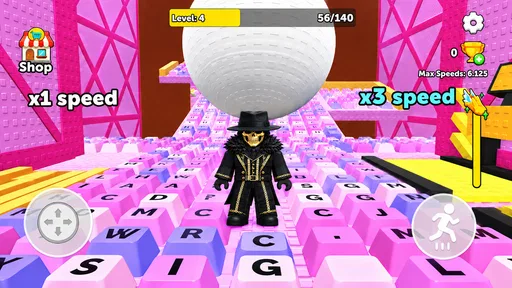
I approach Keyboard Escape: +1 Speed ASMR as a small, focused simulation game rather than a deep world to explore. Its basic appeal is easy to grasp: keep moving through a keyboard-themed escape challenge, avoid obstacles, and build speed. That clear premise makes it approachable when I want a quick game with a tactile, sound-led feel, but it also means the experience depends heavily on whether its movement and sensory cues suit me.
What the keyboard theme does well
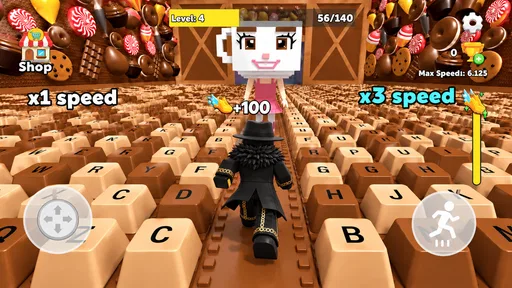
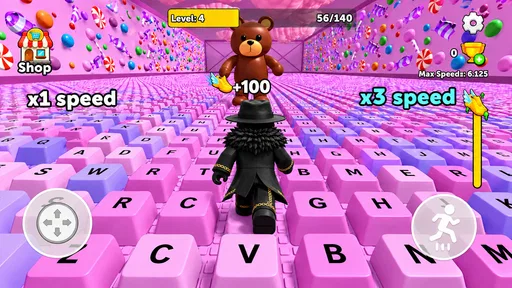
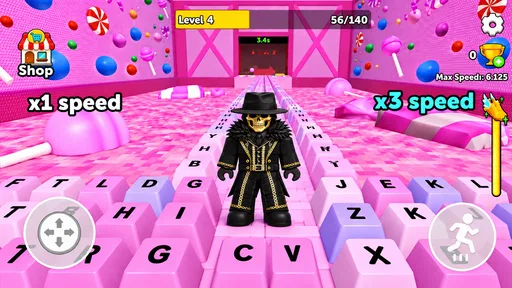
Goldoint’s game puts keyboard imagery and ASMR-style sound at the center of its identity. That gives the action a more specific flavor than a conventional runner: the idea of navigating a keyboard turns familiar keys into part of the game’s atmosphere, while the speed gain provides a simple reason to keep going. The result is immediately understandable without needing a long explanation of its premise.
I would describe it as a casual simulation game with an arcade-like impulse. It is not the sort of simulation I would choose for building, managing, or carefully recreating a real process. Instead, it invites short bursts of attention: watch what is ahead, react, and see how the increasing pace changes the feel of the run. That distinction matters if you are browsing simulation games expecting detailed systems or realistic controls.
The keyboard theme can also make the game feel more familiar to people who spend much of the day typing. A keyboard is usually a tool we use almost automatically, but here it becomes the setting for a compact challenge. I find that contrast more memorable than a generic path or track, even though the premise remains deliberately simple.
Clarity matters more than complexity
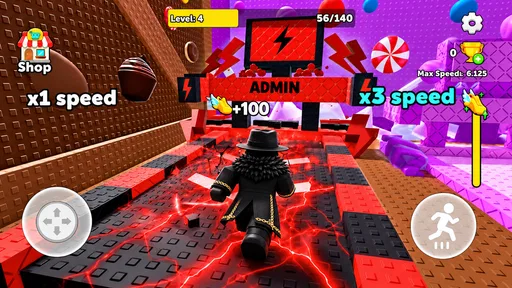
For a game built around quick reactions, the first question is whether I can tell what is happening at a glance. The concept communicates its central task plainly: escape, avoid trouble, and build speed. That is a useful starting point for players who prefer to learn by trying rather than reading a long tutorial. It also makes the game easier to recommend as a brief distraction than as a project demanding a regular play schedule.
Still, a simple premise does not automatically make every moment effortless to read. As speed rises, the time available to notice an obstacle and respond becomes more important. If I am playing on a small screen, I would give the display my full attention rather than trying to follow the game while switching between other tasks. The faster pace can be the main source of excitement, but it can also turn visual clarity into a practical limit.
That makes the game a better fit for someone comfortable with visual tracking and quick decisions than for someone seeking a calm, slow-paced experience. I would also avoid assuming that a keyboard setting means the game teaches typing or improves keyboard skills; the appeal is the themed action, not a typing lesson.
Sound and response are part of the experience
The ASMR angle is more than a decorative label in the game’s identity: it signals that sound is part of the intended enjoyment. For players who like crisp, satisfying audio alongside movement, that can make a short run feel more absorbing. I would try it in a quiet moment with the sound at a comfortable level, since the sensory character is likely to matter more here than in a game designed to be played silently.
That same emphasis is not ideal for everyone. A person who is sensitive to repetitive or sharp sounds may prefer to lower the device volume or play without audio if the game allows it. I would not count on sound alone to communicate what is happening; keeping the screen visible is the safer way to follow a fast obstacle challenge. This is a useful distinction for anyone who wants to play in a noisy place or relies on visual cues more than audio.
There is also a motor-control trade-off built into any game where the pace increases. A player who enjoys quick taps and responsive movement may find the rising speed motivating. Someone who has difficulty with rapid or precise touch input may find that the same escalation turns a relaxed session into a test of timing. I would judge it by whether the control rhythm feels comfortable in practice, not simply by whether the premise sounds easy.
When a short session makes sense
A realistic use case is a few minutes of downtime while waiting for a ride or taking a break between routine tasks. The game’s uncomplicated goal suits moments when I do not want to study a map, manage several menus, or remember a long chain of objectives. I can treat a run as a small attention reset, then put the phone away without feeling that I have abandoned a sprawling campaign.
That convenience has a boundary: a quick-reaction game is not always a good companion when my attention is divided. I would skip a run while walking through a busy area, keeping an eye on a child, or trying to listen closely to someone nearby. The screen and the increasing pace both encourage focus, so the best casual setting is one where I can pause what I am doing and look at the phone properly.
For shared spaces, the sound-led presentation calls for a little consideration. If I am on public transport or sitting beside someone who needs quiet, headphones or a low volume are more considerate than playing sound aloud. If headphones make me less aware of my surroundings, I would choose the quieter option and keep my attention on the environment instead. The game should fit around the situation, not take priority over it.
How it compares with other casual runners
Compared with familiar endless-runner-style games, this one’s clearest distinction is its keyboard-centered presentation and ASMR identity. A more traditional runner may offer a broader setting or a more familiar visual language; this game instead makes its theme the reason to try it. If I want a recognizable keyboard motif and a compact speed challenge, that difference is a point in its favor. If I want varied environments, a slower pace, or more involved progression, a conventional alternative may suit me better.
It also differs from typing games. Those usually ask me to recognize letters or enter text accurately, whereas the premise here is about escaping and avoiding obstacles while speed builds. That means I would not choose it to practice typing, and I would not expect a typing-game approach to help with its central challenge. It is a useful comparison because the keyboard theme could otherwise set the wrong expectation.
On the broader simulation shelf, it is notably lightweight in concept. Players who enjoy careful planning, customization, or a sense of operating a detailed system should look elsewhere. Its appeal is closer to a reflex-focused diversion dressed in a simulation category than to a deep management experience. I see that as a matter of fit, not a flaw on its own.
Who may enjoy it, and who may want another option
I would recommend giving it a try if you like short challenges, enjoy keyboard-themed visuals, and find satisfying game audio appealing. It is also a reasonable choice for someone who wants a free game with a premise they can understand quickly. The current version is 0.1.1, so I would approach it as a compact experience rather than assuming it has the breadth of a long-established, content-heavy title.
Players who need a very calm pace, dislike sensory-focused audio, or prefer to play mainly by sound may be less comfortable with it. The same goes for anyone seeking a substantial simulation, an educational typing tool, or a game that can be followed casually while attention is elsewhere. A slower puzzle game would be a better choice for relaxed thinking; a typing trainer would be more appropriate for keyboard practice; and a richer simulation would serve players who want systems to learn and manage.
Its accessibility in everyday use comes down to personal fit rather than a single label. The straightforward premise may lower the learning barrier, while rising speed can increase the demands on visual attention and motor timing. Sound may add enjoyment for some and distraction for others. I would test a brief session in a comfortable setting and decide whether the pace, screen readability, and audio feel manageable for me.
Store details and my verdict
Goldoint’s title is free, rated for Everyone, and listed for devices running OS version 8.1 or later. It has an average rating of 3.4 from around 3,400 ratings, with 27 written reviews, and has passed over five million installs. Those figures suggest broad reach alongside a mixed response, which feels consistent with a game whose fast, sound-led style will click for some players more readily than others.
It was released on August 13, 2026. Since that date is in the future relative to today, I would check the app store’s availability and release information before planning around it. The listed release timing is worth treating as a practical detail, especially if you are trying to install it immediately rather than simply comparing games.
My overall view is that Keyboard Escape: +1 Speed ASMR is an appealingly specific pick for a quick, keyboard-themed reflex challenge, not an all-purpose simulation. Its strongest idea is the combination of familiar keyboard imagery, rising pace, and sensory-focused sound; its main trade-off is that speed and audio can make it less comfortable for people who want gentler input or fewer sensory demands. Choose it for a focused burst of playful action, and choose a slower or more substantial alternative if accessibility, depth, or relaxed pacing matters more to you.
What we like
- Quick rounds make it easy to play in short breaks.
- Simple controls are approachable for new players.
- Speed-focused gameplay creates a satisfying sense of progress.
- ASMR-style sounds add a distinctive feel to each escape.
- The core challenge encourages repeated attempts to improve.
What could be better
- The basic gameplay may feel repetitive over time.
- Fast action can make precise moves harder to manage.
- Players seeking a story may find little narrative depth.
- The speed emphasis may frustrate players who prefer a relaxed pace.
- Its appeal may depend on enjoying the ASMR sound effects.




