
 Analysis byWeUseApps
I think MapQuest: Get Directions makes the most sense for people who want a straightforward navigation app without paying to install it. It combines maps, GPS guidance, voice directions, and live traffic in one place, which covers the core needs of a daily driver. In my view, its appeal is practical rather than flashy: it aims to help you get from one place to another, and it gives you enough context to decide whether it fits your routine before you make it your default.
What you get without paying up front
MapQuest is a free Maps & Navigation app from MapQuest, so downloading it does not require an upfront purchase. The app does offer in-app purchases, with listed items ranging from $1.99 to $39.99 each. That range is worth noticing, but it does not tell you what every item includes or whether you need one for ordinary navigation. I would treat the free starting point as the clearest value and check the app store’s purchase details before spending.
That distinction matters because a free download is not automatically a promise that every part of an app is free. If your goal is simply to try MapQuest for directions and traffic, you can begin without paying for the app itself. If you are considering an optional purchase, decide based on the specific item and your own needs rather than assuming it is required to use the basic navigation experience.
The app has a 4.4 average from around 76,000 ratings, and it has been installed over 10 million times. Those figures suggest that plenty of people have tried it, but they cannot tell you whether its route choices suit your city, commute, or driving habits. I would use them as background, not as a substitute for trying a route you know well.
How much practical value it offers
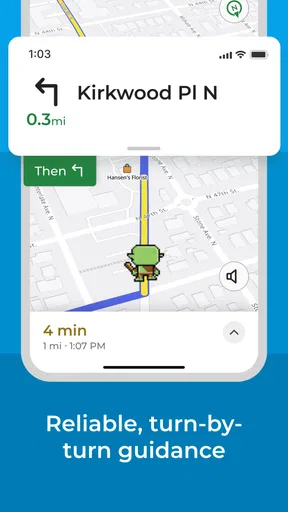
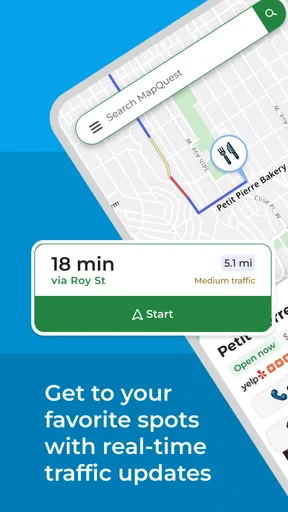
The useful combination here is GPS directions, spoken guidance, and live traffic. Those functions address different moments in a trip: the map helps you understand where you are going, voice navigation lets you keep your attention on the road, and traffic information can help you judge whether the route still makes sense as conditions change. Put together, they make MapQuest a reasonable everyday option rather than just a map viewer.
A realistic test is a weekday drive to an unfamiliar appointment. Before leaving, I would enter the destination and look over the proposed route, then start voice guidance so I do not need to keep checking the screen. If traffic changes the picture, the live traffic layer gives me a reason to reconsider the route rather than blindly following the first plan. That is a useful workflow even when you already know the general direction.
Another good use is planning a trip with several stops. I would check each destination before setting off, paying attention to whether the route order is sensible and whether a stop is on the way or sends me across town. This is a general navigation habit, not a claim about a special multi-stop tool: verifying the sequence yourself can prevent an avoidable detour, especially when you are combining errands in unfamiliar areas.
Voice guidance is particularly helpful when roads require more attention than a simple straight drive. I would start directions before moving, listen for instructions, and use the map as a reference rather than trying to read it continuously. This keeps the app in a supporting role. If a voice instruction seems inconsistent with signs or road conditions, follow the road and use a safe place to reassess rather than making a sudden maneuver.
Where it asks for a little judgment
Live traffic is valuable, but it should be treated as input, not an unquestionable command. A suggested alternative may look shorter on a map yet involve turns or roads that you would rather avoid. When I know the area, I compare the app’s suggestion with my own knowledge; when I do not, I give extra weight to clear road signs and safe driving. Navigation helps with decisions, but the driver remains responsible for them.
There is also a practical tradeoff in relying on a phone for navigation: a route is only useful if you can comfortably see or hear the guidance while driving. Set up the destination before you pull away, choose a safe mounting position if you use one, and avoid handling the phone in motion. If your phone’s battery is already low, a long drive with navigation running may be inconvenient, so charging before departure is a sensible habit.
The app’s age rating is Everyone, and its current version is 10.30.0. It runs on operating systems from version 7.0 onward. That makes compatibility a simple first check: confirm that your device meets the minimum before relying on it for a trip. The app was released on February 15, 2011, so it has a long history, but age alone does not guarantee that its interface or route guidance will feel right to every driver.
One limitation of choosing any single navigation app is that local preferences vary. Some drivers value the simplest possible interface; others care most about how a familiar alternative handles their regular roads. I would compare MapQuest with the navigation app already on your phone by entering the same familiar destination in each and reviewing the routes before driving. That low-effort test can reveal whether MapQuest’s directions feel clear and sensible for your area.
Who is likely to get the most from it
I would recommend giving MapQuest a try if you want a free starting point for everyday directions, like spoken guidance, and find live traffic useful when planning a drive. It should suit occasional travelers who need help reaching unfamiliar places as well as drivers who want a second navigation option available on their phone. Since the app is free to download, testing it on a route you already know is a practical way to judge it without committing to a purchase.
It is less compelling if your current navigation app already gives you routes you trust and you have no reason to switch. Familiarity has real value: knowing where a chosen app places its controls and how its instructions sound can reduce friction behind the wheel. A new app is worth keeping only if it does something useful for you, such as presenting a route more clearly or giving you a traffic view you prefer.
It may also be the wrong choice for someone who expects an app to make every routing decision perfectly. Traffic and directions can support planning, but they do not replace attention to signs, changing conditions, or your own judgment. If you need a particular feature beyond the app’s core mapping, GPS, voice navigation, and live traffic, check for that feature directly before making MapQuest your main tool or paying for an optional item.
MapQuest has 25,000 reviews, which gives prospective users a substantial pool of opinions to consult. I would read recent comments with a specific question in mind—such as whether people find directions clear in your region—rather than treating every review as equally relevant. Navigation experiences depend heavily on where and how someone drives, so a report from a similar use case is more useful than a broad complaint or compliment.
My verdict on the value
For me, the strongest reason to try MapQuest is the low barrier to entry: it is free to download and brings together the main tools many drivers want in a navigation app. Its paid items are a separate consideration, not a reason to assume that the basic app is unusable without spending. I would start with free access, test a familiar route and an unfamiliar one, and only consider a purchase if a clearly described item solves a real need.
The tradeoff is that no rating or install count can promise that the app will beat the option you already use. My advice is to compare the route suggestions before a drive, see whether voice instructions work comfortably for you, and notice whether traffic information changes a decision in a helpful way. If those checks go well, it can earn a place in your regular rotation. If your existing app feels clearer or better suited to your area, there is no compelling reason to switch just for the name.
Overall, I see MapQuest as a sensible, free-to-start choice for drivers who want directions, spoken guidance, and traffic context together. It is best approached as a practical tool to test, not a guarantee of perfect routing. Try it on your own roads, keep your attention on driving, and judge any optional purchase by its specific value. That is the fairest way to decide whether it deserves space on your phone.
What we like
- Offers turn-by-turn voice guidance for driving routes.
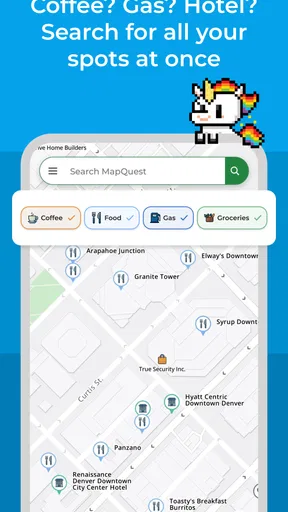
- Shows nearby gas stations and lets you compare fuel prices.
- Includes live traffic updates to help avoid delays.
- Supports route planning with multiple stops.
- Provides walking directions for short trips.
What could be better
- Some features may require location access while the app is in use.
- Traffic information may be less reliable in rural areas.
- Fuel price details can be outdated or unavailable.
- The interface may feel cluttered during navigation.
- Offline navigation options are limited.




