
 Analysis byWeUseApps
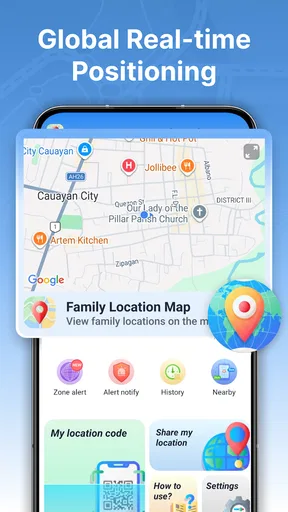
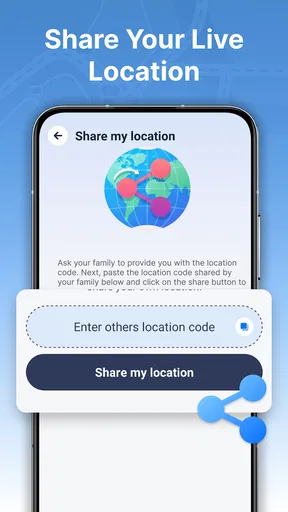
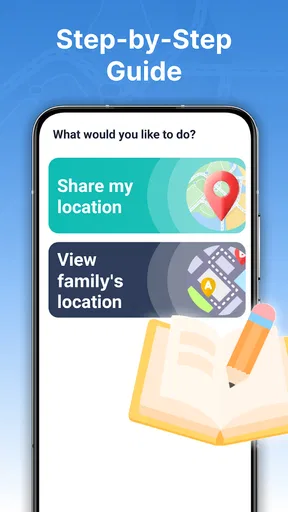
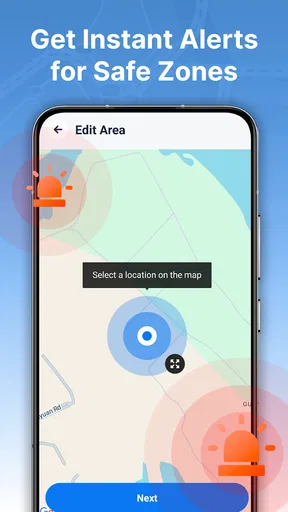
I judge a family location app less by how many pins it can show and more by whether it helps people coordinate without turning every trip into a check-in. GPS Location Tracker Plus is built around that practical need: seeing a shared, real-time location and setting alerts around a safe area. That makes it most appealing to families who want a simple way to notice arrivals and departures, rather than to people looking for a full-featured navigation system.
Why location sharing is the central feature
The useful idea here is not simply displaying someone on a map. It is combining a current location with a boundary-based alert, so a family can agree on a place that matters and let the app help with the routine of getting there or leaving. In everyday life, that can reduce the stream of messages asking whether someone has arrived, while still leaving room for a direct call when plans change.
I would treat the safe-area alert as a prompt for coordination, not as proof that someone is safe. A location marker reflects a device’s reported position, and an alert is only helpful when the person carrying that device has chosen to share their location and the phone can report it. The distinction matters: this is a convenience for agreed family routines, not a substitute for conversation or an emergency service.
The app is listed in the maps and navigation category, but its purpose is more focused than turn-by-turn directions. It is a GPS location tracker from Anuoluwapo Product Limited, and its main value is helping people keep track of shared whereabouts. If I needed route planning, traffic guidance, or public transport directions, I would still use a dedicated navigation app. GPS Location Tracker Plus is better understood as a family coordination tool that happens to use a map.
It is free to download, carries an Everyone content rating, and has a 3.9 average from around 3,200 ratings, with more than 1 million installs. Those figures suggest that many people have tried it, while the rating also makes me cautious about expecting a uniformly polished experience. I would install it for a specific family routine and test that routine before relying on it for anything important.
What a safe-area alert changes in a normal day
Without an alert, location sharing often means opening a map and checking it yourself. A boundary can shift that habit: instead of repeatedly looking at a screen, a family member can set a place associated with a useful event, such as arriving at home or leaving a regular destination. The real benefit is less about monitoring movement continuously and more about knowing when a particular change has happened.
A useful setup starts with a clear agreement. For example, a parent and teenager might decide that the alert is for arrival at school, not a reason to inspect every stop along the way. That keeps the feature tied to a concrete need and avoids making routine location sharing feel like constant surveillance. I would also explain who can see the location and why before enabling sharing; trust is part of whether this kind of app works well.
One practical tip is to make the chosen area correspond to a place where an alert will change what you do. If knowing that someone reached home means you can stop waiting up, the notification has a clear purpose. If the area is too broad to be meaningful, or if nobody acts differently when the alert arrives, it may add noise rather than help. The feature is most valuable when the family can name the decision it supports.
How I would use it for a family pickup
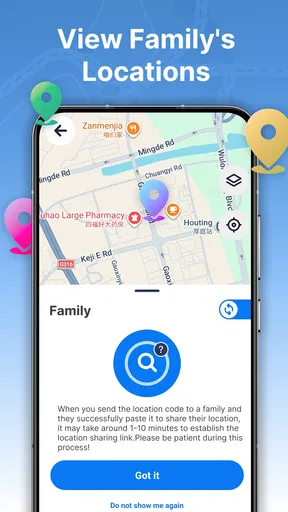
Imagine a relative collecting a child after an activity. Instead of sending several messages while the pickup is underway, the family could use shared location to see whether the driver is on the way and use a safe-area alert for arrival at the agreed destination. The person waiting can focus on the activity rather than repeatedly checking in, and the driver can avoid composing messages while moving. This is a small improvement, but it addresses a familiar source of uncertainty.
For that routine to work, I would test it at a quiet time before depending on it during a busy pickup. Confirm that the people involved can see the shared location, that the intended alert is set for the right place, and that everyone understands what the notification means. A test also reveals whether the family’s expectations match what the app actually provides. That is more useful than assuming a tracker will behave perfectly simply because its central feature sounds straightforward.
Another non-obvious trade-off is that an alert can reduce manual checking while making notification settings more important. If family members ignore notifications generally, a boundary alert may be missed along with other phone alerts. If they receive too many notices, they may start dismissing them automatically. I would keep the arrangement narrow: use the alert for a meaningful arrival or departure, and avoid turning every ordinary movement into a reason to send or check a notification.
Where it differs from ordinary map apps
Most people already have a map app for finding a destination or choosing a route. GPS Location Tracker Plus serves a different job: sharing whereabouts with family and using a safe area to make a location change more actionable. That distinction helps me decide when to open it. For a journey I need to plan, I would choose a navigation app; for a family member’s agreed arrival, this tracker’s focus is more relevant.
Compared with manually texting “I’m here,” location sharing can be more convenient when plans are routine or the person is busy. Compared with a general map, it also puts the emphasis on people and shared awareness rather than places and routes. But convenience depends on participation. If one person does not want to share a location, has their phone unavailable, or simply prefers a message, the app cannot remove the need to communicate. A direct text or call remains the better option when the detail matters or timing is sensitive.
I would not use it as a replacement for a family’s existing safety plan. A map can help answer where a shared device appears to be; it does not explain why someone is delayed, whether they need help, or whether the person holding the phone is the person you expect. For urgent situations, direct contact and appropriate local assistance matter more than waiting for a location update.
Trade-offs worth considering before relying on it
Location sharing is useful precisely because it involves sensitive information. That means the family should agree on the purpose and the audience rather than treating access as automatic. I would be especially careful about adding someone who has not freely agreed to participate. For children, it is still worth explaining the arrangement in age-appropriate terms, so the feature supports safety without silently eroding trust.
There is also a practical limitation common to GPS-based tools: a location shown on a screen is not the same thing as a guaranteed, perfectly current account of someone’s movements. The phone must be able to provide its position, and the user needs to have sharing set up. Buildings, a device left behind, or a person changing plans can all make a map less informative than a quick conversation. I would use the app to reduce routine uncertainty, not to infer intent from a dot.
The app’s current version is 1.3.0.0, and it runs on Android 9 or later. Those details make compatibility straightforward to check before installing, especially if family members use older phones. The version number alone does not tell me how it will feel on a particular device, so I would still run the real-world test first and make sure the alert fits the family’s routine.
GPS Location Tracker Plus may also be the wrong choice for someone who wants extensive route guidance, a general-purpose map, or a location-sharing setup that every participant already handles comfortably elsewhere. Switching tools is not automatically an improvement. If a family already has a reliable, mutually understood way to share arrivals, adding another app could create duplicate alerts and confusion. I would adopt this one only if its safe-area approach solves a specific coordination problem.
Who is likely to get the most from it
I can see the strongest fit for a family that has recurring journeys and a clear reason to know when someone reaches or leaves a particular place. That might be a parent coordinating school pickup, relatives checking that an older family member has reached a familiar destination, or household members trying to avoid unnecessary “Are you there yet?” messages. In each case, the benefit comes from agreeing on a limited, useful routine—not from watching the map all day.
People who value privacy above convenience may prefer a direct check-in instead. So may anyone whose family members are uncomfortable sharing location, or who needs a dependable emergency response rather than a day-to-day coordination aid. I would also skip it if nobody is willing to keep location sharing meaningful and agreed upon. A tracker works best as a shared choice, not as a technical workaround for a lack of trust.
Overall, I see GPS Location Tracker Plus as a focused option for families who want location awareness tied to safe-area alerts. Its appeal is the move from repeatedly checking a map to receiving a useful signal around a familiar place. That is a real convenience when the routine is clear, but it does not replace navigation, direct contact, or good judgment. My recommendation is to try it for one agreed family scenario first, confirm that the alert helps in practice, and keep the sharing limited to what everyone involved understands and accepts.
What we like
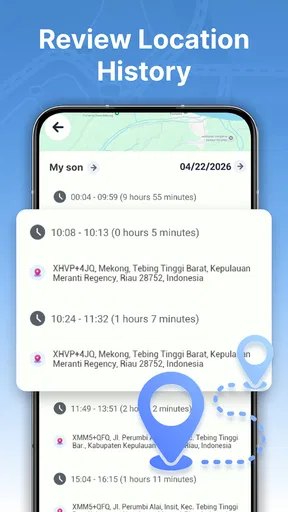
- Records location history for reviewing past routes.
- Can help locate a misplaced device when tracking is enabled.
- GPS-based positioning can provide useful outdoor location details.
- A simple tracking focus may be easy for new users to understand.
- Location sharing can help coordinate meetups when available.
What could be better
- GPS use can drain battery faster during extended tracking.
- Indoor positioning may be less accurate than outdoor tracking.
- Tracking features may require location permissions at all times.
- Location history can raise privacy concerns if shared or exposed.
- Some features may depend on internet access or a paid plan.




