



 Analysis byWeUseApps
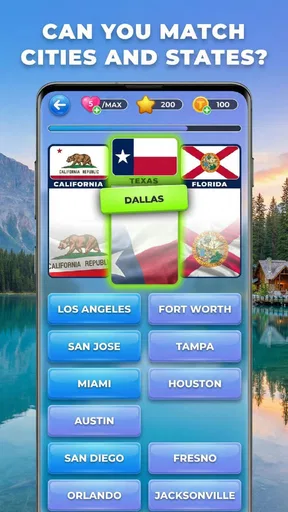
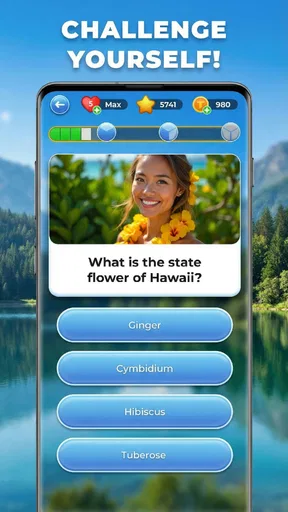
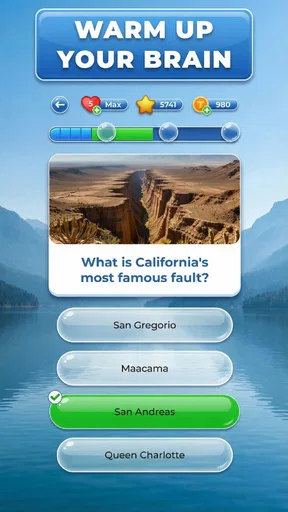
It is easy to expect a quick IQ score from IQ & brain test: Triviascapes, then discover that the more useful part is the variety of small challenges along the way. I’d treat it as a casual trivia and puzzle game: something to open for a short mental break, not a formal assessment of intelligence. Its mix of quizzes, brain games, logic puzzles, and IQ-style tests gives you several ways to engage, but that variety also means the experience may feel less focused than a game built around one puzzle format.
The first hurdle is choosing the right expectation. A quiz rewards what you already know; a logic puzzle asks you to reason through a problem; an IQ-style test presents a different kind of challenge again. Those activities can all be enjoyable, but a result from a mobile game should not be mistaken for a clinical or standardized measure. I find the game most satisfying when I focus on solving the next challenge rather than attaching too much meaning to a score.
Getting comfortable with the challenge mix
Made by Quiz & Trivia Games by Mno Go Apps, this free-to-download trivia game is aimed at people who like switching between general knowledge and brain-teaser activities. It has a broad audience, with an Everyone age rating, and its appeal is easy to understand: you can try a quick question when you have a spare moment, or spend longer working through a tougher puzzle.
That mix is also the main reason not every activity will suit every player. If you open a game looking specifically for a deep, carefully staged logic campaign, a collection that also includes trivia and IQ-style tests may feel scattered. On the other hand, if you tend to get bored doing the same type of question repeatedly, the change of pace can be a real advantage. I’d use it as a variety pack rather than expect one continuous, tightly themed puzzle journey.
A practical way to choose what to play is to match the activity to your attention level. When I have only a minute or two, a short trivia challenge is a better fit than a puzzle I may need to pause and reconsider. When I’m alert and have a little quiet, logic problems are more rewarding because I can test an idea, spot a mistake, and try another approach without rushing. This simple choice makes the app feel more useful in everyday gaps instead of turning every session into a test of concentration.
One useful habit is to separate “I didn’t know that” from “I didn’t reason that through.” Missing a trivia question may just expose a knowledge gap; missing a logic puzzle can be a clue to slow down and examine the wording. Treating those outcomes differently makes practice more satisfying and stops a mixed set of activities from feeling like one vague measure of ability.
Where people can get stuck
With several challenge styles in one game, a common point of friction is not knowing what kind of thinking a question expects. A trivia prompt may depend on recall, while a brain teaser may hinge on a detail that is easy to skim past. If an answer feels unfairly difficult, I’d reread the prompt before assuming the game has misunderstood a tap or that the question has no sensible solution.
Another snag is the temptation to rush. Quick questions encourage fast responses, but speed can make a small qualifier or exception disappear from view. I get better results by reading the entire prompt once, pausing on words that narrow the question, and only then choosing an answer. For a puzzle, it can help to state the rule to yourself in plain language before trying options. That costs a few seconds, but it often saves a frustrating string of guesses.
The breadth of the game can also make progress feel uneven. You may be comfortable with general knowledge and less confident with abstract reasoning, or the other way around. That does not mean you are using it incorrectly. I’d judge a session by whether it gave me an interesting challenge, not whether every category felt equally easy or whether one score seemed to summarize my abilities.
Compared with a conventional trivia app that stays close to facts and themed quizzes, Triviascapes offers a wider change of mental gears. Compared with a dedicated logic-puzzle game, it is less suitable if your main goal is a long sequence of increasingly difficult problems. The trade-off is clear: more variety for casual play, potentially less depth for someone committed to a single discipline.
Simple checks before a session
The game is free to download, but it includes in-app purchases ranging from $0.69 to $64.99 per item. I’d keep that in mind before handing a device to a child or making the app part of a family routine. The Everyone rating indicates a broad age classification, but it does not tell you whether every question will be equally suitable or interesting for every child; an adult can try it first and decide whether the content and purchase setup fit their household.
It is also worth checking that the device meets the stated minimum operating-system requirement of 7.1. The current version is 2.14.106, so if something behaves unexpectedly, first make sure the installed copy is current through the app store and that the device has enough room to complete an update. These are sensible first checks for any mobile game, rather than evidence that a particular fault is common here.
For a smoother first session, I’d start when I have a steady connection and enough time to finish a challenge without being interrupted. If a screen appears slow to respond, avoid tapping repeatedly; give it a moment, then try one deliberate tap. Repeated input can make it harder to tell whether the game registered the first action or whether the screen is simply taking time to react.
Because the game combines different kinds of mental tasks, it helps to decide what you want from a session before opening it. Want a light distraction? Choose an activity that feels approachable. Want to practice careful reasoning? Put notifications aside and give a logic question your full attention. That small bit of planning is more useful than treating every visit as an attempt to beat a personal record.
Recovering a session without making things worse
If an answer does not appear to register, I’d pause before leaving the screen. Check whether the selected choice is visibly highlighted, then wait briefly for the next response. If there is still no change, close and reopen the game using the device’s ordinary app controls, then see whether the same issue happens again. This basic sequence helps distinguish a momentary slowdown from a repeatable problem without risking progress through hurried tapping.
If the game closes unexpectedly or becomes unresponsive, restart it and try a different challenge if one is available. A single interruption may be temporary; if the same issue returns, note what you were doing and whether it happens on one particular activity or throughout the app. That detail is more useful when seeking help than a general report that “the game is broken,” and it avoids assuming that every difficulty comes from the game itself.
For an update-related problem, check the app store and the device’s available storage before trying more disruptive steps. Keep the operating system and app within their supported requirements, and avoid deleting the game as a first reaction if you care about ongoing progress. Reinstalling can be a reasonable last resort for a persistent fault, but I would first consider whether the game’s progress is safely retained, rather than assume it will automatically return.
There is a useful distinction between a game issue and a challenge that simply feels confusing. If other screens respond normally but one prompt is hard to interpret, reread it and look for a condition you may have missed. If taps fail in several places or the app repeatedly stops responding, basic recovery checks make more sense than continuing to retry the same answer.
When the app may not be the cause
A slow or interrupted session is not always a sign that the game itself is at fault. A weak connection, an operating-system hiccup, limited free storage, or another app competing for the device’s attention can affect many games. I’d test the device’s general responsiveness and check whether other apps behave normally before concluding that Triviascapes is the source of the problem.
Likewise, a disappointing result does not necessarily mean the test is malfunctioning. Trivia depends on what you know, and a logic question can be sensitive to how carefully you read it. If a score seems inconsistent with how you feel you performed, try another session when you are rested and less distracted. I would not use the game’s results for school placement, hiring decisions, diagnosis, or any other high-stakes judgement.
There is also a difference between a question being difficult and a question being unsuitable for your taste. If you prefer exact explanations and a clearly defined curriculum, a focused learning app may serve you better. If you want competitive head-to-head play or a social quiz night, choose a game designed around those activities instead. Triviascapes makes more sense when the goal is personal, low-pressure mental variety.
Who will enjoy it most
I can see it working well for someone who wants a compact alternative to scrolling during a commute, a quiet break, or a wait at an appointment. For example, on a short lunch break, I’d try a trivia round first; if I have more time and fewer interruptions, I’d switch to a reasoning challenge. That makes the app a flexible companion for small pockets of free time without requiring a planned session.
It is also a reasonable choice for families who want a shared question to discuss, provided an adult checks that the content and purchase options are appropriate for the household. A child and parent can approach a puzzle together, explain their reasoning, and learn from different guesses. The value in that situation is the conversation, not the idea that the game can certify anyone’s intelligence.
Players who dislike mixed collections, want a transparent formal test, or need detailed instruction should probably look elsewhere. A specialist trivia title is better for someone who wants a consistent subject or quiz format; a dedicated logic game is better for someone seeking a sustained puzzle progression. Those alternatives sacrifice some variety, but that focus can be preferable when you know exactly what kind of challenge you want.
The game has reached more than 10 million installs and holds a 4.8 average from around 749,000 ratings, with about 7,200 written reviews. Those figures suggest that many people have found a reason to keep it around, but they are not a guarantee that its mixture of activities will match your tastes. I’d use them as context, then decide based on whether a broad, casual challenge collection is what you actually want.
My practical verdict
IQ & brain test: Triviascapes is easiest to recommend as an informal mental break with several kinds of questions, rather than as a serious IQ measure or a substitute for a focused puzzle program. Its free entry point makes it easy to sample, while the in-app purchase range is worth keeping in mind before spending or sharing the device. It was released on January 31, 2024, and its broad age rating makes it accessible to many players, though a parent should still make the final call for a child.
My main advice is to use it deliberately: pick an activity that suits the time and attention you have, read prompts carefully, and treat mistakes as feedback about that particular question rather than a verdict on your intelligence. If the game stalls, start with ordinary device and app checks before assuming the challenge is broken. For casual variety, that combination of quizzes and reasoning exercises is appealing; for deep progression, formal assessment, or a single specialized format, I’d choose a more focused alternative.
What we like
- Short quizzes make it easy to play in spare moments.
- A range of question styles helps keep rounds varied.
- Brain teasers offer a light mental challenge.
- Progression gives players a reason to return.
- The trivia format is approachable for casual players.
What could be better
- Some questions may feel too easy for experienced quiz fans.
- Repeated question styles can become predictable.
- Ads may interrupt the flow of play.
- A wrong answer can slow progress through a level.
- The game may feel limited for players seeking deep strategy.




