

 Analysis byWeUseApps
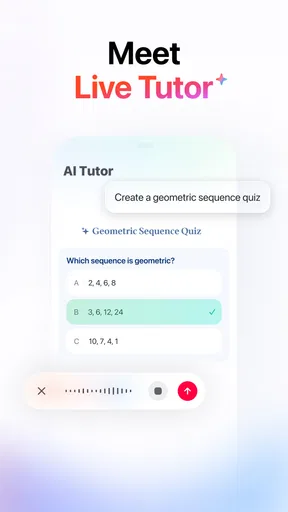
Gauth is an education app built around a simple promise: ask a question and get an answer. That makes it appealing when homework stalls, a concept feels confusing, or you need a starting point for studying. I find the idea useful, but the best way to approach an AI study companion is as a helper rather than an authority. It can support your learning process; you still need to check that an explanation makes sense and fits the question you meant to ask.
Getting unstuck when a study question is unclear
Study tools often feel least helpful at the exact moment you need them: you know you are stuck, but it is not obvious what to ask. With Gauth, the central interaction is asking something and receiving an answer, so a clear question is a good place to begin. Rather than entering a broad prompt such as “help with homework,” describe the specific part that is giving you trouble. A focused question gives the app a better chance of responding to the issue you actually want to work through.
It also helps to separate a complicated assignment into smaller questions. If a problem has several steps, start with the step you cannot follow, then use the response to decide what to ask next. This keeps the exchange manageable and makes it easier to notice whether the explanation addresses your confusion. If the answer seems unrelated, the issue may be the wording or missing context; try restating the question in simpler terms rather than repeatedly submitting the same broad request.
I would use an AI answer as a prompt for learning, not as a substitute for learning. Read it carefully, compare it with your class notes, and make sure you can explain the reasoning in your own words. For a calculation or a factual question, check the intermediate steps or supporting explanation instead of accepting a confident-sounding result automatically. That habit matters with any AI study app: a quick response is only useful if it helps you understand what you are studying.
Make the question easier to answer
Before asking, identify the subject, the exact question, and the part that is causing trouble. If a term has several meanings, include the surrounding sentence or describe the topic. If you have already tried a method, say where you got stuck. This kind of context can make a follow-up more precise and reduce the back-and-forth that comes from an underspecified request.
When you are studying from a worksheet or textbook, check that you have copied the problem accurately. A missing sign, unit, or condition can change what an answer should be. If the response does not match the question on your page, compare the two carefully before assuming the app has misunderstood the subject. A small correction to the prompt may be all that is needed.
Setup checks and a smoother first session
Starting with a straightforward question is a practical way to learn how an app fits into your routine. Gauth is free to download, with in-app purchases available; the listed purchase range runs from $0.49 to $369.99 per item. You can decide whether its basic experience suits you before considering optional purchases. As with any app, review the purchase details shown in the app store and on your device before confirming a transaction.
If something seems off during setup, begin with simple checks rather than changing several things at once. Confirm that the app is installed from the app store, that the device has a working internet connection, and that you are using a supported operating system. Gauth requires Android 8.0 or later. If you are using a different platform, check the relevant app store’s compatibility information before troubleshooting further.
It is also worth checking that the app is up to date. The current version is 2.10.0, and an update may address a problem that has already been fixed. If the app opens but an answer does not appear, first wait briefly and check the connection, then try again once. Avoid sending the same request repeatedly in quick succession; that can make it harder to tell whether the original attempt is still processing or the connection has stalled.
Gauth is rated for Everyone, so it is positioned for a broad audience. That does not mean every answer will be suitable for every classroom task or age group without adult or teacher guidance. For younger students especially, it is sensible to use the app alongside a trusted adult’s help and to treat answers as material to discuss, not simply copy.
Keep a simple troubleshooting order
When a feature or response does not behave as expected, take one step at a time. Check the connection, close and reopen the app, and then retry with a shorter, clearer question. If the problem continues, restarting the device or checking for an app update may help. These are general troubleshooting steps, not a guarantee that every issue will be fixed, but they can separate a temporary device or connection problem from a more persistent app issue.
If the app asks you to sign in or presents a screen you do not recognize, read the wording before proceeding. Use the options shown in the app and follow your device’s normal account and security practices. Do not share passwords or sensitive personal information in a study question. Keeping prompts focused on schoolwork is a sensible way to protect privacy and keep the interaction useful.
Recovering a study workflow when answers miss the mark
Sometimes an answer arrives, but it is too brief, too general, or aimed at a different interpretation of the question. In that situation, I would not immediately discard the tool or trust the first response. Ask a narrower follow-up: name the exact step, term, or part of the explanation you want clarified. You can also request a simpler explanation in your own words, then compare it with the original question and your course materials.
If the response appears incorrect, pause and verify it independently. Recheck the wording of the problem, look for a missed condition, and consult notes, a textbook, or a teacher. When a subject depends on a particular method taught in class, mention that method in your question so the answer can be judged against the approach you are expected to use. The goal is not merely to obtain a result; it is to understand why that result follows.
A useful routine is to attempt the problem yourself first, ask for help only on the part that blocks you, and then solve it again without looking at the answer. This turns an AI response into a study aid rather than a shortcut. It also makes it easier to spot an explanation that does not hold together. If you cannot reproduce the reasoning, you probably need another explanation or a human source of help.
For longer assignments, keep each question centered on one task. A prompt that combines several unrelated requests can produce an answer that is difficult to evaluate. Work through one point at a time, and summarize what you have learned before moving on. That small habit can make a question-and-answer tool feel more like a structured study session and less like a stream of disconnected replies.
Know when to switch approaches
If repeated attempts do not clarify the topic, change the source of help. Ask a teacher, study partner, or family member to explain the point, or return to your textbook and class notes. That is not a failure of the app or of your study habits; some material benefits from a human explanation tailored to what you have already learned. Gauth can be one tool in a broader routine, not the only one.
It is also reasonable to take a break when frustration is building. Re-reading the same confusing response rarely makes it clearer. Step away briefly, then come back with a more focused question or a different resource. This keeps the app in its proper role: a way to support study, not a requirement to keep trying until it produces the answer you hoped for.
When the app may not be the cause
A delayed or incomplete response can come from several places. A weak internet connection, temporary device slowdown, or an outdated installation can interrupt an otherwise ordinary session. Check whether other apps can connect, whether the device is responding normally, and whether Gauth has an update available. If other online services are also struggling, the connection or device is a more useful place to investigate than the wording of your study question.
On the other hand, if the app works but its answer is not relevant, focus on the prompt itself. A question without enough context can be interpreted in more than one way. Rephrase it, include the relevant details, and remove unrelated material. If the answer is still confusing after a clear follow-up, verify the subject matter elsewhere instead of assuming that repeated retries will solve it.
Some school tasks also have requirements that an AI response may not know, such as a teacher’s preferred method or a particular format. Check the assignment instructions and follow them first. An answer can be broadly reasonable and still fail to meet the specific expectations of your class. That is why comparing the response with the task itself is part of responsible use.
Gauth has attracted a large audience: it has over 100 million installs, an average rating of 4.8, and around 2.2 million ratings. Those figures suggest that many people use the app, but popularity is not proof that every answer is right or that it will suit every student. I would judge it by whether it helps you make progress on your own questions, and by how carefully you check its explanations.
A practical verdict for students
As an education app, Gauth is easiest to appreciate when you have a specific question and want a quick way to begin working through it. Its question-and-answer premise is straightforward, and it can fit naturally into a study routine that already includes notes, textbooks, and teacher guidance. The app is free to download, while optional in-app purchases are available, so it is worth checking purchase screens carefully and deciding what you need before spending anything.
The main practical limitation is one shared by AI study tools generally: an answer may need clarification or independent checking. Clear prompts, careful reading, and follow-up questions make the experience more useful. If a response is vague or does not match your assignment, verify the problem and try a more precise request; if it remains unhelpful, switch to a trusted human or learning resource.
My recommendation is to treat Gauth as a study companion, not an answer key. Use it to get unstuck, explore an explanation, or decide what to review next, then test yourself without relying on the response. That approach makes the app more valuable and helps keep the learning yours. For students comfortable checking AI-generated help and asking focused questions, it can be a convenient addition to an everyday study toolkit.
What we like
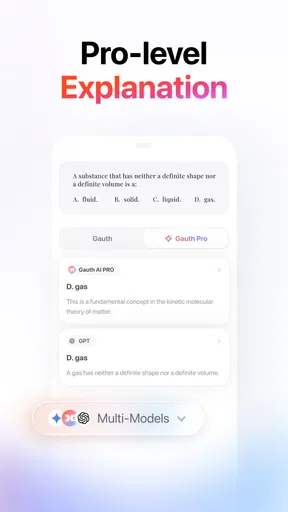
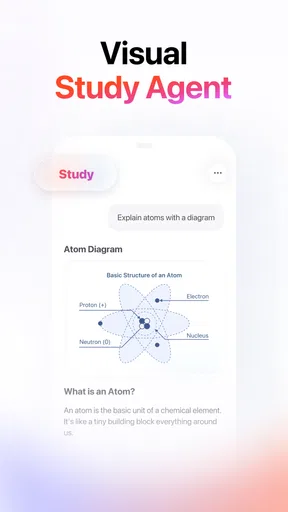
- Offers step-by-step explanations for many homework questions.
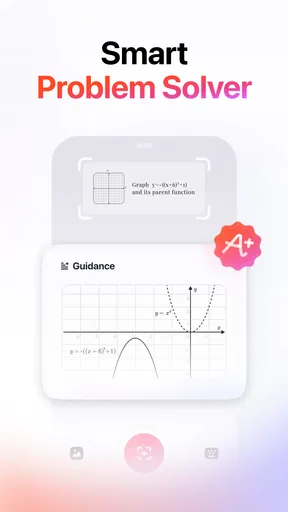
- Supports photo-based question input for quick problem solving.
- Covers multiple school subjects in one app.
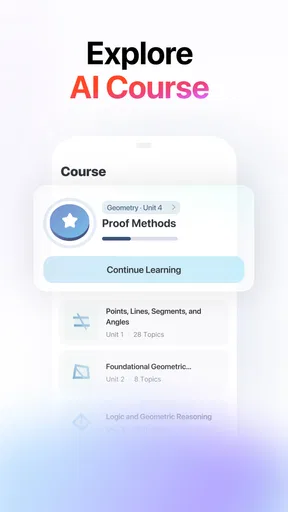
- Provides practice tools to reinforce learning.
- Can help students study at their own pace.
What could be better
- AI answers may be inaccurate or incomplete.
- Some advanced features require a paid subscription.
- Photo recognition can struggle with unclear handwriting.
- Frequent use may discourage independent problem solving.
- Availability of features can vary by region.




