

 Analysis byWeUseApps
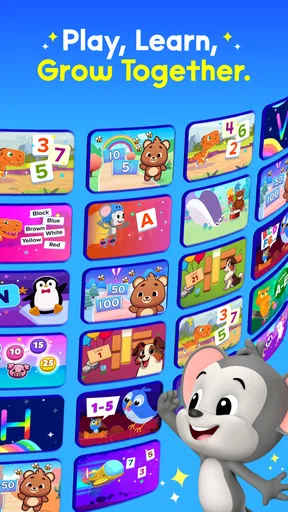
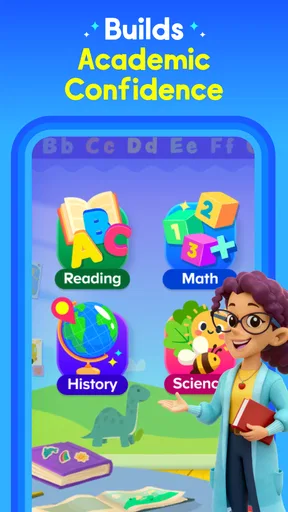
When I judge a learning app for young children, I care less about how many activities it advertises than about whether a child can settle into one without constant adult troubleshooting. ABCmouse is an education app from Age of Learning, Inc., aimed at early learners. Its broad mix of reading, phonics, and math activities makes it a candidate for short practice sessions at home, though I would treat it as a structured supplement rather than a replacement for reading together or hands-on play.
What the learning experience feels like
The app is designed for children from toddler age through the early elementary years, with an Everyone content rating. That wide age span is convenient for families with children at different stages, but it also means parents should help choose activities that match a particular child’s abilities. A two-year-old and an eight-year-old will not get the same value from the same kind of task, and a broad library does not automatically make every activity suitable for every learner.
In practice, I would use ABCmouse as a menu for focused moments, not as something to leave running indefinitely. A child who is curious about letter sounds can spend a brief session on phonics, while another day might be better suited to a simple reading or math activity. This flexibility is useful when attention and energy vary from day to day. The app’s strongest role is giving a parent a ready-made starting point when inventing a lesson from scratch feels like too much work.
The usual alternatives are narrower: a basic alphabet app may focus on letter recognition, while a math game may concentrate on counting or number practice. ABCmouse’s appeal is that it brings several early-learning areas together. The trade-off is that a larger selection can make it harder to decide where to begin. I would guide a young child toward one clear goal for a session rather than letting the choice of activity become the whole activity.
Speed expectations for short sessions
For this kind of app, perceived speed is not just about how quickly screens appear. Young children notice delays, confusing transitions, and moments when they are unsure what to tap. A smooth session depends as much on an adult helping establish the next step as it does on the device. I would open the app before inviting a child to sit down, then choose the intended activity together, rather than making a restless learner wait while an adult explores menus.
That small routine also makes the app easier to use in the gaps of an ordinary day. If there are ten quiet minutes before dinner, for example, I would pick a single reading or number activity and finish when the time is up. A defined beginning and ending helps keep screen use purposeful, and it avoids the common problem of a child drifting through choices without really engaging with the learning task.
Parents should also expect the child’s pace to vary. A familiar activity may be easy to start, while a new topic can require explanation or encouragement. I would not judge the app’s usefulness by whether a child moves quickly through screens; the better question is whether the child understands what to do and is willing to try. For younger children, a calm adult nearby can make the difference between an independent-feeling session and a frustrating one.
Busy moments and practical ways to guide use
The most demanding moments are likely to be transitions: switching from one learning area to another, handing the device over, or asking a child to stop. Those are family-management challenges as much as app challenges. I find it useful to say what the session is for before it begins—“let’s practice a few letter sounds”—and to agree on a stopping point in everyday terms. That keeps the device from becoming an open-ended distraction.
A practical approach is to match the app to the child’s mood. If a child is tired, I would avoid turning a difficult new concept into a test of patience. Choose something familiar, keep the session brief, and return to the harder material another time. If a child is eager to explore, offer a small choice between two relevant activities rather than an unrestricted tour. This preserves a sense of control without losing the learning purpose.
Another useful habit is to observe what a child can do without help. If they can start and complete an activity confidently, the app can support more independent practice. If they repeatedly ask what a screen means or what to do next, sit alongside them and use the moment to talk through the task. That is not a flaw in the child or necessarily in the app; it is a reminder that early learning often works best with adult participation.
Reliability and recovering from interruptions
I would plan around the same ordinary interruptions that affect any mobile learning session: a child leaving the device, a notification pulling attention away, or a parent needing to pause. The safest practical expectation is to treat each activity as a small unit and avoid assuming that a long session will remain uninterrupted. When you return, help the child reorient by naming the topic and the next step instead of expecting them to remember exactly where their attention was.
For a young learner, recovery is not merely reopening an app. It means restoring a comfortable sense of what they were doing. A parent can make that easier by keeping the routine predictable: choose one topic, complete a short activity, then stop or move on deliberately. If the child becomes upset after an interruption, it may be better to end the session and revisit the lesson later than to push for completion.
I would also keep expectations modest about independent troubleshooting. Children in this age range may tap around when something does not respond as expected, which can take them away from the task. An adult should be close enough to help with navigation and decide whether to resume or take a break. That support is particularly important when a child is new to tablets or still learning how to follow on-screen instructions.
Device fit, cost, and household constraints
The app is listed with a minimum operating-system requirement of 7.1, and its current version is 1.73.0. Those details help families check basic compatibility before installing, but they do not tell you how responsive it will feel on a particular device. Older hardware, a crowded storage situation, or many apps running at once can affect the experience of mobile software generally. I would test a short session on the device the child will actually use before making it part of a daily routine.
Resource demands are best judged in context rather than guessed from the app’s subject matter. If the device already feels slow during ordinary use, adding a visually rich children’s app may not make it feel snappier. Keep the operating system and app updated where practical, close unrelated tasks if the device is struggling, and avoid using a nearly depleted device for a planned lesson. Those are sensible habits for any family tablet, not guarantees of a particular performance result.
ABCmouse is free to download, with in-app purchases ranging from $3.99 to $104.99 per item. I would check the purchase details in the app store and make sure the device’s purchase controls suit your household before handing it to a child. That matters especially when children are allowed to explore on their own. The free entry point can make it easy to try, but families should decide what they are comfortable spending before treating the app as a long-term routine.
The app has a 4.5 average from around 34,000 ratings, and it has been installed more than five million times. That level of adoption suggests it is a familiar option for many families, but popularity cannot tell me whether it matches a particular child’s temperament, reading level, or tolerance for screen-based lessons. I would use a brief trial period to see whether the child returns willingly and whether the activities fit the learning goals you actually have.
Who is likely to benefit—and who may prefer something else
I can see ABCmouse working well for parents who want several early-learning subjects in one place and are willing to help a young child get started. It may be especially handy when a caregiver wants a short, repeatable activity at home, or when siblings need different learning choices on the same device. Its educational focus also makes it a more purposeful option than handing a child an unrelated game simply to fill a quiet moment.
It is less compelling if your child does best with physical materials, conversation, or movement rather than tapping through activities. In that case, picture books, blocks, counting objects, and parent-led games may be a better fit, with an app used occasionally rather than daily. It may also be the wrong choice for a family seeking a single, highly focused tool for one specific skill; a dedicated phonics or math app can be simpler to navigate when that is the only goal.
Age matters, too. The stated audience covers a broad developmental range, so I would not assume that a toddler can use every part independently or that an older child will find every activity appropriately challenging. Watch for signs of boredom, confusion, or repeated dependence on adult help. Those signals are more useful than the app’s broad age framing when deciding whether to continue.
My performance verdict
ABCmouse is best approached as a flexible learning companion, not a hands-off babysitter or a complete early-education plan. Its range across phonics, reading, and math gives parents useful options, while the need to guide choices and manage session length is a real part of using it well. I would prepare the activity before the child sits down, keep each visit focused, and stay nearby when navigation or instructions may be difficult.
On performance, I would avoid promising a particular speed or level of stability across devices. The operating-system requirement gives a basic compatibility check, but the experience still depends on the device and the child’s comfort with it. A short test on your own hardware is the practical way to judge responsiveness and whether interruptions are easy for your family to manage.
Overall, I would recommend giving ABCmouse a try if you want a single education app with varied early-learning activities and you are comfortable supervising a young child’s use. It is a weaker fit if you need a narrowly targeted lesson, prefer offline hands-on learning, or expect a child to navigate everything alone. The most important success factor is not how long the app stays open; it is whether a brief, well-chosen activity leaves your child more confident about the skill you wanted to practice.
What we like
- Activities cover reading math science and art for young learners.
- Progress tracking helps parents see what children have completed.
- The step-by-step learning path gives kids a clear sense of direction.
- Rewards can encourage children to keep practicing.
- Multiple child profiles support learning for siblings.
What could be better
- A paid subscription is needed for full access.
- The large activity library can feel overwhelming at first.
- Some lessons require an internet connection to load.
- Younger children may need an adult to navigate the app.
- The curriculum may not match every school's teaching sequence.




