
 Analysis byWeUseApps
I can see why Booking.com: Hotels & Travel is tempting to keep on my phone after the first trip: it brings a large range of accommodation choices into one place and can make the search feel less scattered. The real test, though, is whether it remains useful once the excitement of planning fades. In my view, it earns a place for people who book stays regularly or like comparing options in one app, but it is less compelling if you already have a travel routine that works and rarely need to arrange accommodation.
From first search to a booked stay
Booking.com is a travel and local app from Booking.com Hotels & Vacation Rentals. It is free, rated for Everyone, and has a broad audience: it has passed 500 million installs, with an average rating of 4.8 from around 6.5 million ratings. Those figures suggest a familiar tool rather than a niche planner, but the useful question is how it fits the way you actually travel.
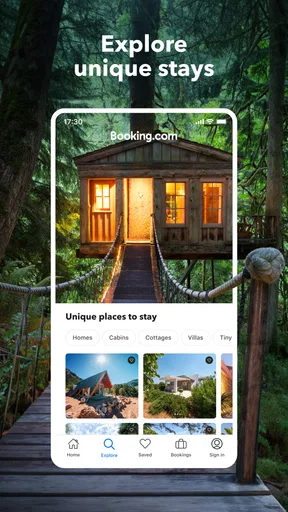
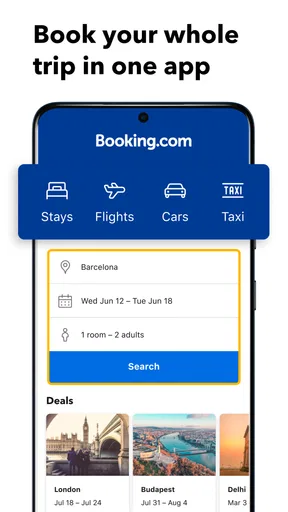
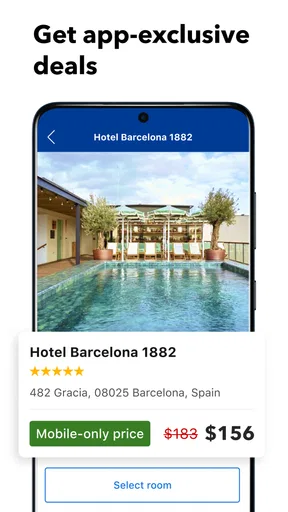
During the first week, the appeal is straightforward. I can search for a place to stay, compare alternatives, and keep the booking process within one app instead of opening a string of separate tabs. That convenience matters most when I am still deciding where to go or when several people need to agree on a location. Being able to return to one shortlist of possibilities makes the early planning stage feel more manageable.
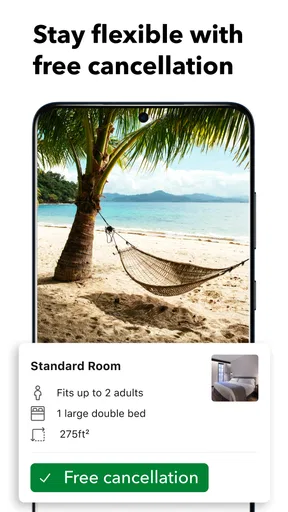
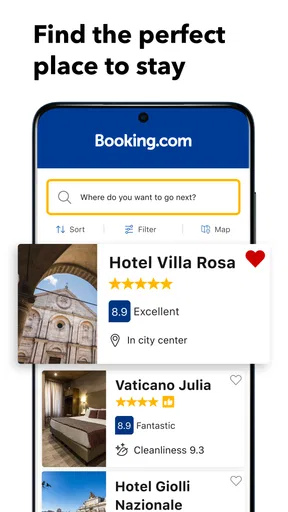
The breadth of choice is a strength, but it also means that a search can become a project of its own. A low-looking price is not enough to make a stay the right pick. I would compare the total cost, the cancellation terms, the location, and the details of the room before committing. Two properties that look similar in a results list can suit very different trips once those conditions are considered.
One practical habit I recommend is to decide what matters before searching. For a short work trip, proximity to the meeting or transport may outweigh extra space. For a family visit, room setup and flexible terms may matter more than a small price difference. Starting with those priorities helps prevent endless scrolling through options that were never suitable in the first place.
What makes the first week useful
The app is at its best when a booking is not yet settled. I can use it as a comparison tool first, rather than treating the first acceptable result as the answer. That is particularly helpful for a weekend away, where a change in neighborhood can affect the whole feel of the trip. I would shortlist a few candidates, check their details carefully, and only then make the decision.
A realistic everyday example is planning an overnight stay for a family event in another town. I might begin by searching near the venue, then widen the area if the first options do not fit the budget or timing. Keeping the search and reservation together makes it easier to revisit choices while coordinating plans. The trade-off is that convenience can encourage a quick booking; I would still pause to verify the dates, guest details, and conditions before confirming.
Booking.com launched on February 4, 2011, and the current version is 70.4. It requires Android 10 or later. These details matter if you are checking whether an older device can run it, but they do not change the central experience: this is primarily a practical place to look for and arrange accommodation, not a full substitute for thinking through the trip.
Why it can keep earning space month to month
Recurring value comes from repeat use, not from novelty. If I travel several times a year, or help relatives find places to stay, having a familiar search workflow ready can save effort. I do not need to relearn a different interface each time, and I can return to the same general process whether I am planning a quick overnight stop or a longer break.
That usefulness is strongest for travelers who do not have one fixed accommodation provider. A comparison-focused app is handy when the destination changes, when availability is uncertain, or when the best fit depends on a particular neighborhood. It can also help when I am weighing convenience against cost: a place slightly farther away may be acceptable for a relaxed holiday, while a central location may be worth prioritizing for a tight schedule.
For a single destination, however, the app may not be the best final source for every decision. I would compare the booking terms and property details with the accommodation’s own information when a particular condition is important. That is not a reason to avoid the app; it is a sensible check before making a commitment, especially when travel dates are fixed or plans could change.
Compared with the usual alternatives in travel booking, Booking.com’s central advantage is the breadth of its accommodation search in a single, familiar place. A hotel’s own app may be more direct if I already know exactly where I want to stay. A general search engine can be useful for broad research, while a local recommendation may be better for finding a place chosen for personal character rather than easy comparison. I see this app as a strong starting point, not the only source worth consulting.
Keeping the routine light
The maintenance burden is low if I use the app only when I have a trip to plan. I do not need to turn it into a daily habit. A simple routine works better: search with clear priorities, compare a manageable number of options, check the conditions, and return to the reservation details when needed. That keeps the tool useful without letting trip planning expand into a constant stream of browsing.
For an occasional traveler, the app can sit unused between trips and still be worthwhile when the next booking comes around. Its value does not depend on opening it every week. For someone who arranges stays often, it can become a dependable part of the planning routine, provided they avoid treating convenience as a substitute for reading the specifics of each property and reservation.
I would also avoid keeping multiple near-identical searches open in my head. When options start to blur together, I write down the deciding factors—location, flexibility, and what the room needs to provide—then compare only against those. This small step is especially useful when planning with another person, because it turns a vague debate about which listing “looks better” into a clearer choice.
Where the experience can become tiring
The same abundance that makes the app useful can create decision fatigue. When I browse without a budget, location preference, or reason to reject an option, the list can feel like a task that never ends. The fix is not more scrolling; it is narrowing the search with a firm idea of what would make a stay unsuitable. If a property fails that test, I move on rather than continuing to reconsider it.
There is also a risk in focusing too heavily on the headline price or the first impression of a listing. Travel bookings have practical details that deserve attention, and I would not assume that two apparently similar choices offer the same flexibility or room arrangement. Reading those details takes time. If I am booking on the move, I would rather wait until I can review them calmly than rush through a reservation because the app makes the process feel quick.
Another source of fatigue is using one app as if it could settle every part of a trip. It is useful for accommodation planning, but a traveler who wants a carefully curated local experience may prefer recommendations from people who know the destination. Likewise, if I have already chosen a particular hotel, going directly to that property may be a more focused route. The best option depends on whether I am still comparing or have already made up my mind.
Who should keep it, and who can skip it
I would keep Booking.com on my phone if I often compare places to stay, travel to different destinations, or help organize accommodation for other people. It is especially useful when I want to weigh location and booking conditions alongside the room itself. The app is also a reasonable choice for someone who wants one familiar starting point rather than beginning each trip with a fresh search across unrelated services.
I would skip it, or use it only when a specific need arises, if I travel rarely and already have a preferred way to book. It may also be the wrong primary choice when a particular property, local host, or specialist travel service is the main goal. In those cases, a direct conversation or a more focused source can make the decision easier than browsing a broad set of alternatives.
Booking.com has been available for years, and that longevity fits its role as a practical utility rather than a novelty. Its size is reassuring in the limited sense that many travelers use it, but popularity alone does not tell me whether a particular reservation is right. I still treat each property and its conditions as a separate decision.
The long-term verdict
After the first-week appeal wears off, the app’s lasting value is its ability to make accommodation comparison and booking part of a repeatable routine. I would not open it just to browse without a purpose, and I would not rely on it blindly when a detail could affect the trip. Used with clear priorities and a careful final check, it saves the effort of starting from scratch each time.
My recommendation is measured but positive: keep it if travel planning comes up regularly, or if having a broad set of stays to compare is genuinely useful to you. If you book only occasionally, there is no need to build a habit around it; install or open it when a trip requires it, then make the choice that best fits your circumstances. The lasting strength is convenience with choice, while the main discipline is knowing when to stop comparing and read the booking details.
What we like
- Filters help narrow searches by price and property features.
- Map view makes it easier to compare locations.
- Guest reviews offer useful insights before booking.
- Saved lists make it easy to revisit properties.
- Booking details are accessible in one place.
What could be better
- Prices can change as availability shifts.
- Some stays require payment directly at the property.
- Cancellation terms vary by booking and can be restrictive.
- Popular properties may sell out quickly.
- Customer support response times can vary.




