
 Analysis byWeUseApps
When I plan a trip, I usually start with a place I need to be and a few practical constraints: dates, who is coming, and whether I need a kitchen or room to work. Airbnb is useful when I want to compare private homes with more conventional accommodation, then keep the stay and possible activities in one travel-focused app. I would not treat it as a guaranteed shortcut to the cheapest or simplest booking, though. The right choice depends on the listing, the trip, and how much time I am willing to spend checking details.
From a rough trip idea to a shortlist
Airbnb is a free Travel & Local app from Airbnb. It has a 4.5 average rating from around two million ratings, and more than 100 million installs. That scale makes it a familiar starting point for finding a place to stay, but the practical value is in how well its options fit a particular trip—not in popularity alone.
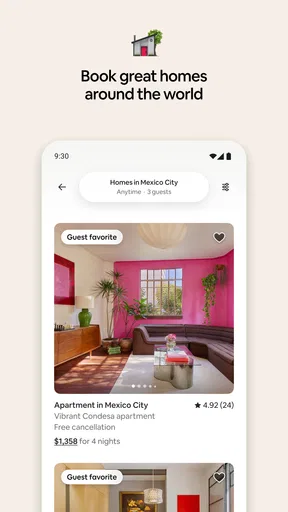
I find the app most useful when my needs are more specific than “a bed near the center.” A family may want separate sleeping areas and somewhere to prepare breakfast; someone working remotely may care about a usable table; a group of friends may need a shared living space. A home listing can make those priorities easier to compare than a standard hotel room, provided I read the details rather than relying on the first few photos.
My first step is to settle the trip basics before browsing: the exact dates, guest count, and the area where I actually need to spend time. That last point matters. A listing that looks appealing can be a poor fit if the daily journey to a venue, station, or family visit becomes inconvenient. I use the map and listing information to think about the whole itinerary, not just the accommodation itself.
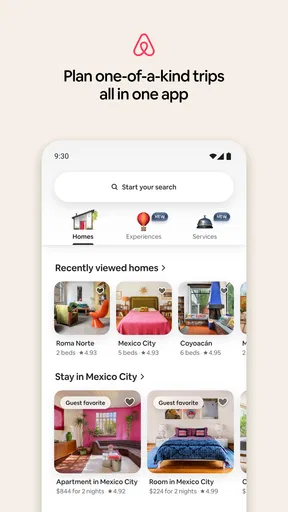
The app’s redesigned experience brings homes, experiences, and services into the same travel setting. That can be handy when I want to explore more than lodging, but it also means I should keep my immediate task clear. If I am still comparing places to sleep, I avoid getting sidetracked by extras until I know the location and house arrangements work for the trip.
Compare the whole stay, not just the headline
When I open a promising home, I check the sleeping setup, shared spaces, house rules, and the practical details that could affect everyone in my group. The photos help me understand the layout, but I treat them as a starting point: I look for captions and written descriptions that clarify which rooms are private, what guests can use, and what the host expects.
A useful, easy-to-miss habit is to compare listings against the same small checklist. For a family trip, that might be bed arrangements, meal preparation, and how much time we will spend getting around. For a work trip, I might prioritize a quiet place to take calls and a location that does not make each meeting a long commute. This prevents an attractive interior from distracting me from the conditions that will shape each day.
I also compare the total booking details before committing, rather than judging by the initial nightly figure. Dates, guest count, and the booking terms can change what a stay means in practice. I read cancellation information and any host-specific instructions carefully, because flexibility is valuable when plans are uncertain. A less appealing-looking option may be the safer pick if its terms suit the trip better.
Airbnb is not automatically better than a hotel or other booking service. A hotel can be the more straightforward choice when I want a predictable room, a staffed reception, or a short stay where a full home adds little. A conventional accommodation search may also be easier if I want to compare standardized room types quickly. I lean toward Airbnb when a home’s layout, neighborhood feel, or extra space is central to the trip.
Making the booking and coordinating with others
Once I have a shortlist, I share the options with the people travelling with me and ask them to judge the details that matter to them. This is more effective than sending a stream of attractive pictures: I include the location, sleeping arrangement, rules, and any trade-off, such as a longer walk in exchange for more room. The app is then part of a decision process, not just a place to browse.
For a group, I settle the non-negotiables before anyone expects a booking: who needs a separate bed, whether everyone is comfortable with shared areas, and how much flexibility the schedule requires. That simple handoff avoids a common mismatch, where one person chooses based on style while another assumes a private room or a different sleeping arrangement.
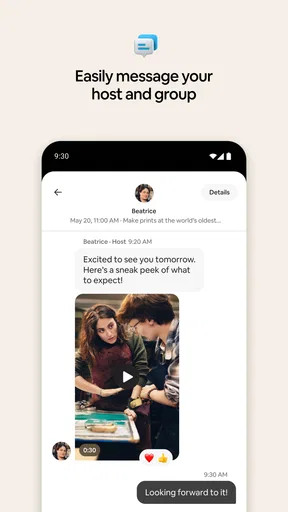
Before booking, I make sure the dates and guest details still match the plan. I read the listing’s instructions and terms again at this point, rather than assuming I will remember them later. If something important is unclear, I prefer to resolve it through the app’s available communication options before I commit. A quick clarification is easier than discovering a mismatch after the group has organized its travel around the stay.
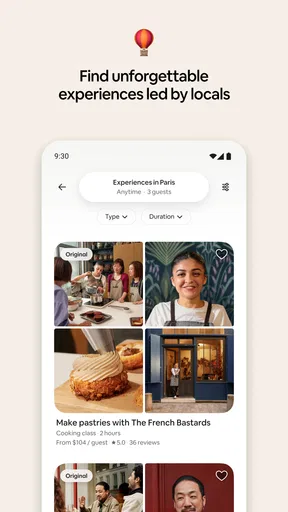
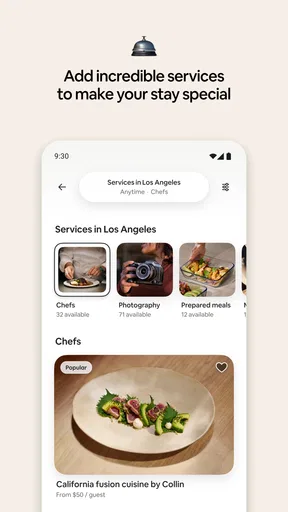
The developer, Airbnb, also presents experiences and services alongside homes. I see that as a useful way to consider what else might support a trip, especially when I want an activity to complement a stay. I would still judge each option on its own relevance and logistics. An add-on is not automatically a good fit simply because it appears in the same travel app.
The handoff from confirmation to arrival
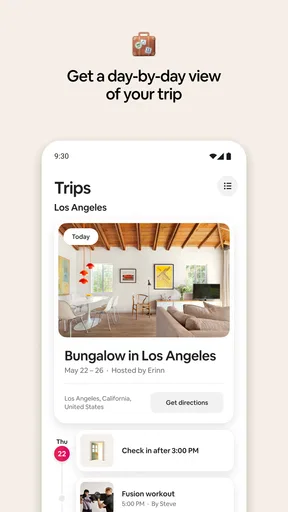
A booking is only one part of the workflow. The next handoff is from the person who arranged the stay to everyone who needs to know how it will work. I share the arrival plan, house rules, and any instructions the listing provides with the group before travel day. That is particularly helpful when the person who booked is not the one arriving first.
For a realistic example, imagine a family arriving in a new city after a long journey. The organizer has chosen a home with enough sleeping space and a kitchen, while another adult reaches the property first. I would make sure that person has the relevant check-in instructions and knows which details in the listing matter. The app can keep the reservation and trip information close at hand, but it cannot replace a clear plan between travellers.
On arrival, I compare the actual arrangement with the listing and take a moment to understand the host’s expectations. If there is a problem, I would communicate promptly rather than letting a small uncertainty become a larger disruption. The smoothness of this stage depends partly on how clearly the listing and instructions have been written, so I do not assume every stay will feel equally effortless.
For a longer visit, I also think about how the home will work after the first night. Is there enough room for everyone’s routines? Will the kitchen genuinely be useful, or will we mostly eat out? Is the location still convenient when repeated trips are involved? These questions help me decide whether the extra space is a real benefit or simply an appealing feature on screen.
Where the workflow can slow down
The biggest drawback for me is the amount of judgment the search can require. Different homes describe themselves in different ways, and an appealing presentation does not guarantee that a space matches my expectations. Careful reading takes time. If I need a quick, standardized booking with minimal comparison, I may be happier choosing a hotel or another conventional accommodation option.
There is also a trade-off between character and predictability. A home can offer more room and a neighborhood setting, but it comes with property-specific rules and arrangements. I am comfortable with that when the listing is clear and the trip benefits from a residential space. For a very short stopover, a late arrival, or a schedule with little room for coordination, a conventional hotel may be less demanding.
Another friction point is that an entire group may not value the same things. One traveller may care most about the interior, while another prioritizes location or a flexible cancellation arrangement. I avoid treating the app’s shortlist as a decision by itself; the useful part is comparing the actual compromises and agreeing on them before booking.
Airbnb is also not the right tool if I only want a simple restaurant or transit lookup. Its broader travel focus makes sense when I am arranging accommodation and considering trip-related options, but it is more than I need for a single local question. In that case, a dedicated map or local directory is likely the faster choice.
Who I would recommend it to
I would recommend Airbnb to people who want to weigh private homes against other stays, especially families, groups, and travellers who need a particular layout. It is also worth considering when the accommodation itself is part of the experience, or when a kitchen and shared living area could make the trip more comfortable. The key is to be willing to check the practical details and coordinate with the host and fellow travellers.
I would be more cautious about recommending it to someone who values identical standards from one booking to the next, needs a staffed front desk, or wants to finish a booking with almost no research. A hotel may suit those needs better. Likewise, if the trip is unsettled, I would compare cancellation terms closely instead of assuming every listing offers the flexibility I want.
The app is free, rated for Everyone, and its current version is 26.42, with support for operating systems from version 9 onward. It was released on January 17, 2012, and has grown into a widely used option for travel planning. Those details help establish its place in the category, but my recommendation comes down to fit: its range is valuable when I need choices, while that same range can make a quick decision harder.
Overall, I see Airbnb as a strong planning companion when I have a clear idea of what the stay must do for my trip. I would start with location and group needs, compare the full listing details, confirm the terms, and pass arrival information to everyone involved. If I follow that workflow, the app can help me find a home or travel option that feels tailored to the occasion. If I want standardized service and minimal coordination, I would choose a different kind of accommodation instead.
What we like
- Wide choice of stays in destinations around the world
- Filters help narrow results by price and amenities
- Guest reviews offer insight into individual listings
- Experiences provide activities beyond accommodation
- Saved lists make it easy to compare potential stays
What could be better
- Cleaning and service fees can raise the total price
- Listing quality and accuracy vary between hosts
- Some bookings have strict cancellation terms
- Check-in instructions can differ for every property
- Customer support may be less direct than hotel reception




