
 Analysis byWeUseApps
Word Search Explorer is a relaxed word-search game that makes its best case through an easy-to-read presentation and a familiar, satisfying puzzle format. I’d recommend it to someone who wants a low-pressure way to pass a few spare minutes, especially if small text or visually crowded games are a turnoff. It is less compelling for players who want deep strategy, a strong narrative, or a lot of variety beyond finding words in a grid.
A calmer take on the familiar word search
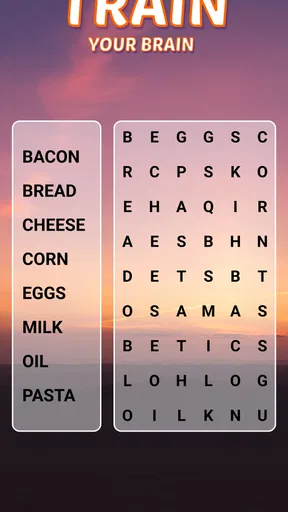
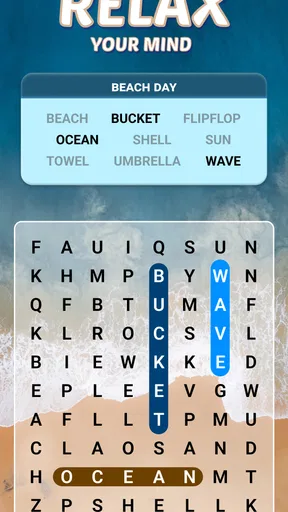
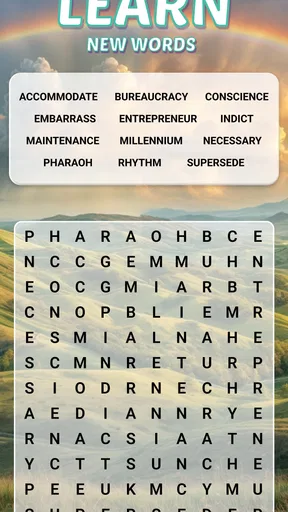
At its heart, this is a straightforward word game: scan a letter grid, spot the words you are looking for, and mark them. That simplicity is part of the appeal. There is no complicated rule set to learn before starting, so it fits naturally into a short break, a quiet evening, or a moment when I want something more engaging than scrolling but not demanding enough to feel like work.
The game is made by PlaySimple Games and is designed with older players in mind. That emphasis shows in the overall concept: a word search is already an accessible format, and a visually considerate presentation can make it easier to settle into than a dense puzzle screen. The key benefit is not that the game reinvents the genre; it is that it keeps the basic activity approachable.
That also means expectations matter. This is a casual puzzle for attention and word recognition, not a deep brain-training program. I would treat it as light entertainment rather than a way to measure memory or promise cognitive benefits. The pleasure comes from noticing a word you nearly missed, completing a board, and moving on at your own pace.
Why the format works in everyday use
Word searches are naturally suited to interruptions. If I have a few minutes while waiting for an appointment or winding down before bed, I can focus on the grid without needing to remember a complicated sequence of actions. The task is clear as soon as I look at it: search, identify, mark. That makes the game easier to pick up casually than a puzzle that demands a long, uninterrupted session.
A useful way to play is to scan in passes rather than hunting randomly. I first look for distinctive starting letters, then check likely horizontal or vertical runs, and only after that sweep diagonals. This approach reduces the feeling of staring aimlessly at a board. It is a small habit, but it can make a familiar word search feel more purposeful, especially when several target words share common letters.
The same routine can work well for two people sharing a screen, though the game is still fundamentally a solo puzzle experience. One person can call out a word while the other searches, then they can swap roles. That turns a quiet activity into a gentle shared pastime without needing a competitive mode or elaborate setup. It is also an easy way to help someone who is less comfortable with touch controls get oriented.
Clear presentation matters more than novelty
For this kind of game, visual comfort is not a cosmetic extra. A word search asks the player to compare many letters in a confined space, so legibility and a calm layout can make the difference between a pleasant puzzle and eye strain. The game’s senior-focused design is therefore a meaningful part of its identity, not just a label. I would especially consider it for someone who finds busy interfaces tiring, while still checking whether the on-screen text feels comfortable on their particular device.
There is a practical trade-off here: a simple interface helps people get started, but it cannot guarantee the same comfort for everyone. Screen size, brightness, eyesight, and personal preferences all matter. On a smaller phone, a grid can still demand careful focus, so I would try a short session before making it a regular habit. If the letters feel cramped, a larger device may be the better way to enjoy this style of puzzle.
Compared with paper word-search books, the mobile version is easier to carry and ready whenever the phone is nearby. Paper may still be better for someone who wants to avoid screens, mark a page with a pencil, or solve puzzles away from a charged device. Compared with fast-paced mobile games, this one asks for patience rather than quick reactions. That is a strength for relaxed play, but a limitation if I want constant action or a more varied challenge.
Where the experience can feel limited
The central weakness is also obvious: the basic action stays the same. If you already play word searches often, the core loop may become repetitive, and a polished presentation cannot change the fact that you are repeatedly scanning letter grids. People who want a campaign, evolving mechanics, or substantial strategic choices should look elsewhere. This is best approached as an easygoing puzzle habit, not a game with layers to master.
There is also a difference between “simple to understand” and “effortless for every player.” Searching a grid takes sustained visual attention, and some people may find that tiring even when the layout is designed to be approachable. I would not recommend it as a substitute for large-print paper puzzles if screen reading is uncomfortable. Nor is it the right pick for someone who dislikes word games or finds letter-search tasks frustrating.
Purchases are available within the free game, with individual items priced from $0.99 to $49.99. That range is worth keeping in mind before playing, particularly if you prefer games with no optional spending. I’d suggest treating the free experience as the starting point and deciding for yourself whether any purchase is genuinely useful. A casual word-search game does not need extra spending to justify trying it, so there is no reason to buy anything impulsively.
For a parent or relative helping an older family member get started, I would keep the first session simple: adjust the device’s general display settings if needed, open a puzzle together, and let the player try marking a word at their own pace. That gives a much better sense of whether the screen and interaction feel comfortable than relying on a description alone. It also avoids turning a relaxing game into a lesson with too many instructions.
Who is most likely to enjoy it
I see the strongest fit for people who enjoy language puzzles but want a gentle pace, for older players looking for a familiar activity, and for anyone who likes short, self-contained challenges. It can also suit a person who wants a quiet phone game to dip into between other tasks. Because word searches rely on spotting patterns rather than learning elaborate controls, it is approachable for newcomers to mobile games as well.
It is a weaker fit for players who want multiplayer competition, a rich story, action, or a puzzle format that changes substantially from one session to the next. If I were choosing between this and a crossword, I would pick this when I wanted quick visual scanning and less reliance on clues. If I wanted to work through definitions and word meanings, a crossword would be more satisfying. A paper puzzle book is the better alternative when screen time itself is the problem.
The game is free to download, rated for Everyone, and has reached over 100 million installs. It holds a 4.9 average from around 1.3 million ratings, alongside about 23,000 written reviews. Those figures suggest broad appeal, though they do not tell me whether its particular visual style will suit an individual player. It was released on November 19, 2021, and version 1.290.0 requires Android 8.0 or later.
A measured recommendation
My verdict is positive, with a clear caveat: Word Search Explorer is at its best when you want an uncomplicated, visually considerate word puzzle and are happy with the word-search format itself. It earns its place as a convenient, low-pressure option, particularly for players who value ease of entry over novelty. The best way to decide is to try a brief session and see whether the grid feels comfortable and the routine stays enjoyable.
Word Search Explorer is not the game I would choose for a long, varied adventure, and its optional purchases make it sensible to keep spending in mind. But for a calm puzzle during a wait, a shared activity with a family member, or a familiar word game that is ready when you are, it is an easy recommendation. If you want more complexity or prefer puzzles away from a screen, another format will serve you better; if you want a simple word search on your phone, this is a strong place to start.
What we like
- Offline play makes it easy to enjoy puzzles without an internet connection.
- Simple controls make the game approachable for players of all ages.
- Multiple puzzle themes keep word hunts feeling varied.
- Adjustable difficulty offers a challenge for different skill levels.
- Short rounds work well for quick breaks.
What could be better
- Some puzzles may feel repetitive after extended play.
- Small letters can be difficult to read on compact screens.
- Hints may reduce the satisfaction of solving a puzzle unaided.
- Ads can interrupt play depending on the version.
- Later levels may require more patience as word searches become harder.




