
 Analysis byWeUseApps
I like word games best when I can start quickly, make a little progress, and put them down without feeling that I have signed up for a long session. Crossword Go! is built around that sort of casual visit: it is a free crossword game from PlaySimple Games, aimed at approachable clue-solving rather than a formal, newspaper-style test. Its broad appeal is easy to understand, though its light approach is not a substitute for a demanding crossword if that is what you want.
Quick starts, with clues that set the pace
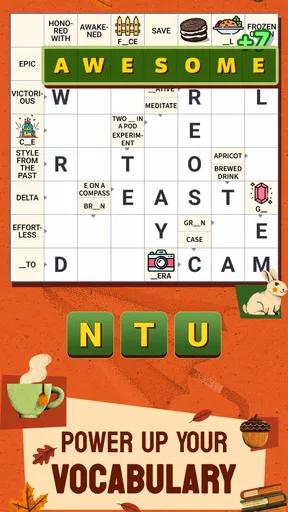
The main attraction is the low barrier to entry. The clues are presented for easy play, so I can begin by filling answers I know rather than needing to study a complicated interface or learn a new set of rules. That makes Crossword Go! a natural choice for a short break, a quiet moment at home, or a shared game when someone wants to solve alongside me.
Speed here is best understood as ease of getting into a puzzle, not a guarantee about loading time or how fast every device will run it. The game’s simple crossword premise should suit players who want words and clues to be the focus. If you are comparing it with a traditional paper puzzle, the digital format is more convenient to pick up in spare moments; if you are comparing it with fast arcade word games, it asks you to pause and think rather than race through taps.
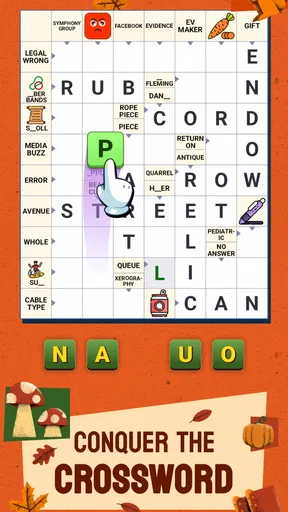
I would start with the obvious answers instead of treating each clue as a separate problem. A confirmed word gives you crossing letters, and those letters can turn an uncertain clue into a much easier one. This is especially useful when a clue seems vague at first: leave it temporarily, fill a nearby answer, then return with more context. That small change in approach makes a casual crossword feel less like guessing.
A useful rhythm for short sessions
For an everyday scenario, imagine opening a puzzle while waiting for a coffee or during a break between tasks. I would use the first few minutes to solve the clues that come readily, then stop at a natural point rather than forcing every uncertain answer. A crossword is easy to revisit mentally later, and a partially solved grid can be more satisfying than rushing through it simply to finish.
The title’s emphasis on enjoying puzzles together also makes it suitable for a shared screen-side conversation. One person can suggest a synonym, another can spot a crossing, and neither needs to be an expert. The trade-off is that people who prefer solitary, quiet concentration may find discussion distracting, while a group with very different vocabularies may need to agree on clues before filling them in.
That collaborative angle works best when everyone treats wrong turns as part of solving. Rather than arguing over a single clue, I would compare the candidate word with its crossing letters and see which option fits the grid. It keeps the interaction focused on reasoning, not on who knows the answer first. The game is a better fit for relaxed teamwork than for competitive scoring between players.
When longer play changes the experience
During a longer session, the main demand is attention: you have to keep track of clue wording, possible answers, and the letters already placed. That is a different kind of effort from a quick word search, where scanning and recognition may be enough. Crossword Go! is likely to appeal to people who enjoy making connections at an unhurried pace, but it may feel slow to anyone who wants constant action or a rapid stream of new challenges.
A practical way to avoid fatigue is to switch between easy and uncertain clues. If every answer has become a struggle, take a short pause instead of repeatedly trying the same interpretation. On returning, read the clue literally and then consider whether it might be asking for a familiar expression or a different form of a word. This is a general solving habit rather than a special feature, but it can make the game more enjoyable and reduce unproductive tapping.
I would also avoid using the game as a test of obscure vocabulary unless you already enjoy that kind of puzzle. Its stated focus is accessible clue-solving, which is a strength for casual players but may not satisfy people who want deliberately difficult clues or a serious daily challenge. A dedicated newspaper crossword or a tougher puzzle app may be a better match for that audience.
Reliability and the limits of what to expect
A word puzzle does not need elaborate action to be engaging, and the straightforward format helps keep the experience focused on the grid. Still, I would not read simplicity as a promise that every session will be flawless on every phone. Perceived responsiveness can depend on the device and its current condition. If a puzzle feels sluggish, closing other demanding apps and reopening the game is a sensible first step before assuming the game itself is the cause.
For recovery after an interruption, I would make a habit of checking the puzzle state when I return rather than assuming every app handles backgrounding the same way. If you are interrupted by a call or need to switch tasks, that quick check helps you confirm where you left off. I cannot promise how every interruption is handled, but the low-pressure nature of crossword play makes it easy to pause at a clue boundary and resume when convenient.
Heavy use is more likely to expose ordinary phone constraints than to demand gaming hardware. Crossword solving is not visually or mechanically intense in the way a 3D action game can be, so the device question is mainly whether your phone runs its operating system comfortably and has enough free resources for everyday use. On an older or crowded device, keeping other apps closed can help general responsiveness, but no game can remove the limits of a phone that is already struggling.
Compatibility, cost, and who should try it
The current release is version 1.84.0, and the game requires Android 8.0 or later. It is rated for Everyone, which makes its content suitable for a broad audience, though a parent should still decide whether any app’s play pattern fits their household. The game is free to download, with optional in-app purchases listed from $0.99 to $49.99 per item. I would treat the free entry point as a chance to see whether the clue style suits you, and pay attention to any purchase prompt before confirming it.
Its popularity is substantial: the game has a 4.9 average from around 75,000 ratings, with roughly 3,500 written reviews and over one million installs. Those figures suggest many players have found it appealing, but they do not establish that every puzzle style will suit every solver. PlaySimple Games is the developer, and the game’s word-focused design is the more useful guide to whether it belongs on your phone.
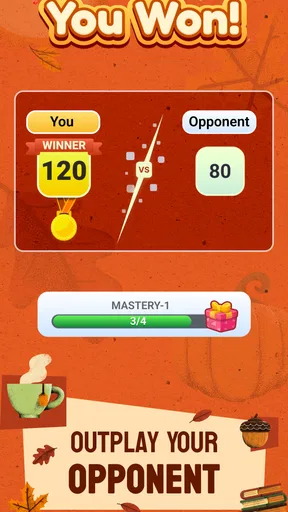
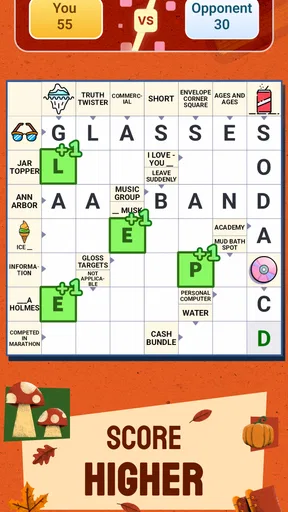
Compared with a paper crossword, this is easier to carry into small gaps in the day and more naturally suited to casual shared play. Compared with a word-search game, it asks for more interpretation and benefits more from crossing letters. Compared with a competitive word battle, it is less about speed against another person and more about working through clues. That makes it a particularly good fit for someone who wants a calm mental exercise without the pressure of a timer or opponent.
On the other hand, I would skip it if you dislike clue-based puzzles, want a fully offline pastime, or are specifically looking for advanced crossword difficulty; I would not assume those needs are met. Likewise, players who are sensitive to optional purchase prompts may prefer a paid puzzle app with a different business model. The free download is appealing, but a free game with in-app purchases is not the same thing as a purchase-free experience.
My performance verdict
My overall impression is that Crossword Go! is designed to make getting started feel easy, with the puzzle itself—not reflexes or complicated controls—providing the challenge. Its strongest use case is a relaxed, repeatable session: solve a few clues alone, invite someone to help, or return to a grid when you have a spare moment. The main trade-offs are that accessible puzzles may be too gentle for expert solvers and that optional purchases are part of the free-to-play setup.
I would recommend it to casual word-game fans who want a friendly crossword they can share or pick up in short bursts. I would choose a tougher crossword alternative for deeper difficulty, and a faster word game for pure quick-fire entertainment. If your phone meets the Android requirement and you are comfortable with optional purchases, the best test is simply to try a puzzle and see whether its clue style keeps you curious. For the right player, that gentle rhythm is precisely the point.
What we like
- Quick rounds make it easy to play in short breaks.
- Hints help when a clue proves difficult.
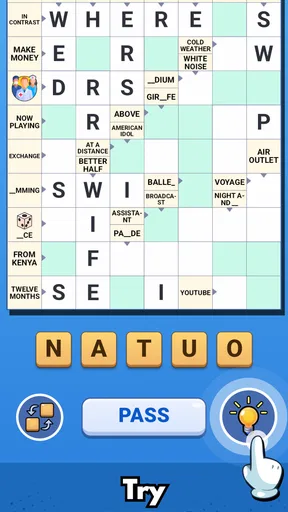
- A clean layout keeps the puzzle grid easy to read.
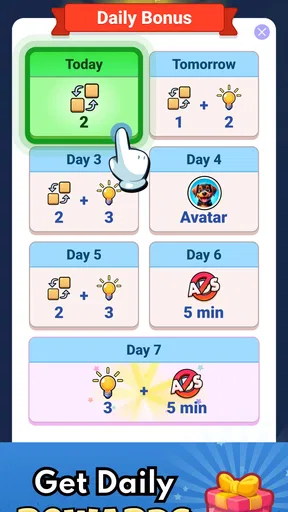
- Daily puzzles provide a reason to return.
- Crosswords offer a relaxing way to exercise vocabulary.
What could be better
- Some clues may feel too easy for experienced players.
- Hints can reduce the challenge if used often.
- Ads may interrupt the flow between puzzles.
- Small grid text can be hard to read on compact screens.
- A steady internet connection may be needed for some features.




