
 Analysis byWeUseApps
The first thing I’d keep in mind with Weather Radar Home is that its appeal depends on whether you want weather close at hand. It’s a free weather app from OmniHome Apps, built around making radar, alerts, and forecasts accessible from your home screen. That can be useful when you check conditions in passing, but it also means the home-screen experience matters as much as the forecast itself. I’d treat it as a convenient everyday companion, not automatically as a replacement for every weather tool.
When a quick weather check gets stuck
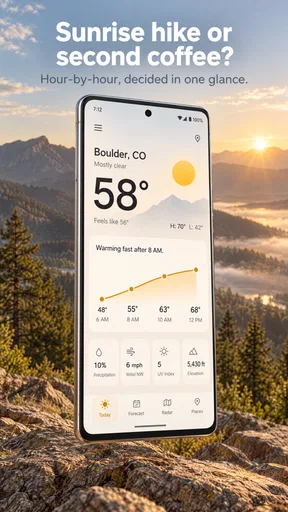
Weather Radar Home is aimed at people who want to see what the weather is doing without repeatedly opening a full forecast app. The idea is practical: glance at the home screen, decide whether to take a coat or leave earlier, and get on with the day. In ordinary use, the main friction is often not the forecast but the setup around it. A home-screen feature has to be added and placed where you can actually see it, and the first attempt may take a little more fiddling than tapping an app icon.
If you install it and don’t immediately see weather on your home screen, I wouldn’t assume the app is broken. Check whether you have added its home-screen element through your device’s usual customization controls, and look for it among the available options. The exact steps vary by device and operating-system version, so it’s better to follow the controls shown on your own phone than expect a single universal sequence.
There’s also a useful distinction between opening the app and seeing an at-a-glance display. The app can still be available even if you haven’t added anything to the home screen. If your goal is fast access, take a moment after installation to arrange the display in a spot you naturally check. If you only want to consult the forecast occasionally, opening the app directly may be enough and avoids cluttering a screen you prefer to keep simple.
The app has an average rating of 4.2 from around 2.9 thousand ratings, alongside roughly 700 written reviews. Those figures suggest a product that many people find useful, while leaving room for individual differences in setup and expectations. I’d pay more attention to whether its home-screen approach suits your habits than assume the rating guarantees a perfect fit for every phone.
Check the basics before troubleshooting
When the display seems out of date or doesn’t match what you expect, start with the simple checks. Confirm that the app is installed and opens normally, then make sure the home-screen item you added is actually the one associated with it. If the phone has more than one home screen, check the others too; it’s easy to add something successfully and then overlook where it landed.
Location is another practical point for any local weather experience. If the forecast seems tied to the wrong place, check the location choices available inside the app and review the phone’s relevant settings. I wouldn’t change several settings at once: make one adjustment, return to the forecast, and see whether the displayed location makes sense. That makes it easier to tell which change helped.
Weather Radar Home is listed for devices running version 8.1 or later, and the current app version is 4.0.46. If installation or a particular screen behaves unexpectedly, checking that your device meets the minimum requirement and that the app is up to date is a sensible first step. Updates can also mean that instructions seen in older screenshots no longer match the controls on your phone, so rely on what you see in the current app rather than a dated walkthrough.
The app is rated for Everyone, which makes it broadly suitable from a content standpoint. That doesn’t mean every display or alert will suit every person’s preferences, though. I’d take a minute to explore the available controls after setup and decide whether the information is helpful at a glance or whether it makes the home screen feel busier than you like.
A practical recovery routine
If a home-screen display stops updating or appears to have vanished, I’d work through recovery in a calm order. First, open the app and see whether it loads. Then return to the home screen and check whether the display is still present. If it has disappeared, add it again using the device’s normal home-screen customization process. If it remains but looks stale, reopen the app and give it a moment before deciding that something is wrong.
This step-by-step approach is more useful than immediately removing and reinstalling the app. Reinstallation can cost time and may not address a home-screen arrangement issue. It’s also worth checking whether you have changed the phone’s layout or moved between home screens since you first set things up. A misplaced item can look like a failed feature when it is simply out of sight.
For a workday, I’d use the home-screen view as a prompt, not as the whole decision. A quick glance before leaving can help me decide whether to bring an umbrella, but if the weather is changing quickly or I’m planning a long trip, I’d open the app and examine the information more carefully. That two-step habit is a useful trade-off: the home screen saves time for routine checks, while the app itself is where I’d go when the decision matters more.
One less obvious benefit of keeping the display in a predictable place is that it can turn checking the weather into a small routine rather than another notification to manage. For example, I might check it while looking at my calendar before heading out. The limitation is that a glance can encourage overconfidence: a home-screen snapshot is convenient, but it shouldn’t be treated as a guarantee that conditions will stay the same for the rest of the day.
When the phone, not the forecast, is the issue
Not every odd result points to a problem with Weather Radar Home. If several apps are slow to load, the cause may be broader than this one app. If the phone’s home screen has been reorganized, the display may have moved or been removed. And if the forecast seems wrong for your area, first check that the selected location is the one you intend to use before judging the forecast itself.
I’d also separate a forecast disagreement from a display problem. A home-screen view is designed for speed, so it may not answer every question you have about timing or local conditions. When you need more context, open the app rather than trying to extract a detailed plan from a quick glance. For a decision with real consequences, it’s sensible to compare the forecast with another trusted source rather than rely on a single screen.
That’s where this app differs from the usual weather alternative. A conventional weather app often makes opening the app the central action: launch it, scan the forecast, then close it. Weather Radar Home puts more emphasis on bringing weather into the home-screen routine. I see that as a convenience choice rather than proof that one approach is universally better. If you enjoy a clean screen and prefer to open an app only when needed, a standard forecast app may feel more natural.
Radar and alerts can be especially appealing when you want to keep an eye on changing conditions, but I wouldn’t assume that a glance replaces checking details before travel or outdoor plans. The practical workflow is to use the home screen for awareness, then open the app when you need a closer look. That distinction helps prevent a useful shortcut from becoming a source of false certainty.
Who will appreciate the home-screen approach?
I think the app makes the most sense for people who check the weather several times a day and want fewer steps between curiosity and a useful glance. It can suit commuters deciding what to wear, parents checking conditions before a school run, or anyone who likes to look at the forecast while already checking the phone for something else. The strongest case is not a dramatic feature claim; it’s the small amount of effort saved when a quick check becomes part of an existing habit.
It may be less suitable if you rarely look at your home screen, dislike adding extra items to it, or need a weather service primarily for detailed planning. In those cases, an app organized around a full forecast may be easier to use. I’d also skip the home-screen angle if you find glanceable information distracting; convenience only helps when it reduces friction rather than adding visual noise.
Weather Radar Home is free, has more than 500,000 installs, and was released on August 17, 2024. Its developer, OmniHome Apps, has continued to version 4.0.46. I’d consider those details useful context when deciding whether to try it, but they don’t answer the personal question that matters most: do you actually want weather visible on your home screen?
My practical verdict
Weather Radar Home is worth trying if your main frustration with weather apps is the extra step of opening one just to check conditions. I like the logic of placing radar, alerts, and forecast access close to the point where I already start using my phone. The setup may take a little attention, and a home-screen display is not a substitute for a careful forecast check when plans depend on changing weather.
My recommendation is to install it, arrange the home-screen view in a place you naturally look, and use it for a few ordinary days. Notice whether it helps with real decisions—choosing what to wear, checking before a walk, or deciding when to leave—or whether you keep opening a different weather app anyway. If the glance becomes a useful habit, the app’s focused approach earns its place. If you want more detailed planning or prefer a quieter home screen, a conventional weather app is likely the better fit.
What we like
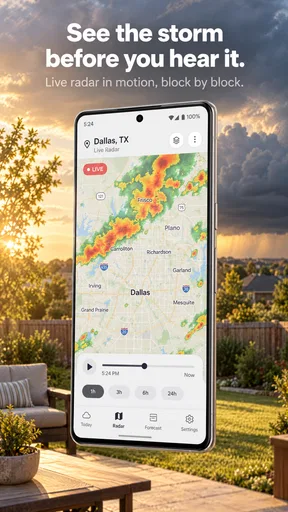
- Radar maps make approaching rain easy to spot.
- Location-based forecasts help you check conditions nearby.
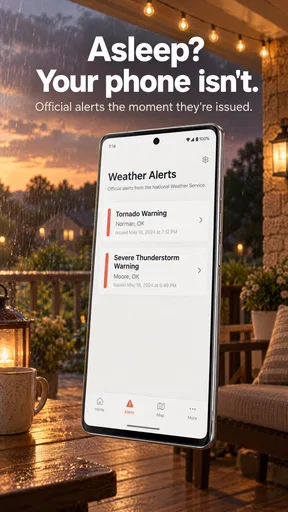
- Severe weather alerts can provide useful advance notice.
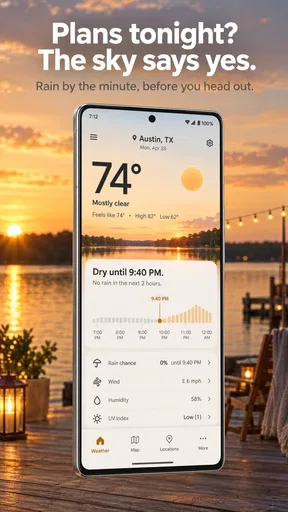
- The home screen offers a quick view of current conditions.
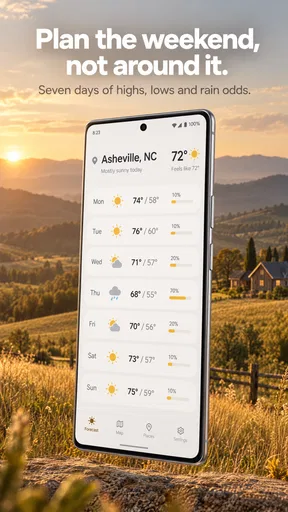
- Forecast details support planning for the days ahead.
What could be better
- Radar coverage and accuracy can vary by location.
- Some features may require a paid subscription.
- Frequent alerts can become distracting.
- The app may need location access for local forecasts.
- Weather information depends on an internet connection.




