
 Analysis byWeUseApps
Weather apps are most useful when they help me make a small decision at the right moment: whether to take a jacket, shift a walk, or leave earlier. Nice Weather, a free weather app from Znd Digital, is aimed at that everyday role. Its promise is straightforward rather than specialized, and I think that makes it worth considering if you want a quick weather check without turning forecast-reading into a project.
Built around a quick weather check
The clearest way to approach Nice Weather is as a practical glance at conditions, not as a full planning toolkit. That distinction matters. Some weather apps compete through layers of maps, detailed charts, and many adjustable controls; this one presents itself with a much simpler purpose. For routine questions—what should I wear, is an outdoor errand sensible, or should I bring an umbrella?—a focused view can be more useful than a screen crowded with information.
That simplicity is also a trade-off. A compact weather experience works best when the information you need is easy to interpret and available quickly. It is less suited to someone who wants to investigate several forecast models, track severe-weather details, or build a detailed itinerary around hourly changes. I would choose it for daily awareness, not as my only source when a weather-sensitive decision has serious consequences.
The app sits in the weather category and has an average rating of 4.0 from around 19,000 ratings, with roughly 671 written reviews. More than 5 million installs suggest that it has found a broad audience, though popularity alone does not tell me whether its presentation will suit every user. The useful question is whether its straightforward approach matches the way you check the forecast.
What a focused forecast changes
When I open a weather app, I do not always want to compare graphs or interpret technical terms. Often I need a fast answer before stepping outside. A product organized around accessible weather information can lower that effort: I can make a decision, close the app, and get on with the day. That is the strongest case for Nice Weather based on its simple positioning.
There is a subtle benefit to keeping a weather check brief. If the forecast is easy to scan, I am more likely to check again before a later commitment instead of relying on what I saw first thing in the morning. Weather can change, and a quick revisit before a commute or outdoor appointment is a sensible habit. The app’s simple premise fits that routine better than a tool that demands a deliberate forecasting session.
At the same time, “simple” should not be confused with “enough for every question.” A short glance may help me decide whether to carry a layer, but it is not automatically a substitute for detailed timing when rain could affect a long trip. If you regularly need precise information for outdoor work, sport, or travel, compare the available detail with what you rely on today before making it your main weather source.
How I would use it during an ordinary day
Imagine I have a morning commute, a grocery stop, and an outdoor walk planned later. I would use Nice Weather as a check before leaving home, then look again before the walk rather than assuming the morning conditions will hold. If the day looks unsettled, I can make a low-cost adjustment—take a light outer layer or move the walk—without needing to study a long forecast report.
A useful workflow is to make the forecast answer a specific question each time. Before leaving, ask whether the current conditions call for a change in clothing. Before an outdoor plan, ask whether the forecast still supports keeping it as scheduled. That approach prevents casual checking from becoming endless refreshing, while still recognizing that one early glance cannot settle every later decision.
I would also avoid treating any weather app as a guarantee. Forecasts are guidance, not a promise that conditions will match a particular street or moment. For a flexible errand, a broad sense of the day may be enough. For a long drive, a hike, or work that depends on safe conditions, I would seek more detailed and timely information and use local alerts where appropriate. This is a sensible boundary for Nice Weather’s everyday role, rather than a criticism unique to this app.
One practical tip is to check at the point when the information could still change your plan. Looking just before leaving is more actionable than checking hours earlier and forgetting the result. Another is to distinguish between decisions that are easy to reverse and those that are not: deciding whether to carry a jacket is low stakes, while committing to a long outdoor activity deserves a closer look at the forecast.
Where it fits beside other weather apps
Compared with the usual alternatives, Nice Weather appears best positioned for people who value an uncomplicated daily check over extensive customization. A map-heavy or data-rich weather app can be the better choice if you like tracking storm movement, comparing conditions across locations, or examining detailed changes over time. Those tools can answer more specialized questions, but they may also require more attention than a casual user wants to give.
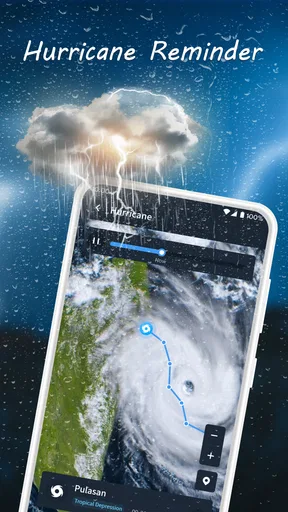
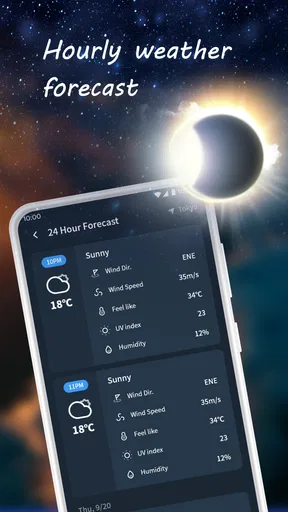
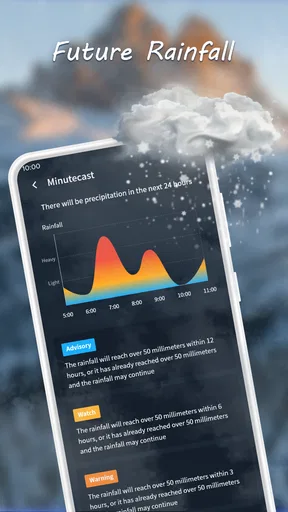
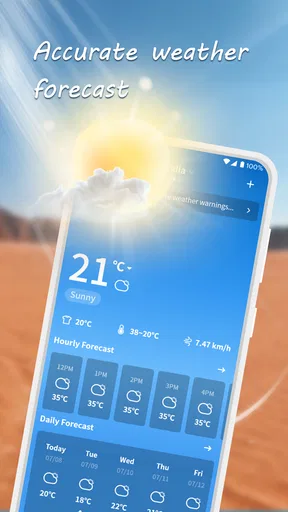
The opposite trade-off applies if you currently use a very basic built-in forecast. Nice Weather may be worth trying if you want a separate weather app with a clear everyday purpose, but I would judge it by how quickly you can get the answer you need on your own device. The short description, “Nice Weather,” does not establish exactly how its screens or forecast details are arranged, so I would not assume that it includes a particular map, widget, alert, or hourly layout. Check the actual interface before building a routine around any feature that matters to you.
That restraint is important when comparing weather tools. A list of features is less useful than testing the one task you care about: can you tell whether your planned walk still makes sense, or whether you should prepare for different conditions? If the answer is clear without hunting through menus, the app is doing its job for that use. If you need to dig or want a level of detail it does not provide, a more specialized alternative is a better fit.
Small friction points worth considering
The main limitation of a straightforward weather app is that its appeal depends on the information being both readable and sufficiently relevant to your plans. If you are the kind of person who wants to inspect conditions hour by hour or compare multiple places, a simplified approach may leave you wanting more. I would not install it expecting advanced forecasting controls simply because it belongs to the weather category.
There is also a practical setup question: location-based convenience is only useful if the app can show the place you care about in a way that suits your routine. If you prefer checking a saved destination rather than your current location, confirm that the app supports your preferred way of choosing places before depending on it. I would not presume a specific location-management feature without checking it in the app.
For another common concern, the app is free, so trying it does not require a purchase. That makes a short personal test reasonable: check whether its forecast view is understandable, whether you can reach the information you need quickly, and whether it earns a place on your phone beside your existing weather source. Free access does not by itself guarantee that it will be the right tool, but it lowers the cost of finding out.
Nice Weather is rated for Everyone and was released on November 26, 2024. Its current version is 1.4.3, and it requires Android 7.0 or later. Those details make it easier to judge basic compatibility, but the deciding factor for me would still be the experience on your own phone: a weather app is only useful if its presentation works for you when you are in a hurry.
Who is most likely to appreciate it
I would recommend trying Nice Weather if you want a low-effort way to check everyday conditions and your plans are usually flexible. It makes the most sense for someone who needs a quick prompt before commuting, running errands, or deciding whether to spend time outdoors. Znd Digital has placed it in a familiar, practical category, and its appeal is clearest when the goal is a simple decision rather than a deep forecast analysis.
I would steer away from relying on it alone if your routine depends on specialist weather detail or if bad conditions could create a safety concern. Outdoor professionals, frequent travelers, and people planning long activities may prefer an app with more detailed tools, and should check official local warnings when conditions matter. Even for casual use, anyone who already gets a clear forecast from another app has little reason to switch unless Nice Weather proves faster or easier for them.
My overall view is that Nice Weather is worth a try for everyday weather awareness, provided you keep expectations aligned with its straightforward role. Its free price, broad user base, and accessible age rating make it easy to consider, while its 4.0 average suggests a generally positive reception rather than universal approval. I would keep it if it helps me make small daily choices with less fuss; if I needed deeper forecasting, I would choose a more specialized alternative instead.
What we like
- The interface makes current conditions easy to check at a glance.
- Forecast details help with planning outdoor activities.
- Weather information is presented in a clean and readable layout.
- Location-based forecasts can be useful when traveling.
- Quick access to forecasts makes routine checks convenient.
What could be better
- Forecast accuracy may vary by location and conditions.
- Some locations may have less detailed weather data.
- Frequent updates can use mobile data.
- Weather alerts may require notification permissions.
- The app may offer limited usefulness without an internet connection.




