
 Analysis byWeUseApps
I judge a weather app by whether it helps me make a small decision at the right moment: take a jacket, change my departure time, or check the sky before heading out. Daily Weather Alarm - Radar presents itself as a straightforward daily weather companion, and that is the right way to approach it: as a quick check-in rather than a replacement for specialist forecasting tools. The idea is practical, but its usefulness depends on how well its day-to-day information fits your routine.
A simple baseline for checking the day
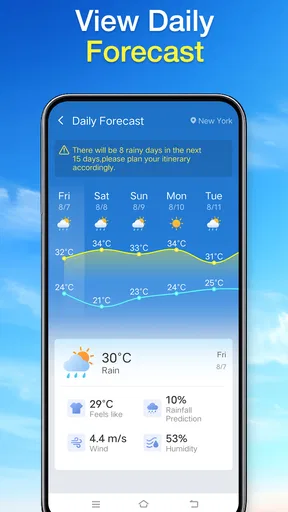
My preferred way to use a compact weather app is to check it at a consistent point in the day, then return only when plans or conditions change. That habit matters more than repeatedly opening an app and scanning the same screen. With Daily Weather Alarm - Radar, I would use the daily view as a first pass: decide whether the day looks routine, then investigate further if the weather could affect a commute, an outdoor errand, or time with family.
The app is listed in the weather category and is developed by X5 Network Area. Its short description is simply “Daily Weather,” while its broader purpose is framed as an everyday assistant. That modest positioning is useful: it encourages a quick practical check instead of promising the depth of a professional meteorology service. I would treat its information as one input into a decision, especially when the cost of getting the forecast wrong is high.
A realistic use case is getting ready for work on a changeable morning. I would check the forecast before leaving, make a call about clothing and whether to allow extra time, and avoid reopening the app unless the weather becomes relevant to the route. For a low-stakes walk, a glance may be enough. For a long drive or an event where rain would cause a major problem, I would compare another trusted forecast as well. That is a sensible habit with any everyday weather app, not a claim that this one is inaccurate.
The app is free and carries an Everyone age rating, so it is easy to consider for ordinary household use. Its current version is 1.4.0, and the minimum operating system requirement is 8.0. It has passed 100,000 installs, with an average rating of 3.0 from 294 ratings and 49 reviews. Those figures make me cautious about treating it as an obvious standout: I would try it for my own routine and judge whether its presentation and forecast meet my needs rather than relying on popularity alone.
Make the first check answer a real question
Weather screens can become a habit without becoming useful. I get more from a check when I ask one specific question before opening the app: do I need rain protection, should I shift an outdoor task, or is a normal departure time reasonable? This keeps a daily glance focused. If the app gives me enough information to answer, I can close it; if not, I know to consult a more detailed source rather than keep searching the same view.
That approach also helps avoid overreacting to a single forecast detail. A prediction is guidance, not a guarantee, and plans change. For a short trip across town, a broad daily outlook may be all I need. If I am organizing an outdoor activity well in advance, I would check again closer to the event, because conditions can shift and a routine daily view is not a substitute for reassessment.
Settings are worth checking before relying on a routine
When I set up any weather app, I look for the choices that affect whether its information is relevant to my day: the location it is using, the units it displays, and any options that control notifications or reminders. I would check these in Daily Weather Alarm - Radar rather than assume a fresh installation has the arrangement I prefer. A forecast tied to the wrong place or shown in unfamiliar units can be more confusing than helpful.
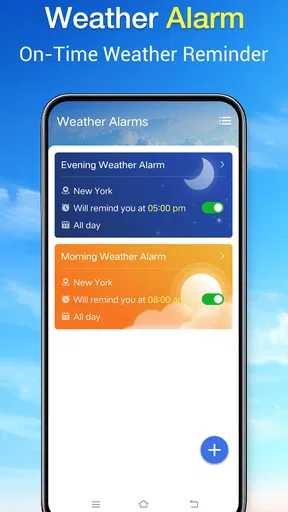
The name includes “Alarm,” but I would not build a schedule around a particular alert behavior until I had checked the app’s own settings and confirmed what it actually offers. The same applies to notifications: some people want a prompt, while others prefer to open a weather app only when they choose. If a reminder is available, I would use one at a time that supports an existing routine, such as before getting dressed, rather than allowing repeated prompts to become background noise.
Location is a particularly useful thing to verify when daily life involves more than one place. Someone who sleeps in one neighborhood, works elsewhere, and often checks conditions for a family member may need to be deliberate about which location the app is showing. I would not assume a quick reading applies to every part of a city. Local conditions can differ, so for a route or outdoor plan I would think about where I will actually be, not just where I am standing while I check.
It is also worth deciding how much interruption you want before enabling any weather alert. A person who works outdoors may welcome a timely nudge; someone who already checks the forecast at breakfast may find it redundant. I prefer to start with the least intrusive setup and add prompts only if I notice I regularly miss a useful check. That is a repeatable way to keep an app helpful without letting it dictate the rhythm of the day.
Faster patterns that make daily use less fussy
The most effective shortcut is a consistent sequence, not a hidden feature. I would check the weather once while planning the day, make any simple adjustments, and then stop unless a meaningful change in plans gives me a reason to return. This cuts down on aimless refreshing and makes it easier to notice when the forecast actually affects a decision.
For a household, the same habit can be shared without turning the app into a group planning system. One person can check the conditions before school or errands and tell others whether an umbrella or an extra layer seems sensible. The app itself does not need to be treated as a social tool for the information to support a practical routine. If another person needs a separate location or more detailed outlook, they should check that directly rather than rely on a secondhand summary.
I would also separate “today’s plan” checks from “big commitment” checks. A quick morning glance is useful for deciding what to wear or whether to move a short errand. A wedding, outdoor workday, or trip deserves another look nearer the time and, if the forecast has significant consequences, a comparison with a more detailed weather service. This small distinction prevents a convenient daily app from being asked to do a job that needs more careful planning.
When I compare this kind of app with the usual alternatives, the main trade-off is simplicity versus depth. A phone’s built-in weather view is often the quickest option because it is already close at hand. A specialist weather app may be a better fit for people who want more detailed maps, radar controls, or tools for interpreting changing conditions. Daily Weather Alarm - Radar makes most sense to me if its daily presentation is easier to return to than those alternatives, not simply because it has “Radar” in its name.
Where a daily companion can reach its limits
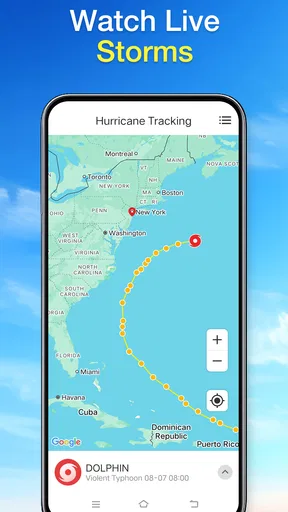
The name may create an expectation of radar-focused exploration, but I would evaluate the app by what I can actually use in its current interface, not by the word on the icon or title. People who need to inspect storm movement, compare layers, or plan around rapidly changing weather should make sure the app gives them the depth they need. If those tools are central to their decisions, a specialist radar service is the safer choice.
Likewise, someone who wants highly detailed forecasts for hiking, sailing, outdoor construction, or travel may outgrow a general daily check quickly. In those situations, the question is not whether a simple app is bad; it is whether its level of detail matches the risk and complexity of the plan. I would keep a familiar daily app for everyday decisions while turning to a more specialized source when conditions could affect safety, timing, or significant expense.
The average rating of 3.0 is a reason to approach it with measured expectations, not a verdict on how it will work for every person. A weather app’s value can depend on local relevance, interface preferences, and whether its information fits a user’s routine. I would test it over ordinary days and notice whether it answers my common questions quickly. If I repeatedly have to switch apps to get the detail I need, that friction is a clear sign to choose another tool.
There is also a practical difference between checking weather and depending on alerts. If an app becomes part of a safety-critical routine, I would avoid making it the only source of warnings. Keep an eye on local official guidance when severe conditions are possible, and use a dedicated alert channel where appropriate. A daily assistant can make routine preparation easier, but it should not replace good judgment or authoritative emergency information.
Who will get the most from it
I can see Daily Weather Alarm - Radar suiting someone who wants a simple daily check and is happy to build a small, repeatable habit around it. It may also suit a household looking for an uncomplicated way to think ahead about ordinary errands and clothing. The free price makes trying it an easy decision, provided the app works on the person’s device and its actual presentation is a good fit.
I would skip it, or pair it with another service, if my priority were advanced radar analysis, detailed planning for outdoor work, or highly specific forecasts for activities where a poor call has serious consequences. I would also move on if I found myself repeatedly checking a second app because the first one did not answer a straightforward question. Convenience only counts when it reduces effort rather than adding another stop to the routine.
My overall view is that this is best considered a lightweight daily weather option, not an all-purpose forecasting station. Its strongest potential is helping a person pause once, make a sensible plan, and get on with the day. The developer is X5 Network Area, and the app’s basic positioning is clear, but the right choice still comes down to whether its day-to-day experience provides enough useful detail for your locations and habits.
My recommendation: try it as a morning check-in, confirm the relevant location and display preferences, and give it a fair test against the decisions you actually make. Keep it if it helps you prepare with less fuss. Choose a more detailed alternative when you need deeper radar or stronger planning tools. That is the balance I would want from a daily weather app: convenient for ordinary choices, but never mistaken for more than it is.
What we like
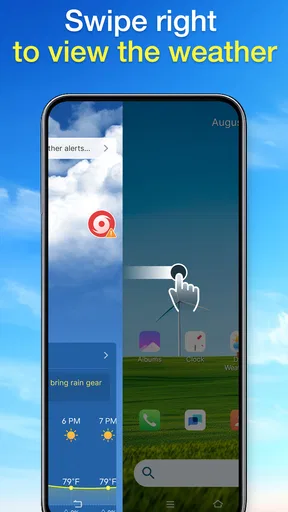
- Weather alerts can help you prepare for changing conditions.
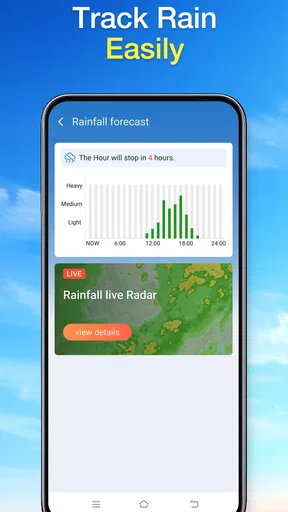
- Radar maps make it easier to follow approaching rain.
- Daily forecasts provide a quick look at expected conditions.
- Alarm reminders can support a consistent morning routine.
- A focused weather layout is easy to check at a glance.
What could be better
- Forecast accuracy can vary by location and weather conditions.
- Radar updates may lag behind rapidly changing storms.
- Frequent alerts can become distracting.
- Some features may require an internet connection.
- Alarm usefulness depends on keeping notifications enabled.




