
 Analysis byWeUseApps
I would choose Walgreens based on how often I need to handle pharmacy errands alongside ordinary shopping. It brings prescription tasks, deals, photo services, and retail browsing into one place, which can be handy when I already rely on Walgreens in person. But the breadth is also the main trade-off: if I only want a simple prescription reminder or a general shopping app, a more focused option may suit me better.
What matters when deciding
Walgreens is a free shopping app from Walgreens Co, and its mix of pharmacy and store functions is what sets it apart. I see it as most useful for someone who wants to check on prescription-related tasks and browse Walgreens offerings without treating those as separate errands. The app has an Everyone age rating, so its general audience is broad, though prescription services naturally matter most to adults managing their own care or helping a family member.
Before installing it, I would ask two practical questions: do I use Walgreens often enough for the app to earn space on my phone, and will I actually use more than one of its functions? If I visit the store for prescriptions and also shop there, the combined setup has a clear purpose. If I rarely go to Walgreens, the same assortment may feel like extra navigation rather than convenience.
The app has an average rating of 4.6 from around 1.6 million ratings, with about 231,000 written reviews and over 10 million installs. Those figures suggest it has a substantial audience, but they do not tell me whether it fits an individual routine. My decision would still come down to whether its pharmacy and retail services match the way I already shop.
One app for pharmacy and store errands
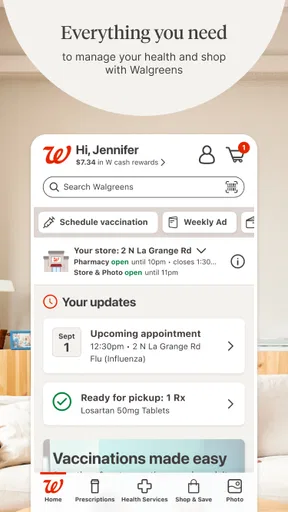
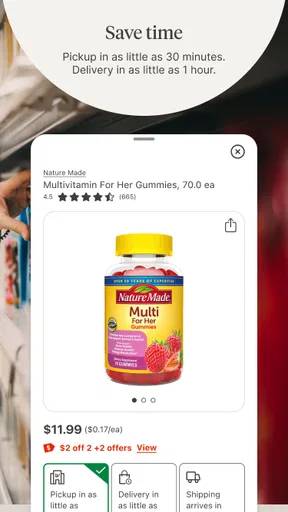
The strongest reason to try Walgreens is the possibility of keeping several related tasks together. Rather than opening a general retailer app for shopping and then switching to a separate pharmacy tool, I can start in one place when I need to deal with a Walgreens prescription and pick up household items. That matters most when I am planning a stop, not when I am casually browsing for something with no particular store in mind.
A useful everyday scenario is preparing for a busy week: I need to check a prescription task, look for a coupon that applies to something already on my shopping list, and decide whether to add a photo order. Handling these in one app can reduce the mental back-and-forth of remembering which service belongs where. I would still verify the details of each task before relying on it, especially when timing a pharmacy visit.
The app is also a practical option for people who already know what they need from Walgreens. A familiar retailer gives the shopping section a clear context, while the pharmacy functions make it more than a digital aisle browser. In my view, that combination is a better reason to install it than the promise of having “everything” in one app; the real benefit comes from repeating a few useful workflows.
How I would use its different tools
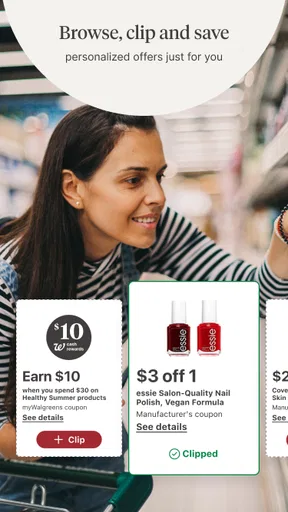
I would treat coupons as a planning aid rather than assuming every deal will change my shopping habits. A sensible workflow is to check offers after making a list, then decide whether an eligible item is something I already intended to buy. That keeps discounts from turning a quick run into unnecessary browsing. It is also a useful way to judge whether the app saves effort: if I have to hunt through offers every time, the savings may not feel worth the attention.
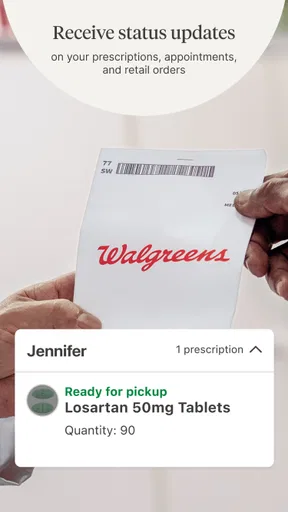
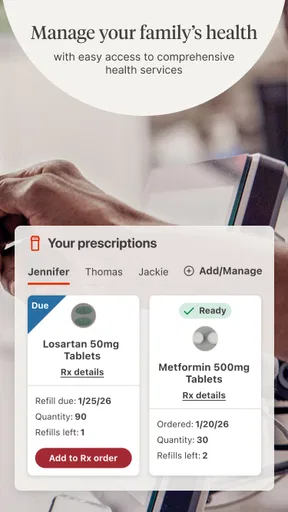
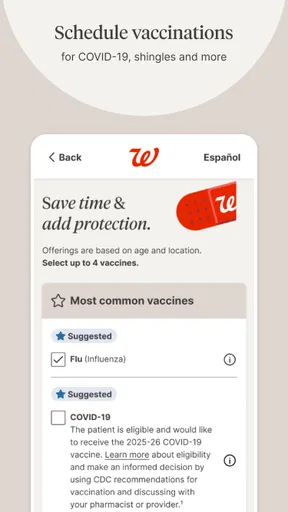
For prescriptions, I would use the app as a place to manage the Walgreens side of an errand, while keeping my own notes about what I need and when. One non-obvious advantage of combining pharmacy and shopping is that a planned pharmacy visit can become a single, better-organized store trip. The limitation is equally important: a retail app should not replace direct communication with a pharmacist or clinician when I have a health question that needs personal advice.
The photo function gives the app another distinct use, but I would think of it as an occasional task rather than a reason everyone should install it. If I already have a Walgreens errand and want to arrange a photo-related order, keeping that task in the same app may be convenient. If photos are my only reason for downloading, I would compare dedicated photo services and the options already built into my devices before committing to a new routine.
One practical tip is to decide in advance which of the app’s jobs matters most to me. I would start with that workflow, learn where its relevant information sits, and only then explore coupons or other shopping features. This avoids the common problem of opening a multi-purpose app, getting distracted by unrelated sections, and leaving without finishing the task I came to do.
Where it beats a narrower alternative
Compared with a general shopping app, Walgreens has a more specific purpose: it joins retail browsing with pharmacy-related activity and photo services tied to the same retailer. A broad marketplace may be a better place to compare a wide range of sellers, while Walgreens is more coherent when I want Walgreens products or services. The choice is not simply which app has more items; it is whether I value a broad catalog or a familiar store-and-pharmacy connection.
Compared with a pharmacy-only app, the extra shopping and coupon functions may save a switch when my errands overlap. That advantage has a boundary. If I only need prescription management and find retail promotions distracting, a focused pharmacy tool may provide a cleaner experience. I would not choose Walgreens merely because it combines more categories; I would choose it if I expect to use that combination.
Its photo feature also changes the comparison. A dedicated photo app may be preferable for someone who regularly edits, organizes, or orders images and wants those tasks to be the center of the experience. Walgreens makes more sense if photo ordering is occasional and fits alongside a store visit. This is a useful distinction: one app can be convenient for a small extra task without being the strongest specialist for that task.
Where the experience can feel less convenient
A multi-purpose layout can make simple jobs feel less direct. When an app serves pharmacy, shopping, coupons, and photos, I may need to be deliberate about where I begin instead of expecting one uncluttered screen for every purpose. For users who open it only a few times a year, remembering the right path may be harder than using a dedicated app designed around one task.
There is also a retailer commitment built into the convenience. The shopping features are most relevant when Walgreens is already a place I use; they are less persuasive if I compare stores on price, selection, or location before every purchase. I would not assume that an in-app coupon makes an item the best choice overall. Checking the final basket against my actual needs is a better habit than buying something simply because an offer is visible.
For prescription matters, convenience should not be confused with certainty about every personal situation. I would use the app to support routine Walgreens tasks, but I would contact the pharmacy directly if a prescription issue is urgent, confusing, or needs a human explanation. The app is helpful as a practical channel, not a substitute for professional judgment.
What switching would involve
If I am moving from a general retailer app, the main adjustment is learning to use a store-specific environment rather than browsing across many sellers. That can be a worthwhile trade if Walgreens is already part of my routine, but it will not replace every other shopping app I use. I would keep alternatives for purchases where comparing retailers matters more than having pharmacy and store tasks together.
If I am switching from a pharmacy-only tool, I would first decide whether I want retail and coupon browsing in the same place. The benefit is fewer app changes for errands that genuinely overlap; the cost is a broader interface and more opportunities to get sidetracked. Starting with one prescription-related task and one shopping task is a simple way to see whether the combined approach feels natural.
The current version is 117.1, and the app requires Android 10 or later. I would check compatibility before planning to use it on an older Android device. It is free to download, which makes trying it low-commitment, but the more meaningful cost is attention: an app is only convenient if its layout and functions fit my habits well enough that I keep returning to it.
Who should choose it
I would recommend Walgreens to people who regularly use its pharmacy or stores and want to combine those errands with coupons or occasional photo tasks. It is especially practical when one planned visit can cover more than one need. Its long history, having been released in 2010, and its large audience give it a well-established place among retail apps, although my recommendation rests more on that everyday fit than on popularity alone.
I would skip it if I do not shop at Walgreens, want a narrowly focused prescription tool, or prefer to compare many retailers before making purchases. I would also avoid relying on it as my only route for urgent health questions. In those cases, a specialist service, a direct conversation with the pharmacy, or a broader shopping option is likely a better match.
My overall view is that Walgreens earns its place when pharmacy and shopping are already connected in my routine. It is not automatically the best app for each individual task, but the convenience of handling several Walgreens-related errands together is real when I use those services often. I would install it for that joined-up routine, try the tasks I actually need, and keep another option for anything the app’s store-specific focus does not cover.
What we like
- Refill prescriptions directly from the app.
- Set reminders to help you take medications on time.
- Use the store locator to find nearby Walgreens locations.
- Manage multiple prescriptions in one place.
- Access digital coupons and rewards through myWalgreens.
What could be better
- Some pharmacy features require a Walgreens account.
- Prescription updates may not appear immediately.
- Medication delivery availability varies by location.
- The app may request access to personal health information.
- Some services are limited to participating stores.




