 Analysis byWeUseApps
When I want to turn a handful of clips into something worth sharing, I look for an editor that feels approachable on a phone rather than one that demands a full desktop workflow. Video Editor & Maker - InShot is built around that everyday use: it combines video editing, music, effects, slideshows, and slow motion in a mobile app aimed at making creative work feel manageable. The connection angle matters, too. Editing is a hands-on activity, but some parts of a media app may involve online services, so it helps to think about where connectivity could affect the overall experience without assuming every task needs a network.
Making short-form edits on a phone
InShot sits in the photography and video-creation space, and its appeal is easy to understand: it brings several familiar editing goals together in one place. I can imagine opening it to trim a video, add music, try an effect, or assemble still images into a slideshow. That combination makes it useful for casual projects as well as quick social clips, where the aim is often to make something polished without learning a complicated production suite.
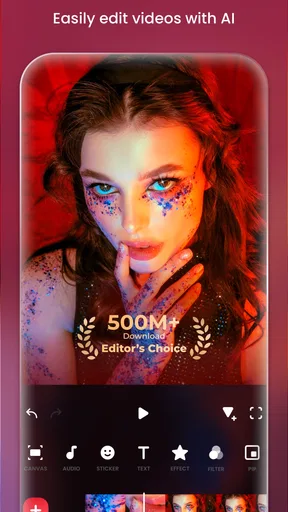
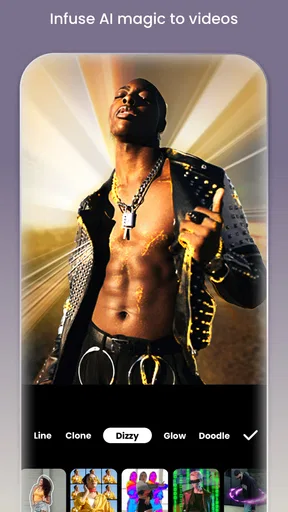
The store description calls it an AI video editor with music, effects, slideshow tools, and slow motion. Those capabilities give the app a broad creative identity, but the key strength is the range of jobs it is positioned to handle. Rather than being only a filter tool or only a slideshow maker, it is presented as a general-purpose mobile editor. For someone who likes keeping creative tasks in one app, that can make the process feel more direct.
My first impression is that InShot is designed for people who want to work visually and move quickly. A phone is already where many people capture clips and photos, so using a mobile editor can shorten the path from recording to sharing. I would expect the most satisfying projects to be the ones with a clear, modest goal: choosing a few moments, arranging them, adding an audio or visual touch, and making the result feel intentional.
Where connectivity enters the workflow
Editing itself is not the same as downloading or publishing, and that distinction is useful when judging a mobile creative app. Network access can matter when a workflow reaches services that depend on current online content or when a finished video is being shared elsewhere. The exact behavior can vary by task, so I would treat connectivity as part of the surrounding experience rather than assume it is required for every edit.
That is a practical way to approach any video editor on a phone. If I am planning a project while connected, I can explore the app and prepare the material I need. If I expect to work in a place with limited reception, I would avoid leaving time-sensitive steps until the last moment. This is not a claim that a particular tool works without a network; it is simply a sensible habit for keeping a creative session from becoming frustrating.
InShot’s large audience suggests that it has found a place in everyday mobile editing. It has more than 500 million installs, and its average rating is 4.8 from around 25 million ratings. Those figures point to broad visibility and a strong overall reception, though personal fit still depends on the kind of videos I make and how much control I want over each edit.
Mobile situations that suit the app
A phone editor is especially convenient when I want to make a quick recap, prepare a short clip, or turn a set of pictures into a more coherent sequence. The app’s stated focus on effects, music, slideshow creation, and slow motion gives me several creative directions to consider. I can start with an idea instead of first having to decide which specialized tool to install.
That convenience matters in ordinary settings: a break between errands, a quiet moment at home, or a commute where I have time to plan but not necessarily to upload a finished video. Small screens are not ideal for every detailed adjustment, yet they are convenient for reviewing footage and making straightforward creative choices. I see InShot as best suited to projects where speed and accessibility matter more than an elaborate studio setup.
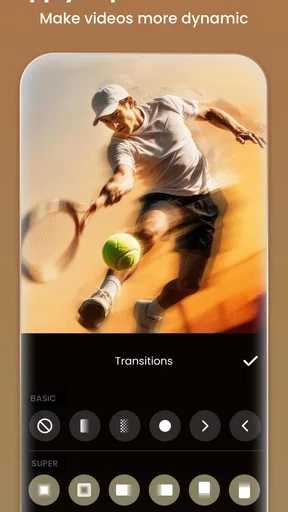
It also makes sense for people who are still learning what they enjoy in video editing. Trying a transition, testing a visual effect, or pairing images with music can be a low-pressure way to develop a style. The broad tool mix gives beginners room to experiment, while experienced phone editors can use the same general workflow for fast, practical jobs.
For a smoother session, I would decide on the shape of the video before opening the editor. Knowing which clips belong in the sequence, what mood I want, and whether the result should feel energetic or relaxed can save time. A stable connection is helpful whenever a task relies on online access, but good preparation also reduces needless back-and-forth and makes the editing itself feel more focused.
When a session hits a snag
Mobile editing can be interrupted by ordinary things: a weak signal, a busy device, or a change of location. If an online-dependent action does not go as planned, I would first separate it from the creative work already in progress. Checking whether the connection is available, trying again when it is steadier, and keeping the project goal simple are sensible first steps. I would not assume that every interruption means the edit has been lost.
It is also worth treating a complex edit as a sequence of small decisions. I can review the clip order, check the effect choices, and make sure the audio direction still fits before moving to a sharing step. Breaking the process into stages makes it easier to identify where a problem occurs, and it helps avoid repeating work unnecessarily. This is useful with any phone editor, especially when connectivity is inconsistent.
For a project that matters, I would leave room for a final review rather than waiting until the last minute. That gives me a chance to catch a section that feels too long, an effect that distracts from the footage, or a music choice that changes the tone. If the network becomes unreliable at the point of sharing, having already checked the creative result means I can return to that step later with less stress.
InShot’s overall simplicity is part of its appeal, but no app can make every mobile context perfectly smooth. The more ambitious the project, the more useful it is to work patiently and keep expectations realistic. I would approach the editor as a convenient creative workspace, not as a guarantee that every service or step will behave identically under every connection condition.
Staying thoughtful about data use
Video files can be substantial, and sharing them over a mobile connection may use data. That is a general consideration for video workflows, not a claim about a specific InShot feature. If I am on a limited plan, I would be deliberate about when I upload or transfer finished work and use a reliable connection for network-heavy tasks when practical.
Planning also helps avoid unnecessary repeated attempts. Before taking an online-dependent step, I can make sure the video is ready, the selected version is the one I want, and I am comfortable proceeding. This simple pause is useful because it reduces avoidable rework and makes the connection part of the process feel less intrusive.
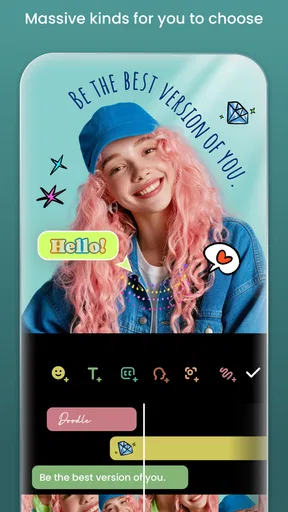
Because the app includes music and AI editing in its positioning, I would pay attention to the choices presented inside the app and make sure they suit my project. The important point is to use creative tools intentionally: choose effects that support the footage, avoid adding extras just because they are available, and keep the final video focused. A thoughtful edit often feels more personal than one overloaded with every option.
The app is free to download, with in-app purchases ranging from $0.99 to $199.99 per item. I would keep that in mind while exploring, especially if I am comparing available options or deciding how much I want to invest in a casual editing habit. A free starting point makes it easier to see whether the general approach suits me before spending anything.
Who is likely to enjoy InShot?
I would recommend considering InShot if you want a phone-based way to bring video and still images together, add a musical or visual accent, and experiment with effects or slow motion. Its broad purpose makes it approachable for casual creators who value convenience. It may also suit someone who frequently makes short videos and wants an editor within reach instead of moving between several apps for basic creative tasks.
It is less about replacing every professional workflow and more about making everyday editing accessible. If I were producing a project with demanding technical requirements, I would compare the app’s available controls with those needs before committing to it. For a personal montage, a quick clip, or an uncomplicated visual idea, however, the mobile-first focus is a clear advantage.
InShot is rated for Everyone, and it has been available since March 5, 2014. Its current version is 2.243.1555, with Android support from version 8.0. The developer is InShot Video Editor. These details give a useful sense of the app’s background and platform fit without changing the main question: whether its style of editing matches the way I like to create.
A balanced connectivity verdict
My overall take is that InShot is an appealing option for practical, creative editing on a phone. Its combination of music, effects, slideshow creation, and slow motion gives it more than one use, while its large audience and strong average rating indicate that many people have found value in it. I especially like the idea of having a single mobile workspace for shaping clips and images into a shareable piece.
Connectivity is best treated as a variable around the workflow, not as the defining feature of the editor. I would plan online-dependent actions for a time and place with a dependable signal, keep data use in mind when handling video, and avoid assuming that any specific function is available without a connection. That practical approach lets the creative side stay central while reducing avoidable frustration.
If you want an accessible mobile video editor for everyday projects, InShot is worth a look. I would start with a small edit, explore the tools that fit the idea, and see whether its workflow feels natural on your device. For quick creative work that benefits from music, effects, slideshow options, and slow motion, it offers a friendly starting point—provided you plan around the realities of editing and sharing on a connected phone.
What we like
- Easy-to-use controls make basic edits approachable for beginners.
- A wide range of filters and effects helps customize clips.
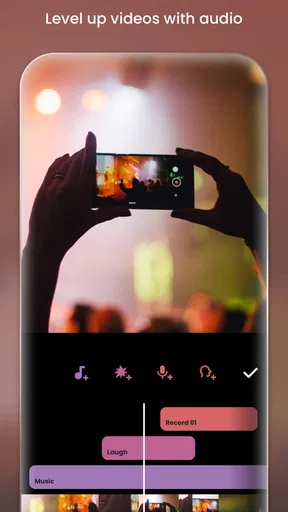
- Built-in music and sound effects simplify adding audio.
- Canvas presets make it easy to format videos for social platforms.
- Export options support high-resolution video output.
What could be better
- The free version includes ads and branded elements.
- Some effects and editing tools require a paid subscription.
- Large projects can take time to export on older devices.
- Precise edits can be difficult on a small touchscreen.
- Advanced timeline controls are limited compared with desktop editors.