

 Analysis byWeUseApps
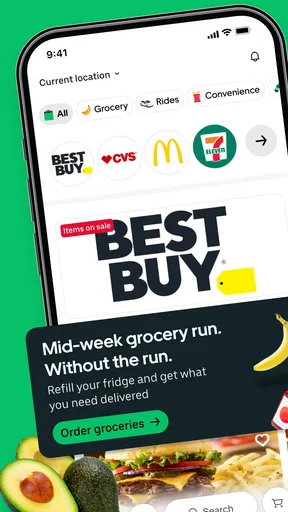
Uber Eats brings restaurant meals, groceries, and everyday essentials together in one ordering app, with the option to request an Uber ride as well. I find that combination useful when I want to handle a quick meal or household errand without switching between several services. The experience is built around browsing available choices, placing an order, and keeping the process in one place.
Ordering food and everyday essentials
At its core, Uber Eats is a food delivery app. It gives people a way to explore participating restaurants and choose a meal for delivery, while also covering grocery and essential-item orders. That broader scope is a practical part of its appeal: the app is not limited to dinner plans, so it can fit into different kinds of errands and routines.
The app’s main idea is straightforward. I open it when I know what I want, or when I need a little inspiration, then browse the options available to me. Restaurant and shop choices can depend on where I am, so what appears in the app may vary from one place to another. That local focus is central to delivery apps: the experience is only as useful as the choices available in the user’s area.
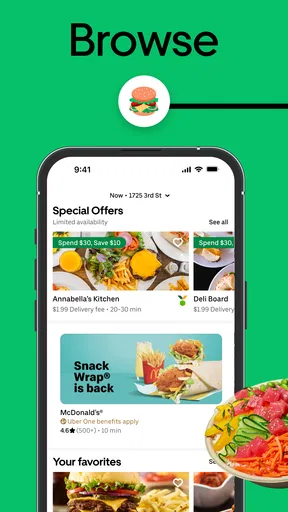
When I am choosing a restaurant meal, browsing is part of the experience rather than just a step before checkout. I can look through menus and compare options before deciding what suits the moment. For groceries and essentials, the same general convenience applies: the app gives users a way to order practical items without making a separate trip. It is a simple proposition, but a helpful one when time or energy is limited.
The app is free to download, and it is suitable for a broad audience, with an Everyone content rating. Uber Technologies, Inc. is the developer. Its scale is easy to appreciate: it has passed 100 million installs and holds a 4.6 average from around 8 million ratings. Those figures suggest that ordering through the service has become familiar to a large number of people, though the actual experience still depends on local selection and individual needs.
A service for more than one kind of errand
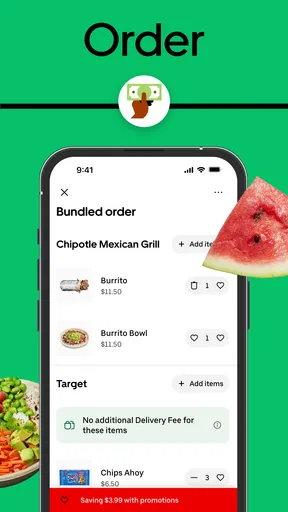
Food is the main draw, but groceries and essentials make the app more flexible. I can see the advantage when a day does not fit neatly into one category: perhaps I need a meal now and household items later, or I want to check what local options are available before deciding whether to go out. Bringing these tasks into one app can make everyday planning feel less fragmented.
The ride-request option adds another dimension. The store summary presents the app as a place to order food and essentials or request an Uber ride. That pairing connects delivery with transportation, making the app relevant to more than one kind of outing or task. I would not treat the ride option as a substitute for a dedicated transport review, but its presence reinforces the broader role the app aims to play in daily routines.
For searchers comparing food delivery apps, the combination of restaurant ordering, grocery shopping, essentials, and rides is worth noting. It gives Uber Eats a wider purpose than a restaurant-only service. Whether that breadth is valuable in practice depends on what is available nearby and which of those services a person actually uses.
How the experience fits daily routines
The strongest appeal is convenience. Ordering from a phone can be easier than calling around, searching separate menus, or making an extra stop. I like the idea of being able to browse a meal and then consider groceries or other essentials in the same app. It can be especially handy when plans change or when a quick delivery feels more manageable than another errand.
That convenience does not mean every order will feel identical. A restaurant order and a grocery order serve different purposes, and the useful choices depend on the businesses available in the area. The app’s broad scope creates more reasons to open it, but it also means users should approach each order with their immediate needs in mind. The best option is not necessarily the most familiar one; it is the one that fits the moment.
I also appreciate that the service is easy to understand at a glance. The name and short description communicate the basic purpose without requiring a long explanation. Someone looking for a meal can start with restaurants, while someone trying to arrange an everyday purchase can explore groceries and essentials. That clear positioning helps the app make sense to both regular delivery users and people opening it for a specific task.
What its history tells us
Uber Eats was released on February 29, 2016. Its original identity has since been presented as part of a broader convenience package: food delivery remains central, while groceries and essentials are included in the service summary alongside the ability to request a ride. That is a meaningful way to understand the product’s evolution without assuming details about when particular capabilities arrived.
For existing users, the broader framing matters because it gives them more reasons to consider the app beyond restaurant meals. Someone who already uses it for dinner may also find the grocery and essentials offering relevant. At the same time, established users can continue to think of the app in the way that suits them; its expanded purpose does not require anyone to change how they use it.
The most visible change in the product’s current positioning is breadth. Rather than presenting itself only as a way to get a restaurant order, the service describes food delivery and more. That may help the app stay useful across different occasions, from choosing a prepared meal to looking for everyday items. For new users, it also sets a clearer expectation that the app is designed to cover several kinds of local convenience.
Its reach is another part of the story. With over 100 million installs, the app has become a widely used option in its category. It has also accumulated around 384,000 written reviews, giving prospective users a substantial body of public feedback to consider. Ratings and reviews can provide a useful impression of how people feel overall, but they cannot guarantee that an individual order or a particular local selection will match someone’s expectations.
What may still feel limited
The broad concept is appealing, but usefulness naturally varies by location. An app can only offer the restaurants, grocery choices, and essential items available to users in their area. If local selection is limited, the convenience of browsing several categories may matter less. I would treat the app as a way to check what is available rather than assume that every option will be equally strong everywhere.
It is also worth remembering that a large user base does not tell the whole story about an individual experience. A 4.6 average is a positive overall signal, but service expectations are personal. One user may care most about restaurant variety, another about having groceries available, and someone else may be interested in the ride-request option. The app’s broad pitch is a strength, yet each person will judge it according to the task they actually need to complete.
Another consideration is focus. Combining meals, shopping, essentials, and rides can make one app more versatile, but users who only want restaurant delivery may prefer to think of it as a focused ordering tool. That is not a flaw so much as a matter of preference. I see the range as useful when it matches a routine, while the simpler food-ordering purpose remains perfectly understandable on its own.
People comparing grocery delivery options should also keep their expectations grounded in local availability. The app’s summary includes groceries and essentials, but the range of products and participating shops can depend on the user’s area. Checking the choices directly is the sensible way to decide whether it can handle a particular errand.
What to keep an eye on
As the app continues to serve several everyday needs, the most important thing to watch is how well those parts work together for users. The current description already connects restaurant meals, groceries, essentials, and ride requests. Future expectations should be treated as expectations, not established features: what matters is whether the available experience continues to be clear and useful for the people who open the app.
For existing users, the broader service could make the app more convenient if the added categories match their habits. For new users, the key question is simpler: does it offer the restaurants or shops they want in their area? I would start there, then decide whether the extra options make it more useful than a food-only app. That approach keeps the decision grounded in personal needs rather than the size of the service alone.
It is also worth watching how the app’s identity is communicated. A service that covers several tasks needs to make each one easy to understand, especially for people who arrive looking for just one thing. Its current summary keeps the message compact: order food and more, get groceries and essentials, or request a ride. That straightforward framing is a sensible foundation for a product with a wide range of uses.
My take
Overall, Uber Eats is a practical choice for people who want restaurant delivery and appreciate having groceries and everyday essentials in the same app. The ride-request option broadens its role further, while the core food-ordering purpose remains easy to recognize. I see its biggest strength in that everyday flexibility: it can be useful for a meal, a household errand, or a transportation request, depending on what is available nearby.
It will not be equally useful for everyone, because local choices and personal routines shape the experience. Still, the app’s established presence, broad purpose, and clear convenience-first idea make it easy to understand why so many people use it. If you want one place to explore restaurant delivery alongside groceries and essentials, Uber Eats is worth considering. My recommendation is to judge it by the options you can actually access and the tasks you want it to handle, rather than expecting every category to be equally relevant.
What we like
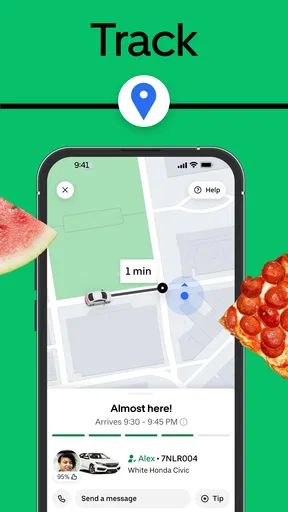
- Live order tracking shows your courier’s progress to your door.
- Saved addresses make ordering from home or work quicker.
- Contactless delivery is available where supported.
- You can schedule orders for a later time in many areas.
- Restaurant menus display ratings and customer reviews.
What could be better
- Delivery fees and service charges can raise the total significantly.
- Prices and promotions vary by restaurant and location.
- Popular restaurants may have long delivery estimates.
- Some areas have limited restaurant and grocery options.
- Refunds or order changes may require contacting support.




