
 Analysis byWeUseApps
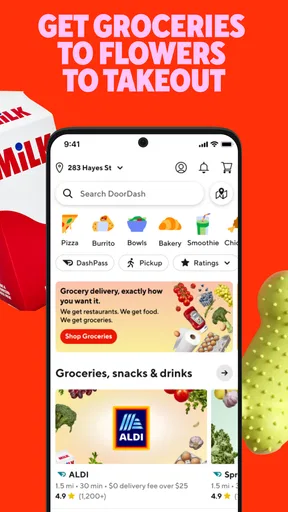
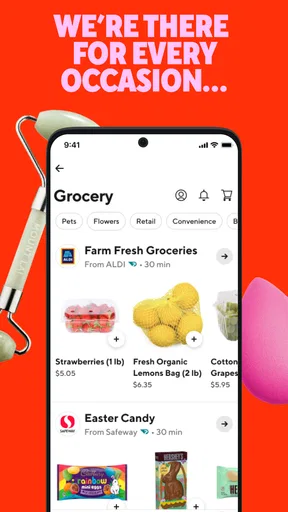
My first useful impression of DoorDash is that it is best treated as a practical errand tool, not just a way to order dinner. It is a free Food & Drink app from DoorDash, and it brings restaurant meals together with grocery and retail essentials. That breadth can save time when I want to handle one small need from the same place, though the experience still depends on which businesses serve my area.
For a first-time user, the reassuring part is that the basic goal is easy to understand: choose what you need, check the order details, and arrange delivery through the app. The less obvious part is that a convenient-looking option is not automatically the best one. I recommend taking a moment to compare the menu or item, the delivery estimate, and the final checkout total before committing.
What to expect from DoorDash
DoorDash is useful when I value getting something brought to me more than making a separate trip. That might mean dinner after a long day, a few grocery items I forgot, or a household essential that cannot wait for my next regular shop. It is not a replacement for every grocery run: for a large planned shop, a local store’s own ordering service or an in-person visit may offer a clearer way to choose produce and compare the full range.
The app has a 4.7 average from around 6.3 million ratings, and it has been installed over 50 million times. Those figures suggest that many people use it, but they do not guarantee that the selection, delivery timing, or value will be equally strong at every address. I would judge it by the places and items actually available where I live, rather than by its broad reach alone.
DoorDash is rated for Everyone and is free to install. The app itself is only one part of the cost decision: the amount shown at checkout matters more than a restaurant’s menu price in isolation. I make a habit of reviewing the complete total before placing an order, especially when I am comparing delivery with picking something up myself.
The app is a particularly good fit for people who want one familiar starting point for food and everyday purchases. It can also help when plans change: instead of choosing a restaurant first and then discovering it does not serve the address, I can begin with what is available and narrow down from there. If I care most about a specific shop, its own app may still be the better route.
Before you place your first order
When opening a delivery app for the first time, I would start by setting the destination carefully. A home, workplace, or other drop-off point can change which businesses appear, so browsing before confirming where the order should go may lead to wasted effort. Check that the selected address and any delivery instructions make sense before choosing items.
Then decide what kind of errand you are trying to solve. For a meal, browse by restaurant and look at the dishes that suit the occasion. For groceries or retail items, make a short list first and search for the essentials rather than filling a cart on impulse. This small step makes it easier to notice substitutions in your own plan—for example, whether a missing item would make the rest of the order pointless.
Do not treat the first result as an endorsement of the best choice. Availability and delivery estimates can vary, and a restaurant that looks appealing may not be the most practical if you need food at a particular time. I compare a couple of suitable options and decide what matters most: the dish, convenience, or getting the order sooner.
Getting from browsing to a successful first order
A good first test is a simple order with a clear purpose. Suppose I finish work late and want dinner without making another stop. I would choose a familiar meal, confirm the address, check the estimated arrival information shown in the app, and inspect the checkout total. Keeping the first order straightforward makes it easier to understand the flow without having to make several decisions about a large basket.
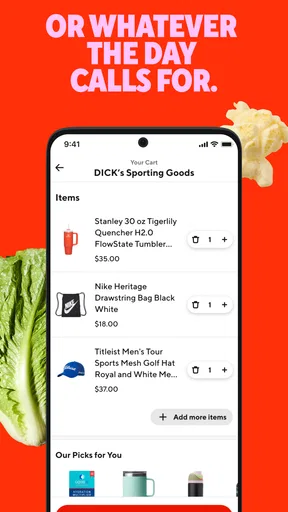
For a grocery run, I use a different approach. I add the few items I genuinely need, then review the basket before checkout and ask whether each item is specific enough to be useful. If I need one exact ingredient for a recipe, an alternative might not work; if I am ordering a flexible snack or household staple, a replacement may be acceptable. Thinking about that distinction before ordering helps avoid frustration if an item is unavailable.
The most useful habit is to pause at the final review rather than tapping through on autopilot. Confirm the destination, check the items and quantities, and read the total. That is also the right moment to catch a duplicate item or an incorrect size. These checks are not complicated, but they can prevent the common annoyance of receiving an order that technically arrived while still failing to solve the original problem.
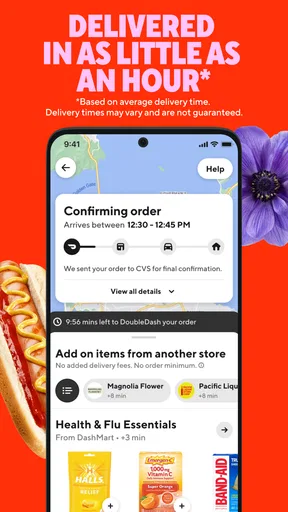
Once the order is placed, keep the app available so you can follow the information it provides about the delivery. I would avoid starting with a time-critical order if I have never used the service at that address; a low-stakes meal or a small essentials order is a better way to learn how local availability and timing work for me.
Where first-time users can get confused
The biggest source of confusion is assuming that all parts of the experience are interchangeable. Restaurant delivery, groceries, and retail essentials are different kinds of purchases, with different expectations about selection and substitutions. A restaurant menu is usually about choosing a prepared dish; a grocery basket asks me to think about exact products and quantities. I find it clearer to decide which job I am doing before I start browsing.
Another easy mistake is comparing only the listed item price. The relevant comparison is the final amount at checkout, weighed against the time and effort saved. If I am ordering one inexpensive item, delivery may be hard to justify. If I am already home, need several essentials, and would otherwise make a separate trip, the convenience may be worth more to me. The right choice depends on the errand, not on a blanket claim that delivery is always cheaper or faster.
Availability is also local. A friend’s experience in another city may not match mine, and a restaurant or store I expect to see may not be offered for my address. I would not build plans around a particular option until I have checked the app with the actual delivery destination selected.
There is a useful difference between “fast” as a general promise and a dependable arrival time for a specific order. If I need food for a fixed occasion, I would look at the estimate shown for that order and leave room for uncertainty instead of placing it at the last possible moment. For a casual meal, I can be more flexible and choose from what is available.
How it compares with the usual alternatives
Compared with calling a restaurant, DoorDash gives me a place to browse available options and organize the order without speaking to each business. That is convenient when I have not decided what to eat. Calling directly can still be preferable when I have a detailed request, want to ask a question before ordering, or already know exactly what I want from a particular restaurant.
Compared with a grocery store’s own service, DoorDash is appealing when I want to look across nearby choices or combine an everyday need with a meal-oriented errand. A store’s own app may be better for a planned, larger shop if its catalogue, product details, or shopping workflow suits me more. For fresh items where personal selection matters, shopping in person remains a sensible alternative.
Pickup is another fair comparison. If I am already passing a restaurant and timing matters, collecting the food myself may be the simpler choice. DoorDash makes more sense when staying home or avoiding an extra stop is the real benefit. I would choose based on that trade-off instead of assuming delivery wins every time.
Who should use it—and who may prefer another route
I would recommend DoorDash to someone who regularly needs prepared food or small essentials delivered and is willing to check local options before relying on them. It is especially handy for an unplanned dinner, a short list of forgotten groceries, or a day when leaving home would disrupt work or rest. The app’s broad purpose is most valuable when convenience across different kinds of errands matters more than having a single specialist store experience.
I would be more cautious if I am highly price-sensitive, need a specific product with no acceptable substitute, or want to inspect fresh groceries myself. I would also choose another option when a direct order from a favorite local business is easier, or when collecting an order fits naturally into my route. DoorDash is not automatically the best answer just because it can handle the request.
The app is developed by DoorDash and has been available since March 26, 2015. Its current version is 15.298.4, with Android support beginning at version 8.0. For a new user, that is useful context when checking whether an older Android device can install it; the more important practical test remains whether the app and its local selection work well for the intended errand.
Making the next order more useful
After one successful order, I would use what I learned to make the next one more deliberate. Note which nearby options fit the times I usually need them, and keep a short essentials list for grocery orders so I do not have to rebuild it from memory. If an item is critical, decide in advance whether an alternative is acceptable. That simple preparation is more valuable than browsing a long catalogue without a clear goal.
I also recommend separating urgent needs from flexible ones. For a meal with a firm deadline, choose an option whose displayed timing leaves breathing room. For a pantry item or casual snack, flexibility makes it easier to accept a wider range of choices. This is a practical way to use the app without treating every order as an emergency.
My overall view is that DoorDash earns its place as a convenient option, not a universal substitute for restaurants, grocery stores, or pickup. Start with one uncomplicated order, verify the address and full total, and see how the service performs for your routine. If local choice and saved effort outweigh the delivery trade-offs, it can become a useful part of everyday planning; if they do not, a direct order or a quick trip will often serve you better.
What we like
- Live order tracking shows the delivery progress.
- Group orders make it easier to coordinate a shared meal.
- Pickup options can help avoid delivery fees.
- Saved addresses speed up checkout for repeat orders.
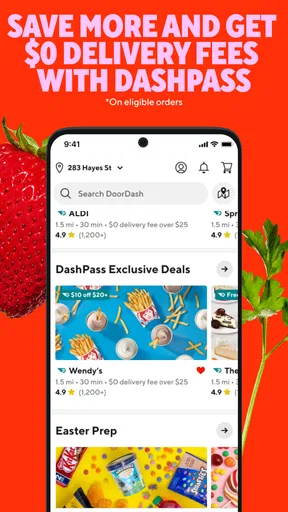
- DashPass can reduce fees on eligible orders.
What could be better
- Service availability varies by location.
- Menu prices may be higher than ordering directly.
- Delivery fees and other charges can raise the total.
- Busy periods can lead to longer delivery times.
- Some merchants may have limited menu choices.




