 Analysis byWeUseApps
I reach for Spotify when I want music to fit around the day rather than become a project of its own. I can start with an album, keep a playlist for a particular mood, or switch to a podcast without moving between separate apps. That convenience is the main reason I recommend it: the listening experience is broad and flexible, while the best results come from building a few personal habits instead of endlessly browsing.
A listening routine that stays simple
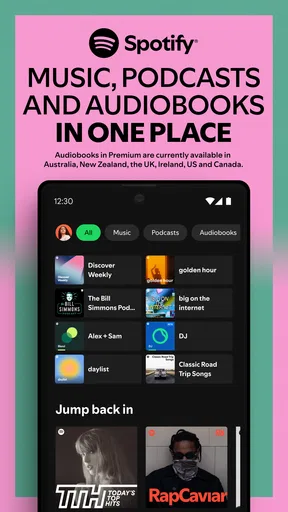
Spotify is a free music and audio app from Spotify AB. Its core routine is easy to understand: find something to play, save what you want to revisit, and make playlists that match how you listen. Music and podcasts live alongside each other, so it works well for someone whose commute might call for an album one day and a spoken show the next.
I find it most useful when I treat the home screen as a starting point, not as the whole experience. Search is better when I already have an artist, track, album, or podcast in mind; saved music and playlists are better for returning to familiar choices. That distinction sounds small, but it cuts down on aimless scrolling. If I have ten minutes before leaving, I can open a playlist I already trust rather than trying to decide from scratch.
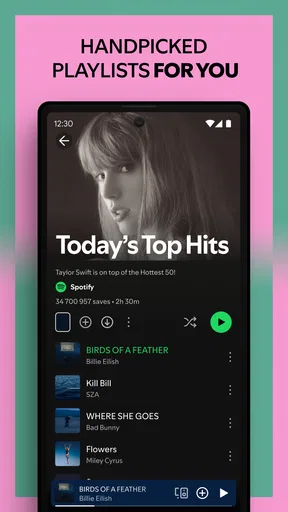
A realistic everyday setup might be a few playlists with clear jobs: one for focused work, one for a walk, and one for songs I want to check out later. I keep the last one deliberately temporary. When it becomes crowded, I move the tracks I still enjoy into more specific playlists and remove the ones that no longer catch my ear. This simple review habit makes the library feel useful instead of turning it into a pile of forgotten saves.
Playlists are also a practical way to control context. I would not put every favorite track into one enormous list if I want music that suits a particular activity; a shorter, purpose-built selection is easier to start and less likely to pull me into track-by-track editing. For discovery, I use a separate place to collect unfamiliar songs, then decide later whether they belong in my regular rotation. Separating listening from sorting is a small workflow improvement that saves attention.
The app has an average rating of 4.3 from around 37 million ratings, and it has passed one billion installs. Those figures suggest it is a familiar choice for many listeners, but they do not tell me whether it will suit an individual routine. The more useful question is whether you want music, podcasts, and playlists together, or whether you prefer a narrower service centered on one kind of listening.
Build playlists around moments, not genres
Genre labels can be helpful, but I get more day-to-day value from playlists organized around a situation: quiet background listening, an energetic start to the morning, or music that will not distract me while I read. A playlist does not need to be a definitive statement of taste. It is a reusable shortcut for a moment that happens often.
I also avoid making one playlist do two jobs. If a list is both my calm evening selection and my collection of new releases, I end up skipping around because the mood changes abruptly. Splitting those purposes makes playback more predictable and makes it easier to notice what I actually want to hear again.
Check the controls before settling in
Before relying on the app for a long listening session, I would spend a minute checking the playback and device controls available on my version. The precise options can vary with the device and account, so it is worth looking at what is actually shown rather than assuming every tutorial or tip applies. This is especially useful if you listen through more than one speaker or headset and want to know how to move playback without interrupting the session.
It is also sensible to check any audio-quality and data-use choices that are presented in settings. If you mostly listen on mobile data, the balance between sound quality and data consumption matters more than it does on a stable home connection. I would choose deliberately for each common situation, then revisit the setting if playback sounds different or data use becomes a concern. I do not assume that one setting is best for every network and device.
Notifications are another small but worthwhile check. If listening suggestions or activity prompts interrupt you, adjust the notification choices offered by the app or your phone. A calmer setup is often more useful than trying to make every feature visible. The point is not to disable everything automatically; it is to keep the app’s reminders from competing with the music or podcast you opened it to hear.
Use repeatable habits to move faster
The fastest Spotify workflow is usually built from saved choices. I save albums and tracks I genuinely want to revisit, make playlists for recurring situations, and use search when I know what I am after. That reduces the number of decisions I make during the day. It also makes the app more personal over time without requiring constant curation.
A useful pattern is to separate discovery into two passes. During the first pass, I listen and save anything that earns a second chance. Later, when I have time, I sort those saves into playlists or remove them. This avoids stopping a walk or work session to organize every new track. It is a modest habit, but it keeps discovery from becoming administrative work.
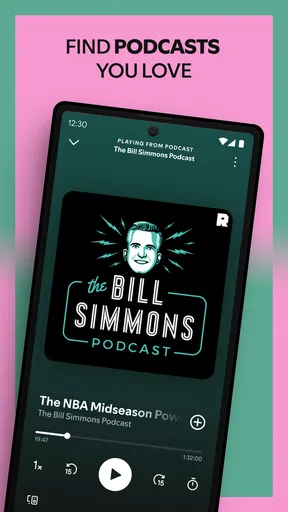
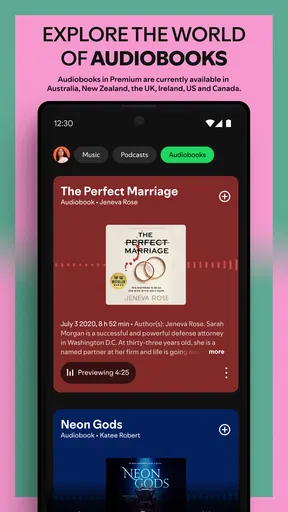
For podcasts, I use a similar approach: decide whether I want to browse for something new or continue with a show I already follow, rather than mixing both tasks in one session. When I have a specific episode in mind, search is the direct route. When I want background listening, I choose a familiar show first. The app’s combination of music and spoken audio is convenient, but the two types of listening benefit from different expectations and playlists do not replace a clear podcast-following routine.
One trade-off is that a large catalog can make choosing harder. Recommendations and browsing can help when I am open to surprises, but they are not always the quickest path to a specific mood. I try a simple rule: browse when I have time to explore, search when I have a destination, and use a prepared playlist when I need playback immediately. That keeps discovery enjoyable instead of turning it into a prolonged choice session.
Where the experience has limits
The free price makes it easy to try, but Spotify also offers in-app purchases, with listed items ranging from about five dollars to roughly two hundred and four dollars. I would check the purchase details in the app store before committing, because an in-app option may not be necessary for someone who only wants to test the basic listening routine. The right choice depends on how you use the app and which account options are available to you.
Spotify is not the best fit for every listener. If your priority is owning music files, controlling a personal offline collection, or using a service built around a different ecosystem, a local music player or another streaming option may feel more appropriate. Likewise, someone who listens only to podcasts may prefer an app devoted entirely to podcast organization. Spotify’s strength is having different kinds of listening in one place, but that breadth can also mean a less focused experience than a specialist tool.
Its content rating is Teen, so it is worth considering that when choosing an app for a younger listener. Families should review the account and device settings themselves rather than assuming the general age label answers every question about what a particular person will encounter. More broadly, people who share devices or accounts should be attentive to whose listening habits are shaping the recommendations and saved library.
There is also a difference between having a feature and having a workflow. A listener can save hundreds of items and still struggle to find the right one. I get more from Spotify when I prune occasionally, give playlists useful names, and keep discovery separate from favorites. Those habits do not add new capabilities, but they make the existing ones easier to use and reduce the sense that the library is constantly getting away from me.
How it compares with other listening choices
Compared with a basic music player, Spotify is more convenient when I want to search a broad streaming catalog, keep playlists, and move between songs and podcasts in one app. A local player may be better if I want direct control over files I already own or need an experience that does not depend on streaming. The decision is less about which one is universally superior and more about whether my listening begins with a personal collection or with finding something to play.
Against other streaming services, the practical differences often come down to the catalog and recommendations that suit you, the devices you use, and the account features you want. I would test the search and playlist workflow with artists and podcasts I actually follow rather than choosing based on a general promise of discovery. If another service fits your household’s devices or listening habits more naturally, switching may be worthwhile; if you already have a well-organized Spotify library, that accumulated setup is a real convenience.
The app has been available since May 27, 2014, and its long-running presence is reflected in a large community of listeners. It has about 1.9 million written reviews, but popularity alone should not decide the matter. I would start with the free experience, save a handful of familiar tracks, make one playlist for a regular part of the day, and see whether the combination of music and podcasts fits naturally into my routine.
Who will get the most from it
I recommend Spotify most to people who want one dependable place for everyday music, playlists, and podcasts, especially if they enjoy discovering unfamiliar tracks alongside returning to favorites. It is also a good match for anyone willing to spend a little time shaping a library that reflects real listening habits. The app rewards small, repeatable choices more than elaborate organization.
I would suggest looking elsewhere if you want a dedicated podcast manager, prefer to manage a collection of owned audio files, or dislike streaming services that encourage browsing and recommendations. Even for a good fit, I would not treat every suggested playlist as a substitute for your own taste. Use suggestions as a source of candidates, then keep what earns a place in your routine.
My verdict is that Spotify is at its best when I make it easy to return to what I like: a few well-named playlists, a tidy collection of saved music, and a clear distinction between exploring and settling in to listen. It is broad enough for changing moods and simple enough for a quick play, though that breadth asks for a little personal organization. If that trade-off sounds reasonable, it is an easy app to try and a useful daily companion.
What we like
- A free tier lets users try Spotify without a subscription.
- Playback controls are easy to learn and use.
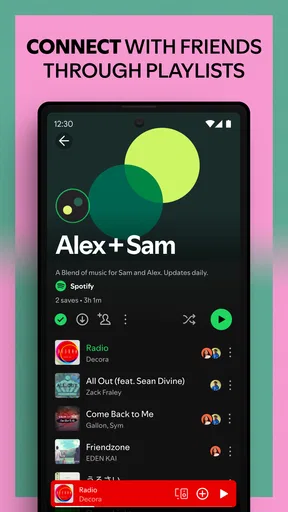
- Collaborative playlists make sharing music simple.
- Spotify Connect supports playback across compatible devices.
- Sleep timer helps stop audio after a chosen period.
What could be better
- Free listening includes frequent advertisements.
- Some songs are unavailable in certain regions.
- Offline downloads require a Premium subscription.
- The app can use substantial mobile data when streaming.
- Podcast recommendations may crowd out music suggestions.