
 Analysis byWeUseApps
The first week with Pandora is easy to understand: I open it, choose a familiar artist or mood, and let the music carry on while I get ready, work, or drive. That low-effort start is its most appealing quality. It is a music and audio app from Pandora, with music and podcasts in the same place, and its large audience suggests it has remained part of many listeners’ routines. My view is that it earns a lasting spot when you want listening to feel simple, not when you want complete control over every track.
Why the first week feels effortless
Pandora is free to install, and its Teen age rating makes it suitable for a broad audience while still signaling that some content may be aimed at older listeners. The app has an average rating of 3.9 from around 3.3 million ratings, with about 853,000 written reviews and more than 100 million installs. Those figures are useful context, but they do not tell you whether its listening style fits you; that depends on how much you enjoy handing over the next-song decision.
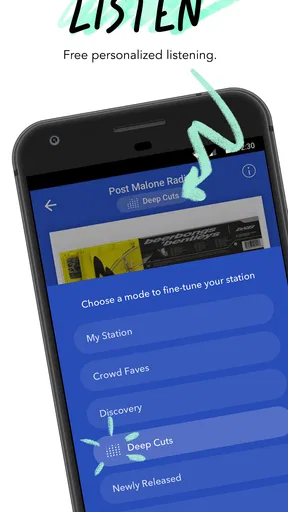
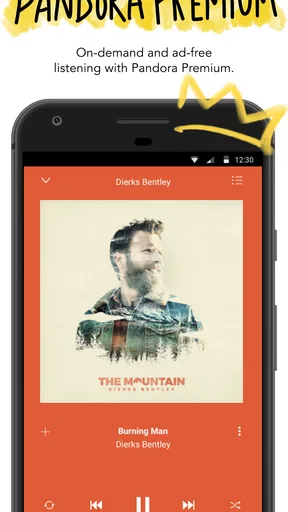
The quickest way to see the appeal is to use it as a companion rather than a music library. I would start with an artist I already like, then let the session continue while doing something that does not demand constant attention. Pandora’s central promise is instant access to artists, albums, playlists, and podcasts, but the practical benefit is less about collecting options and more about reducing the small decisions between one task and the next.
That difference matters in ordinary life. Imagine making breakfast before an early shift: you want something familiar in the background, not a search session that turns into comparing albums and building a queue. Pandora suits that moment because it is designed around getting to listening quickly. It is also handy when a guest asks for music and you want to start with a known artist rather than assemble a carefully sequenced playlist on the spot.
During the first few sessions, I would pay attention to whether the app’s suggestions keep the mood you want. A useful habit is to begin with a clear musical anchor rather than a vague expectation. If you want a mellow background, start from an artist or album that reliably delivers that feeling; if you want variety, choose a starting point broad enough to leave room for discovery. This small choice can shape whether the session feels pleasantly guided or slightly off course.
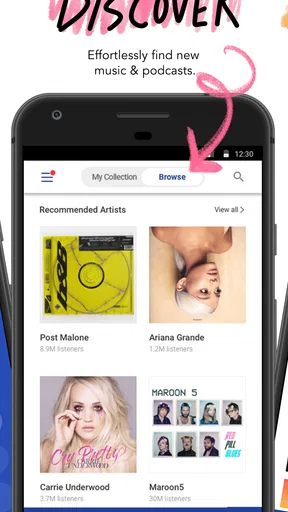
Discovery works best when you give it a clear starting point
There is a trade-off in letting an app guide listening: less time spent choosing can mean less control over the exact sequence. Pandora is a better fit for someone who enjoys hearing related music than for someone who wants a particular album played in order every time. If I have a specific track in mind, I want the app to get me there without turning the rest of the session into a guessing game; if I simply want music that suits a task, a guided listening flow is more appealing.
That is also where it differs from the usual alternatives. A conventional on-demand music service is often the better choice when your priority is manually selecting every song, arranging a queue, or treating albums as the main unit of listening. Pandora is more compelling when you want a quick starting point and are willing to let the experience move beyond it. Neither approach is universally better; the right one depends on whether choice or continuity matters more to you.
What keeps it useful after the novelty fades
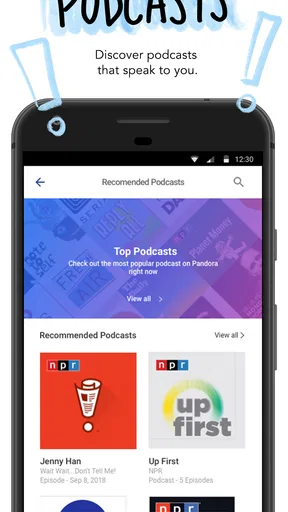
After the first-week curiosity wears off, the real question is whether Pandora still saves effort often enough to justify keeping it installed. For me, its recurring value comes from routines that repeat: background music during chores, a familiar soundtrack for a commute, or a podcast when I want spoken audio instead. The app’s mix of music and podcasts is useful because it can serve different listening moods without requiring me to treat each one as a separate hobby.
A practical way to judge it is to notice the moments when you open it without planning to. If you reach for it because you need something to listen to while cooking or tidying, it is doing a job that a large personal library may not do as smoothly. If you mostly open it, search for one exact song, and leave, then a service built around direct track selection may suit you better. The key is not how many choices the app contains; it is whether it makes your ordinary listening easier.
For podcasts, I would treat the app as a convenient listening option rather than assume it should replace a dedicated podcast workflow. If your listening is casual—one show on a walk, an episode while handling routine tasks—the combined music-and-audio setup can be enough. If you organize a large listening backlog or depend on a particular way of managing episodes, compare that workflow with a podcast-focused app before moving everything over. That is a useful distinction to make before committing to one place for all audio.
There is also a sensible way to avoid disappointment: do not expect every recommendation to match your taste immediately. A session that starts from one artist can be a good discovery tool, but it can also drift toward music that is adjacent rather than exactly what you would have chosen. When that happens, reset your starting point instead of letting a mismatched session persuade you that the whole app is wrong. The app is most rewarding when you treat its suggestions as a route to explore, not as a perfect reading of your preferences.
Small habits that make repeat listening work better
I would use different starting points for different parts of the day. A dependable artist can provide a steady work or household soundtrack, while a more exploratory choice can make a walk feel less repetitive. That separation is a simple way to keep familiar listening from becoming monotonous without requiring a complicated routine. It also makes it easier to notice whether the app is helping with discovery or merely replaying the same general mood.
Another useful test is to give the app a fair run in the situations where you expect to use it. Try it during a commute, a quiet task, and a moment when you actively want to find something new. Those situations reveal different strengths: quick background playback, low-effort continuity, and recommendation quality. If it only works when you are already in the mood to explore, its everyday value may be narrower than it first seemed.
Listeners who like album sequencing should keep that preference in mind. An album can be an intentional beginning-to-end experience, not just a collection of songs, and a recommendation-led session does not always serve that purpose. I would switch to a more direct music-library approach when I want to hear a record in its intended order. Keeping that distinction clear lets Pandora handle casual listening without asking it to be the best tool for every musical situation.
Maintenance is light, but attention still matters
Compared with maintaining a carefully curated library, the everyday burden here is modest: choose a starting point and decide whether the resulting session suits the moment. The more significant maintenance is personal. If you keep choosing the same narrow set of starting points, the experience can feel predictable; if you deliberately vary them, listening has more room to surprise you. I would not turn this into homework, but a little variety can help the app stay useful over time.
There is also a cost boundary to understand. The app is free, while in-app purchases range from $0.99 to $12.99 per item. That means you can begin without paying, but it is worth checking the purchase choices in the app before assuming every part of the experience is included at no cost. I would first see whether the free experience fits my routine, then consider spending only if a paid option solves a recurring frustration rather than a passing curiosity.
Pandora is developed by Pandora, and its broad adoption—more than 100 million installs—makes it a familiar option in music and audio. Popularity alone is not a reason to keep it, though. I would judge it by whether I actually use it for the situations it handles well: starting music quickly, letting a session continue, and switching between music and podcasts when my listening mood changes.
Where listening can become tiring
The main source of fatigue is repetition or drift. A familiar starting point can become too familiar, while an exploratory session can wander away from what you hoped to hear. This is the unavoidable tension in recommendation-led listening: the app reduces the work of choosing, but it also gives up some precision. If you are sensitive to song order, dislike unexpected changes in mood, or want a tightly controlled queue, that trade-off may become more irritating than convenient.
Another possible frustration is expecting one app to cover every audio need equally well. Music discovery, deliberate album listening, and structured podcast management are different jobs. Pandora’s combination is convenient for casual switching between music and spoken audio, but convenience is not the same as depth in every workflow. Someone who spends most of the day managing playlists or organizing podcast episodes may be happier with separate tools that match those habits more closely.
For a household or shared listening situation, I would also be clear about who is choosing the starting point. A session built around one person’s taste may not work as background music for everyone else. The simple fix is to select something broadly suitable for the setting rather than assuming a personal favorite will translate. That is not unique to Pandora, but its quick-start style makes the initial choice especially influential.
Who should keep it in their routine
I would recommend Pandora to listeners who want music to fill ordinary gaps without turning each session into a project. It is a strong candidate if you enjoy discovering related artists, need a low-effort soundtrack for recurring tasks, or want music and podcasts available in one audio app. It is less convincing for people who need exact track-by-track control, treat albums as carefully ordered works, or rely on a specialized podcast organization system.
My long-term verdict is that Pandora can earn its place after the novelty fades, but only if you let it do the job it is best suited for: making everyday listening easy. I would keep it when I find myself opening it for background music or an uncomplicated podcast session several times in a normal week. If I repeatedly fight its suggestions or wish I could control every detail, I would choose a more direct alternative instead. That is a fair test of lasting value: not whether the app seems impressive on day one, but whether it keeps removing friction from the parts of your day when you simply want something good to hear.
What we like
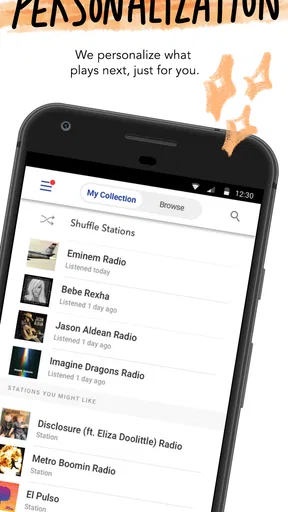
- Personalized stations adapt to your listening habits.
- Thumbs-up and thumbs-down help refine music recommendations.
- Offline listening is available with eligible plans.
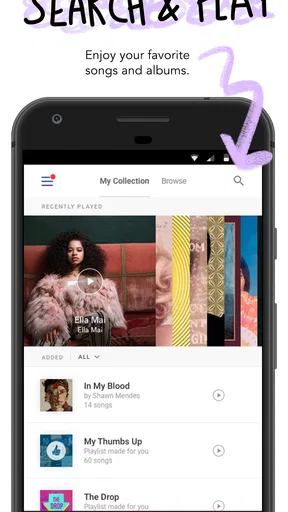
- Podcasts and music are accessible in one app.
- Voice controls make playback easier while driving.
What could be better
- Offline listening requires a paid subscription.
- Free listening includes advertisements.
- Some songs cannot be played on demand with the free plan.
- Availability of music and podcasts varies by region.
- The app may use significant mobile data when streaming.




