
 Analysis byWeUseApps
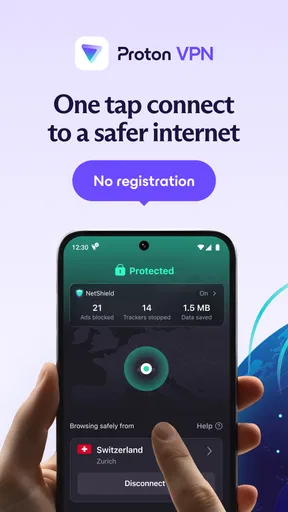
The first thing I value in a VPN is not a long list of server locations; it is whether I can turn it on before using public Wi-Fi and then get on with my day. Proton VPN is a tools app from Proton AG built around that practical need: it routes your connection through a VPN server, adding a layer of privacy when you browse away from home. I’d consider it for everyday protection, especially if I often work or read on shared networks, while remembering that a VPN is not a substitute for careful account security or safe browsing.
What a VPN connection changes in everyday use
When I connect through a VPN, my internet traffic travels through the VPN service rather than going directly from my device to each site or service. That can make a shared network a less exposed place to browse and can change the apparent location from which services see my connection. It does not make me anonymous, prevent every form of tracking, or guarantee that a site is trustworthy. That distinction is important: a VPN is useful for a particular part of online privacy, not a magic shield.
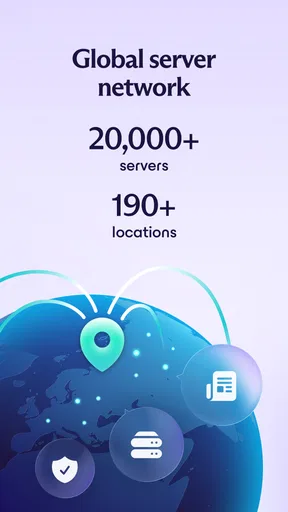
Proton VPN is presented as a fast VPN proxy with no ads, and the app’s stated network spans more than 190 locations. In practical terms, that range gives me room to try a nearby connection for ordinary browsing or a different location when I have a specific reason to change my apparent region. The number of locations alone does not tell me which server will be fastest at a given moment, though. Distance, network conditions, and the service I’m using all affect the result.
The app’s scale is reflected in its 100 million-plus installs and a 4.7 average from 1.4 million ratings. Those figures suggest that it has found a large audience, but I would not treat popularity as proof that it suits every routine. What matters more is whether its connection behavior, available choices, and account options fit what I need from a VPN.
Making the connection part of a routine
For me, the most useful way to approach a VPN is to decide when I actually need it. On a laptop or phone used for both home and public networks, I might connect before opening email, a work dashboard, or a banking app on café Wi-Fi. That small habit is easier to maintain than trying to remember which individual tasks are sensitive. If I am on a trusted home network and have no reason to change my apparent location, I may prefer to leave the VPN off rather than route traffic unnecessarily.
A practical tip is to test the app in the places where I expect to use it, not just once at home. I would connect on a public network, open the services I rely on, and check whether sign-ins, calls, or streaming behave normally. If one app struggles, switching to a nearby location is a sensible first experiment. This is more useful than assuming that the farthest or most unusual location is automatically the best choice.
There is also a trade-off in treating VPN use as an always-on reflex. Some websites and apps react differently when a connection appears to come from another region, and authentication systems may ask for an extra check. A VPN can also affect speed because traffic takes an additional route. If a page loads slowly or a service becomes inconvenient, I would compare the experience with the VPN disconnected before blaming the app or the network.
A realistic use case: a workday away from home
Imagine I spend an afternoon moving between a library and a café, checking messages and accessing cloud-based work tools from my phone. I would open Proton VPN before joining the public network, connect, and then use my normal apps. The benefit is not that every risk disappears; it is that I have added a protective route for the connection while using networks I do not control. If a work service refuses the connection or repeatedly asks me to verify my identity, I would try another location or disconnect for that particular task if my organization’s rules allow it.
This scenario also shows why a VPN is not a replacement for other sensible steps. I would still use strong, unique passwords, keep my device updated, and avoid entering credentials into pages I do not trust. A VPN can help with the network path, but it cannot tell me whether a message is a phishing attempt or whether an app has permission to access information it does not need.
Choosing a location without overthinking it
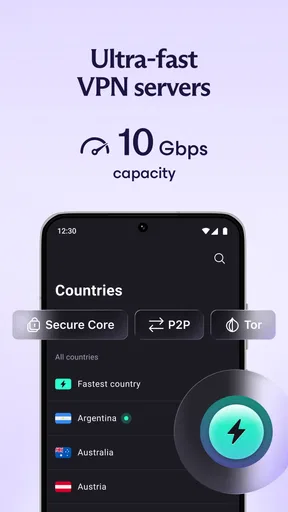
Having servers in many locations is useful when the nearest option is unavailable or a particular service requires a connection to appear elsewhere. For routine browsing, I would begin with a location close to where I am, since a shorter route is often a reasonable starting point for responsiveness. If I need another region, I would choose it for a clear purpose and then check that the websites and apps I care about still work as expected.
One non-obvious point is that changing locations can disrupt continuity. A site may see a new login location, a shopping cart may behave oddly, or a streaming catalog may differ. If I am midway through a payment or a time-sensitive form, I would avoid hopping between locations until the task is complete. For everyday browsing, occasional experimentation is harmless; during a purchase or account recovery, consistency is usually more useful than chasing a theoretical speed advantage.
The app is free to install, which makes it approachable for someone who wants to try a VPN without paying up front. It also offers in-app purchases, with items ranging from $9.99 to $119.88. I would look at the plan details in the app store before deciding whether an upgrade makes sense, rather than assuming a paid option is necessary for basic VPN use. If I only need occasional protection on public Wi-Fi, starting with the free experience is a reasonable way to see how well it fits my habits.
Where the convenience has limits
“Fast” is a goal, not a promise that every connection will feel as quick as a direct one. A VPN adds another leg to the journey, and a server far from me can make that difference more noticeable. For large downloads, low-latency gaming, or a video call where every moment of responsiveness matters, I would compare performance rather than leave the VPN enabled by default. If the connection becomes choppy, switching to a closer location or pausing the VPN may be the practical choice.
Another limitation is compatibility. Some services restrict access from VPN connections, and others may interpret a changed location as unusual activity. That can mean extra sign-in checks or a service that simply will not load until I disconnect. I would not choose a VPN as a way to guarantee access to region-limited content; availability can depend on the service’s own rules and may change. If reliable access to one particular platform is my main requirement, I should test that exact platform before relying on any VPN.
Privacy also depends on what I expect the app to protect. A VPN can help shield traffic on a network I do not control, but it does not hide activity from every service I sign into. A logged-in account still knows which account is being used, and browser cookies or app identifiers can still connect activity across sessions. I find the clearest way to use a VPN is to treat it as one layer among several, not as a reason to share more information or lower my guard.
How it compares with other everyday options
Compared with browsing without a VPN, Proton VPN adds a routed connection and gives me a choice of locations, at the cost of possible speed changes and occasional login friction. Compared with relying only on a public Wi-Fi network’s security, it gives me an additional layer that I can control from the app. But if I already have a trusted private connection and do not need to alter my apparent location, ordinary browsing may be simpler and faster.
It is also different from a privacy-focused browser or a tracker-blocking tool. Those tools address parts of the browsing experience, while a VPN affects how network traffic is routed. They can complement one another, but they do not do the same job. I would not install a VPN expecting it to remove every ad from every app or prevent websites from recognizing me through an account login. The no-ads description is appealing, but I would read it as a benefit of the VPN app experience rather than a guarantee that all advertising across my device disappears.
Who is likely to get the most from it
I think Proton VPN is a good fit for people who regularly use hotel, café, campus, or library networks and want a straightforward way to add a VPN connection to their routine. It can also suit travelers who have a clear reason to connect through a different location, provided they understand that some services may respond differently. The broad location spread gives those users options, while the free starting point lowers the barrier to trying the app.
It is less compelling for someone who expects a VPN to guarantee anonymity, defeat every form of tracking, or make restricted services consistently accessible. It may also be the wrong choice for someone whose priority is the lowest possible delay in competitive online gaming or uninterrupted access to a service that blocks VPN traffic. In those cases, a direct connection or a different kind of privacy tool may better match the task.
Proton VPN is rated for Everyone, and its current version is 5.20.98.0, with Android 8.0 as the minimum operating-system requirement. Those details make it relevant to a wide range of Android users, though I would still check that my own device meets the requirement and that the app-store edition matches my device. The app has been available since December 30, 2019, giving it a longer history than a brand-new utility, but that alone does not replace checking its behavior on my own network.
My recommendation after weighing the trade-offs
I would recommend Proton VPN to a friend who wants a practical VPN for public networks and understands what a VPN can—and cannot—do. The best approach is to try it on the networks and services that matter, start with a nearby location for ordinary use, and switch or disconnect when a specific app behaves poorly. That test gives a more honest answer than relying on a location count or reputation alone.
For me, the strongest reason to keep it installed is the simple workflow: connect before using a network I do not trust, then carry on with familiar apps while staying alert to login prompts and speed changes. Its free option makes that trial easy, while optional purchases leave room for users who want a paid plan. The key benefit is having a VPN connection ready when the network around me is the part I trust least. If that is the problem I am trying to solve, Proton VPN is worth trying; if I need guaranteed speed, universal access, or complete anonymity, I would set different expectations or choose a more targeted solution.
What we like
- A free plan is available without a data limit.
- No account is needed to use the free plan.
- Open-source apps make the code available for public review.
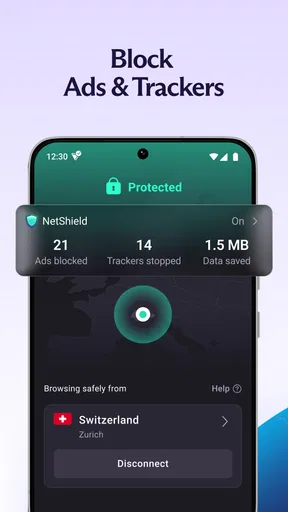
- NetShield can block ads and known malware domains.
- Secure Core routes traffic through privacy-focused servers first.
What could be better
- Free users have limited server locations.
- The free plan does not support streaming services.
- Secure Core can reduce connection speeds.
- Some advanced features require a paid subscription.
- VPN connections may be blocked by certain networks.




