
 Analysis byWeUseApps
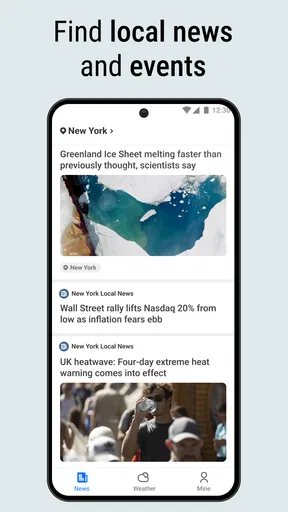
I find weather apps most useful when they help me make a decision, not just fill a screen with numbers. Local Weather News - Radar brings weather views together with news, which can be handy when I want a quick read on both the sky outside and what is happening around me. Its appeal is practical rather than elaborate: check conditions, look ahead by hour or day, and browse headlines in one place.
What you get without paying
This is a free weather and news app from EASE Group, listed for everyone and available on Android devices running version 8.0 or later. The current release is 1.8.9. I see the no-cost access as its clearest value proposition: it gives budget-conscious users a way to combine weather checks and news browsing without an upfront purchase.
That distinction matters. Free access makes it easy to try the app as a daily utility, but it is not evidence that every part of the experience is unrestricted or that there are no optional purchases. I would judge it on what it actually helps me do, rather than assume that “free” means a particular set of features or a completely ad-free experience.
The app has an average rating of 4.3 from around 17,000 ratings, and it has been installed over 5 million times. Those figures suggest that many people have tried it, though they cannot tell me whether it will suit my location, news preferences, or tolerance for a combined interface. I treat them as a sign of reach, not a guarantee of personal fit.
Weather and headlines in one routine
The main convenience is having radar, short-range forecasts, and news within the same app. I can imagine opening it before leaving home, checking whether rain is approaching, then scanning a headline or two while deciding whether to take a jacket or change my plans. That small workflow is more compelling than treating the news and weather portions as unrelated extras.
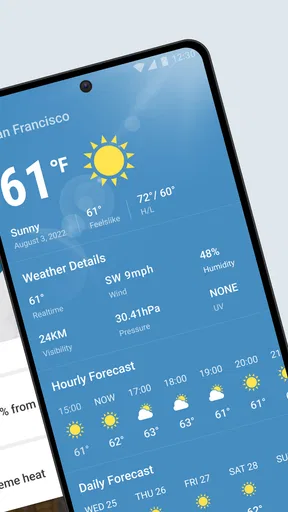
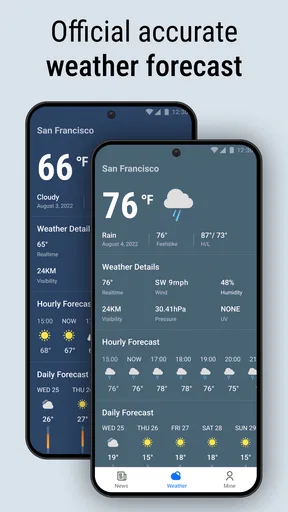
The hourly forecast is especially useful for decisions that depend on timing. A daily summary can tell me whether the day looks wet overall, but an hour-by-hour view is more helpful when I am choosing between walking now and waiting until later. I would use the radar as a visual cross-check, then compare it with the forecast rather than relying on a single screen to settle every question.
A realistic example is planning an errand after work. I might check the radar before leaving, use the hourly outlook to see whether a shower seems likely during the trip, and then glance at local news for a disruption that could change my route or schedule. The app’s combination makes that sequence convenient, although it does not mean the news feed will always contain a story relevant to the errand.
There is also a useful division of attention here: radar helps me interpret what may be happening nearby, while the forecast offers a more digestible plan for the coming hours or day. When the visual map looks busy, I would avoid reading every patch of color as a precise promise about my street. Radar is best treated as context for a decision, not as a substitute for checking conditions outside.
A practical way to use the forecast
For a commute or outdoor appointment, I would check the hourly view once when planning and again shortly before setting out. That second look can matter more than repeatedly refreshing the screen hours in advance. The daily forecast is better for broad planning, such as deciding whether an outdoor activity is sensible, while radar is the more immediate visual reference.
For a longer outing, I would use the app to identify a possible weather window, then keep a backup plan. Forecast details are inherently less useful when treated as certainty, and a radar image is not a promise that conditions will remain unchanged. The best habit is to use both views to make a flexible plan rather than letting one snapshot dictate the whole day.
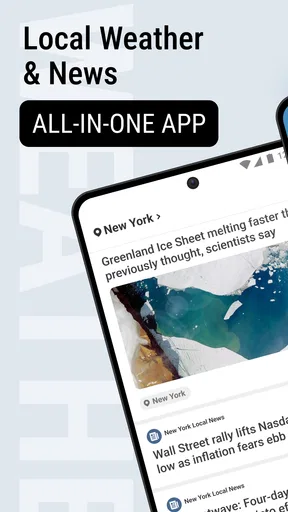
The news side gives the app a different role from a dedicated forecast tool. If I am already checking the weather, headlines can make the same visit feel more informative. That is a modest convenience, not necessarily a replacement for a news reader: readers who want carefully organized topics, extensive source controls, or a highly personalized feed may prefer an app built specifically around news.
Where the all-in-one approach helps—and where it can get in the way
Compared with a typical standalone weather app, this one has the advantage of bringing local and international news into the same routine. Compared with a dedicated news app, its advantage is the weather context. I would choose it when I value quick access to both, rather than when I want the deepest forecasting tools or the most customizable news experience.
The trade-off is focus. A combined app can save a switch between apps, but it also asks me to accept a shared space for two different tasks. If I only need a fast temperature check, headlines may be beside the point. If I am settling in to read the news, a weather-first layout may not be as comfortable as a purpose-built reader. The pairing is helpful only when I actually use both sides.
Another practical limitation is that a broad forecast is not the same as a specialist weather service. Someone planning a weather-sensitive activity may want more detailed controls or a source they already trust for that purpose. I would not assume that the presence of radar alone makes this the best choice for severe-weather planning, nor would I use it as my only input for a high-stakes decision.
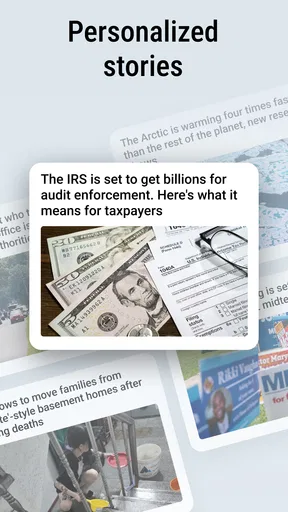
News relevance can also vary from person to person. Local coverage is valuable when it reflects the places and subjects I care about; international headlines are useful when I want a wider snapshot. But a combined feed may not match the topic selection or editorial preferences of someone who curates news closely. For that reader, it can work as a quick overview while a dedicated news app remains the main reading space.
Who is likely to get the most from it
I would recommend trying it if you routinely check the weather and like to see news during the same brief phone session. It suits someone who wants a straightforward daily habit: glance at conditions in the morning, check the timing before heading out, and browse a few headlines without opening separate apps.
It may also suit people who do not want to pay upfront for a combined utility. Since the app is free, the barrier to trying that routine is low. Still, the right test is not how many features appear in a description; it is whether the radar, hourly planning, daily outlook, and news are useful in your own week. I would give it a few ordinary days of use before deciding whether it earns a place on the home screen.
I would skip it if my priority were an advanced weather workstation, a highly tailored news reader, or a single-purpose app with minimal distraction. In those cases, separate specialist apps are more likely to fit. I would also avoid relying on it alone when a decision has serious consequences: use appropriate local guidance and other dependable sources rather than treating any general-purpose app as definitive.
My verdict on its value
Local Weather News - Radar makes sense as a free convenience for people who want weather and headlines close together. Its strongest value is the everyday workflow: use the radar and forecast to plan around changing conditions, then get a quick news snapshot in the same visit. It is less persuasive if one half of that combination is something you rarely use.
The app’s 4.3 average and broad adoption make it a familiar option in the category, but I would not choose it on popularity alone. I would choose it for the specific balance it offers: weather checks with a news layer, at no upfront cost. If that matches how you use your phone, it is worth trying; if you already rely on a dedicated forecast or news app and do not want a combined experience, there is little reason to switch just for the sake of having everything together.
What we like
- Local forecasts make it easy to check conditions for nearby areas.
- Radar maps help visualize approaching rain and storms.
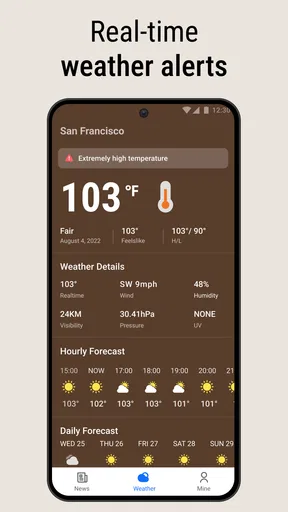
- Weather alerts can help users prepare for changing conditions.
- A clear layout makes key forecast details easy to find.
- Useful for checking weather before planning outdoor activities.
What could be better
- Forecast accuracy may vary by location and provider.
- Radar updates may not be frequent enough for fast-moving storms.
- Some features may require an internet connection.
- Frequent alerts can become distracting.
- Advertising may interrupt the forecast experience.




