
 Analysis byWeUseApps
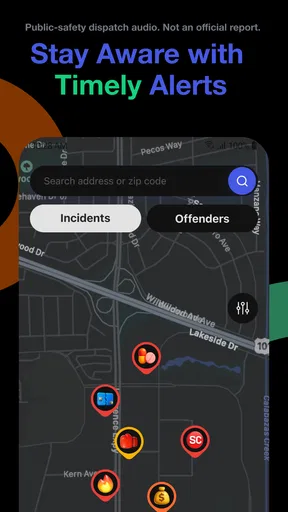
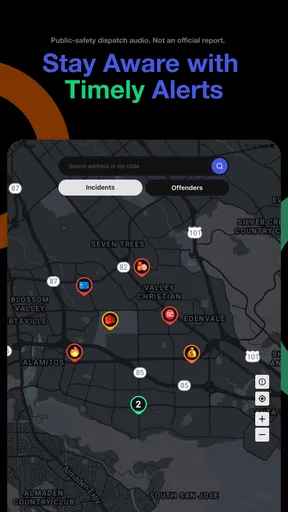
I’m drawn to tools that help me understand what is happening around me without turning every alert into a reason to panic. CrimeRadar: Dispatch Alerts has a focused purpose: it pairs a safety map with alerts tied to live first-responder radio activity. That makes it a different kind of news app from one built around headlines, explainers, or a broad stream of local stories. Its value depends on whether that live, location-oriented view is useful in your routine—and on having a reliable connection when you want to check it.
When a live connection matters
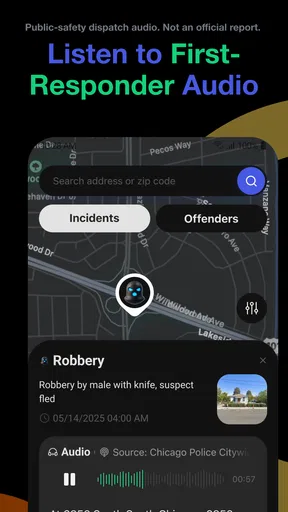
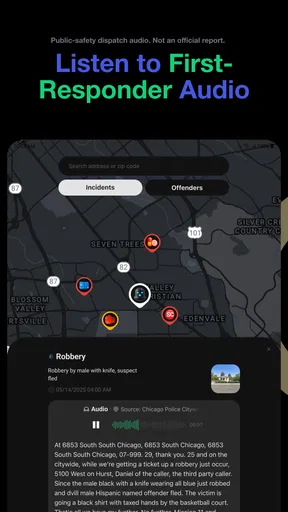
CrimeRadar is a free news and magazines app from Scoopz LLC, but its central idea is more practical than a conventional news feed. Rather than asking me to browse a long list of articles, it is designed to help me check a map and see alerts associated with first-responder radio activity. I’d think of it as a situational-awareness companion, not as a complete account of a developing incident.
That distinction matters most when something is unfolding nearby. A map can give a quick sense of where activity is being reported, while an alert may prompt me to look more closely. But a live feed is only useful when information can reach the app, and when my phone can reach the service. In a weak-signal area, underground parking garage, or building with poor reception, checking an update may be less dependable than it is on a solid mobile connection.
I also wouldn’t treat a radio-based alert as a confirmed explanation of what happened. Activity can be developing, and an alert does not necessarily provide the context or verified reporting that a careful news article would. My sensible routine would be to use the app as an initial heads-up, then look for trustworthy local reporting or official guidance before drawing conclusions or sharing details with others.
A useful companion, not a full news desk
Compared with local news apps, CrimeRadar appears more centered on immediacy and geography than on background, interviews, and follow-up coverage. Compared with a general neighborhood discussion app, its stated focus on dispatch-related activity gives it a different role: it is about awareness, not conversation. Neither alternative is automatically better; they answer different questions. If I want a detailed explanation of an incident, a reputable news outlet is the better next step. If I want a quick view of nearby activity, the map-and-alert approach is the more relevant starting point.
The app’s reach suggests that many people are at least interested in this kind of service: it has more than a million installs and an average rating of 4.8 from around fifty thousand ratings. Those figures are encouraging, but they don’t tell me whether the coverage is equally useful in every town or whether a specific alert will answer the question I have. I’d judge it by what appears around the places I actually travel, rather than assuming that popularity guarantees local completeness.
Checking it while moving through the day
The clearest everyday use case is a quick check before changing plans. Imagine I’m about to leave work and have heard that something is happening near the route home. I could open the safety map, see whether there is relevant activity nearby, and decide whether to take another street or wait for more context. The app can inform that choice, but I would still use ordinary judgement: a map marker is not a road closure notice, and an alert alone should not override emergency instructions or navigation guidance.
There is a second, less obvious use: checking a familiar area before visiting someone, rather than watching the feed continuously. That approach can make the app more useful and less stressful. I’d look when I have a real question—whether a nearby situation might affect a trip—then close it instead of repeatedly refreshing. In a fast-moving situation, repeatedly checking can create more uncertainty than clarity if the information has not yet developed.
On the move, the practical trade-off is attention. A phone is not a good place to interpret a map while walking across a busy street or driving. I’d check before setting off or after stopping somewhere safe. If an alert arrives while I’m occupied, it can wait; the app’s usefulness should not come at the cost of distraction. For a passenger, by contrast, a quick look may help the group discuss an alternative route, while the driver keeps attention on the road.
Because this is a live, location-oriented experience, the connection is part of the workflow rather than a minor convenience. I would plan to open it when I can get a usable signal, especially before relying on it to make a decision. If the connection drops, I would not assume that the map or alerts are current. I’d switch to a dependable source for urgent information and return to CrimeRadar once the connection is stable.
What to do when updates seem delayed
A practical limitation of any live-alert tool is that a quiet screen can mean several things: there may be no relevant activity, information may not yet have appeared, or the connection may be struggling. I wouldn’t read “nothing showing” as proof that an area is safe. That is particularly important if I’m checking because of a specific concern. The app can support awareness, but it is not a substitute for contacting emergency services when someone is in immediate danger.
If an alert looks incomplete or unexpected, I’d avoid forwarding it as fact. I’d first check whether I still have a connection, reopen the view, and see whether the information changes. Then I’d compare it with a more authoritative source if the matter affects a real decision. This modest verification step is worth the extra time: dispatch-related activity can be easy to misinterpret without context, and circulating an uncertain claim can worry people unnecessarily.
That cautious approach also helps set expectations about recovery from interruptions. A connectivity problem is not something I would try to solve by assuming that an old screen is still live. If I have moved between areas with different reception, I’d refresh my understanding only after the app can communicate again. For urgent directions, official alerts and emergency responders should take priority over a map view that may not reflect the latest development.
Keeping use intentional and comfortable
I’d use CrimeRadar selectively rather than leave it open all day. Besides reducing distraction, that habit makes the app’s alerts easier to interpret: I’m checking because I have a reason, not simply reacting to every possible event. People who are sensitive to crime-related news may find that boundary especially helpful. A safety tool can provide awareness, but constant monitoring can make ordinary surroundings feel more threatening than they are.
It is also sensible to be mindful of mobile data. A map and live updates require a network connection to deliver current information, so I’d avoid repeatedly opening and refreshing the app when I’m trying to conserve a limited data allowance. I would check it when useful, then rely on other ways of planning the rest of the day. I’m not claiming a particular data-use figure; the practical point is simply that frequent live checks are a choice, not a requirement for every errand.
The app is free to download, with optional in-app purchases ranging from five cents to $79.99 per item. That is a wide span, so I’d look carefully at what an individual purchase offers before paying and decide whether it addresses a need I actually have. The basic decision is straightforward: try the free app first, see whether local coverage and the experience suit you, and avoid treating a purchase as a guarantee of better information or complete coverage.
Who is likely to find it worthwhile
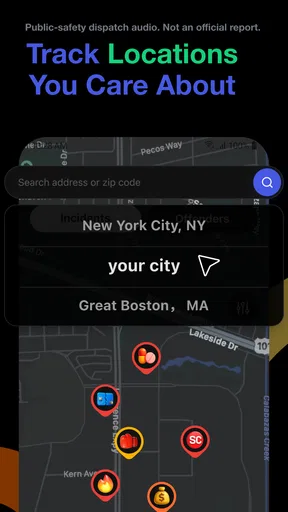
I can see CrimeRadar fitting people who regularly travel around a city, want a quick way to check nearby activity, or prefer a map-based view over scrolling through general headlines. It may also interest someone who wants an extra source of situational awareness before choosing a route or heading to a particular neighborhood. Its content rating is Everyone, though the subject matter may still be uncomfortable for some users; an age label does not determine whether crime-related alerts feel right for a particular person.
I would skip it if I wanted carefully edited reporting, crime trends explained over time, or a definitive account of an incident. It is also a poor fit for someone who expects a safety app to guarantee personal security, provide immediate emergency response, or work as a replacement for official instructions. If I lived or travelled somewhere with unreliable reception, I’d be especially cautious about depending on it in the moment and would keep other information sources available.
The current version is 26.42.1, and the app supports Android 8.0 and later. That makes it relevant to people using older compatible Android devices, though the real experience still depends on having a working connection where they need to check it. On iOS, I’d confirm availability and compatibility in the app store before planning around it. For Android users, the key question is not merely whether a device meets the minimum system requirement, but whether the network is dependable along their usual routes.
My connectivity verdict
CrimeRadar: Dispatch Alerts has a clear niche: it brings a safety map and dispatch-related alerts together for people who want a quick local check. I like the idea most as a prompt to pay attention and make a considered choice, not as a source to consult for a complete narrative. Its strongest use is a brief, purposeful check before or during a change of plans; its weakest is being treated as a constant, unquestioned stream of truth.
For me, the deciding factor is connectivity paired with realistic expectations. When I can get online, the map-and-alert format may offer a timely additional view; when I can’t, I would turn to other sources rather than rely on a screen that may not be current. I’d recommend trying it if you want a location-focused companion to local news and are comfortable verifying important details elsewhere. If you mainly want detailed journalism or guaranteed emergency guidance, a conventional news source or official channel is the better choice.
What we like
- Provides timely alerts about nearby incidents.
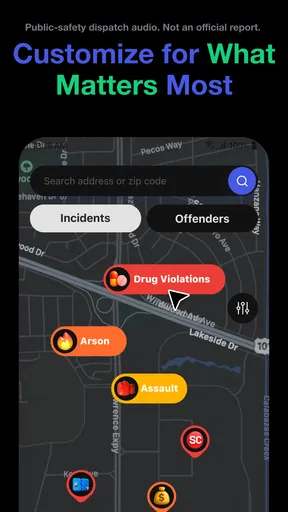
- Lets users tailor notifications to their area.
- Offers a quick way to check local safety activity.
- Can help users stay aware while traveling.
- Presents crime updates in an easy-to-scan format.
What could be better
- Alert coverage may vary by location.
- Some reports may arrive after an incident occurs.
- Frequent notifications could become distracting.
- Incident details may be limited or incomplete.
- Users should verify important information with official sources.




