
 Analysis byWeUseApps
My first week with X was the easiest part: there was always something new to read, and the feed made it simple to move from a breaking story to reactions from people following it. The harder question came later: did I still want it on my phone once the novelty wore off? My answer is yes, but with a caveat. X works best when I treat it as a fast, customizable window onto public conversation, not as a complete or automatically reliable news service.
What keeps the feed interesting
X is a free news and social media app from X Corp., with a mature 17+ audience rating. Its scale is part of the experience: it has more than a billion installs, an average rating of 4.8, and around 25 million ratings. Those figures suggest broad appeal, but they don’t tell me whether its stream will suit my habits. The useful test is whether I want timely discussion and can manage the noise that comes with it.
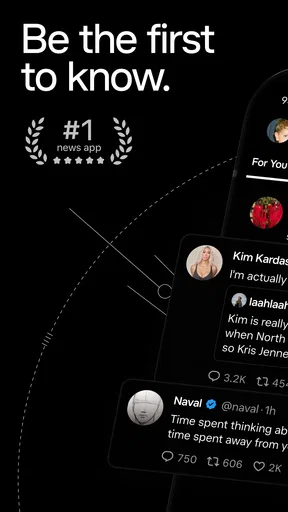
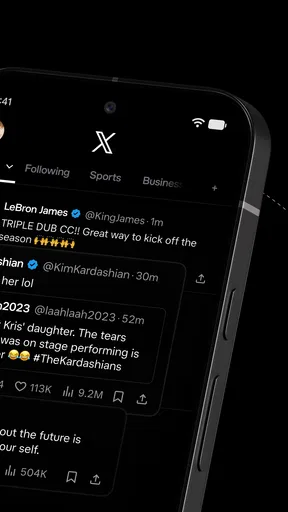
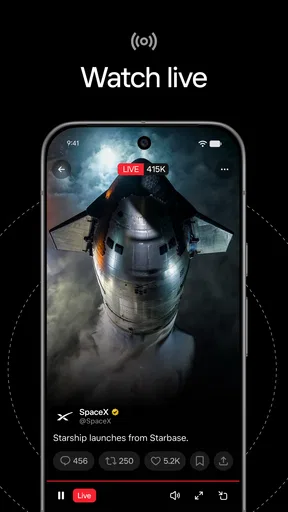
In the first few days, the appeal is immediacy. News organizations, public figures, specialists, eyewitnesses, and ordinary users can all appear in the same stream. During a developing event, that mix can surface useful context before a traditional article has been updated. It can also produce speculation alongside reporting, so I read posts as leads to investigate rather than as confirmation by themselves.
The app’s central strength is the overlap between news and conversation. A story is not just a headline; it may bring eyewitness accounts, expert commentary, criticism, jokes, and corrections into view. That makes X more participatory than a conventional news reader. In exchange, I have to do more work to separate firsthand information from confident guesswork.
For an everyday example, imagine checking your phone during a commute after hearing that a local service is disrupted. X may show updates from the service, reporters, and people already at the scene. I would look for an identifiable source and compare claims before changing plans. The app can help me notice what is happening quickly; it cannot make every post trustworthy simply by placing it near other posts.
Making the first sessions useful
I get more from X when I follow a deliberate set of interests instead of letting curiosity pull me into every trending discussion. Start with accounts that offer distinct value: a local news source, a subject expert, and a few organizations whose updates matter to your routine. Then notice which posts repeatedly waste your attention. Curating the feed is not a one-time setup; it is the difference between a useful dashboard and an endless stream of interruptions.
A practical habit is to separate discovery from verification. I may use the feed to spot a developing story, then seek a fuller account from a source with clear reporting and context. That workflow makes X a useful front door rather than the whole house. It is especially helpful when an event is moving quickly, but less satisfying when I want a calm, complete explanation without watching a discussion unfold.
The app is currently at version 12.37.2-prod.01, and its Android release history reaches back to April 30, 2010. X’s long presence helps explain why it has become a familiar place for public discussion, but longevity alone does not guarantee a consistently pleasant experience. The feed’s value depends on the people and topics I choose to bring into it, and on how much attention I am willing to give it.
Why it can earn a place month after month
After the first rush of novelty, X is most worth keeping for recurring needs. I might check it for fast updates in a field I follow, see how a public issue is being discussed, or find knowledgeable voices that do not appear in my usual news routine. When those needs come up often, a few minutes of focused reading can justify the app’s place on my phone.
Its advantage over a standard news app is breadth of voices and speed of conversation. A traditional publisher is usually better for edited reporting, narrative structure, and a clear distinction between article and opinion. X is better when I want to see several perspectives quickly or notice that a topic is gaining attention. I would not use it as a substitute for a balanced news diet, because the feed’s selection and discussion can leave important context out.
Compared with other social platforms, X’s public-facing discussion makes it easier to encounter posts from people and organizations beyond a close circle of friends. That can be valuable for specialist topics and live events. It also means the experience can feel less personal and more argumentative. If I mainly want private conversation, photos from friends, or a quieter social space, another service is likely to fit better.
One non-obvious benefit is that following a topic through multiple kinds of accounts can reveal where claims differ. A reporter may give confirmed details, a subject specialist may explain what they mean, and people affected by the event may describe its practical impact. I find that combination useful only when I pause to compare what each source actually knows. A crowded reply thread is not the same thing as independent confirmation.
Keeping the app manageable
The maintenance burden is real, though it is mostly about attention rather than technical upkeep. I periodically review who I follow and whether their posts still help me. If a subject dominates the feed more than I want, I adjust what I engage with and revisit my choices instead of expecting the app to remain useful without any curation. A small, intentional feed is easier to check than one assembled by impulse over time.
I also try to give the app a purpose before opening it. Checking for updates on a particular topic is different from opening X whenever I have a spare moment. The first creates a natural stopping point; the second can turn into repeated scrolling through material I did not intend to see. If you want a service that reliably ends after a quick, finite read, a newspaper app or a newsletter may be easier to control.
There is a financial detail worth understanding: the app is free to download, but it offers in-app purchases ranging from $0.99 to $999.99 per item. I would not assume that paying is necessary simply to try the core experience. Anyone considering a purchase should check exactly what it covers in the app before committing, and decide whether that addition answers a need they actually have.
The rating and mature audience label also matter when deciding who should use it. A 17+ classification is a reminder that the public conversation may include material and discussion better suited to adults. I would not hand it to a younger user as though it were a curated news feed. For adults, the same openness that makes the service useful also calls for judgment about which accounts and conversations deserve attention.
Where fatigue sets in
The main long-term weakness is that speed and volume can crowd out reflection. A fast-moving feed rewards whatever draws attention, not necessarily whatever gives the clearest explanation. The same event may generate useful on-the-ground details, misleading fragments, repetitive commentary, and arguments that bury the original update. When I want certainty, a structured report from a trusted outlet is often the better next step.
Another source of fatigue is emotional churn. Public conversation can be informative, funny, and generous, but it can also become combative or exhausting. Following a subject closely may expose me to the same dispute from many angles without adding much new information. If I notice that I am checking out of habit rather than because I expect useful updates, taking a break or narrowing my follows is more sensible than trying to keep up with everything.
There is also a trade-off between discovery and control. A broad stream can introduce me to sources I would not have found on my own, yet it can also surface material outside the topics I meant to follow. Users who prefer a carefully ordered reading list may find this unpredictable. Users who enjoy an open-ended public feed may see that variety as the point. Neither preference is wrong, but it changes whether X feels energizing or intrusive.
That is why I would not recommend X as the sole place to get breaking news. It can alert me to what people are discussing, but I still want independent reporting for the details that affect decisions. Likewise, someone who wants a slow, chronological reading experience or a simple archive of articles may be happier with a dedicated reader. X earns its role by being lively and immediate, not by being the most orderly option.
The habit that makes it worth keeping
The long-term value comes from a repeatable routine: open the app for a defined reason, scan a thoughtfully chosen set of sources, follow promising leads to stronger reporting, and leave when the task is done. That approach takes a little maintenance but keeps the app from becoming a default sink for spare minutes. It also makes it easier to notice when the feed has stopped serving the purpose for which I installed it.
For Android users, the minimum operating system requirement is version 9. That makes compatibility a straightforward point to check before installing, especially on an older device. The app’s free entry point lowers the barrier to trying it, while the mature audience rating and optional purchases are reasons to approach it with the same care I would bring to any open social platform.
My lasting verdict is that X earns space when I use it as a curated pulse on public conversation, not as an all-purpose source of truth or entertainment. I would recommend it to adults who value timely updates, enjoy following specialists and public voices, and are willing to manage their own feed. I would suggest a traditional news app for readers who want edited context first, and a quieter social service for people who mainly want personal connections. After the novelty fades, X remains useful for me when it has a clear job; without that boundary, its volume can easily outweigh its value.
What we like
- Simple interface makes it easy to get started.
- Works well for users seeking a straightforward experience.
- Useful features can make everyday tasks more convenient.
- The app is easy to access on a mobile device.
- A suitable option for users who prefer a focused app.
What could be better
- Some features may require an account.
- The experience may depend on a reliable internet connection.
- Certain options may be limited without a paid plan.
- Updates can change the layout or available features.
- Compatibility may vary across devices and operating system versions.