




 Analysis byWeUseApps
I like rhythm games that make their appeal clear in seconds: hear a song, watch the notes arrive, and try to keep your hands in time. Magic Tiles 3™ builds its experience around that simple piano-tile idea. Its strongest draw is how quickly a song can turn an idle moment into a focused little challenge. You do not need to know music theory or learn a complicated control scheme; you just need to pay attention and tap accurately.
That simplicity is also the game’s defining trade-off. It is easy to start, but keeping a steady run takes concentration, and a missed note can interrupt the satisfying flow. I would recommend it to someone who wants a musical reflex game for short sessions, not to someone looking for a piano tutor or a relaxed way to listen to songs.
Why the tile-tapping format works
In this music game, the screen turns the beat into a sequence of tiles to tap. The appeal is not simply that the controls are familiar; it is that listening and reacting happen together. I find that the song gives each run a sense of momentum, while the incoming tiles make the player responsible for keeping up. A tune I might otherwise hear passively becomes something I have to follow.
That relationship between sound and action is what makes the format feel more engaging than tapping at random. When I settle into a rhythm, my attention shifts from each individual tile to the pattern of the music. When I lose that rhythm, the challenge becomes obvious immediately. This makes a successful stretch feel earned, even though the basic action is only a tap.
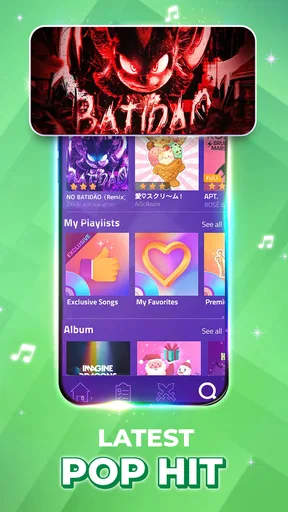
The game is published by AMANOTES PTE. LTD. and sits firmly in the casual music-game space. Its store summary points to piano-style tapping, K-pop, Christmas songs, offline play, and a Rush E challenge, suggesting a mix of familiar musical themes and a more demanding option. I see that variety as useful for changing the mood of a session, rather than as a promise that every song will suit every player.
Learning the rhythm, not just the controls
The controls are straightforward enough that a new player can understand the central task without a lengthy explanation. The harder part is learning how to read the incoming sequence while still listening. If I stare only at the tiles, I can become reactive and lose the beat; if I rely only on the music, I can miss a change in the pattern. Good play asks for both kinds of attention at once.
My practical tip is to begin with a song whose pace feels comfortable, then focus on clean, consistent taps instead of trying to rush through a difficult challenge. A short run is more useful for finding the timing than repeatedly restarting in frustration. Once the movement feels natural, a faster or more demanding selection becomes a better test of concentration.
The most useful skill here is coordinating what you hear with what you see. That makes the game satisfying for people who enjoy rhythm challenges, but it also explains why it can feel unforgiving when attention wanders. A message notification, a conversation, or a noisy room can break concentration in a way that matters more than it would in a slow puzzle game.
A good fit for small breaks
The clearest everyday use case is a brief break when I want something more active than scrolling but do not have time to settle into a long game. A quick session can give me a compact goal: follow the song, keep the taps controlled, and see how long I can maintain the rhythm. The simple premise makes it easy to return after putting the phone down.
The store summary also identifies offline music play, which is especially relevant for travel or places where a connection is inconvenient. I would still treat offline use as a practical option to check in the game before relying on it for a particular trip, but the stated capability makes the game more appealing for a commute than a music game that depends entirely on being connected.
For a train ride, I would choose a song that does not demand my full attention if I expect interruptions, and save the tougher challenge for a quieter moment. That is a small but meaningful distinction: the game can fit a commute, yet its most satisfying play happens when I can concentrate instead of constantly pausing mentally to deal with my surroundings.
It can also work as a quick shared challenge. Two people can take turns trying the same kind of rhythm task and compare how comfortably they handle it, without needing to explain elaborate rules. But it is not the best choice for a group conversation where everyone wants to keep talking; the player holding the phone needs to watch the tiles and listen closely.
What the challenge asks of you
The main friction is the narrow margin between feeling in control and falling out of time. A song that sounds familiar may still be difficult to follow on screen, because recognition does not automatically translate into accurate tapping. That gap can be enjoyable for someone who likes improving through practice, but annoying for a player who expects musical familiarity to make a run easy.
There is another trade-off in the format itself: the more I focus on performing well, the less I treat the game as background music. This is not a passive playlist with a piano theme. The songs are part of the challenge, and the player’s attention is part of the experience. If I want to relax by listening without having to respond, a music player or a more forgiving musical game is a better fit.
It is also worth separating this from learning to play piano. Tapping tiles can help with timing and attention, but it is not the same as practicing keys, reading notation, or developing piano technique. I would choose a dedicated lesson app or a real keyboard for those goals. Magic Tiles 3 is better understood as an accessible rhythm test with a piano-inspired presentation.
For the same reason, it may not suit players who dislike retries or who prefer games where progress comes from exploration rather than precision. The central pleasure comes from getting the timing right. If a missed tap feels like an irritating interruption instead of a reason to try again, the format may wear thin quickly.
Song choice, challenge, and spending
The range suggested by the game’s music themes gives sessions room to feel different: a player might choose a K-pop selection, a seasonal song, or seek out the Rush E challenge when looking for a tougher test. I would use those choices to match the session to my energy. Familiar music is a comfortable starting point; a more demanding challenge is better saved for when I want to concentrate.
The game is free to download, with in-app purchases listed from $0.99 to $49.99 per item. That makes it sensible to try the basic experience before spending. I would not treat a purchase as necessary to decide whether the tile-tapping style suits me, and I would check the purchase screen carefully before confirming anything, especially if a child is playing.
Its age rating is Everyone 10+, a useful detail for families considering whether the game is appropriate for a younger player. The game has a broad audience by scale, with over 500 million installs, a 4.6 average rating, and 3.6 million ratings. Those figures suggest that the straightforward rhythm format has reached many players, but they do not tell me whether its pace or song choices will match an individual’s taste.
The current version is 13.084.006, and the listed minimum operating-system requirement is 7.0. Those details matter when deciding whether an older device can run it, though I would still check the app store on the device itself for compatibility. The game was released on February 24, 2017, so it is an established entry in mobile rhythm games rather than a brand-new experiment.
How it compares with other music games
Compared with music games that ask players to build a character, explore a world, or manage a more involved progression system, this one puts the immediate act of tapping to music in the foreground. I see that as an advantage when I have only a few minutes and want to understand the task instantly. It is less compelling if I need a layered long-term goal or a substantial story to keep me invested.
Compared with rhythm games that use more elaborate controls, piano-tile tapping is approachable and easy to pick up on a phone. The compromise is that success depends heavily on timing and visual tracking rather than on learning a broader set of musical inputs. Players who enjoy precise touch challenges may prefer that focus; players who want more varied mechanics may find it repetitive after the novelty fades.
That distinction helps answer whether this is a good first rhythm game. I think it can be, because the central interaction is easy to grasp. But a beginner who feels overwhelmed should lower the pressure and treat early sessions as practice in following the beat, not as a test of musical ability. The game rewards attention; it does not require a musical background.
Who will get the most from it
I would point this game toward someone who enjoys familiar songs, quick reflex challenges, and the small satisfaction of improving a run. It is particularly suited to people who want a focused activity during a short pause and are comfortable repeating a song to get the timing right. Offline play is another appealing consideration for anyone who wants a music-themed game available away from a reliable connection.
I would steer away from it if your main goal is to learn piano, if you want music to play without interaction, or if you find precision-based retries stressful. It is also not my first choice for distracted settings: the tile stream asks for enough attention that interruptions can make a casual session feel more frustrating than relaxing.
Overall, I find Magic Tiles 3™ strongest when I treat it as a compact rhythm challenge rather than a substitute for lessons or a music library. The tile format makes the beat interactive, the controls are approachable, and the range of song themes gives me reasons to change what I play. Its demand for steady focus is both the source of its satisfaction and its biggest limitation. If that trade-off sounds appealing, it is an easy game to try; if you would rather listen than tap, another kind of music app will serve you better.
What we like
- Short rounds make it easy to play during spare moments
- Multiple music styles offer variety beyond piano tracks
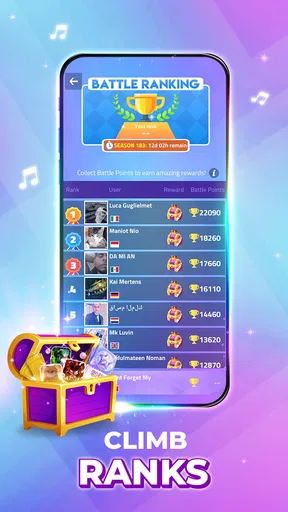
- Online battles add a competitive challenge
- Daily rewards encourage regular play
- Simple controls are easy for beginners to learn
What could be better
- Ads can interrupt the experience between rounds
- Some songs require payment or in-game resources
- Fast tracks can feel difficult on smaller screens
- Online play depends on a stable internet connection
- Frequent tapping may become tiring during long sessions




