
 Analysis byWeUseApps
I judge a mobile video editor less by how many buttons it has than by whether I can get from a rough idea to a clip I’m happy to share without fighting the interface. Edits, Instagram’s video-making app, is aimed at that practical job: shaping footage on a phone and preparing it for social video. I find its strongest appeal in a repeatable, hands-on editing routine rather than in replacing a full desktop suite.
From a camera roll to a finished clip
My starting workflow is simple: decide what the clip needs to communicate, choose only the footage that supports it, and then arrange the shots before spending time on polish. That order matters on a phone. If I begin by adjusting every visual detail, I can end up refining a sequence that is too long or has no clear point.
For a short everyday edit, I would first identify the opening moment, the main action, and the ending. I’d trim away pauses that do not help the story, then watch the sequence through once without stopping. That quick pass often reveals a timing problem more clearly than inspecting each shot in isolation. Edits is most useful when I treat it as a focused video workspace, not as a place to collect every possible effect.
A realistic example: after a weekend walk, I might want to share a short clip that moves from the trail, to a view, to a friend’s reaction. I would pick a few distinct moments, put them in a natural order, and keep the transitions unobtrusive. If the scenery is doing the work, a crowded edit can make it feel less immediate. That kind of restraint is a skill, and an editor designed for quick mobile creation can help make the process approachable.
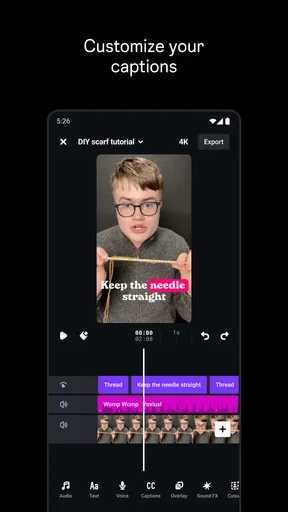
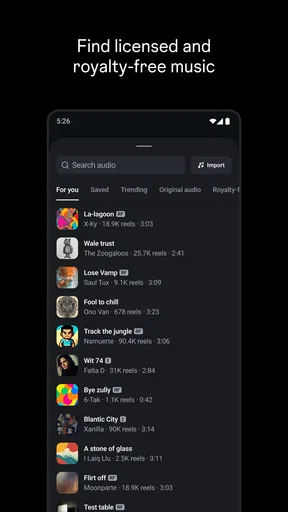
One useful habit is to make a rough cut before choosing music, captions, or decorative touches. Music can make a weak sequence feel temporarily exciting, so I prefer to check that the visuals make sense on their own first. Once the structure works, I can use sound and text to support the story rather than cover up a lack of one.
Settings and choices worth checking
Before editing, I’d check the project’s intended destination and viewing context. A clip made for a vertical social feed has different framing needs from a video meant to be watched on a wider screen. I would also review the opening and closing frames: they are easy to overlook while trimming, but a clipped first moment or an abrupt ending can make an otherwise tidy edit feel unfinished.
Sound deserves its own check. When a clip includes speech, I listen for whether the voice remains easy to follow after other audio is added. When it is mostly visual, I consider whether music adds something or simply fills silence. These choices are not glamorous, but they often make more difference to the result than another layer of visual decoration.
I also recommend watching the complete edit at normal speed before sharing it. Scrubbing can make cuts seem smoother than they feel in real time, and repeated previews of individual moments can hide an awkward rhythm. A full playback is a practical final check for pacing, continuity, and whether the message is clear without explanation.
Edits is free to download, though it includes in-app purchases priced from $0.99 to $1,049.00 per item. I would keep that range in mind before buying anything: the useful question is whether a paid item solves a need I actually have, not whether it might someday be handy. Someone who only wants occasional, straightforward clips can start with the free app and decide later whether any purchase is worthwhile.
Build a faster, repeatable editing rhythm
Experienced editing is often less about secret shortcuts than about reducing unnecessary decisions. I’d settle on a small set of habits: sort the footage before opening the editor, cut the story first, review the whole sequence, and add finishing touches only after the structure feels right. Repeating that order makes each project less likely to become a long, aimless session.
For recurring posts, I would also keep a personal checklist of decisions that should remain consistent, such as the general pacing, how much on-screen text feels readable, and whether a particular kind of clip needs a sound check. This does not require assuming that Edits offers a template or a special automation feature. It is simply a way to make the work more predictable and avoid reconsidering the same basics every time.
Another practical trick is to separate selection from trimming. First choose the moments that matter; then refine their lengths. If I try to make every shot perfect as soon as I add it, I can spend too much time on footage that later gets removed. A rough selection keeps the project moving, while the finishing pass gives the few shots that remain the attention they deserve.
For a quick event recap, I would think in beats rather than in a pile of clips: arrival, activity, one memorable detail, and a closing moment. That gives the viewer a small arc and gives me a clear test for every shot. If a clip does not establish the setting, show something important, or improve the rhythm, it probably does not need to stay.
Where it fits among mobile editors
Compared with a basic phone gallery editor, a dedicated video app is a better fit when I want to shape several moments into one deliberate sequence. Compared with a large, general-purpose editing suite, a mobile-first tool is appealing when speed and convenience matter more than a sprawling set of controls. Those are different jobs, and neither approach is automatically better for every creator.
Edits belongs in the video players and editors space, but I would think of it primarily as a creation tool rather than a replacement for every video workflow. If I needed intricate compositing, very fine control over a complex sound mix, or a highly specialized production pipeline, I would look for a more advanced editor suited to that work. For quick social clips, adding that level of complexity can slow me down without improving the result.
It is also worth distinguishing editing from publishing. A finished video still needs a suitable destination and a clear reason to be shared. Because this app comes from Instagram, it is a natural option for people who already make social content, but I would still judge each clip by the audience and format I have in mind rather than assume every project belongs on one platform.
Limits that matter in daily use
Mobile editing is convenient, but a phone screen is not ideal for every task. Fine adjustments can feel cramped, and long sessions may be less comfortable than working on a larger display. I would choose a phone-based editor for short, self-contained projects and move to a desktop workflow when a project demands extensive detail or repeated precision work.
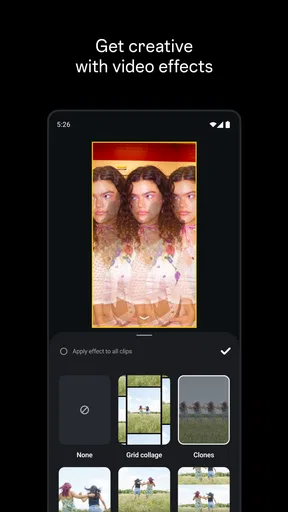
There is another trade-off: speed can encourage over-editing. When effects and finishing choices are close at hand, it is tempting to add them simply because they are available. I get better results by asking what each choice contributes. If a title is hard to read, a transition distracts from the moment, or music competes with speech, the edit needs simplification rather than more decoration.
Compatibility is worth checking before building a routine around any app. Edits requires Android 9 or later, so anyone using an older Android release should verify that their device meets that minimum before planning a project. The app is rated for Everyone, making its stated content rating broad, but parents should still use their own judgment about a young person’s video creation and sharing habits.
Its current version is 452.0.0.50.64. I would keep the app updated through the store, especially if I rely on it for regular work, while remembering that the editing process itself matters more than chasing each new version. A steady workflow—select, arrange, trim, review, then finish—is useful regardless of which release is installed.
Who will get the most from it
Edits makes the most sense for people who often turn phone footage into short, considered videos and want a dedicated place to assemble them. Newer editors can benefit from the clear discipline of building a sequence before polishing it. More experienced creators may value the convenience of handling a small edit on the device already holding the footage, particularly when the project does not justify opening a more elaborate setup.
I would skip it if my main need were professional-grade control over a complicated production, if I preferred editing on a larger screen, or if I rarely make videos at all. In those cases, a more specialized desktop editor or the basic tools already available on a device may be a better match. The right choice is the one that suits the scale of the work, not the one with the longest feature list.
There is a substantial audience for it: Edits has over 100 million installs and a 4.7 average from around 1.9 million ratings. Those figures suggest that many people have tried it, but they cannot tell me whether it suits a particular project. I would base that decision on the workflow above: if I can make the kind of clips I actually need without adding needless steps, the app is doing its job.
A practical verdict for regular creators
Instagram’s Edits is a sensible choice when I want a mobile-first way to shape social video with a repeatable process. Its best value is not a promise that every edit will be effortless; it is the chance to work through footage in a more intentional order and finish a short project without turning it into a production exercise.
The app has a 4.7 average, and its broad reach makes it a familiar option for many creators, but I would still approach it as one tool among several. I would begin with a small project, keep the first cut simple, and judge the experience by how comfortably I can review and refine the result. If that rhythm suits me, Edits is worth keeping in my mobile toolkit. If I need deep technical control or do not make social clips, I would choose a different kind of editor instead. My main recommendation is to let the story lead and use the app’s convenience to support it, not to add complexity for its own sake.
What we like
- Designed for Instagram creators and Reels workflows
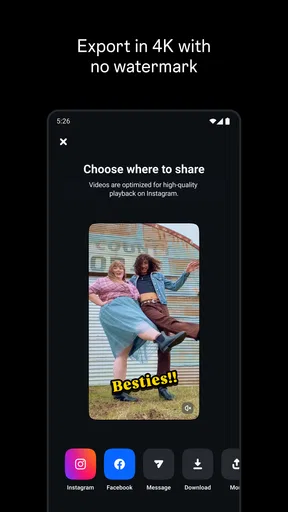
- Exports are free without a watermark
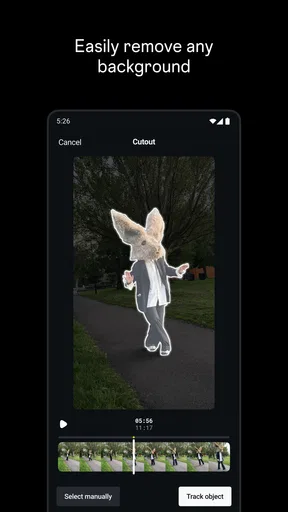
- Includes AI tools for effects and background removal
- Offers detailed controls for color and lighting
- Allows projects to be saved as drafts
What could be better
- Requires an Instagram account to use
- Some features may need a newer phone
- AI effects can take time to process
- Advanced editing controls may feel overwhelming
- Availability of some features can vary by region




