
 Analysis byWeUseApps
I would recommend Chess - Play and Learn Online to someone who wants to move from knowing how the pieces move to playing more confidently. It is a board game from Chess.com, and its strongest appeal is that playing, studying tactics, and reviewing decisions sit within the same chess-focused experience. You can arrive looking for a quick game and gradually find ways to understand why your moves worked—or didn’t.
My main advice for a first-time player is to treat the app as both a place to play and a place to learn, but not to try to master every part at once. Start with a game at a comfortable pace, notice one position that gave you trouble, and use that as the question you take into your next puzzle or analysis session. That small loop is more useful than jumping between every available activity.
What a new player can expect
The basic promise is straightforward: play chess against other people, including friends, and build your skills through tactics, puzzles, and position analysis. That combination makes the app more than a digital chessboard. It gives beginners a way to put a lesson into practice, while experienced players can use it to keep games and study close together.
Chess is a board game with an unusually steep learning curve: the rules are manageable, but recognizing plans and avoiding blunders takes time. The app suits that progression. A newcomer can focus on legal moves and basic threats, while someone who already knows the rules can use puzzles to sharpen pattern recognition. I would not expect a puzzle to explain every strategic idea by itself; it is better treated as focused practice than as a full substitute for a coach or a book.
The scale of its audience is reassuring if you want to find opponents: it has over 100 million installs and an average rating of 4.7 from around 3.5 million ratings. That doesn’t guarantee every game will be a perfect match, but it suggests this is a well-established place to look for chess rather than a quiet app with few players. Chess.com has also developed it as a dedicated chess product, so the central experience stays focused on the game.
Start with a simple, useful setup
After installing, I would first decide what I want from the app today: a game with a friend, practice against another player, or a short learning session. That choice keeps the first visit manageable. If you are new, begin with the chessboard and make sure you are comfortable selecting pieces and seeing where they can move before worrying about opening theory or clever combinations.
It is free to download, and the age rating is Everyone. In-app purchases range from $1.00 to $229.99 per item, so I would explore the free experience first and only consider a purchase after I know which part of the app I actually use. Those prices span a wide range; they are not a reason to assume that a beginner needs to pay before trying chess. If you are setting it up for a child, the age rating is useful context, but I would still take a moment to review the app together and agree on how to use its online features.
One practical first-session tip is to avoid making the game itself your only measure of progress. Chess can feel unforgiving when a beginner loses a piece or misses a check. Instead, choose a small target before you play: keep your king safe, look for an opponent’s threat before every move, or try not to leave pieces undefended. A narrow goal gives you something concrete to improve even if the result is a loss.
Your first meaningful win may be a better decision
For a first successful action, I would play a game and then identify one moment where I was unsure what to do. Was my king threatened? Did the opponent’s last move attack a piece? Was there a safe way to develop another piece? Turning that moment into a question makes the next puzzle or analysis more purposeful. You are not just tapping through practice; you are testing a lesson against a real decision you remember.
That workflow is one of the app’s practical strengths: a game creates a personal example, and tactics or analysis can help you look at the kind of position that caused trouble. Beginners often review a whole game and feel overwhelmed by every mistake. I find it more helpful to focus on one turning point first. If you missed a simple attack, practice spotting threats; if you repeatedly lose pieces, slow down and check what each opponent move is attacking.
For a realistic everyday routine, imagine having a short break after work or school. You could play one game, save your attention for the key positions, and spend the rest of the session on a few puzzles rather than starting another match in a hurry. The point is not to turn every spare minute into training. It is to leave with one idea you can remember next time, such as checking for checks, captures, and threats before committing to a move.
How to make puzzles and analysis work for you
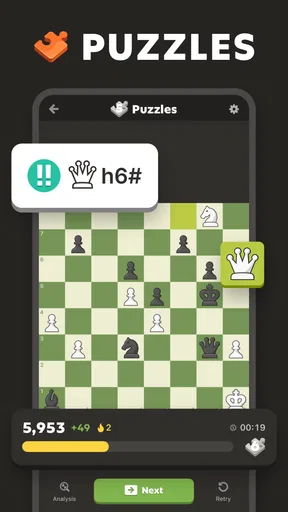
Puzzles are most useful when you explain the answer to yourself before moving a piece. Ask what the opponent would do if you chose a tempting alternative, and look for the point of the combination rather than memorizing a move. If you get one wrong, try to name the missed clue: an exposed king, a pinned defender, or a piece that had no escape. That habit builds transferable pattern recognition instead of a collection of isolated solutions.
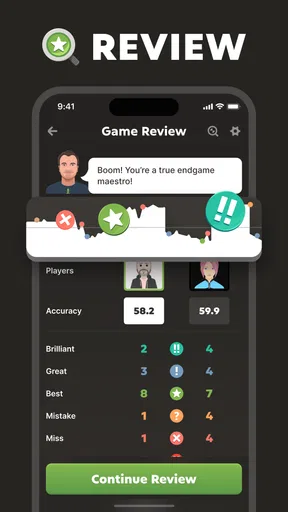
Analysis can also become more useful when you arrive with a specific question. Rather than asking whether an entire game was good or bad, inspect the position where your plan stopped making sense. Did you trade a useful piece? Did you move a pawn and weaken a square? Did you overlook a forcing reply? A focused review is less intimidating and helps you connect the board’s evaluation with your own thought process.
There is a trade-off here: analysis can show that a move was inaccurate without automatically teaching you how to think better next time. I would use it as a pointer, then replay the position and try a couple of candidate moves yourself. The app supports study through tools, but your improvement still depends on taking time to understand the reason behind a recommendation rather than merely accepting a verdict.
Common points of confusion
One common beginner mistake is treating a fast game as a test of chess ability. A quick format can be fun, but it gives you less time to notice threats and form a plan. If you are learning, choose a pace that lets you think, when available, and do not interpret a rushed blunder as proof that you are bad at chess. Your first goal is to make deliberate moves, not to play like someone who has studied for years.
Another source of confusion is expecting every loss to reveal a single obvious lesson. Often several small decisions combine: a piece is left loose, the king stays in the center, and a later tactic becomes possible. Review one decision at a time. If the explanation still feels opaque, return to the board and ask what the opponent threatened immediately before your move. That question is often more approachable than trying to understand a whole sequence at once.
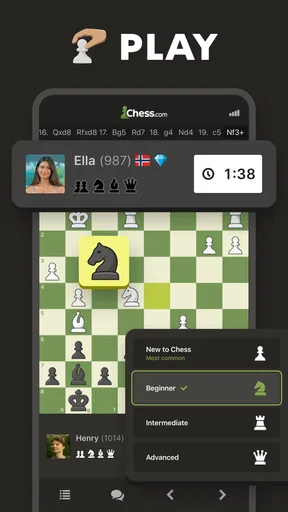
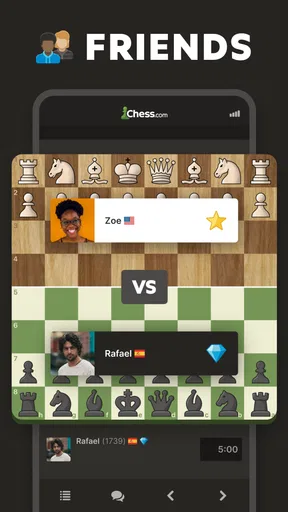
Online play can also feel more serious than playing a friend across a table, especially when a result is attached to your experience. I recommend treating early games as practice and resisting the urge to chase a rating or win streak. Playing with a friend is a good alternative when you want a familiar opponent and a less intimidating first match. If you simply want to learn the rules without competitive pressure, a physical board or a basic teaching resource may be a calmer starting point.
Where it fits among chess options
Compared with a traditional chessboard, this app makes it easier to find online opponents and move directly from play to digital practice. A physical board still has advantages: it is easy to study a position with another person, and there are no notifications or screens competing for attention. I would choose the app for convenient games and structured practice, and a real board for relaxed, face-to-face analysis.
Compared with a narrowly focused puzzle app, Chess.com’s game-and-study approach is better if you want to connect tactics with actual play. A specialist puzzle tool may suit someone who wants only a stream of exercises with no interest in playing online. Conversely, if you want chess as a casual social activity rather than a training project, you can ignore much of the study side and use it mainly to play with friends.
The app is not the right choice for someone who dislikes online competition, wants a completely offline chess experience, or expects a guided course to replace patient practice. It can put useful tools in reach, but it cannot remove the frustration of losing or make strategic understanding automatic. I would also look elsewhere if the main goal is simply to play a board game without learning chess; this experience is specifically built around chess and its improvement loop.
A sensible next step after your first games
Once the basics feel comfortable, keep a small personal focus for several sessions. You might spend a week checking whether pieces are protected, then shift to recognizing direct attacks or finding safe checks. After a game, choose one position that illustrates the focus and revisit it through analysis or a related puzzle. This makes the app feel less like a collection of separate activities and more like a practice routine with a clear purpose.
Chess - Play and Learn Online was released on February 1, 2010, and it remains a substantial option for people who want online chess alongside learning tools. I like that a first-time user can begin with a simple game and add study gradually, rather than needing to understand chess theory before starting. The experience can still feel busy or demanding if you try to do everything at once, and paid items are available, so I would begin with the free play and see which tools genuinely help.
My recommendation is simple: install it if you want convenient chess games and are willing to learn from a few mistakes. Play at a pace that lets you think, use puzzles to address a real weakness, and review one important position instead of judging yourself by a single result. If you follow that path, your first meaningful success may not be a checkmate—it may be noticing a threat in time and choosing a better move.
What we like
- Interactive lessons explain key ideas with clear examples.
- Puzzles offer a focused way to practice tactics.
- Online games make it easy to find opponents.
- Game analysis helps identify mistakes after a match.
- The app supports play against computer opponents.
What could be better
- Some lessons and features require a paid membership.
- Ads may interrupt the experience for free users.
- A stable internet connection is needed for online play.
- The many features can feel overwhelming to beginners.
- Online opponents may vary widely in skill level.




